
June 25, 2026
How I Add a React Video Editor to a JSON-First Video App
VideoFlow keeps the JSON contract, editor, and renderers separate so I can ship editing without coupling the whole pipeline.
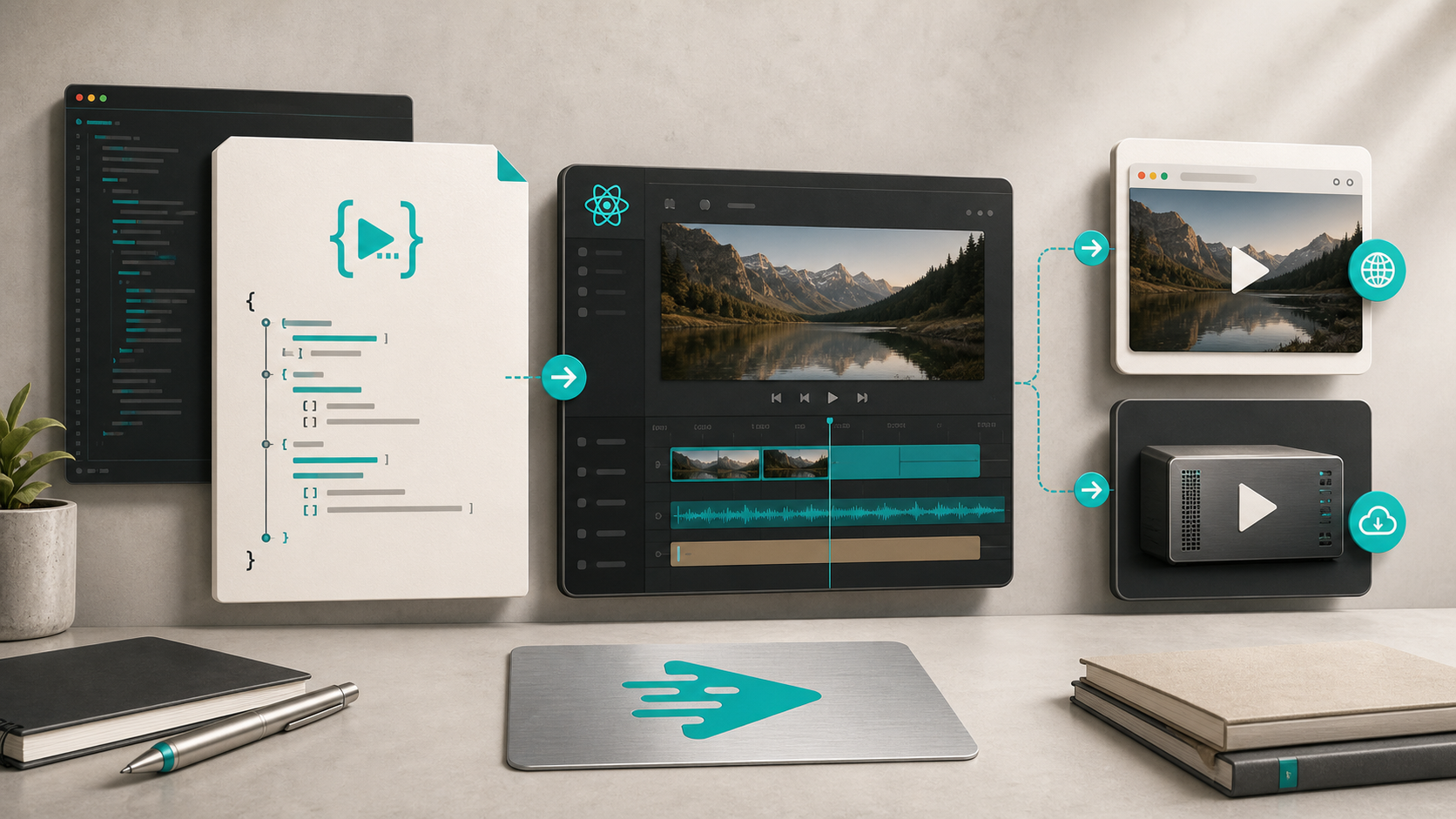
The part that gets messy in a video app is not rendering the MP4. It is the moment the editor starts owning export logic, and suddenly every small UI change can ripple into the pipeline.
I keep coming back to VideoFlow for this exact reason. The stack is split on purpose: @videoflow/core for authoring, the renderers for output, and @videoflow/react-video-editor for the editing surface. If you want the broader background, I already wrote about how I keep one video workflow portable across browser, server, and React, how I keep product video templates stable as data changes, how to build a video template system around a single JSON source of truth, and how to let AI agents draft VideoJSON for VideoFlow templates. This post is the missing layer: the React editor on top of the JSON contract.
The Stack I Want
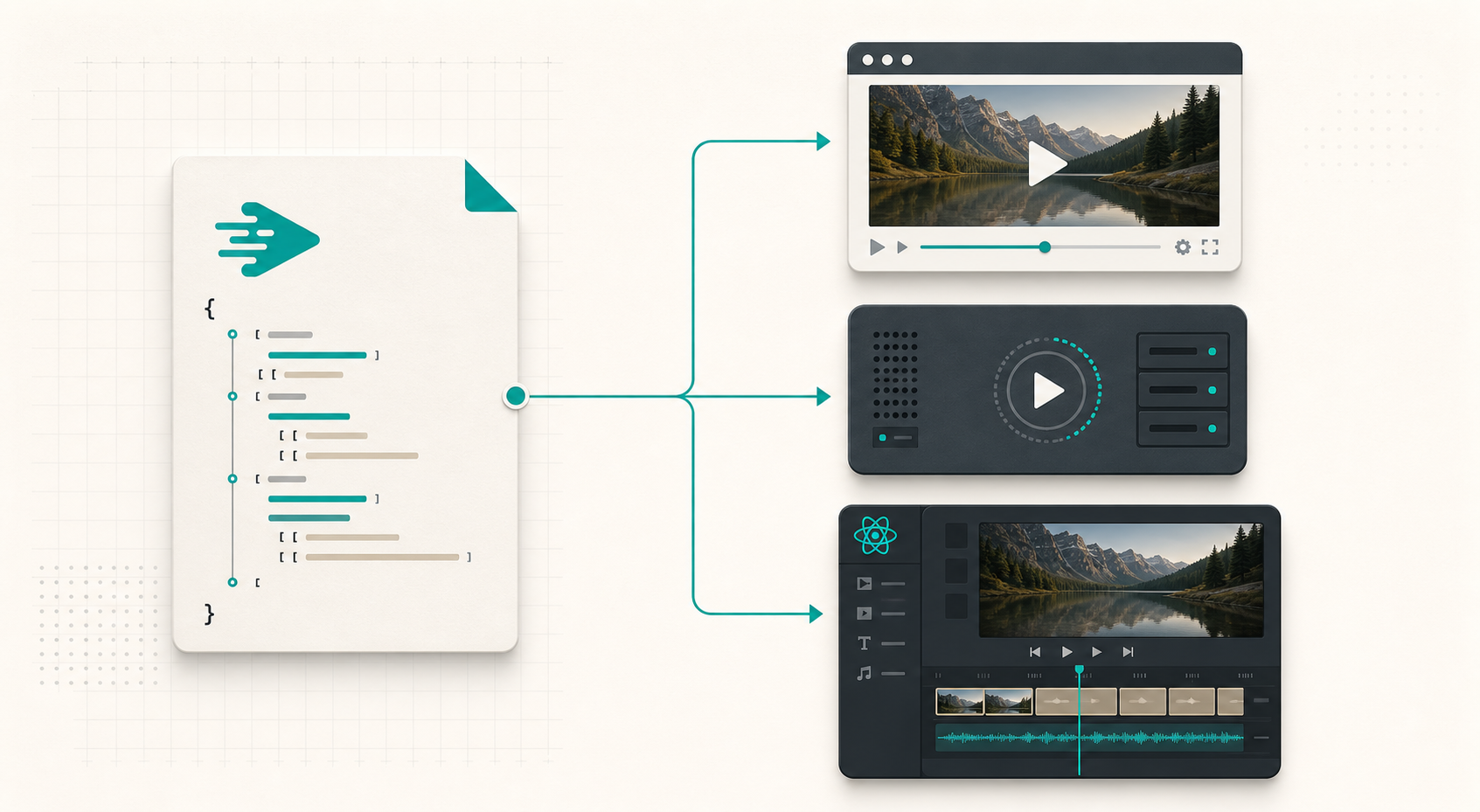
I want one object that stays stable while the surfaces around it change. VideoFlow gives me that shape. The core compiles a project into portable VideoJSON, and that same JSON can render in the browser, on a server, or inside a live DOM preview. That matters because the editor, the preview, and the export step are no longer three different systems with three different rules.
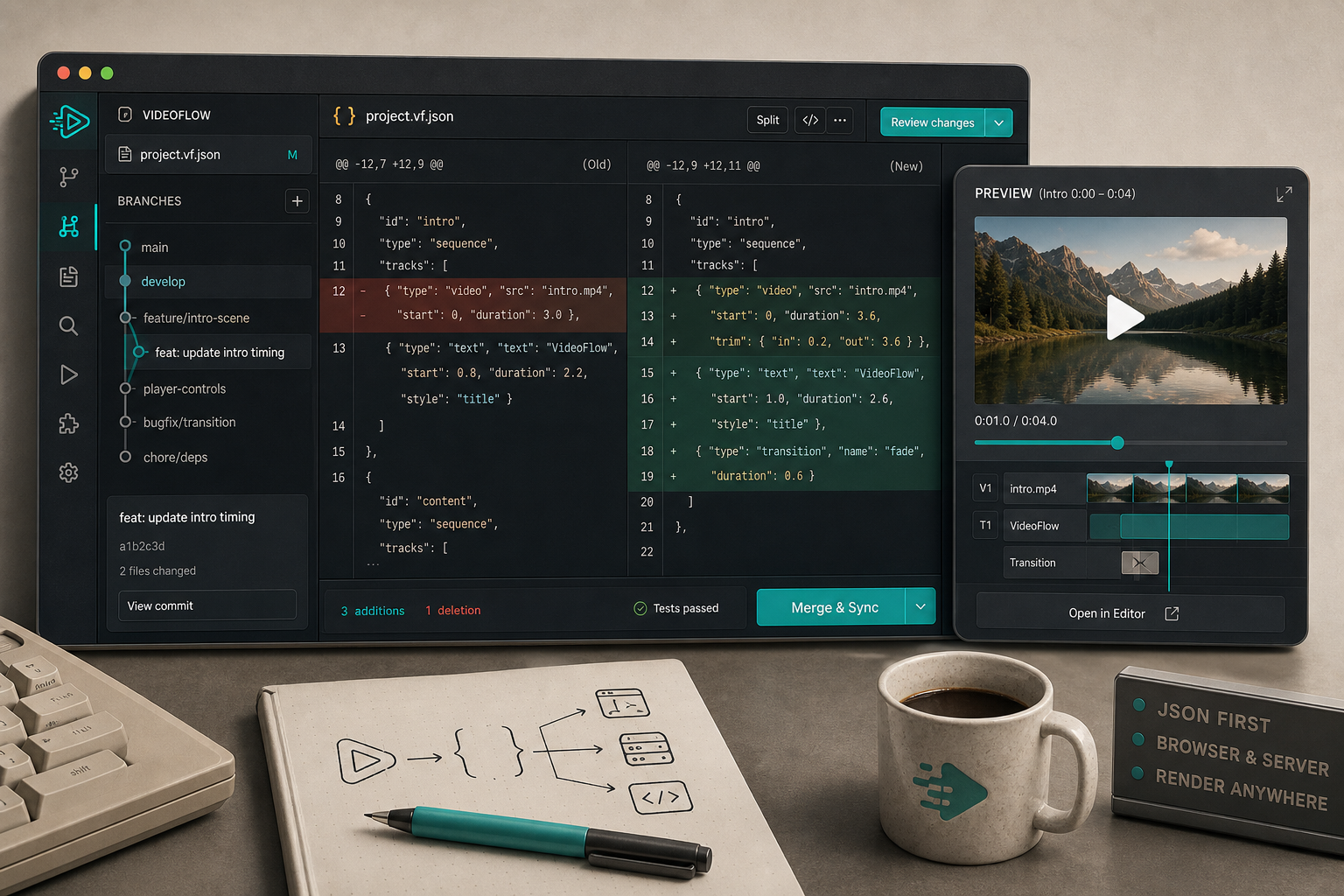
In practice, that means I can start with code, hand the project to an editor, and still keep the final render path independent. It also means the same template can be versioned in Git, reviewed in diff form, and reused later without rebuilding the UI every time I want a new product video.
Start With The Data Model
I build the project in @videoflow/core first, then treat the result as the contract. A small script is enough to make the shape explicit:
import VideoFlow from "@videoflow/core";
import { VideoEditor } from "@videoflow/react-video-editor";
import "@videoflow/react-video-editor/style.css";

const $ = new VideoFlow({
  name: "Spring Promo",
  width: 1920,
  height: 1080,
  fps: 30,
});

$.addText(
  { text: "Spring Sale", fontSize: 7, fontWeight: 800 },
  { transitionIn: { transition: "overshootPop", duration: "500ms" } }
);

const videoJSON = await $.compile();

export default function Editor() {
  const [video, setVideo] = useState(videoJSON);

  return (
    <VideoEditor
      video={video}
      onChange={setVideo}
      onSave={async (next) => await persist(next)}
      onUpload={async (file) => await upload(file)}
      theme="dark"
    />
  );
}
The point is not the exact demo content. The point is that the app has one editable source of truth before the UI starts layering on controls. VideoFlow core also gives you a fluent TypeScript API, six layer types, groups, keyframes, and natural time formats, which is enough structure to keep the project sane without forcing a full manual timeline model into your application state.
Let The Editor Stay Thin
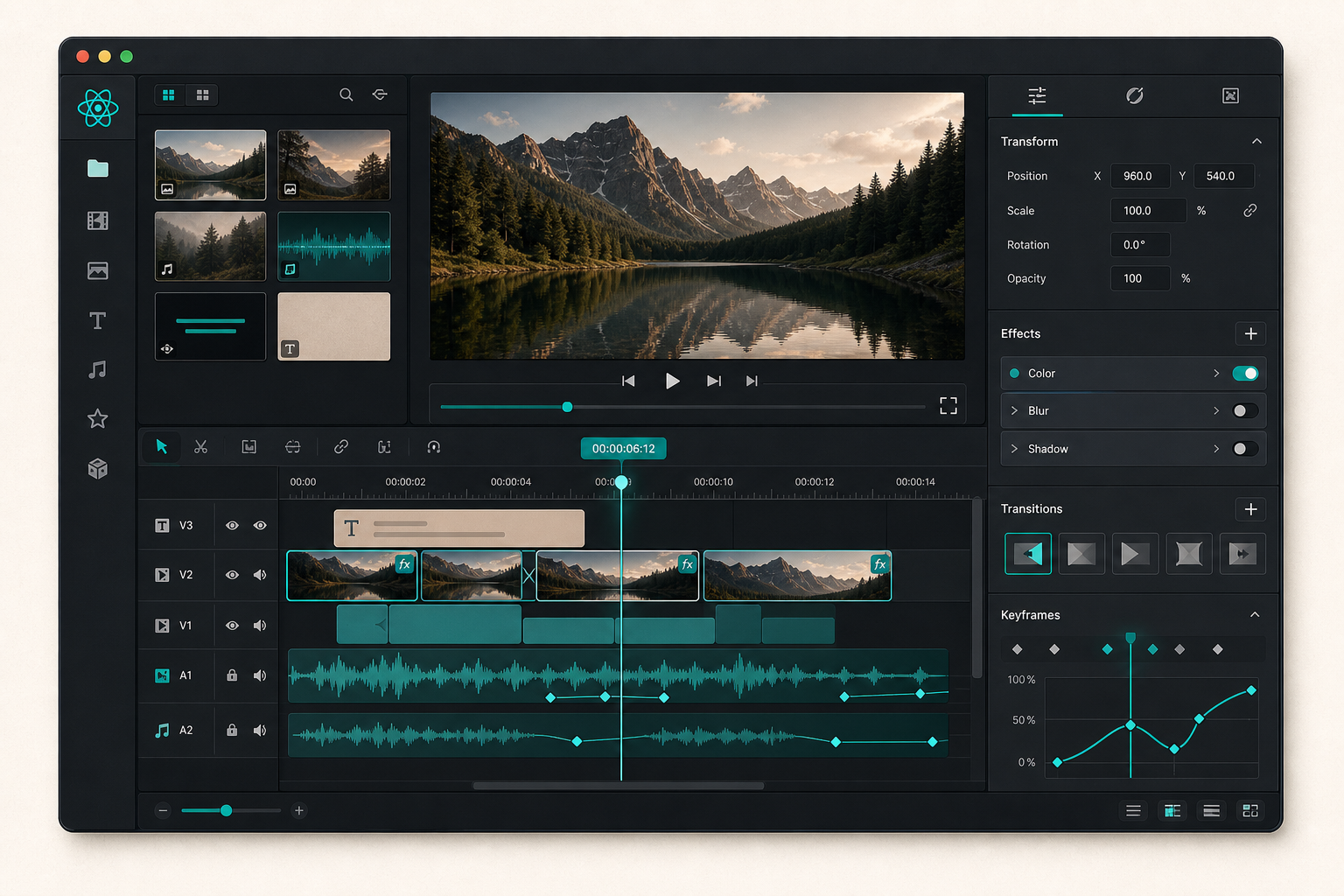
The React editor should be a surface for review, adjustment, and export, not the place where rendering logic gets rewritten. The built-in component already gives me the pieces I need: a multi-track timeline, drag/trim/snap/reorder behavior, a type-aware inspector, keyframe controls, undo/redo, file upload callbacks, MP4 export, and four built-in themes: light, grey, dark, and night.
That lets me keep the UI feeling like a product feature instead of a custom fork of the renderer. It also means the editor can expose 27 transitions and 42 GLSL effects as controls without the rest of the app caring how those visuals are implemented internally. I only need to decide what should be editable, what should stay templated, and which changes are safe to publish back into the JSON.
This is the same design pressure I keep seeing in other VideoFlow work: the more the editor behaves like a thin client over a structured project, the easier it is to keep the system maintainable.
Pick The Renderer By Job
Once the editor is just one layer on top of VideoJSON, the renderer choice becomes straightforward. I use the browser renderer when I want MP4 export to happen inside the app and I do not want to upload the source project first. I use the server renderer when I need batch jobs, API-driven renders, queues, or scheduled exports. I use the DOM renderer when I want a live scrubbable preview in the editor or dashboard.
That separation is what makes the workflow portable. The same VideoJSON can drive the editor for humans, a browser export for self-serve users, or a server-side job for heavier workloads. VideoFlow’s renderers are meant to keep those paths consistent, which is exactly what I want when the app starts to grow beyond a single demo flow.
Keep The Template Versionable
Versioning is where this setup pays off. If the project lives as data, I can diff it, branch it, review it, and roll it forward without treating the editor as a black box. That is the same idea behind how I keep product video templates stable as data changes and how to build a video template system around a single JSON source of truth.
I also like that this fits the AI-agent workflow I wrote about in how to let AI agents draft VideoJSON for VideoFlow templates. Once the JSON contract is clear, an agent can draft a scene, a human can review it in the editor, and the renderer can stay boring and reliable.
If you want to see the practical shape of the component itself, VideoFlow has core docs, renderer docs, React video editor docs, general docs, and examples. The homepage is the quickest place to start if you just want to see the project from the outside.
A Clean Build Sequence
If I were wiring this into a new app today, I would do it in this order:
- Define the video template in
@videoflow/coreand compile it to VideoJSON. - Mount
VideoEditoron top of that object and keeponChange,onSave, andonUploadnarrow. - Decide which renderer owns export for this product surface: browser, server, or DOM.
- Put the JSON under version control before you add more template variants.
- Only then expose advanced transitions or effects to non-technical users.
The nice part is that this does not require rebuilding the whole stack. It just asks you to stop letting the editor become the renderer. Once that line is clear, the app is much easier to maintain, and the template can survive the next round of product changes.
Finish The Split
That is the setup I keep coming back to: code defines the video, the editor makes it usable, and the renderer turns it into an output. VideoFlow is a good fit when you want those responsibilities to stay separate but still share one project model.
If you are building this now, start with the VideoFlow docs, try the playground, and use the examples to get one JSON template moving end to end. Once that works, add the React editor on top and keep the export path outside it.