<?xml version="1.0" encoding="utf-8"?><feed xmlns="http://www.w3.org/2005/Atom" ><generator uri="https://jekyllrb.com/" version="3.10.0">Jekyll</generator><link href="https://the-lean-ecommerce.github.io/feed.xml" rel="self" type="application/atom+xml" /><link href="https://the-lean-ecommerce.github.io/" rel="alternate" type="text/html" /><updated>2026-05-18T14:36:21+00:00</updated><id>https://the-lean-ecommerce.github.io/feed.xml</id><title type="html">The Lean Ecommerce Blog</title><subtitle>Practical guides, insights, and resources for ecommerce operators.</subtitle><entry><title type="html">How to Build a Product-Aware Shopify Blog Workflow That Publishes on Schedule</title><link href="https://the-lean-ecommerce.github.io/2026/05/18/how-to-build-a-product-aware-shopify-blog-workflow-that-publishes-on-s/" rel="alternate" type="text/html" title="How to Build a Product-Aware Shopify Blog Workflow That Publishes on Schedule" /><published>2026-05-18T14:35:50+00:00</published><updated>2026-05-18T14:35:50+00:00</updated><id>https://the-lean-ecommerce.github.io/2026/05/18/how-to-build-a-product-aware-shopify-blog-workflow-that-publishes-on-s</id><content type="html" xml:base="https://the-lean-ecommerce.github.io/2026/05/18/how-to-build-a-product-aware-shopify-blog-workflow-that-publishes-on-s/"><![CDATA[<p>I do not want a Shopify blog that sounds like it was generated from a blank prompt. I want a workflow that starts with the product, keeps the reader’s problem in view, and still ships on schedule. That is what <a href="https://supra-blog-automation.sktch.io/">Supra Blog Automation</a> is for, and the <a href="https://apps.shopify.com/supra-blog-automation">Shopify App Store listing</a> makes the promise pretty clearly: generate, schedule, optimize, and publish posts without hand-building every article.</p>

<p>The trick is not “more AI.” The trick is giving the generator enough product context, then deciding which parts should be automated and which parts still deserve a review pass. If you want the broad version of that argument, I already wrote it up in <a href="https://productivity-tech-business.blogspot.com/2026/05/how-to-automate-shopify-blog-without.html">How to Automate a Shopify Blog Without Publishing Generic AI Content</a>, <a href="https://productivity-tech-business.blogspot.com/2026/05/how-to-build-shopify-blog-system-that.html">How to Build a Shopify Blog System That Publishes Better Posts on Schedule</a>, <a href="https://productivity-tech-business.blogspot.com/2026/05/how-to-automate-shopify-blog-without_02007664134.html">How to Automate a Shopify Blog Without Generic AI Drafts</a>, and <a href="https://how-to-blog.gitlab.io/2026/05/16/how-to-keep-a-shopify-blog-publishing-without-generic-ai-drafts/">How to Keep a Shopify Blog Publishing Without Generic AI Drafts</a>. This post is the workflow I would actually ship.</p>

<h2 id="1-start-with-a-real-brief">1. Start With A Real Brief</h2>

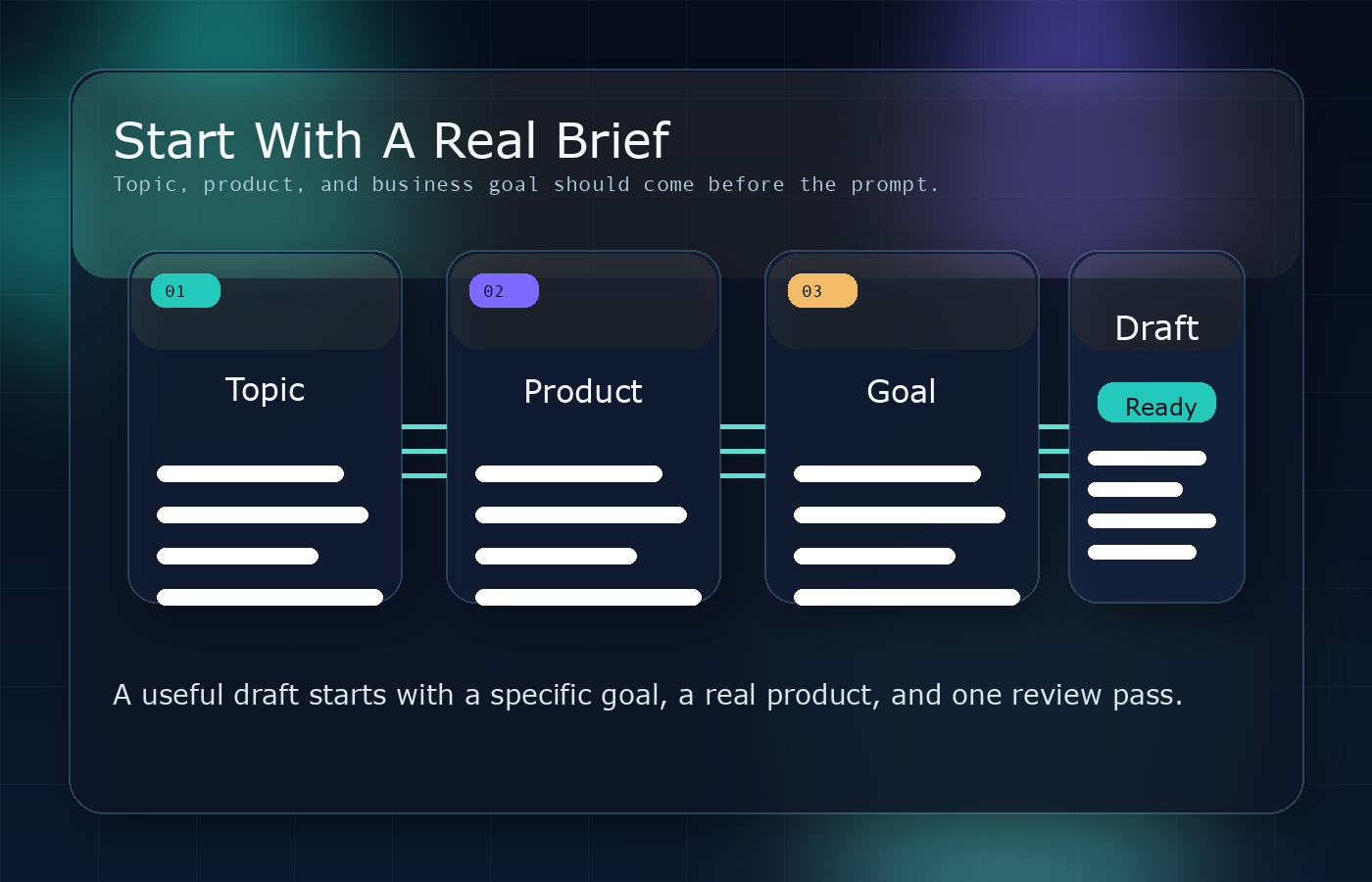
<p>The cleanest posts start with one sentence about the reader’s problem, one sentence about the product or collection you want to support, and one sentence about the outcome you want from the post. That keeps the app from drifting into generic advice that could apply to any store.</p>

<p>This is roughly the shape I use before I generate anything:</p>

<div class="language-json highlighter-rouge"><div class="highlight"><pre class="highlight"><code><span class="p">{</span><span class="w">
  </span><span class="nl">"topic"</span><span class="p">:</span><span class="w"> </span><span class="s2">"How to choose the right product for a comparison guide"</span><span class="p">,</span><span class="w">
  </span><span class="nl">"goal"</span><span class="p">:</span><span class="w"> </span><span class="s2">"educate shoppers and support product discovery"</span><span class="p">,</span><span class="w">
  </span><span class="nl">"tone"</span><span class="p">:</span><span class="w"> </span><span class="s2">"practical"</span><span class="p">,</span><span class="w">
  </span><span class="nl">"products"</span><span class="p">:</span><span class="w"> </span><span class="p">[</span><span class="s2">"featured collection"</span><span class="p">,</span><span class="w"> </span><span class="s2">"best-selling product"</span><span class="p">],</span><span class="w">
  </span><span class="nl">"image_sources"</span><span class="p">:</span><span class="w"> </span><span class="p">[</span><span class="s2">"AI-generated visuals"</span><span class="p">,</span><span class="w"> </span><span class="s2">"product photos"</span><span class="p">],</span><span class="w">
  </span><span class="nl">"publish_mode"</span><span class="p">:</span><span class="w"> </span><span class="s2">"draft first"</span><span class="w">
</span><span class="p">}</span><span class="w">
</span></code></pre></div></div>

<p>The point is not to lock yourself into a rigid template. The point is to make the app understand what success looks like before it writes a first draft. When I do that, the article title, headings, and CTA all get sharper because the generator has a real job to do.</p>

<p><img src="/assets/img/posts/2026-05-18-how-to-build-a-product-aware-shopify-blog-workflow-that-publishes-on-s/image-01-80dea802deb2.png" alt="Start with a real brief" /></p>

<h2 id="2-give-the-generator-product-context-early">2. Give The Generator Product Context Early</h2>

<p>Supra Blog Automation can build a full post from topic, tone, goal, and product context, which is the difference between a blog that merely explains something and a blog that points readers toward the thing you actually sell. That matters for ecommerce because product-aware content is easier to trust than generic advice.</p>

<p>I would feed it the product or collection first, then layer in the search intent. For example:</p>

<ul>
  <li>If the goal is discovery, write for “best,” “top,” or “how to choose.”</li>
  <li>If the goal is comparison, include the decision criteria the reader actually cares about.</li>
  <li>If the goal is product education, tie the post to one collection or one use case.</li>
</ul>

<p>That approach makes the post feel like a useful buying guide instead of a placeholder SEO article. It also gives the app enough signal to add internal links, product mentions, and visuals that make sense in context.</p>

<h2 id="3-automate-the-draft-not-the-judgment">3. Automate The Draft, Not The Judgment</h2>

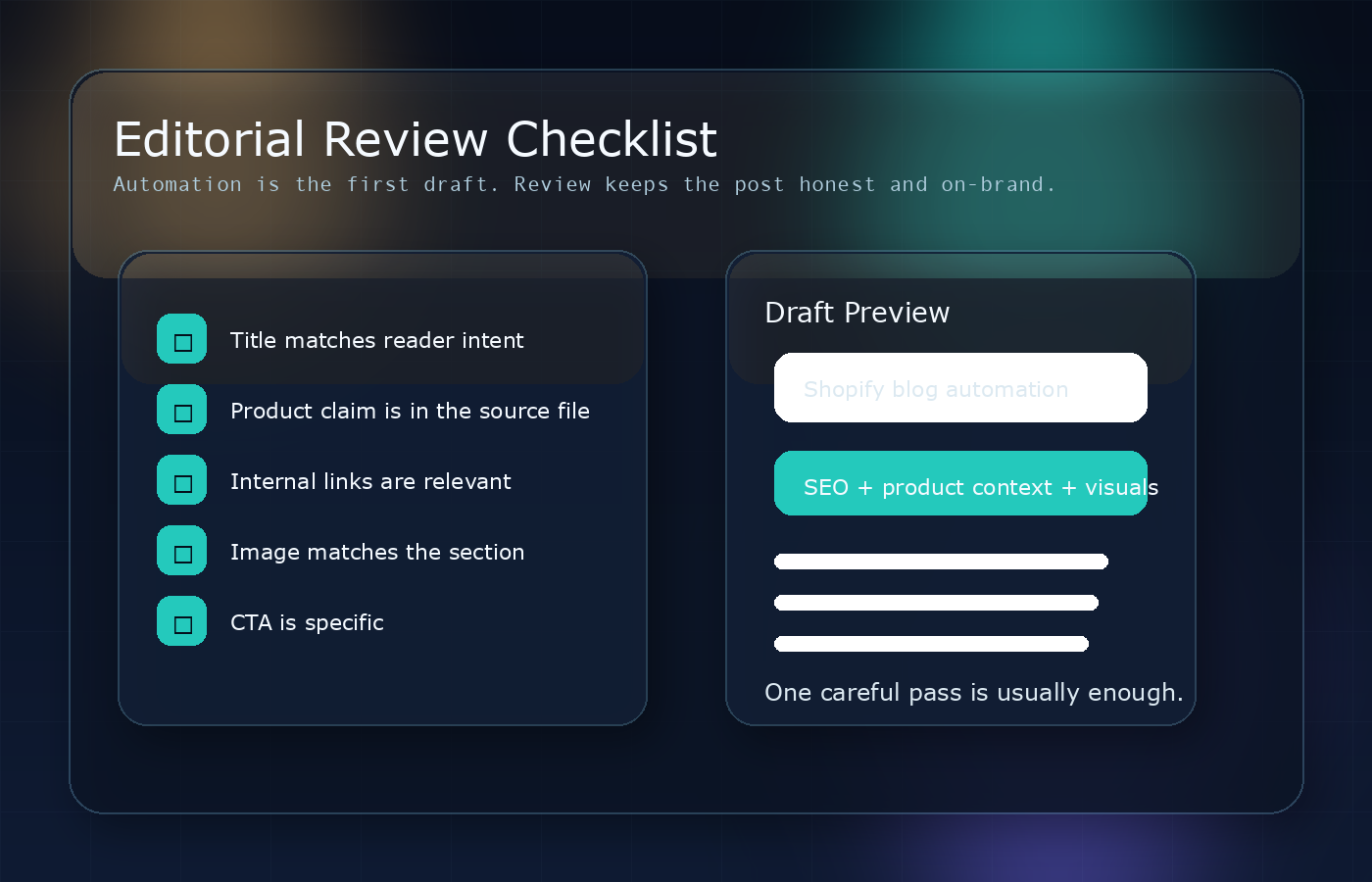
<p>I like automation most when it handles the boring part: outline, first draft, metadata, internal link suggestions, and visuals. I do not like treating automation like a permission slip to publish everything without reading it.</p>

<p>Supra Blog Automation supports publish-now and draft-first workflows, and I would keep that split deliberately. Use automatic publishing for low-risk, repeatable content. Use draft review for anything that includes product claims, seasonal advice, pricing references, or comparisons that need a human eye.</p>

<p>That is the pattern I used in the earlier posts above: the workflow is automated, but the editorial judgement is still there. If the app is good at generating structure, then the human job is to decide whether the structure is true, useful, and on-brand.</p>

<p><img src="/assets/img/posts/2026-05-18-how-to-build-a-product-aware-shopify-blog-workflow-that-publishes-on-s/image-02-e30c891ac4ff.png" alt="Recurring publishing calendar" /></p>

<h2 id="4-put-internal-links-where-they-help-the-reader">4. Put Internal Links Where They Help The Reader</h2>

<p>Internal links should not feel like SEO confetti. They should answer the next question the reader is likely to ask.</p>

<p>In a Shopify blog workflow, that usually means:</p>

<ul>
  <li>A collection page when the reader is deciding what to buy.</li>
  <li>A product page when the article introduces a concrete recommendation.</li>
  <li>Another educational post when the reader needs a related concept first.</li>
</ul>

<p>That is also where a product-aware automation tool earns its keep. It can help you build posts that move naturally from problem to explanation to product discovery. When that happens, the blog is doing real merchandising work instead of just occupying a URL.</p>

<h2 id="5-match-the-visuals-to-the-section">5. Match The Visuals To The Section</h2>

<p>The product file says the app can use AI-generated visuals, stock images, or product-based images. I would not mix those randomly. I would pick visuals based on what each section needs to prove.</p>

<p>For a post like this, the layout I want is simple:</p>

<ul>
  <li>One banner that summarizes the workflow.</li>
  <li>One image that shows the brief or input step.</li>
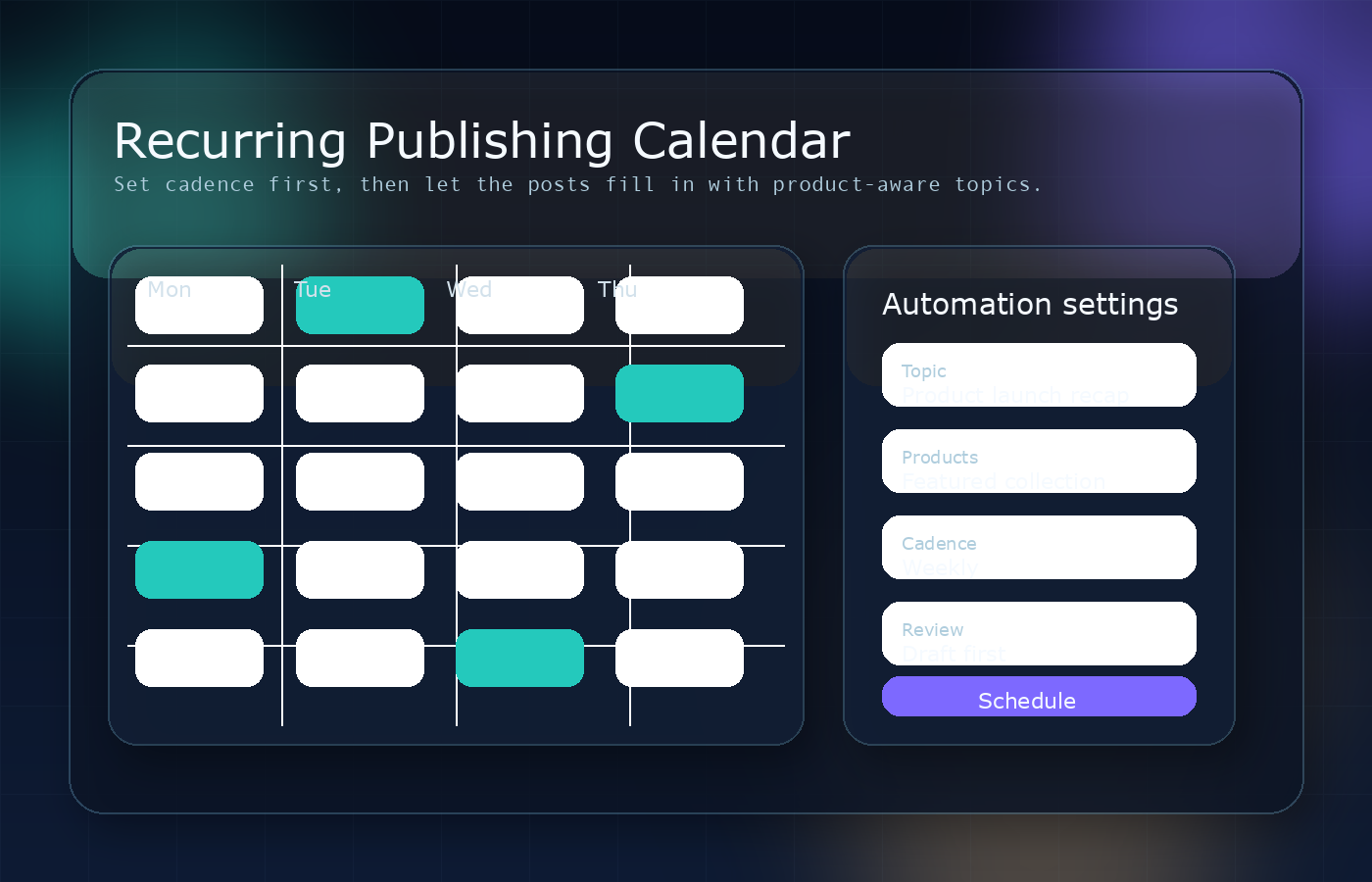
  <li>One image that shows scheduling or recurring publishing.</li>
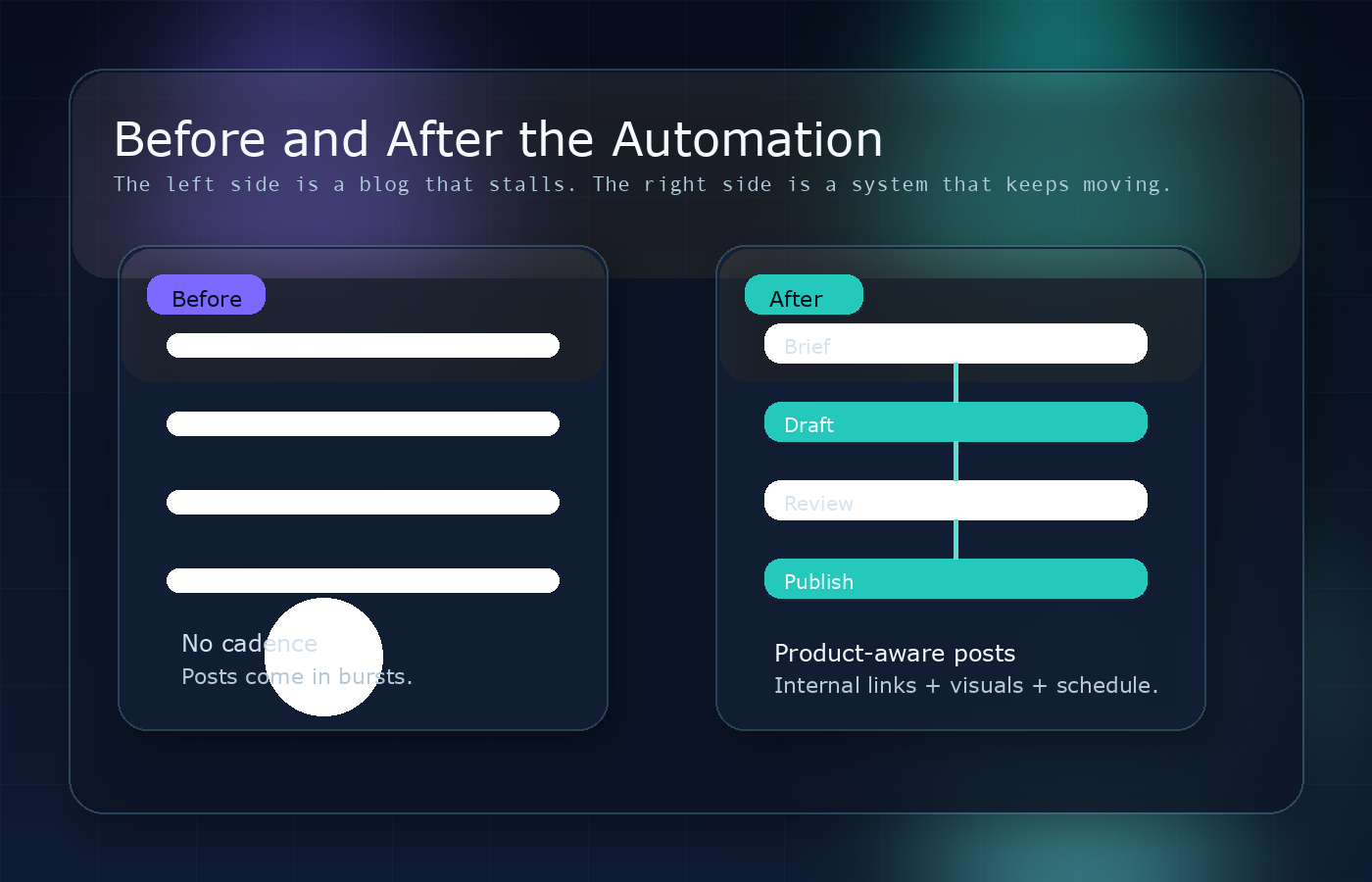
  <li>One image that shows the before/after of an inactive blog turning into a system.</li>
</ul>

<p>That is the reason I built the visuals below with a dark aurora editorial style: the images should feel like the process, not like random filler.</p>

<p><img src="/assets/img/posts/2026-05-18-how-to-build-a-product-aware-shopify-blog-workflow-that-publishes-on-s/image-03-8a56907f5c3f.png" alt="Before and after the automation" /></p>

<p><img src="/assets/img/posts/2026-05-18-how-to-build-a-product-aware-shopify-blog-workflow-that-publishes-on-s/image-04-918e7eecf382.png" alt="Editorial review checklist" /></p>

<p>If you compare that to a generic stock-photo approach, the difference is obvious. The post feels designed around the workflow instead of decorated after the fact.</p>

<h2 id="6-set-a-cadence-you-can-actually-keep">6. Set A Cadence You Can Actually Keep</h2>

<p>A recurring blog only works when the cadence matches the store’s reality. Daily is fine for some stores, weekly is enough for many, and monthly can still be valuable if the content is tied to launches, seasonal buying guides, or product education.</p>

<p>The point is consistency, not volume for its own sake. A store that publishes one genuinely useful post every week will usually outperform a store that bursts out five mediocre articles and then goes silent for a month.</p>

<p>So I would set three rules:</p>

<ol>
  <li>Pick one cadence and keep it for at least a month.</li>
  <li>Give each post one clear product or collection angle.</li>
  <li>Keep the review gate for anything that could misstate a product detail.</li>
</ol>

<p>That is the balance the product is built for: automation where it saves time, review where it protects quality.</p>

<h2 id="wrap-up">Wrap-Up</h2>

<p>If you want a Shopify blog that helps SEO without sounding robotic, start with product context, let the app do the first draft, and keep one careful review pass before publish. That is the simplest way to get the benefit of automation without losing the usefulness that makes the post worth reading.</p>

<p>The next step is straightforward: open <a href="https://supra-blog-automation.sktch.io/">Supra Blog Automation</a>, try the <a href="https://apps.shopify.com/supra-blog-automation">Shopify App Store version</a>, and generate one draft for a real product collection this week.</p>]]></content><author><name>The Lean Ecommerce</name></author><category term="ecommerce" /><category term="shopify" /><category term="blogging" /><category term="seo" /><category term="automation" /><category term="ecommerce" /><summary type="html"><![CDATA[A practical setup for shipping Shopify blog posts with product context, internal links, visuals, and a review step instead of generic AI drafts.]]></summary><media:thumbnail xmlns:media="http://search.yahoo.com/mrss/" url="https://the-lean-ecommerce.github.io/assets/img/posts/2026-05-18-how-to-build-a-product-aware-shopify-blog-workflow-that-publishes-on-s/cover-6a73681d5360.png" /><media:content medium="image" url="https://the-lean-ecommerce.github.io/assets/img/posts/2026-05-18-how-to-build-a-product-aware-shopify-blog-workflow-that-publishes-on-s/cover-6a73681d5360.png" xmlns:media="http://search.yahoo.com/mrss/" /></entry><entry><title type="html">How to Build a Portable JSON-to-Video Pipeline with VideoFlow</title><link href="https://the-lean-ecommerce.github.io/2026/05/17/how-to-build-a-portable-json-to-video-pipeline-with-videoflow/" rel="alternate" type="text/html" title="How to Build a Portable JSON-to-Video Pipeline with VideoFlow" /><published>2026-05-17T14:36:16+00:00</published><updated>2026-05-17T14:36:16+00:00</updated><id>https://the-lean-ecommerce.github.io/2026/05/17/how-to-build-a-portable-json-to-video-pipeline-with-videoflow</id><content type="html" xml:base="https://the-lean-ecommerce.github.io/2026/05/17/how-to-build-a-portable-json-to-video-pipeline-with-videoflow/"><![CDATA[<p><img src="/assets/img/posts/2026-05-17-how-to-build-a-portable-json-to-video-pipeline-with-videoflow/image-01-1503e1c411d7.png" alt="Browser and code-driven video rendering scene" /></p>

<p>If you need to ship video without turning every change into a manual edit session, the hard part is usually not encoding. It is keeping the project structured enough that you can reuse it, diff it, and render it in more than one place.</p>

<p>That is the problem VideoFlow is built for.</p>

<p>VideoFlow treats a video as portable JSON, with a TypeScript builder on top and multiple renderers underneath. In practice, that means you can author a scene once, store it as data, then render the same project in the browser, on the server, or inside a live preview. For teams building automation tools, product demos, SaaS editors, or LLM-driven video flows, that is a much better shape than a one-off timeline file.</p>

<h2 id="start-with-the-shape-of-the-video">Start With The Shape Of The Video</h2>

<p>The easiest way to think about VideoFlow is as a source-of-truth layer for videos. You define the scene in <code class="language-plaintext highlighter-rouge">@videoflow/core</code>, compile it into VideoJSON, and then decide where rendering happens later.</p>

<p><img src="/assets/img/posts/2026-05-17-how-to-build-a-portable-json-to-video-pipeline-with-videoflow/image-02-6dc46b11a3ce.png" alt="JSON cards and timeline pipeline diagram" /></p>

<p>That design is useful for a few reasons:</p>

<ul>
  <li>You can version a video template in Git.</li>
  <li>You can generate video scenes from code or an AI agent.</li>
  <li>You can render the same project in different environments without rewriting the composition.</li>
  <li>You can keep editor state and export state aligned because both can point at the same JSON structure.</li>
</ul>

<p>Here is the kind of flow I reach for when I want repeatable output:</p>

<ol>
  <li>Build a scene in TypeScript.</li>
  <li>Compile to VideoJSON.</li>
  <li>Preview it in the DOM renderer.</li>
  <li>Export it in the browser or on the server.</li>
  <li>Reuse the same template for variants.</li>
</ol>

<p>That is much closer to software engineering than to hand-editing video.</p>

<h2 id="what-the-core-api-gives-you">What The Core API Gives You</h2>

<p>The <code class="language-plaintext highlighter-rouge">@videoflow/core</code> package is the part that turns a composition into something maintainable. It gives you a fluent API for text, image, video, audio, captions, and shape layers, plus grouping, keyframes, transitions, and parallel animation.</p>

<p>A minimal example looks like this:</p>

<div class="language-ts highlighter-rouge"><div class="highlight"><pre class="highlight"><code><span class="k">import</span> <span class="nx">VideoFlow</span> <span class="k">from</span> <span class="dl">'</span><span class="s1">@videoflow/core</span><span class="dl">'</span><span class="p">;</span>

<span class="kd">const</span> <span class="nx">$</span> <span class="o">=</span> <span class="k">new</span> <span class="nx">VideoFlow</span><span class="p">({</span>
  <span class="na">name</span><span class="p">:</span> <span class="dl">'</span><span class="s1">Product teaser</span><span class="dl">'</span><span class="p">,</span>
  <span class="na">width</span><span class="p">:</span> <span class="mi">1920</span><span class="p">,</span>
  <span class="na">height</span><span class="p">:</span> <span class="mi">1080</span><span class="p">,</span>
  <span class="na">fps</span><span class="p">:</span> <span class="mi">30</span><span class="p">,</span>
<span class="p">});</span>

<span class="nx">$</span><span class="p">.</span><span class="nx">addText</span><span class="p">(</span>
  <span class="p">{</span> <span class="na">text</span><span class="p">:</span> <span class="dl">'</span><span class="s1">New product launch</span><span class="dl">'</span><span class="p">,</span> <span class="na">fontSize</span><span class="p">:</span> <span class="mi">7</span><span class="p">,</span> <span class="na">fontWeight</span><span class="p">:</span> <span class="mi">800</span> <span class="p">},</span>
  <span class="p">{</span> <span class="na">transitionIn</span><span class="p">:</span> <span class="p">{</span> <span class="na">transition</span><span class="p">:</span> <span class="dl">'</span><span class="s1">overshootPop</span><span class="dl">'</span><span class="p">,</span> <span class="na">duration</span><span class="p">:</span> <span class="dl">'</span><span class="s1">500ms</span><span class="dl">'</span> <span class="p">}</span> <span class="p">}</span>
<span class="p">);</span>

<span class="kd">const</span> <span class="nx">json</span> <span class="o">=</span> <span class="k">await</span> <span class="nx">$</span><span class="p">.</span><span class="nx">compile</span><span class="p">();</span>
<span class="kd">const</span> <span class="nx">blob</span> <span class="o">=</span> <span class="k">await</span> <span class="nx">$</span><span class="p">.</span><span class="nx">renderVideo</span><span class="p">();</span>
</code></pre></div></div>

<p>The important part is not the sample itself. It is the fact that the project becomes portable data after compilation. That makes it easier to generate from templates, store in a database, or hand off to a renderer later.</p>

<p>For reference, the main docs are here:</p>

<ul>
  <li><a href="https://videoflow.dev/">VideoFlow site</a></li>
  <li><a href="https://videoflow.dev/docs">Docs</a></li>
  <li><a href="https://videoflow.dev/core">Core docs</a></li>
  <li><a href="https://videoflow.dev/renderers">Renderer docs</a></li>
  <li><a href="https://videoflow.dev/playground">Playground</a></li>
  <li><a href="https://videoflow.dev/examples">Examples</a></li>
  <li><a href="https://github.com/ybouane/VideoFlow">GitHub repo</a></li>
</ul>

<h2 id="browser-export-or-server-jobs">Browser Export Or Server Jobs</h2>

<p>This is where VideoFlow gets more interesting than a simple composition helper. The same JSON can drive browser rendering, server-side rendering, and live DOM preview.</p>

<p><img src="/assets/img/posts/2026-05-17-how-to-build-a-portable-json-to-video-pipeline-with-videoflow/image-03-d7a366a92da2.png" alt="JSON data flow into reusable video layers" /></p>

<p>That lets you choose the export path based on the actual product requirement:</p>

<ul>
  <li>Use browser rendering when you want the user to export locally, avoid uploads, or keep cost down.</li>
  <li>Use server rendering when you need queues, scheduled jobs, batch processing, or API-driven generation.</li>
  <li>Use the DOM renderer when you need a live preview that stays close to the final output.</li>
</ul>

<p>For a SaaS app, that separation matters. The editor can stay interactive while the renderer stays isolated. For an automation workflow, it means an LLM or backend job can generate the scene data and hand it off without touching a manual timeline.</p>

<p>If you are comparing patterns, I would also read these earlier notes:</p>

<ul>
  <li><a href="https://the-lean-ecommerce.blogspot.com/2026/05/how-to-generate-mp4-videos-from-json.html">How to Generate MP4 Videos from JSON with TypeScript</a></li>
  <li><a href="https://the-lean-ecommerce.blogspot.com/2026/05/how-to-build-browser-based-mp4-export.html">How to Build a Browser-Based MP4 Export Pipeline with VideoFlow</a></li>
  <li><a href="https://the-lean-ecommerce.blogspot.com/2026/05/how-to-turn-json-into-mp4-videos-in.html">How to Turn JSON Into MP4 Videos in TypeScript with VideoFlow</a></li>
  <li><a href="https://the-lean-ecommerce.blogspot.com/2026/05/how-to-create-ugc-style-shopify-product.html">How to Create UGC-Style Shopify Product Videos Without a Shoot</a></li>
</ul>

<h2 id="when-the-react-editor-helps">When The React Editor Helps</h2>

<p>If you need non-technical users to adjust the output, the React video editor is the other half of the story. It adds a multi-track timeline, drag-and-drop editing, keyframes, transitions, preview, and MP4 export on top of the same VideoFlow model.</p>

<p><img src="/assets/img/posts/2026-05-17-how-to-build-a-portable-json-to-video-pipeline-with-videoflow/image-04-458164a40c9f.png" alt="Split browser and server rendering pipeline" /></p>

<p>That is a cleaner architecture than trying to maintain one data model for engineering and another one for the editor. The same JSON can be the store format, the preview input, and the export payload.</p>

<p>I like that because it reduces the number of translation layers. Less translation usually means fewer bugs.</p>

<h2 id="where-videoflow-fits-best">Where VideoFlow Fits Best</h2>

<p>I would use VideoFlow when the output needs to be repeatable, versioned, and generated from data. Good fits include:</p>

<ul>
  <li>Social clips built from templates.</li>
  <li>Personalized marketing videos.</li>
  <li>Product demos generated from catalogs or CRM rows.</li>
  <li>In-app video editors for SaaS products.</li>
  <li>Agent workflows where an LLM produces structured scene data.</li>
  <li>Batch rendering pipelines for repeatable jobs.</li>
</ul>

<p>I would not use it as a replacement for a full nonlinear editor when the job is highly manual and artistic. That is not the point. VideoFlow is for structured video systems where code is the right control surface.</p>

<h2 id="the-part-i-would-build-first">The Part I Would Build First</h2>

<p>If I were wiring this into a real product, I would start with one template, one preview path, and one export path. Then I would make sure the scene definition stayed stable enough to diff in Git.</p>

<p>That gives you a foundation you can extend later with variants, localization, and automated generation.</p>

<p>If you want the next step, start with the <a href="https://videoflow.dev/docs">VideoFlow docs</a>, open the <a href="https://videoflow.dev/playground">playground</a>, and wire one JSON template into a real render path.</p>

<p>VideoFlow works best when you treat video like software: composable, repeatable, and built from a source of truth instead of a sequence of ad hoc edits.</p>]]></content><author><name>The Lean Ecommerce</name></author><category term="ecommerce" /><category term="javascript" /><category term="typescript" /><category term="video" /><category term="automation" /><category term="open-source" /><summary type="html"><![CDATA[A practical way to turn structured JSON into reusable MP4 workflows with VideoFlow.]]></summary><media:thumbnail xmlns:media="http://search.yahoo.com/mrss/" url="https://the-lean-ecommerce.github.io/assets/img/posts/2026-05-17-how-to-build-a-portable-json-to-video-pipeline-with-videoflow/cover-1503e1c411d7.png" /><media:content medium="image" url="https://the-lean-ecommerce.github.io/assets/img/posts/2026-05-17-how-to-build-a-portable-json-to-video-pipeline-with-videoflow/cover-1503e1c411d7.png" xmlns:media="http://search.yahoo.com/mrss/" /></entry><entry><title type="html">How to Build a JSON-to-MP4 Pipeline in TypeScript</title><link href="https://the-lean-ecommerce.github.io/2026/05/16/how-to-build-a-json-to-mp4-pipeline-in-typescript/" rel="alternate" type="text/html" title="How to Build a JSON-to-MP4 Pipeline in TypeScript" /><published>2026-05-16T02:33:28+00:00</published><updated>2026-05-16T02:33:28+00:00</updated><id>https://the-lean-ecommerce.github.io/2026/05/16/how-to-build-a-json-to-mp4-pipeline-in-typescript</id><content type="html" xml:base="https://the-lean-ecommerce.github.io/2026/05/16/how-to-build-a-json-to-mp4-pipeline-in-typescript/"><![CDATA[<h1 id="how-to-build-a-json-to-mp4-pipeline-in-typescript">How to Build a JSON-to-MP4 Pipeline in TypeScript</h1>

<p><img src="https://iili.io/Bpuy2EB.png" alt="VideoFlow JSON to MP4 banner" /></p>

<p>If you need to generate videos from product data, campaign data, or AI-generated scripts, the hard part is usually not encoding. The hard part is keeping the workflow structured enough that you can repeat it, debug it, and render it in more than one place.</p>

<p>That is the problem VideoFlow is built to solve. It lets you describe a video as portable JSON, author that video with a fluent TypeScript API, and render the same source in the browser, on a server, or in a live DOM preview. For teams building video automation, that is a much cleaner model than treating every export as a one-off timeline.</p>

<h2 id="why-json-to-mp4-is-a-useful-pattern">Why JSON-to-MP4 Is A Useful Pattern</h2>

<p>A JSON-first video workflow gives you a stable source of truth. Instead of storing a project as a fragile manual edit session, you can store scene data, layers, captions, effects, and timing as structured data.</p>

<p>That makes the workflow easier to:</p>

<ul>
  <li>Generate from code or AI agents.</li>
  <li>Version in Git.</li>
  <li>Diff during reviews.</li>
  <li>Reuse as templates.</li>
  <li>Render in different environments without rewriting the project.</li>
</ul>

<p>VideoFlow is especially relevant when the video is not a single creative artifact but a repeatable system. Think marketing variations, product explainers, onboarding videos, social clips, reports, or any other output that changes from one input dataset to another.</p>

<p><img src="https://iili.io/BpuydBV.png" alt="VideoFlow JSON project setup illustration" /></p>

<h2 id="start-with-the-core-builder">Start With The Core Builder</h2>

<p>VideoFlow’s <code class="language-plaintext highlighter-rouge">@videoflow/core</code> package is the authoring layer. It gives you a fluent TypeScript API for building a video and compiling it into VideoJSON.</p>

<p>The main idea is simple:</p>

<ol>
  <li>Create a video project with width, height, fps, and a name.</li>
  <li>Add text, images, video, audio, captions, or shapes.</li>
  <li>Chain timing, animation, grouping, and transitions.</li>
  <li>Compile the result into portable JSON.</li>
  <li>Render that JSON wherever you need it.</li>
</ol>

<p>A minimal example from the docs looks like this:</p>

<div class="language-ts highlighter-rouge"><div class="highlight"><pre class="highlight"><code><span class="k">import</span> <span class="nx">VideoFlow</span> <span class="k">from</span> <span class="dl">'</span><span class="s1">@videoflow/core</span><span class="dl">'</span><span class="p">;</span>

<span class="kd">const</span> <span class="nx">$</span> <span class="o">=</span> <span class="k">new</span> <span class="nx">VideoFlow</span><span class="p">({</span>
  <span class="na">name</span><span class="p">:</span> <span class="dl">'</span><span class="s1">My Video</span><span class="dl">'</span><span class="p">,</span>
  <span class="na">width</span><span class="p">:</span> <span class="mi">1920</span><span class="p">,</span>
  <span class="na">height</span><span class="p">:</span> <span class="mi">1080</span><span class="p">,</span>
  <span class="na">fps</span><span class="p">:</span> <span class="mi">30</span><span class="p">,</span>
<span class="p">});</span>

<span class="nx">$</span><span class="p">.</span><span class="nx">addText</span><span class="p">(</span>
  <span class="p">{</span> <span class="na">text</span><span class="p">:</span> <span class="dl">'</span><span class="s1">Hello, VideoFlow!</span><span class="dl">'</span><span class="p">,</span> <span class="na">fontSize</span><span class="p">:</span> <span class="mi">7</span><span class="p">,</span> <span class="na">fontWeight</span><span class="p">:</span> <span class="mi">800</span> <span class="p">},</span>
  <span class="p">{</span> <span class="na">transitionIn</span><span class="p">:</span> <span class="p">{</span> <span class="na">transition</span><span class="p">:</span> <span class="dl">'</span><span class="s1">overshootPop</span><span class="dl">'</span><span class="p">,</span> <span class="na">duration</span><span class="p">:</span> <span class="dl">'</span><span class="s1">500ms</span><span class="dl">'</span> <span class="p">}</span> <span class="p">}</span>
<span class="p">);</span>

<span class="kd">const</span> <span class="nx">json</span> <span class="o">=</span> <span class="k">await</span> <span class="nx">$</span><span class="p">.</span><span class="nx">compile</span><span class="p">();</span>
<span class="kd">const</span> <span class="nx">blob</span> <span class="o">=</span> <span class="k">await</span> <span class="nx">$</span><span class="p">.</span><span class="nx">renderVideo</span><span class="p">();</span>
</code></pre></div></div>

<p>The practical value is not the snippet itself. It is that the output becomes portable. You are not locked into one renderer or one runtime.</p>

<h2 id="use-the-same-videojson-everywhere">Use The Same VideoJSON Everywhere</h2>

<p>VideoFlow supports three rendering modes that matter for real products:</p>

<ul>
  <li>Browser rendering with <code class="language-plaintext highlighter-rouge">@videoflow/renderer-browser</code>.</li>
  <li>Server rendering with <code class="language-plaintext highlighter-rouge">@videoflow/renderer-server</code>.</li>
  <li>Live preview with <code class="language-plaintext highlighter-rouge">@videoflow/renderer-dom</code>.</li>
</ul>

<p>That means one VideoJSON source can drive a user-facing export button, a batch render queue, or an embedded preview in an editor.</p>

<p><img src="https://iili.io/BpuyHLQ.png" alt="VideoFlow video rendering pipeline illustration" /></p>

<p>This is the part that matters for platform builders. A customer-facing editor can preview the same scene data the server later renders. A SaaS automation can generate the JSON in one job and render it in another. An AI agent can emit structured scene data instead of trying to control a timeline UI directly.</p>

<p>For teams that want to keep the system maintainable, this separation is important. The data model stays stable even if the rendering environment changes.</p>

<h2 id="build-for-both-automation-and-editing">Build For Both Automation And Editing</h2>

<p>The other major piece of VideoFlow is <code class="language-plaintext highlighter-rouge">@videoflow/react-video-editor</code>. That matters if you want a visual editor on top of the same structured video format.</p>

<p>The editor gives you a multi-track timeline, drag-and-drop layer management, keyframes, transitions, undo and redo, uploads, and MP4 export. It is designed to sit on top of the same JSON-first model instead of replacing it.</p>

<p>That opens up a useful product pattern:</p>

<ul>
  <li>Code and agents generate the first version.</li>
  <li>Humans refine the project in the editor.</li>
  <li>The final output still comes from the same structured source.</li>
</ul>

<p><img src="https://iili.io/Bpuy9hx.png" alt="VideoFlow browser server and DOM renderer illustration" /></p>

<p>If you are building a SaaS workflow, that hybrid model is often better than choosing between purely manual editing and purely code-driven generation. Some teams need automation for scale. Others need a UI for control. VideoFlow is positioned to support both.</p>

<h2 id="what-to-use-it-for">What To Use It For</h2>

<p>The strongest use cases are the ones where repeatability matters more than freeform creative work:</p>

<ul>
  <li>Programmatic marketing videos generated from templates.</li>
  <li>Personalized videos built from CRM or ecommerce data.</li>
  <li>AI-agent video workflows that produce structured JSON.</li>
  <li>In-app video editors for SaaS products.</li>
  <li>Browser-based MP4 export without a render server.</li>
  <li>Server-side batch rendering for large-scale jobs.</li>
  <li>Versionable video templates that can live in Git.</li>
</ul>

<p>That also makes the product a natural fit for developers who are comparing structured video tooling with more manual approaches. If you care about open source, portable data, and the ability to render the same project in different environments, the VideoFlow model is worth paying attention to.</p>

<h2 id="where-videoflow-fits-in-a-broader-stack">Where VideoFlow Fits In A Broader Stack</h2>

<p>VideoFlow does not try to be the answer for every editing problem. Traditional nonlinear editors are still better for highly manual creative work. FFmpeg is still excellent for low-level transcoding and filter pipelines. Hosted video APIs can still be a practical choice when you want a managed service.</p>

<p>The advantage of VideoFlow is that it gives you a higher-level system for composition, templates, editor integration, and rendering portability.</p>

<p>That makes it a strong fit for teams that want to build around a reusable source of truth instead of a one-off timeline.</p>

<h2 id="related-posts">Related Posts</h2>

<p>If you are working through adjacent automation problems, these are useful follow-ups:</p>

<ul>
  <li><a href="https://the-lean-ecommerce.github.io/blog/2026/05/15/how-to-download-webflow-site-and-host.html">How to Download a Webflow Site and Host It Yourself with ExFlow</a></li>
  <li><a href="https://the-lean-ecommerce.github.io/blog/2026/05/15/how-to-create-ugc-style-shopify-product.html">How to Create UGC-Style Shopify Product Videos Without a Shoot</a></li>
  <li><a href="https://productivity-tech-business.blogspot.com/2026/05/how-to-build-shopify-blog-system-that.html">How to Build a Shopify Blog System That Publishes Better Posts on Schedule</a></li>
  <li><a href="https://the-lean-ecommerce.blogspot.com/2026/05/how-to-add-color-swatches-to-shopify.html">How to Add Color Swatches to Shopify Collection Pages Without Code</a></li>
</ul>

<h2 id="conclusion">Conclusion</h2>

<p>If you want to generate MP4 videos from structured inputs without locking yourself into a single rendering path, VideoFlow gives you a practical model: author in TypeScript, store the result as JSON, and render it where it makes the most sense.</p>

<p>Start with the core package, test one template end to end, and then decide whether the browser renderer, server renderer, or React editor is the best next layer for your workflow.</p>]]></content><author><name>The Lean Ecommerce</name></author><category term="ecommerce" /><category term="videoflow" /><category term="typescript" /><category term="programmatic-video" /><category term="json-to-video" /><category term="video-rendering" /><summary type="html"><![CDATA[Use VideoFlow to describe videos as JSON, render them in different environments, and keep your export workflow portable.]]></summary></entry><entry><title type="html">How to Improve Ecommerce Product Pages</title><link href="https://the-lean-ecommerce.github.io/2026/05/15/example-post/" rel="alternate" type="text/html" title="How to Improve Ecommerce Product Pages" /><published>2026-05-15T14:00:00+00:00</published><updated>2026-05-15T14:00:00+00:00</updated><id>https://the-lean-ecommerce.github.io/2026/05/15/example-post</id><content type="html" xml:base="https://the-lean-ecommerce.github.io/2026/05/15/example-post/"><![CDATA[<p>Product pages do more than show product details. They help shoppers understand the offer, trust the store, compare their options, and take the next step with confidence.</p>

<h2 id="start-with-the-shoppers-question">Start With The Shopper’s Question</h2>

<p>Every product page should quickly answer what the product is, who it is for, why it is different, what is included, and what happens after purchase.</p>

<h2 id="improve-the-buying-path">Improve The Buying Path</h2>

<p>Keep the page focused on the next action. Use clear product media, concise copy, visible pricing, shipping expectations, and a call to action that is easy to find on mobile and desktop.</p>

<h2 id="keep-optimizing">Keep Optimizing</h2>

<p>Review search queries, customer questions, product reviews, and analytics regularly. The best product pages improve as you learn what shoppers need before they buy.</p>]]></content><author><name>The Lean Ecommerce</name></author><category term="ecommerce" /><category term="seo" /><category term="product-pages" /><category term="conversion-rate-optimization" /><category term="ecommerce-seo" /><summary type="html"><![CDATA[A practical guide to improving product pages for conversions and organic search.]]></summary></entry></feed>