
June 17, 2026
How I Turn a Squarespace Site Into HTML Without Rebuilding It
A practical Squarespace export workflow using ExFlow, with hosting options, export settings, and when to keep a static copy instead of rebuilding.

If you’ve ever wanted to move a Squarespace site without redrawing every page, this is the workflow I use. ExFlow lets me export a Squarespace URL into static HTML, CSS, JS, and media, then host the result somewhere I control.

Why I reach for an exporter first
Squarespace is good at helping a site look polished fast. The part that eventually gets annoying is the recurring subscription and the fact that you do not really own the underlying files. When I want a site to outlive the platform choice, I want a static copy I can keep, version, and host elsewhere.
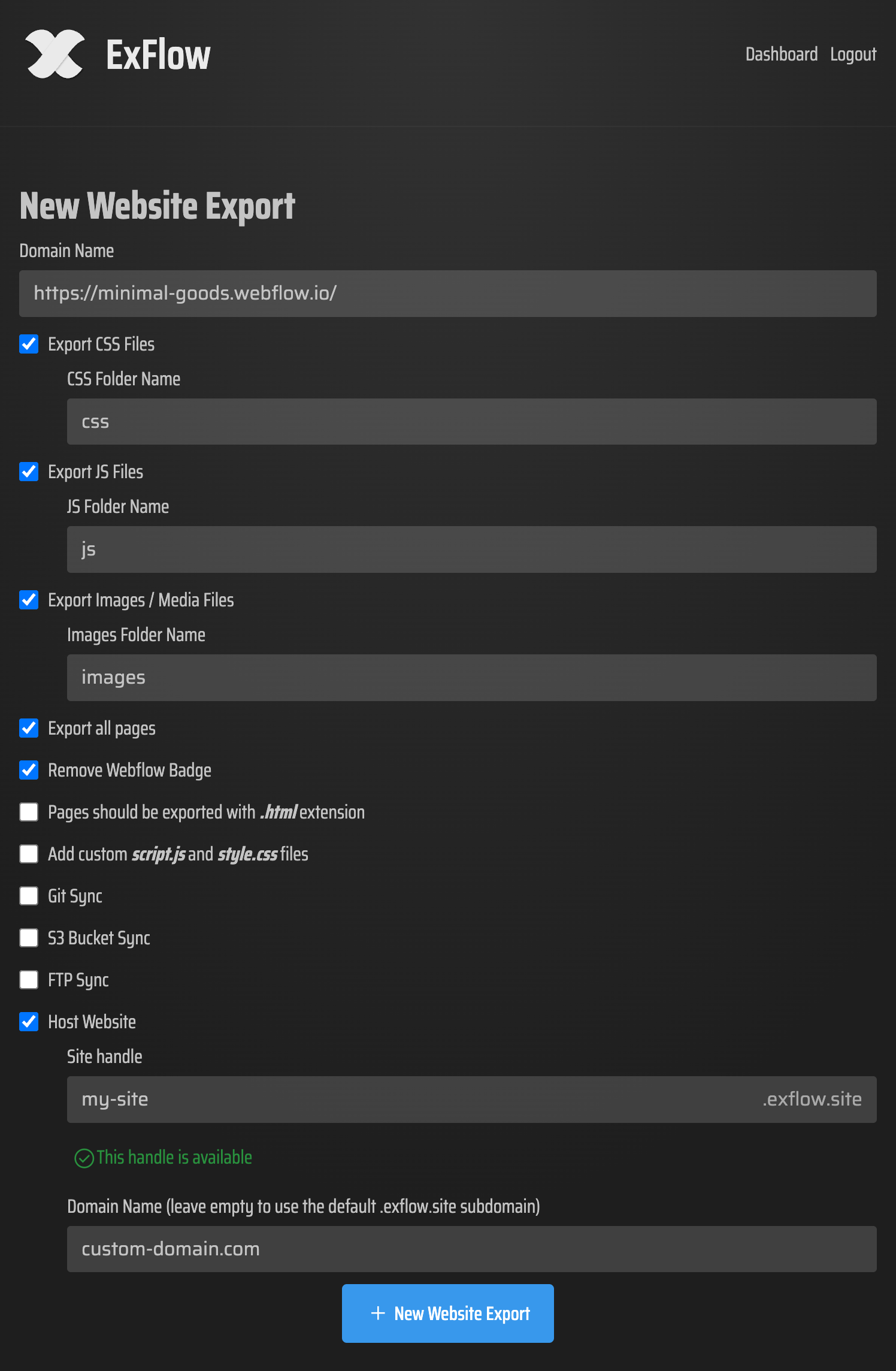
That is the job ExFlow.site is built for: type in a Squarespace URL, export the site as downloadable static content, and optionally sync it to Git, S3, or FTP. It can export all pages as .html, plus CSS, JS, images/media, and custom script.js and style.css files. If I need a local archive or a migration path, that is enough.
The settings I actually care about
When I export, I start with the basics and keep the scope tight enough to review:
- URL
- Export CSS Files
- Export JS Files
- Export Images / Media Files
- Export All Pages
If the site has small custom touches, I add script.js and style.css so the exported site still behaves the way the original did.
The nice part is that the same export can become more than a zip file. If I want to hand it to GitHub Pages, I can sync to Git. If I need object storage or a simple server, S3 and FTP are there too. ExFlow also offers hosted delivery on its own servers with unlimited bandwidth, which is useful when I do not want to manage another deployment target.

What the exported files look like
The thing I watch for is whether the export still feels complete after the platform layer is removed. In a good export, I expect pages to land as HTML files, assets to stay in organized folders, and the site to still be understandable in a text editor or repo.
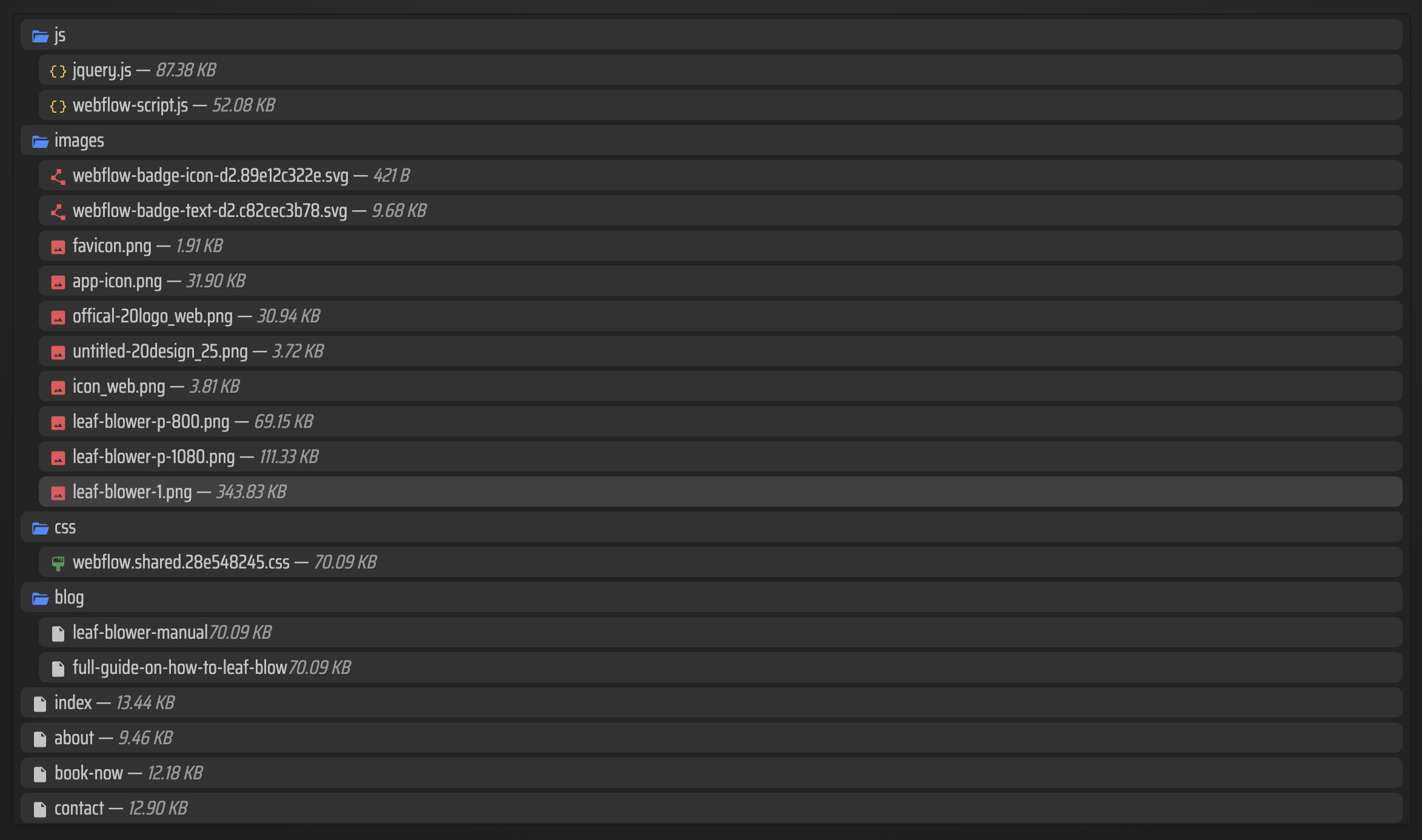
That matters because static hosting only helps if the output is clean enough to maintain. If the files are readable, I can diff them, commit them, move them, or hand them to another deployment target later.
Why this beats a rebuild for some sites
I do not use an exporter for every migration. If I am redesigning the whole information architecture, a rebuild can be cleaner. But for a site that is already working and mostly needs ownership, portability, or cheaper hosting, exporting is usually the lower-risk move.
I also prefer ExFlow over generic crawling tools when I know the site has Squarespace-specific behavior. The product is designed for Squarespace exports and handles things like dynamic blocks, lazy-loaded media, and password-protected pages better than a simple downloader like HTTrack.
If you are comparing export-first hosting workflows, I’d also look at how I exported my Webflow CMS site to static hosting without rebuilding it and how to export a Framer site to GitHub Pages without rebuilding it. If you want the sibling Squarespace angle, I also wrote how to self-host a Squarespace site on GitHub Pages without rebuilding it. For more transport options, how I export Webflow sites to static hosting, Git, or FTP is the same kind of operational thinking applied to a different stack.
My checklist before I call it done
- Confirm the exported pages are HTML files, not a partial scrape.
- Check that the CSS and JS assets came across cleanly.
- Make sure images and media are present and linked correctly.
- Verify any custom
script.jsorstyle.csschanges still work. - Decide whether the final home should live on Git, S3, FTP, or ExFlow hosting.
That checklist is what keeps a migration from turning into a one-off rescue job. I want a site I can keep moving, not a static archive I have to baby.
If you are at the point where Squarespace feels more expensive than useful, ExFlow is worth testing on one site. Start with the URL, export the full site, and see whether the output is clean enough to keep.
Next step: try one Squarespace URL in ExFlow.site, export the full site, and compare the result to your current hosting cost and maintenance burden.