
June 8, 2026
How to Self-Host a Squarespace Site on GitHub Pages Without Rebuilding It
A practical Squarespace export workflow for getting static files into GitHub Pages with ExFlow.

I still like Squarespace for getting a clean site live fast. What I do not like is being stuck inside the builder once the site stops changing much. If the pages are basically stable, I would rather export the site, keep the files, and host the static copy myself.
That is the workflow ExFlow is good at. It exports a Squarespace site into static HTML, CSS, JavaScript, and media, and it gives you a path to Git sync, S3, or FTP instead of forcing a rebuild.

Start With the Right Kind of Squarespace Site
This is a good fit when the site is mostly brochure content, a portfolio, a content hub, a launch page, or a small marketing site. It is less useful when the site behaves like an app and depends on backend logic that will not survive a plain static export.
My first check is simple: if I can explain the site in one sentence without mentioning a database or a custom backend, it is probably exportable enough to be worth the effort.
If you want a few alternate takes on the same problem, I would pair this with How to Move a Webflow Site to GitHub Pages with ExFlow, Squarespace to HTML: A Practical Export and Self-Hosting Checklist, How I Export Squarespace Sites To Static HTML Without Rebuilding Them, and How to Download a Squarespace Site as HTML Without Losing Dynamic Content.
Export Once, Then Inspect the Bundle
I use ExFlow.site to enter the Squarespace URL, choose the export settings, and pull the site out as static files. The useful toggles are the ones that keep the bundle complete: CSS, JavaScript, images, media, and all pages.
If the site needs custom styling or script adjustments, that is the point to add them. I would rather make those changes once inside the exported bundle than keep discovering gaps after deployment.
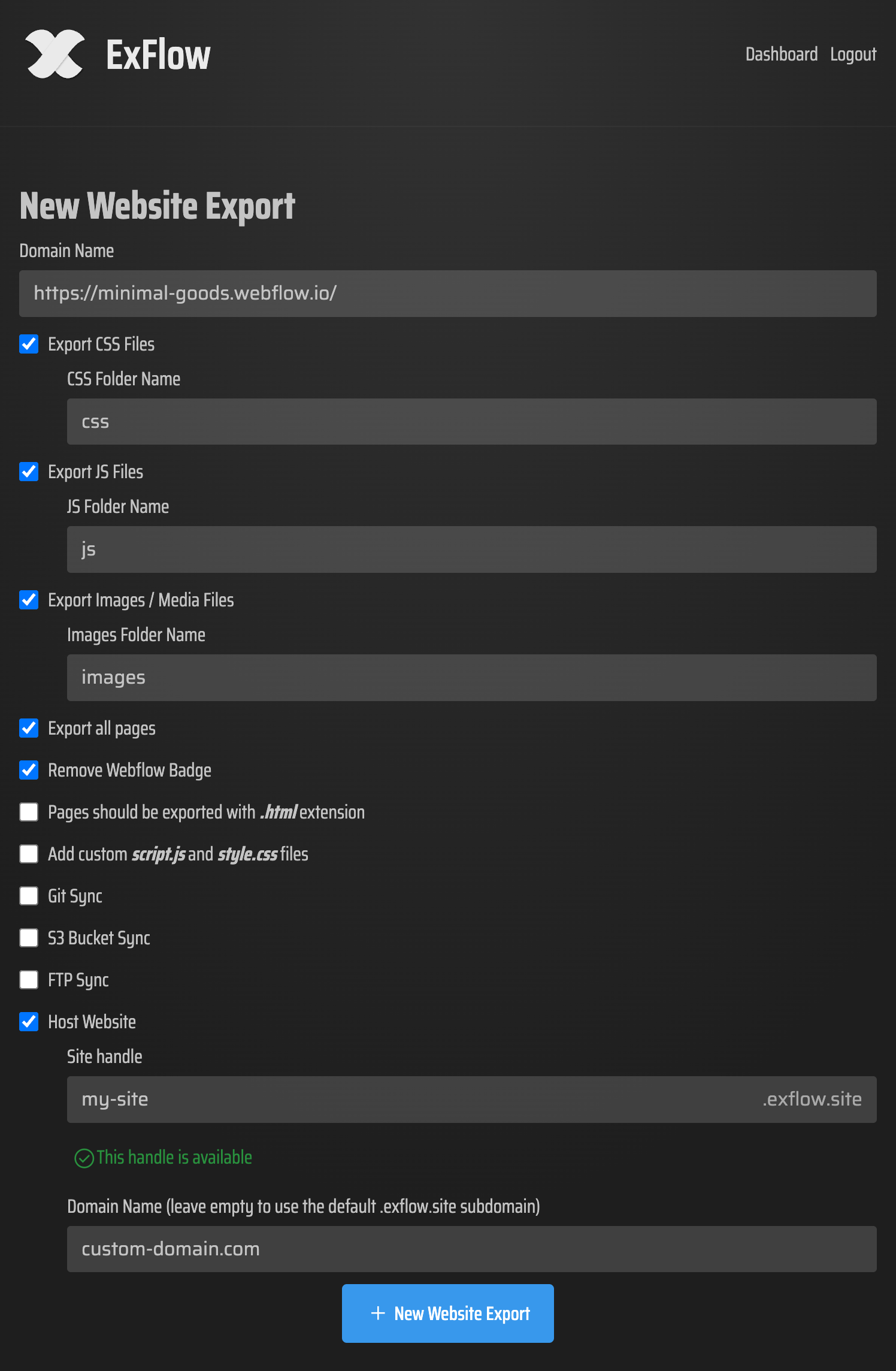
One detail I would not skip: if the site is password protected, the owner needs to provide that password during the export. That is what makes the export workable for real client sites instead of just public demos.
Check the Files Like a Build Artifact
Before I point GitHub Pages at anything, I open the exported copy like it is a release candidate.
I want to see:
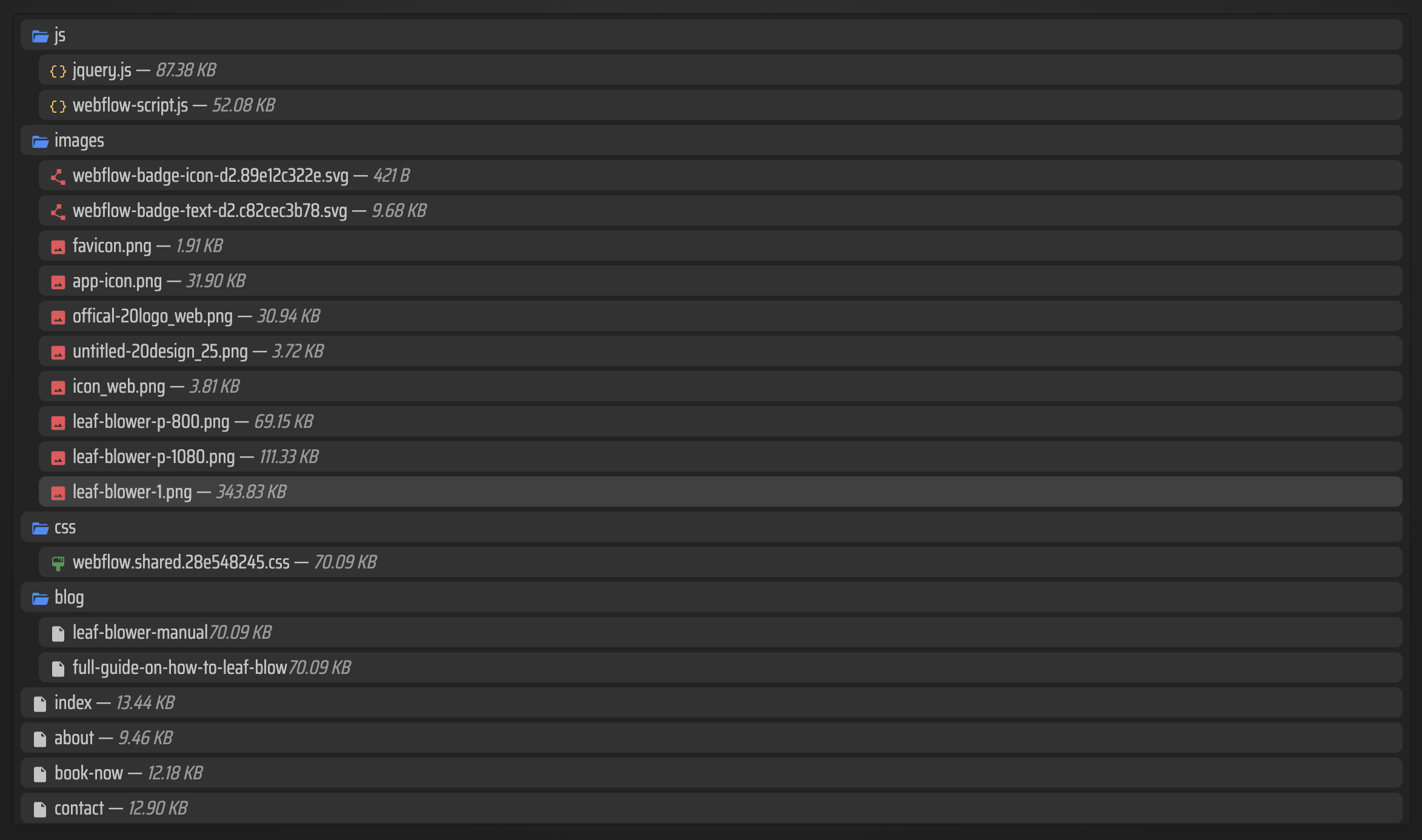
- a usable index.html at the root;
- predictable asset paths;
- pages that load without falling back to a missing server;
- images that still resolve when the HTML is served as static files.
That review step is where bad assumptions show up. If a page depends on something Squarespace was doing for me behind the scenes, I would rather find it before the static deploy goes live.

The exported files list is helpful here because it shows whether the bundle looks like a real site or a half-finished scrape.
Push the Static Copy to GitHub Pages
Once the export looks clean, I push it to GitHub Pages as a static site. ExFlow supports Git sync, so I can keep the exported copy in a repo instead of shuffling ZIP files around manually.
If GitHub Pages is not the right target, the same export also works with S3 or FTP. That is part of why this workflow feels practical: the output is already static, so I can choose the host that fits the project instead of redesigning the whole pipeline.

GitHub Pages is a good fit when the goal is a simple public site with a repo-backed publishing flow. It is not trying to be clever. That is the point.
Why I Prefer This Over a Generic Downloader
I have used generic site downloaders before, and the failure mode is usually the same: some pages work, but the exported site feels fragile the first time you click around.
ExFlow is better suited to Squarespace because it is built around exporting the site as a usable static package. The product brief also calls out the things that usually break generic scrapes: dynamic blocks, lazy-loaded media, and password-protected pages.
That difference matters. I am not trying to preserve every hidden behavior inside Squarespace. I am trying to keep the site readable, hostable, and maintainable after the export.
The Short Version
If your Squarespace site has outgrown the builder but not the content model, export it, inspect it, and host the static copy yourself.
For me, the working sequence is:
- Export the site with ExFlow.
- Verify the HTML, assets, and page paths.
- Push the static bundle to GitHub Pages.
- Keep the exported copy around so future changes stay simple.
If you want to try the workflow, start at ExFlow.site and test one real Squarespace site before you move everything over.