
May 21, 2026
How to Move a Webflow Site to GitHub Pages with ExFlow
A practical workflow for exporting Webflow to static files, checking what survives the handoff, and deploying the result to GitHub Pages with ExFlow.

The cleanest way I’ve found to move a Webflow build onto GitHub Pages is to treat it like a static handoff, not a migration. Export the site, check what survived, and only then point a Git-backed host at the output. ExFlow sits in that middle step when you want a Webflow-to-static workflow that is still practical for a real site.
TL;DR
- Webflow’s native export gives you static files, but not CMS content, user accounts, ecommerce, localized content, forms, site search, or password protection.
- ExFlow is useful when you want Webflow content exported as static output and optionally synced to Git, S3, or FTP.
- GitHub Pages is a good destination for brochure sites, docs, campaign pages, and small marketing sites that do not depend on live Webflow features.
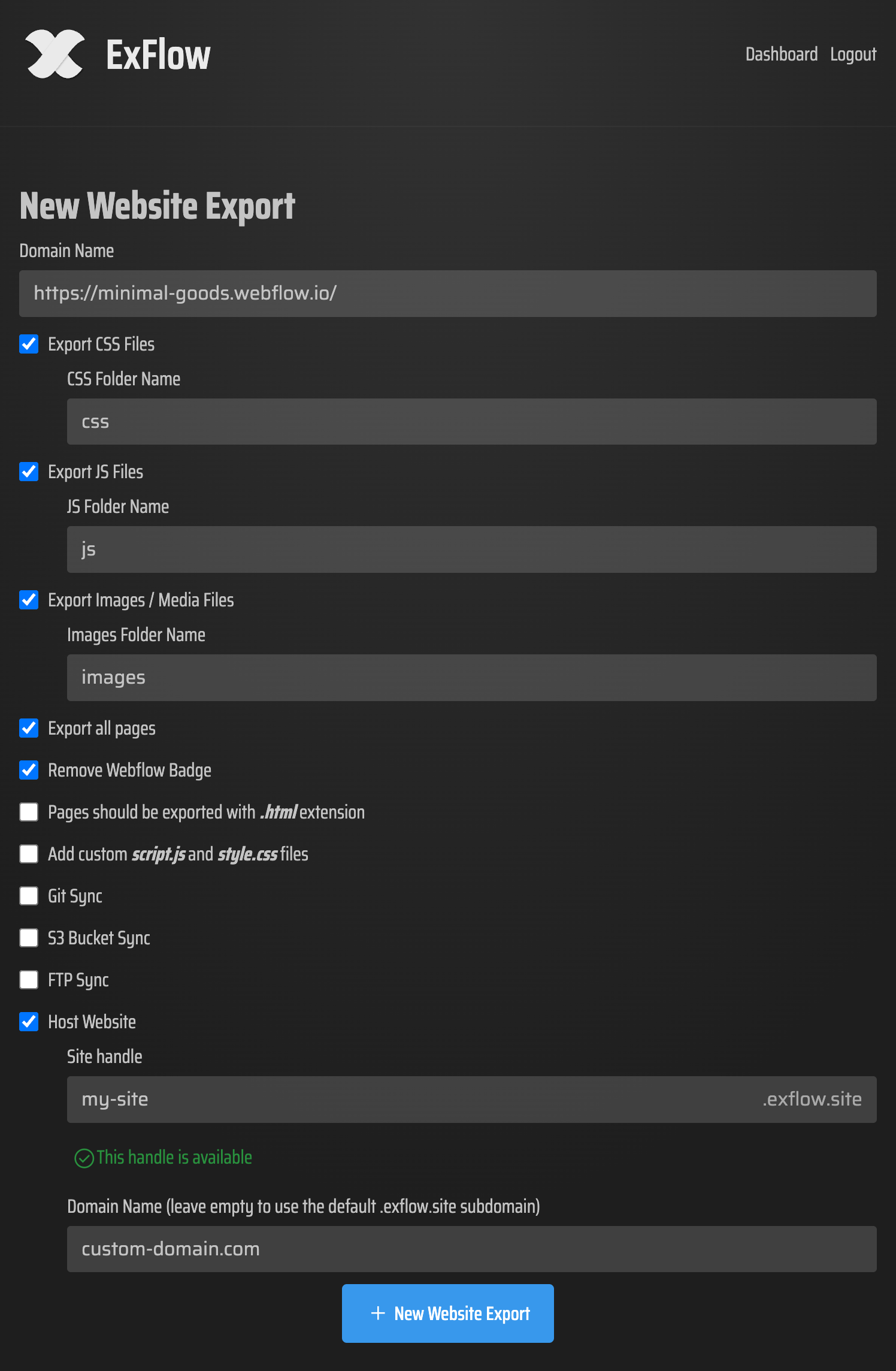
What Webflow export actually gives you
According to Webflow’s export guide, code export includes HTML, CSS, JavaScript, and assets on paid Workspace plans. The same doc also spells out the limits: CMS content, user accounts, ecommerce content, localized pages, forms, site search, and password protection do not come along for the ride.
That means the first question is not “Can I export this site?” It is “Can this site still do what I need after it becomes static?” If the answer depends on live CMS items, protected pages, or form processing, you need a separate plan for those pieces.
Where ExFlow fits
I use ExFlow when I want the exported site to feel closer to a real deployment than a one-off ZIP file. The product is built to export Webflow sites as static downloadable content, and it gives me the knobs I actually care about: export CSS, export JS, export images and media, export all pages, remove the Made with Webflow badge, add custom script.js and style.css files, and sync to Git, S3, or FTP.

That makes the workflow boring in a good way. I can keep the design work inside Webflow, use ExFlow for the static handoff, and then use GitHub Pages as the delivery target. The point is not to recreate Webflow inside Git. The point is to make the output predictable enough that the repo stays the source of truth for the deployed site.
A practical GitHub Pages workflow
- Export one small, representative page first.
- Open the exported HTML locally and look for broken links, missing assets, and anything that relied on Webflow behavior.
- Push the static output to a Git repository and let your GitHub Pages setup serve that repo.
- Recheck the live URL after deployment, especially navigation, images, and any component that used to depend on Webflow logic.
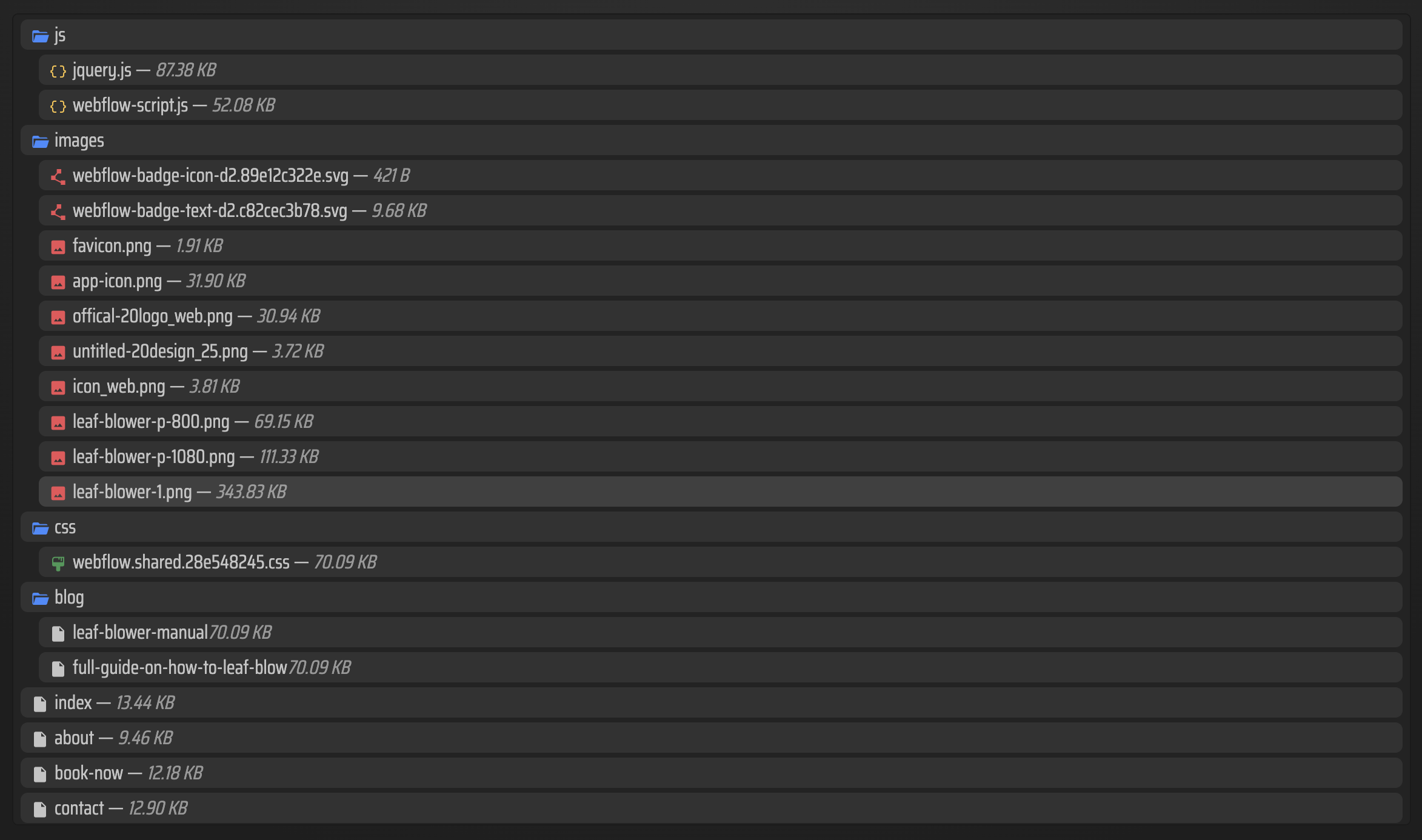
The first pass is where most people catch the expensive mistakes. If an image path is wrong, if a menu toggle depended on Webflow-specific behavior, or if a CMS list used to supply content, you want to discover that before the whole site gets republished.

What I check before I trust the export
I usually run through a short checklist before I consider the static version ready:
- Are all pages present and linked correctly?
- Did the CSS and JavaScript files come through?
- Do images, icons, and background assets still load?
- Did any form, search box, or password-protected page depend on Webflow behavior?
- If the original site used CMS content, have I replaced that with static pages or another data source?
That last point matters most. Static hosting is great when the content is mostly fixed and the design is doing the heavy lifting. It is not a drop-in replacement for a site that lives on constantly changing CMS collections.
When this is a good idea
This workflow makes sense when the site is mostly a marketing site, landing page, documentation site, or portfolio, and the team wants the simpler economics of static hosting. It also makes sense when the Webflow build is solid and you do not want to rebuild the layout just to change the delivery layer.
It is less attractive when the site relies on live collection pages, membership features, search, or form handling that has to stay native. In those cases, the static export can still be useful, but usually as part of a partial migration rather than the whole answer.
Related reading
- How to Export a Webflow Site to Static HTML with ExFlow
- How to Download a Webflow Site and Host It Yourself with ExFlow
- Webflow CMS to HTML: A Practical Export and Self-Hosting Checklist
- How to Export a Framer Site and Host It Yourself with ExFlow
Next step
If you want to test this workflow, export one Webflow page, deploy that output to GitHub Pages, and only then move the rest of the site. If you want the exporter that keeps the handoff manageable, start with ExFlow and verify the first static build before you scale it up.