
June 4, 2026
How I Set Up a Shopify AI Agent With Scoped Permissions
A practical Clawly workflow for Shopify merchants who want AI help with reports, support, and product ops without handing over the whole store.
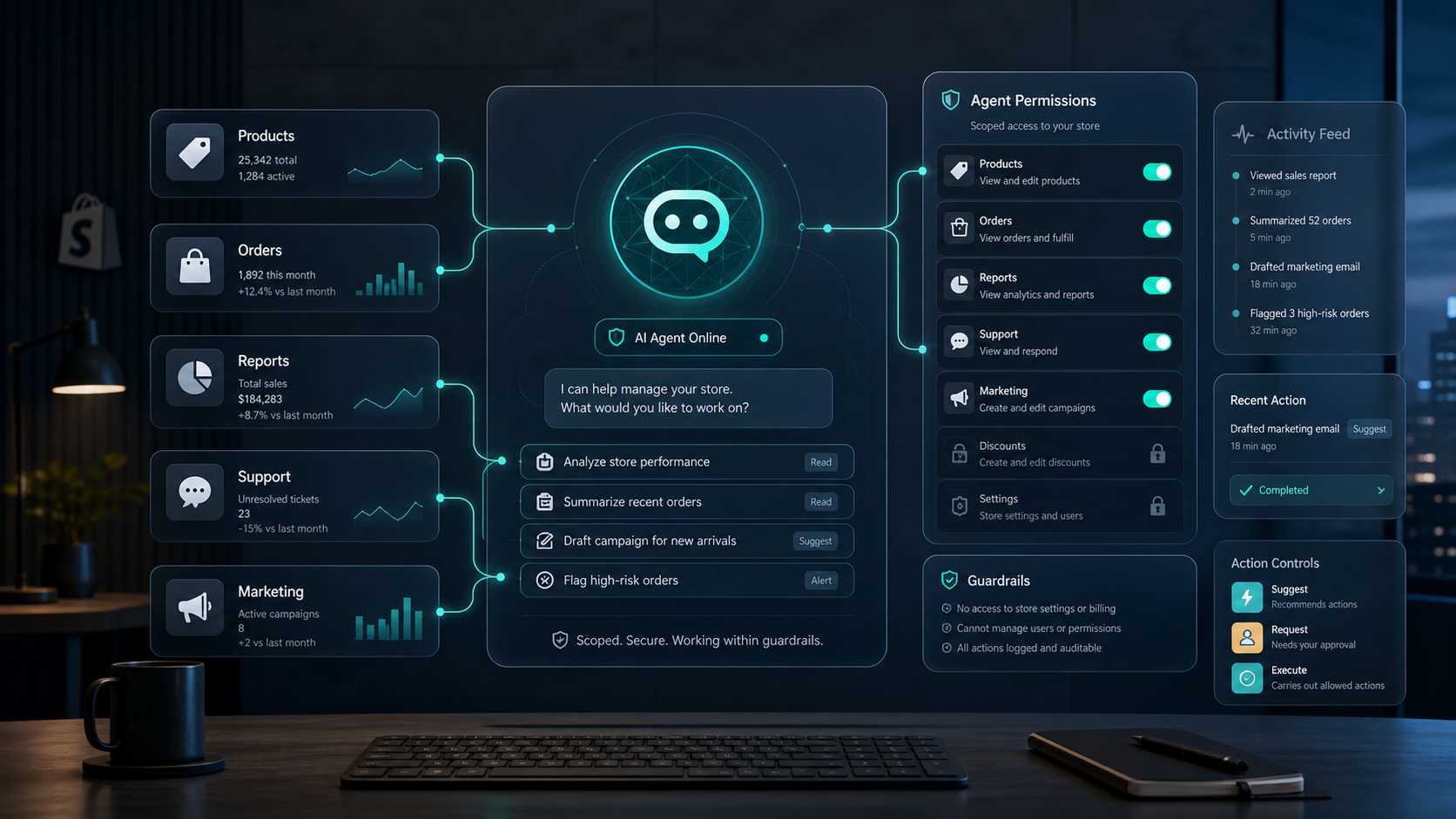
I wanted a Shopify AI agent that could handle repetitive work without turning into a liability. Clawly is the first version of that idea that feels practical: it is positioned as OpenClaw for Shopify, it can work inside Shopify and connected tools, and it lets me keep the assistant inside scoped permissions instead of handing it the whole store.
If you want to look at it directly, the landing page is clawly.sktch.io and the Shopify App Store listing is apps.shopify.com/clawly. What I like most is the framing: build an AI agent for Shopify, but keep the access narrow enough that I would actually trust it in a real store.
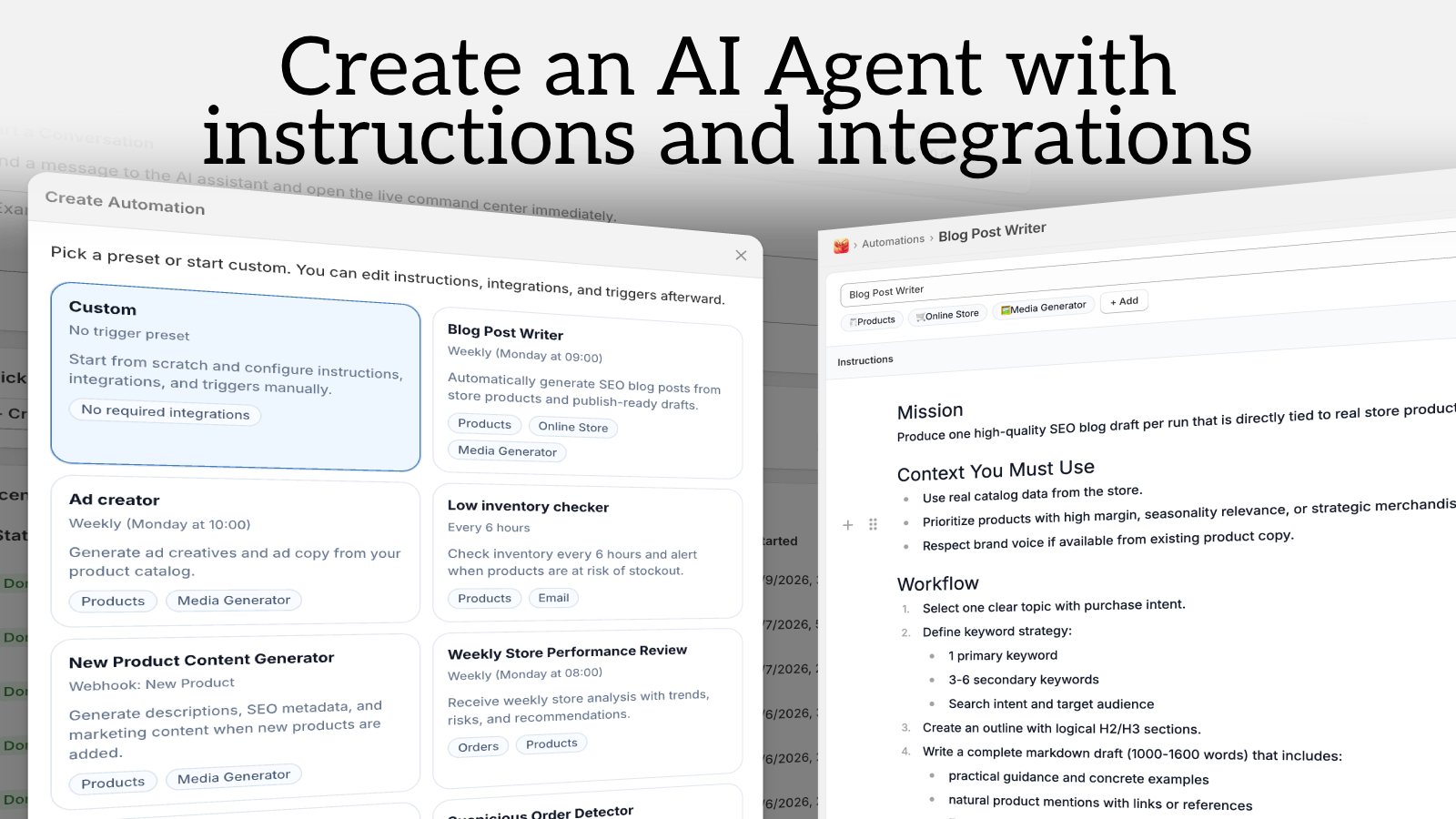
The part that matters is not the chat surface. It is the combination of a clear job, the right integrations, and a tight scope.
Start With One Workflow
The mistake I see most often is trying to give the agent too much to do on day one. I would not start with pricing, theme edits, or discount changes. I would start with one task that saves time, is easy to verify, and has a clear failure mode.
For me, the best first jobs are:
- a morning sales report sent to Slack or email
- a low-inventory alert with a clean threshold
- a support draft assistant that prepares replies but does not send them
- a product cleanup assistant that drafts titles, tags, or descriptions for review
That is the same reason How to Build a Shopify AI Agent for Daily Store Operations works as a model. The win is not “full autonomy.” The win is making one store routine boring and repeatable.
Set Permissions Before You Add Integrations
Before I connect anything, I decide what the agent can read, what it can suggest, and what it can actually execute. Clawly’s guardrail-first positioning matters here. I want least privilege by default: read-only access for reporting, draft-only behavior for marketing, and explicit approval for anything that can change prices, discounts, or store settings.
The generated permission dashboard below is the mental model I want every Shopify AI agent to have. If an action would be annoying to reverse, it should not be an uncapped action.
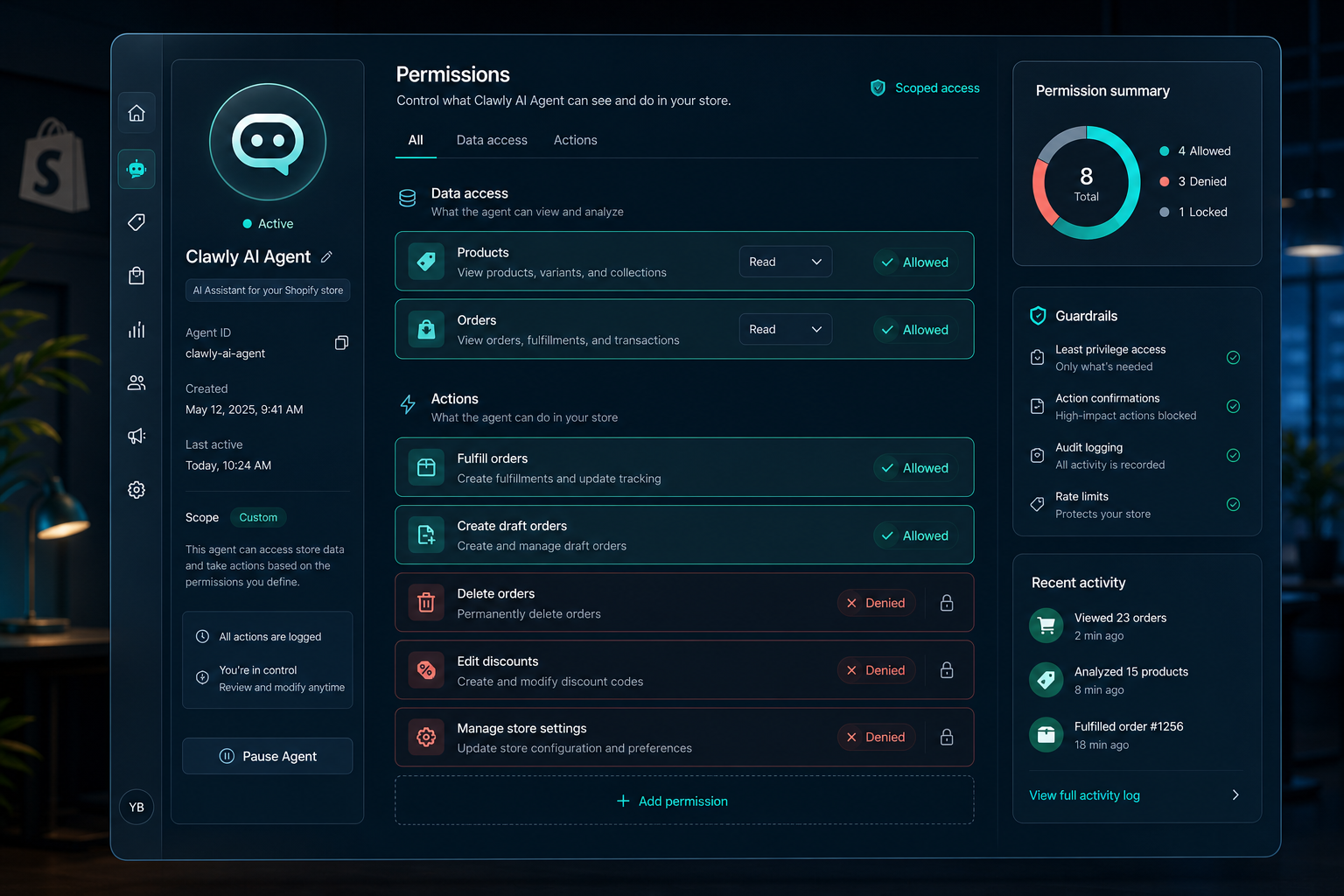
That same mindset is what keeps automation useful instead of reckless. If the first version is only allowed to summarize and draft, I can inspect the output, tighten the rules, and expand the scope later.
Connect Only the Tools the Job Needs
Clawly is useful because it is not a single-purpose bot. The product file says it can connect to Shopify and 50+ integrations, which is enough to cover most of the workflows I care about: Google Sheets for reporting, Slack for alerts, Gmail or Gorgias for support drafts, Klaviyo for marketing follow-up, and Instagram or ad tools when the task is campaign work.
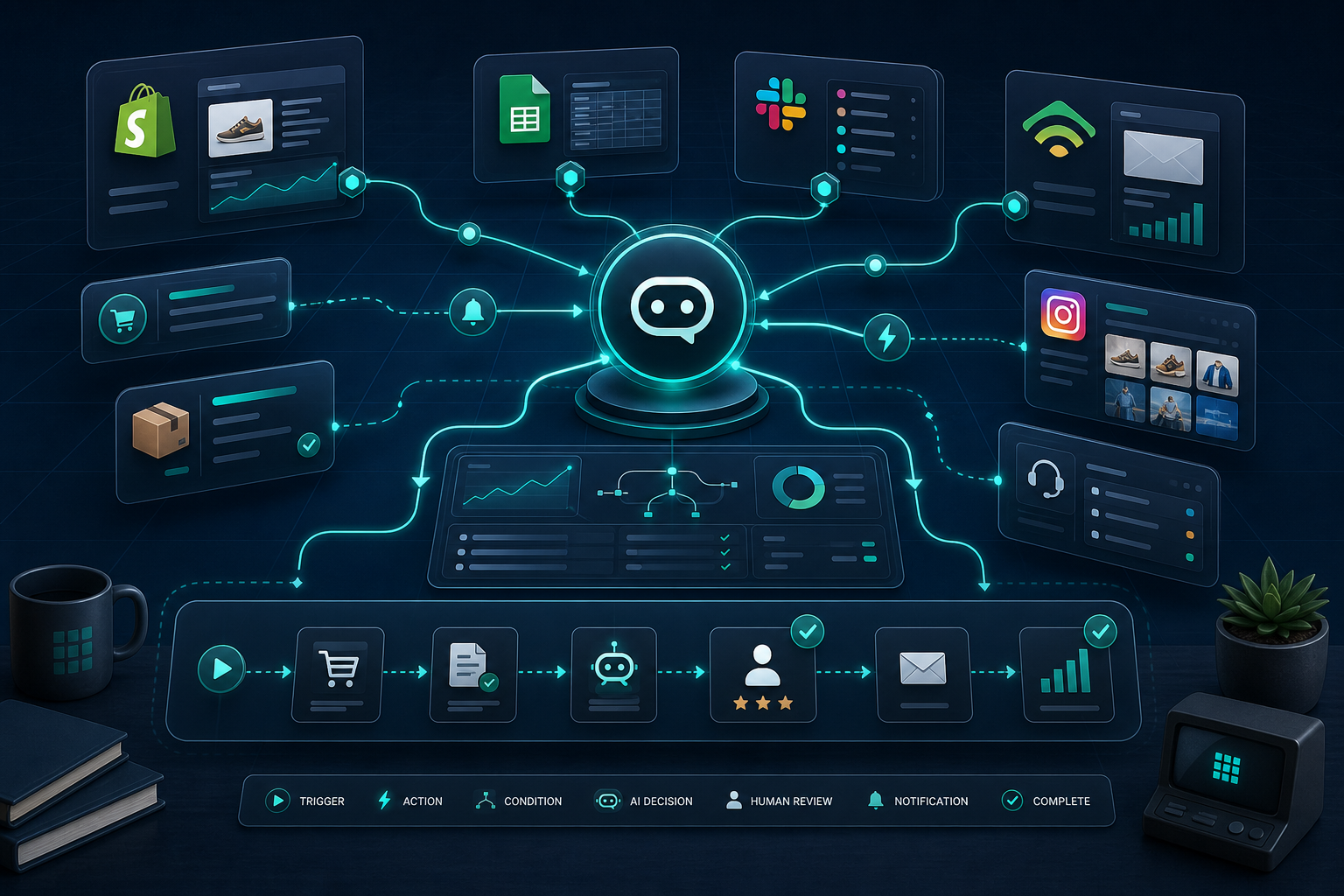
I do not want every integration turned on. I want the smallest useful set for the job. That is especially important when the workflow touches product data or catalog changes. If you are moving heavier catalog work around, the same restraint shows up in How to Schedule Bulk Shopify Catalog Changes Without Breaking Variants. The process is not glamorous, but it is safer and easier to trust.
There is also a useful parallel with content workflows. In How I Built a Draft-First Shopify Blog System for Ecommerce SEO, the important idea is the same: keep the machine doing the first pass, then let a human approve the final version.
Use a Review Loop for Higher-Risk Tasks
My favorite pattern is suggest, review, execute. The agent can summarize, draft, or flag a problem, but a human approves the action before anything risky happens. That is a much better fit for ecommerce than “let the bot do everything and hope.”
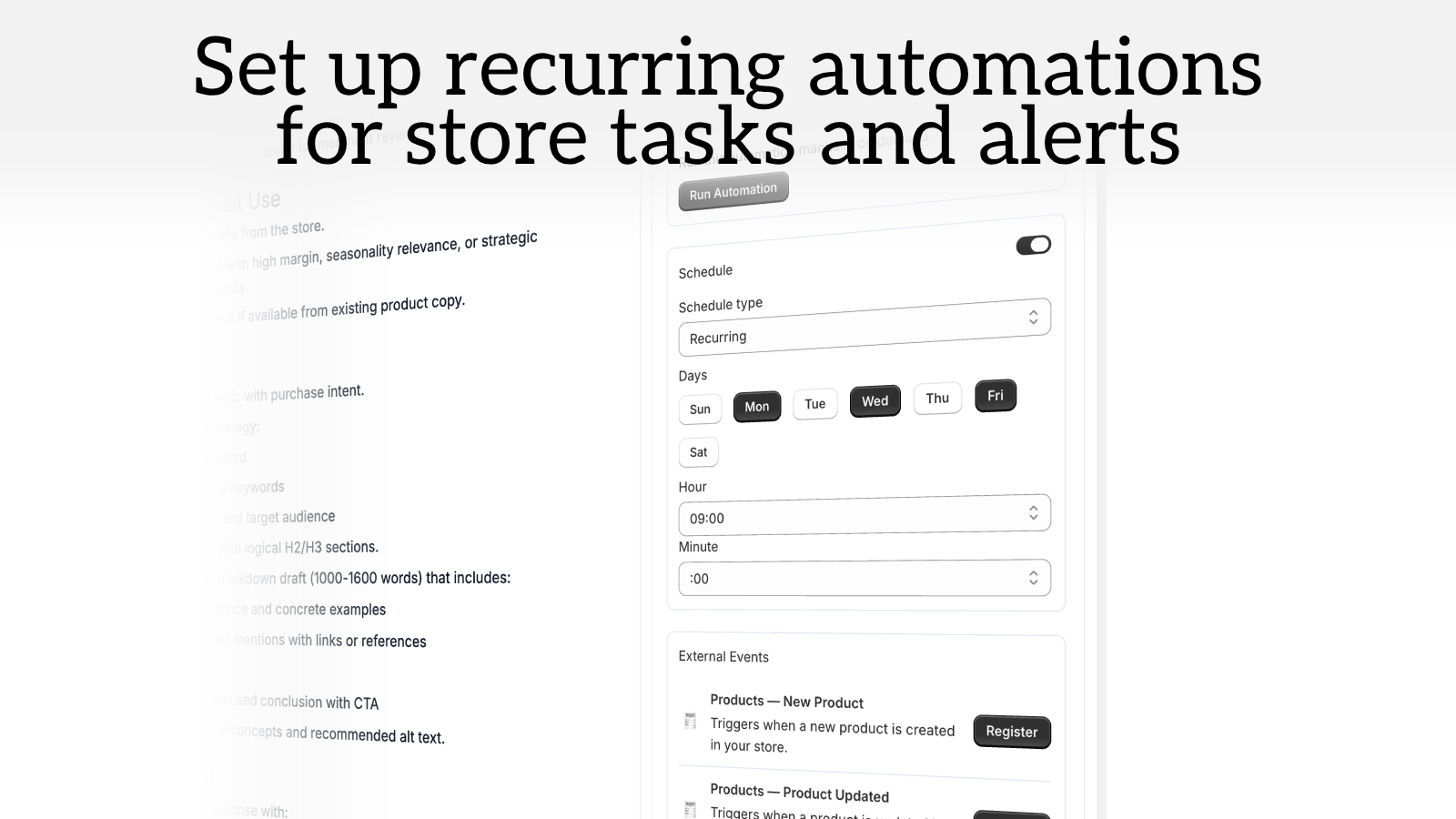
This is the point where recurring automations start to matter. A daily report is fine once. A daily report that lands every morning without me rebuilding the workflow is where the time savings show up. That is also why Clawly’s automation angle matters: it is not just a chat surface, it is a repeatable store system.
If the work is marketing rather than ops, I would use the same review loop. How I Built a Shopify UGC Ad Testing Matrix is a good example of that mindset applied to creative testing: generate a structured set of variations, inspect the result, and only then scale what works.
A Practical Prompt to Start With
When I set up a first assistant, I keep the instruction block short and blunt:
You are my Shopify operations assistant. Read products, orders, and reports. Draft summaries, alerts, and support replies. Do not change prices, discounts, or store settings. If the task is ambiguous, ask for approval.
That is enough to get a useful first version without pretending the agent should have full authority. After a few successful runs, I would widen the scope in small steps, not all at once.
My Take
Clawly makes sense to me because it treats the AI agent as a controlled operator, not an all-powerful chatbot. That is the right shape for Shopify. Start with one job, keep the permissions tight, connect only the tools you need, and let the workflow earn more access over time.
If you want to try it, start with the landing page at clawly.sktch.io or the Shopify App Store listing, then build your first assistant around one report or one alert. That is the smallest useful version of a Shopify AI agent.