
August 3, 2026
How to Tell Whether an Etsy Edit Belongs in Listings or Variations
A practical way to decide when an Etsy bulk edit belongs in Listings mode versus Variations mode, plus a safer search-select-apply workflow.
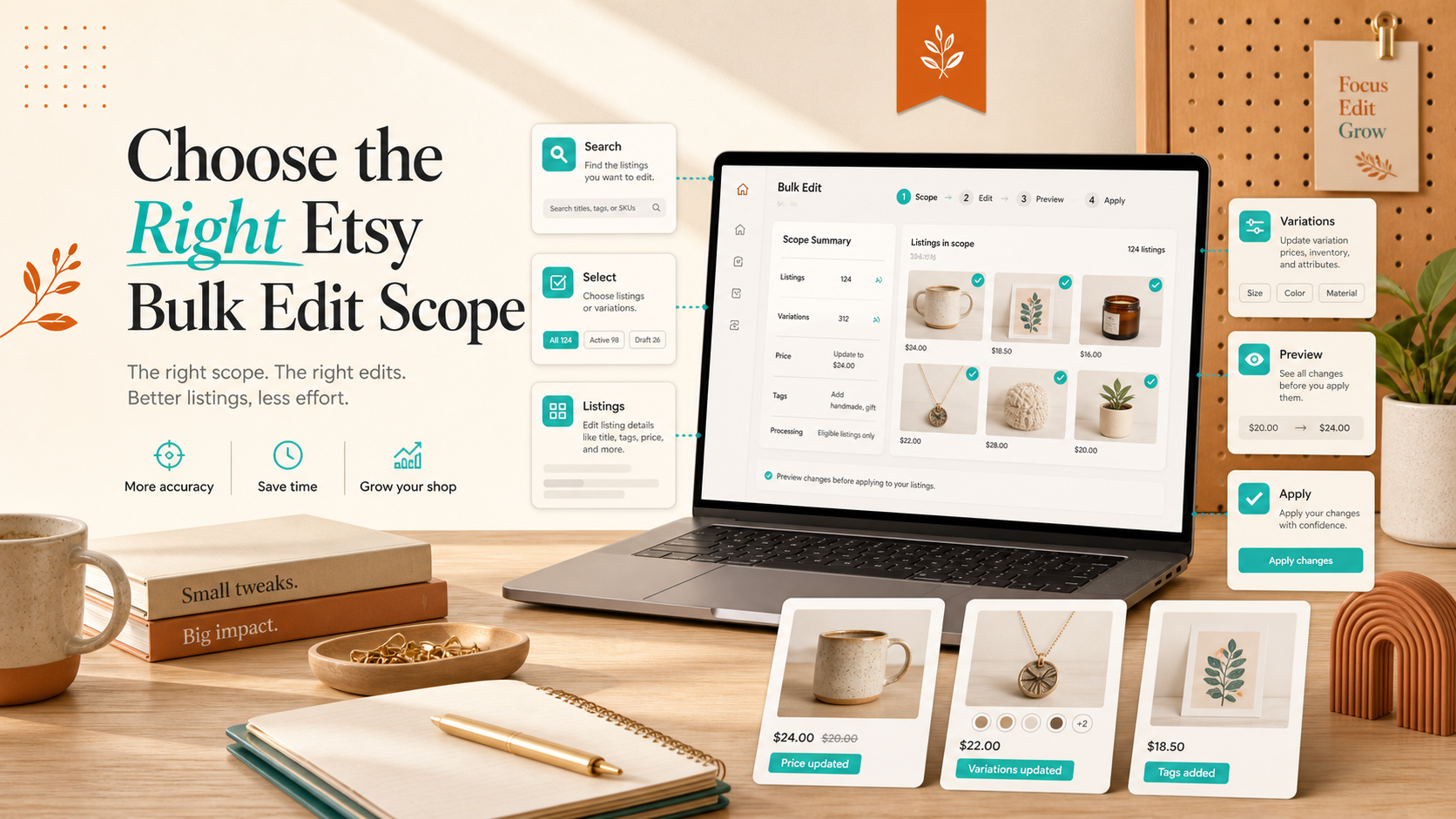
If the same change should hit every row in a listing, use Listings mode. If it only applies to an option layer such as size or color, use Variations mode. That is the shortest useful answer, and it is the rule I would use before touching a bulk edit in Bulk Listing Editor for Etsy.
I reach for this app when I want one clean search, one careful selection, and one edit I can trust. It has a simple workflow, a 7-day free trial, and an $8/month subscription after that, which is usually enough to justify trying it on one real batch instead of guessing.
What you will learn
- How to tell whether a change belongs at the listing level or the variation level.
- How to narrow a batch so one edit does not spill into unrelated items.
- How to verify the result before you widen the scope.
- When a manual edit is still faster than a bulk pass.
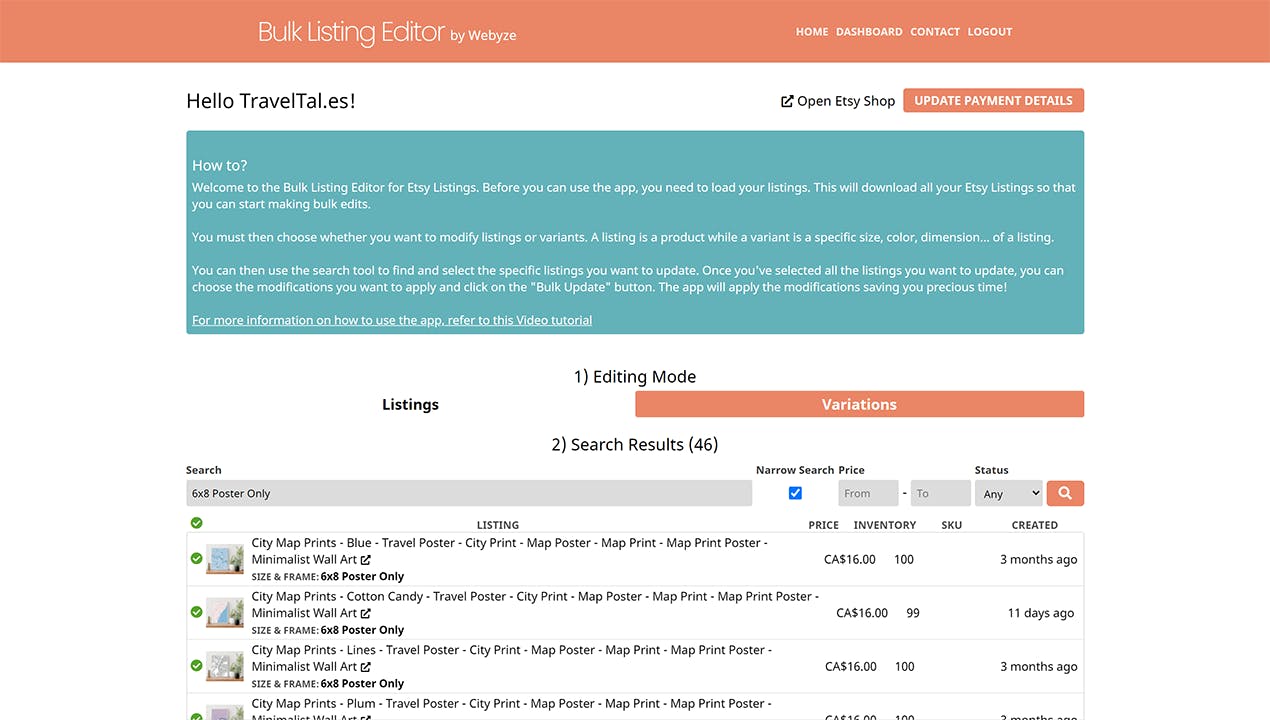
1. Start with the scope question, not the tool
The first mistake people make with Etsy bulk edits is jumping straight to the app and asking it to fix everything at once. The better question is simpler: what kind of thing am I changing?
Use Listings mode when the change belongs to the listing as a whole. That covers titles, descriptions, tags, materials, prices, inventory, SKUs, images, and personalization. Use Variations mode when the change belongs to the option structure itself: sizes, colors, variation names, option prices, option images, option inventory, or option ordering.
That distinction sounds small, but it is the difference between a batch that stays coherent and a batch that silently turns into cleanup work.
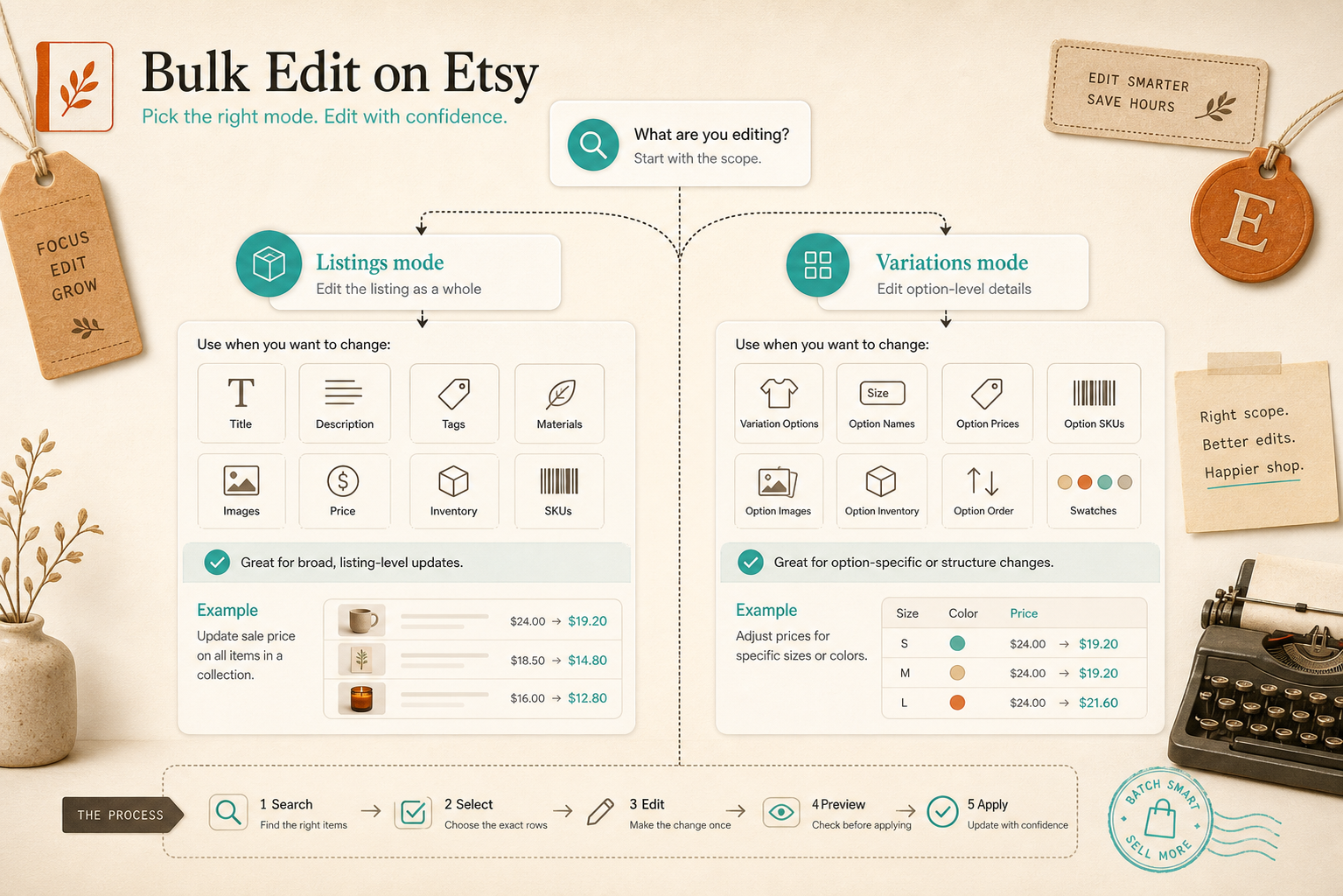
Expected result: you know which level owns the edit before you select a single row.
2. Use Listings mode for broad, repeatable changes
If every selected item should receive the same edit, Listings mode is usually the right place to work. That is the better fit for cleanup jobs such as a title refresh, a price adjustment, a tag rewrite, a material update, or a description search-and-replace.
The reason is practical. Listing-level changes are easy to explain and easy to verify. When the same rule applies to every row, the app can do the repetitive work once instead of making you repeat the same click pattern across the catalog.
A good mental test is this: if the change would look wrong on just one item in the batch, the batch is too broad. Split it first.
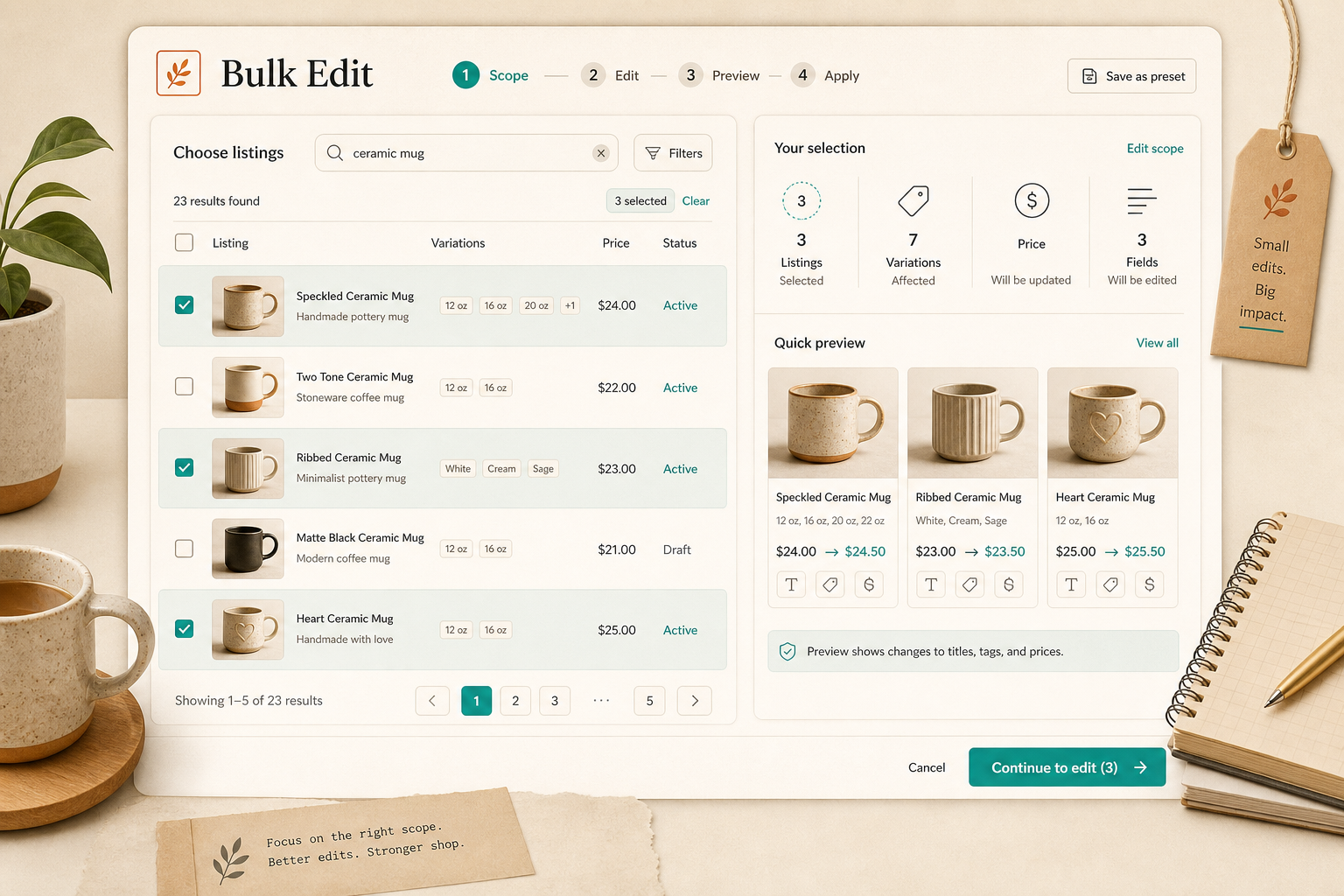
Expected result: the selected rows all share the same intent, so the bulk edit stays predictable.
3. Use Variations mode when the option structure is the real problem
Variations mode is where Etsy gets more delicate. That is the right tool when the change is about the shape of the options, not the listing copy itself.
I would use it for cases like:
- Adding, renaming, or removing variation options.
- Adjusting prices for specific sizes or colors.
- Reordering variation options.
- Uploading or replacing variation-specific images.
- Updating inventory or SKUs that only exist at the option level.
If the product family does not share the same option structure, do not force it into one batch. A mixed batch is usually a sign that you are trying to solve two different problems with one edit.
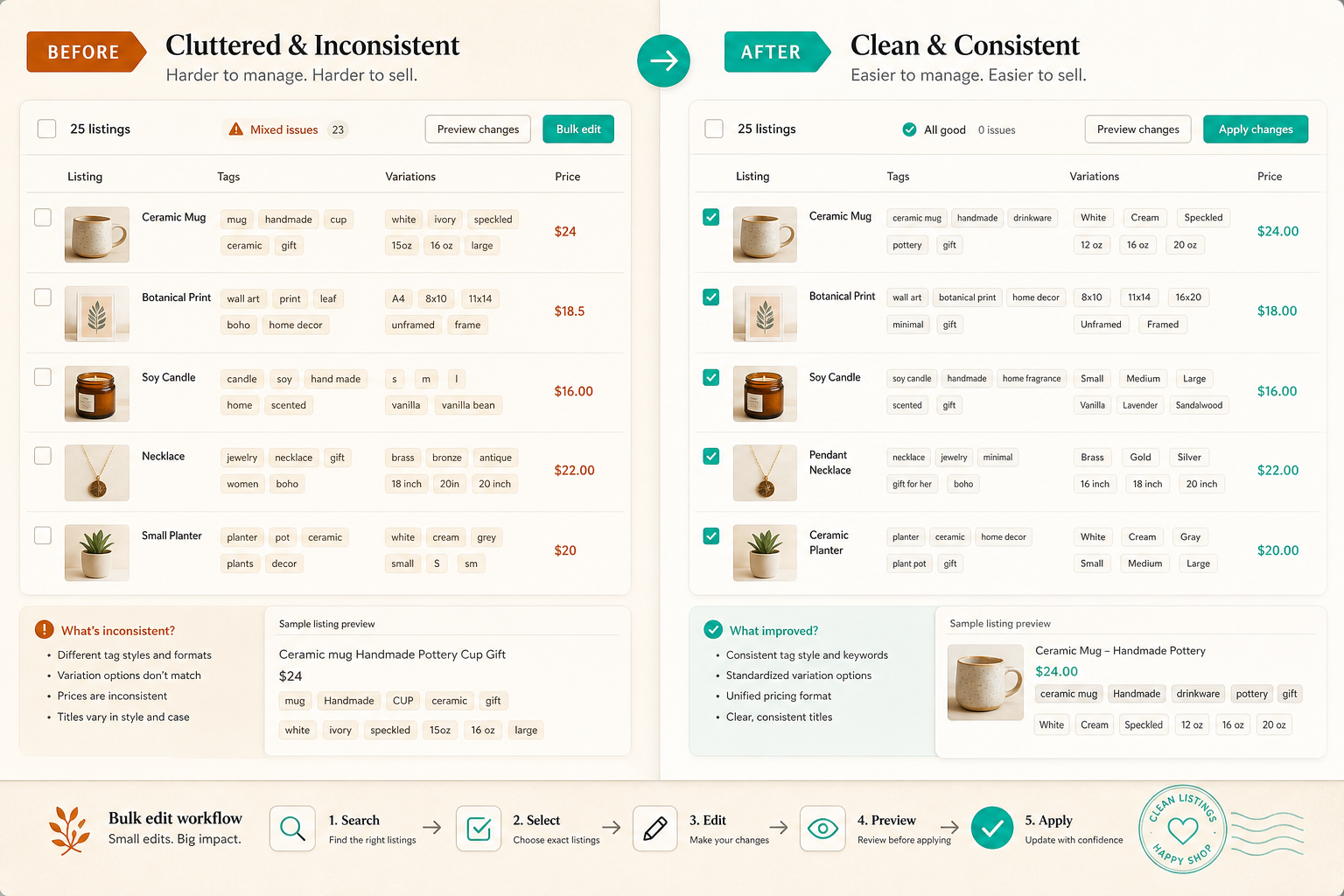
Expected result: the option structure changes cleanly instead of carrying unrelated edits along with it.
4. Search narrowly and select only one coherent batch
The app works best when the search is narrower than your first instinct. Search for the smallest group that truly shares the same edit, then select only those rows. If you are cleaning up a collection, keep the selection within that collection. If you are updating a seasonal cluster, do it in a separate pass. If you are fixing one variation family, do not mix in a different one just because the listings look similar at a glance.
This is where most bulk-edit mistakes happen. The issue is rarely the edit itself. The issue is that the selection set is too loose.
I usually ask one question before I continue: would I be happy if every selected row ended up with the exact same final state? If the answer is no, I split the batch.
Expected result: the batch is small enough that you can reason about every item in it.
5. Make the change once, then verify one sample before you expand
Once the batch is tight, apply one change set and stop. Open a sample listing and confirm that the right fields moved and the wrong fields stayed put. If the first one looks right, check another row from the same group before you widen the scope.
That verification pass matters because Etsy edits are often visually subtle. A price can be technically correct but still look wrong next to the wrong variation. A title can be updated in the right place but still read awkwardly. A tag cleanup can be valid but still miss the search intent you were aiming for.
Bulk editing is not about trusting the tool blindly. It is about using a tool that makes it easier to be careful once and then repeat that care.
6. When manual editing is still the better choice
Bulk Listing Editor for Etsy is strongest when the change is repetitive and the structure is shared. Manual editing is still better when only one or two listings need attention, when the products do not share the same option model, or when the edit is mixed enough that you would spend more time untangling the batch than doing the work directly.
That same decision rule shows up in How to Bulk Edit Etsy Listings Before a Sale or Seasonal Refresh and How to Bulk Edit Etsy Titles, Tags, and Variations Safely. If you want the broader batching mindset on another platform, How I Bulk Edit Shopify Products Without Breaking Variants is a good comparison. And if you are trying to get the source catalog cleaner before you automate more of the workflow, How I Replaced Manual Etsy Uploads With a Live Catalog Feed shows why clean inputs matter first.
If you want to see the workflow in motion, the product page also includes a short walkthrough video: Bulk Listing Editor for Etsy - by Webyze - Quickly edit your etsy listings and variations in bulk.
The practical takeaway is simple: decide the scope first, then search narrowly, select only the rows that share the same change, and preview before you apply. If that sounds like the way you want to handle Etsy maintenance, start with the Bulk Listing Editor for Etsy homepage and run one small batch on the free trial before you roll it into your normal cleanup routine.