
June 21, 2026
How I Replaced Manual Etsy Uploads With a Live Catalog Feed
A practical Etsy catalog feed setup that keeps Instagram, Facebook, and Google Shopping synced without CSV exports.
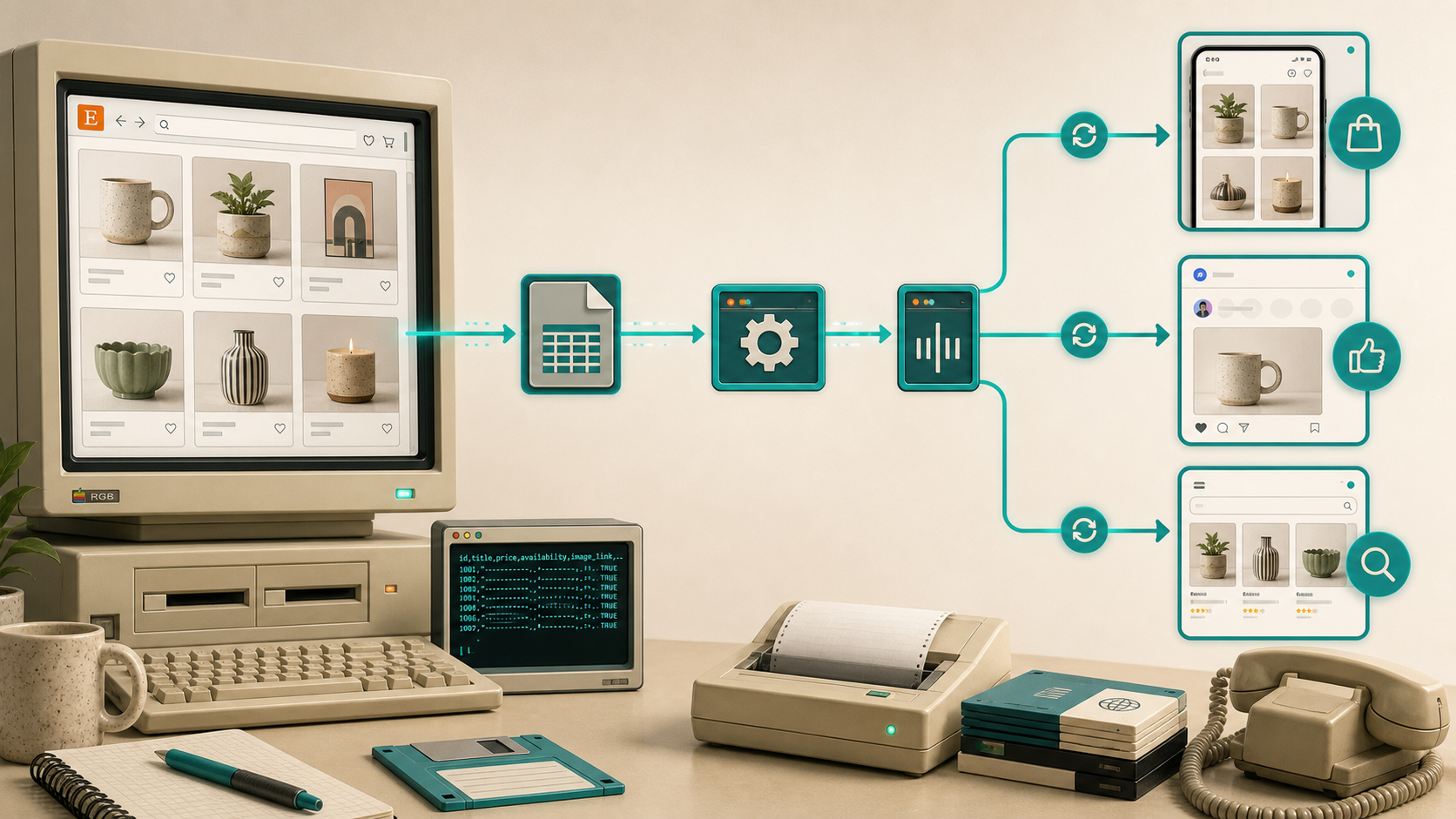
When an Etsy shop starts changing every week, manual uploads stop being ops work and start being drag. One price edit, one sold-out listing, one new hero image, and suddenly the same catalog has to be rebuilt in Meta again.
I wanted one setup pass, one feed URL, and no more re-exporting the same catalog every time I edited a listing. That is why I kept coming back to Catalog Generator for Etsy: it creates a live listings catalog URL you can plug into Facebook Business Manager and Commerce Manager, and the app is priced at $5/month with a 7-day free trial. If you want the walkthrough in motion, the product page also includes a setup video: Link your Etsy listings with your Instagram Account and Facebook Page.
What This Replaces
The problem with the manual path is not that it is impossible. It is that it becomes repetitive the moment the shop changes often.
A title edit, a sold-out SKU, a price shift, or a new hero image means another round of CSV cleanup, another import, and another chance to push stale data into Instagram, Facebook, or Google Shopping. I wanted the feed to be the source of truth instead of the spreadsheet.

If your shop is already messy, I would clean that up first. The posts I kept linking back to while I worked on this were How to Bulk Edit Etsy Listings Without Spreadsheet Chaos, How to Bulk Edit Etsy Listings and Variations Safely, When to Bulk Edit Etsy Listings and When to Edit Manually, and How to Sync Etsy Listings to Instagram and Facebook Without Manual Uploads. The catalog feed works better when the source data is already sane.
1. Verify The Etsy Domain
Before the feed matters, the domain has to be verified in Facebook Business Manager. The product instructions are explicit: verify the Etsy domain, copy the Meta tag into Etsy Shop Manager under Facebook Shops, then come back and verify the domain in Business Settings.
That step is boring, but it is also the lock on the front door. Until it is done, the rest of the setup is just tabs and hope.

2. Point Commerce Manager At The Feed URL
Once the domain is verified, create or open the catalog in Commerce Manager, choose the data feed option, and paste the Catalog Generator URL. I left the template fields alone because the feed itself is the thing you want to keep fresh.
This is where the app earns its keep. You are not uploading a one-off file and then hoping nobody updates a listing. You are giving Meta a URL that stays tied to the shop and can be re-pulled on schedule.
If you want the earlier end-to-end version of this workflow, I also wrote How I Built a Live Etsy Product Feed for Instagram, Facebook, and Google Shopping. This version is the same idea, but I wanted to focus on the actual move from manual catalog work to a feed-driven setup.

3. Set A Refresh Schedule
After the first sync works, set a refresh cadence that matches how often your shop changes. Daily is a reasonable default. If you change prices or inventory more often, shorten the interval. If your catalog is mostly static, a slower schedule might be enough.
The practical test is simple: if you can make a listing edit in Etsy and trust the feed to catch it without another export, the system is doing its job.
What I Watch For After The First Sync
I do not treat the first successful import as the finish line. I still check for:
- image issues
- titles that need shortening
- variant mappings that look odd
- products that should not be surfaced yet
- pricing or availability that needs a second look
The key is to fix problems at the source, not by hand-editing the catalog every time. If you find yourself correcting the same field over and over, that is usually a sign the Etsy listing itself needs cleanup or the feed mapping is off.
When I Would Use This
I would use Catalog Generator if I:
- update Etsy listings frequently
- want Instagram, Facebook, and Google Shopping to stay in sync
- prefer a small monthly fee to recurring CSV cleanup
- want one catalog URL instead of a manual re-upload habit
I would probably skip it if the shop barely changes and I do not need a live commerce catalog. In that case, manual uploads may be good enough.
For anything that changes regularly, the value is pretty plain: one stable feed is easier to maintain than a stack of exports.
Bottom Line
I wanted the boring version of ecommerce automation, and this is it. Verify the domain once, connect the feed once, and let the schedule handle the repetitive part.
If you want to try it, start the Catalog Generator for Etsy free trial, verify your Etsy domain, and wire the feed into Commerce Manager. That gets you out of CSV babysitting and back to running the shop.