
July 3, 2026
How I Build a Reusable UGC Video Library for Shopify
A first-person workflow for turning one Shopify product into reusable UGC clips for ads, product pages, and email with Supra UGC Maker.
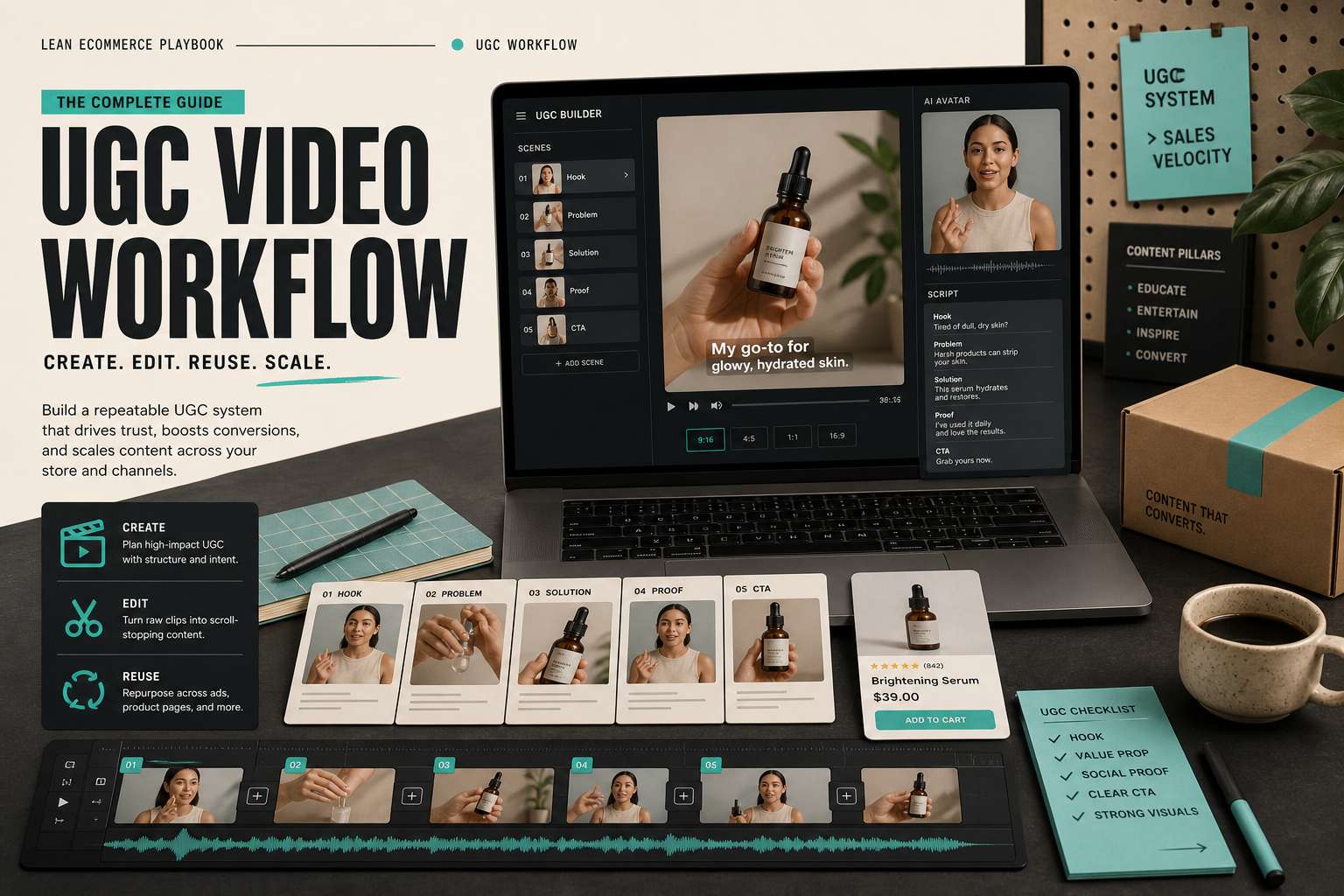
I keep running into the same launch problem: the product is ready, but the video system is not. One clip is never enough, and I do not want to book a creator shoot every time the offer changes. What I actually need is a reusable library of UGC-style videos that I can point at ads, product pages, email, and seasonal promos without rebuilding the whole thing from scratch.
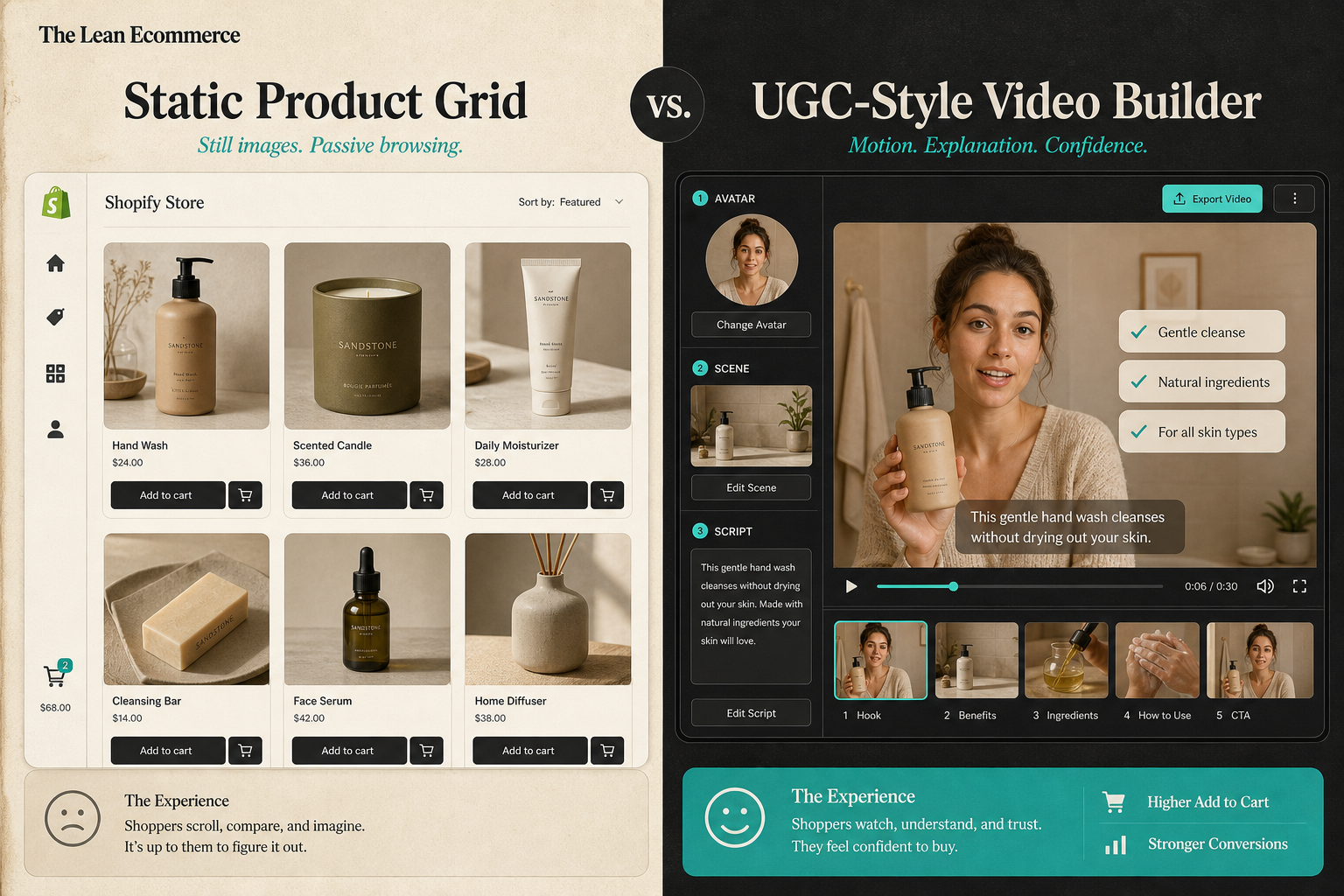
That is where Supra UGC Maker fits for me. The app is set up around the pieces I would want anyway: avatar, scene, script, speech, tone, and product reference. I can save reusable projects, create new variations, reorder or regenerate clips, and keep the production work inside one workflow instead of splintering it across tools. If I want the install path, the Shopify App Store listing is the other place I keep open.
The baseline version of this idea is in How to Create UGC-Style Shopify Product Videos Without a Production Team, but the part I care about now is reuse. I do not just want one decent video. I want a system that keeps paying off after the first export.
Start With The Job, Not The Avatar
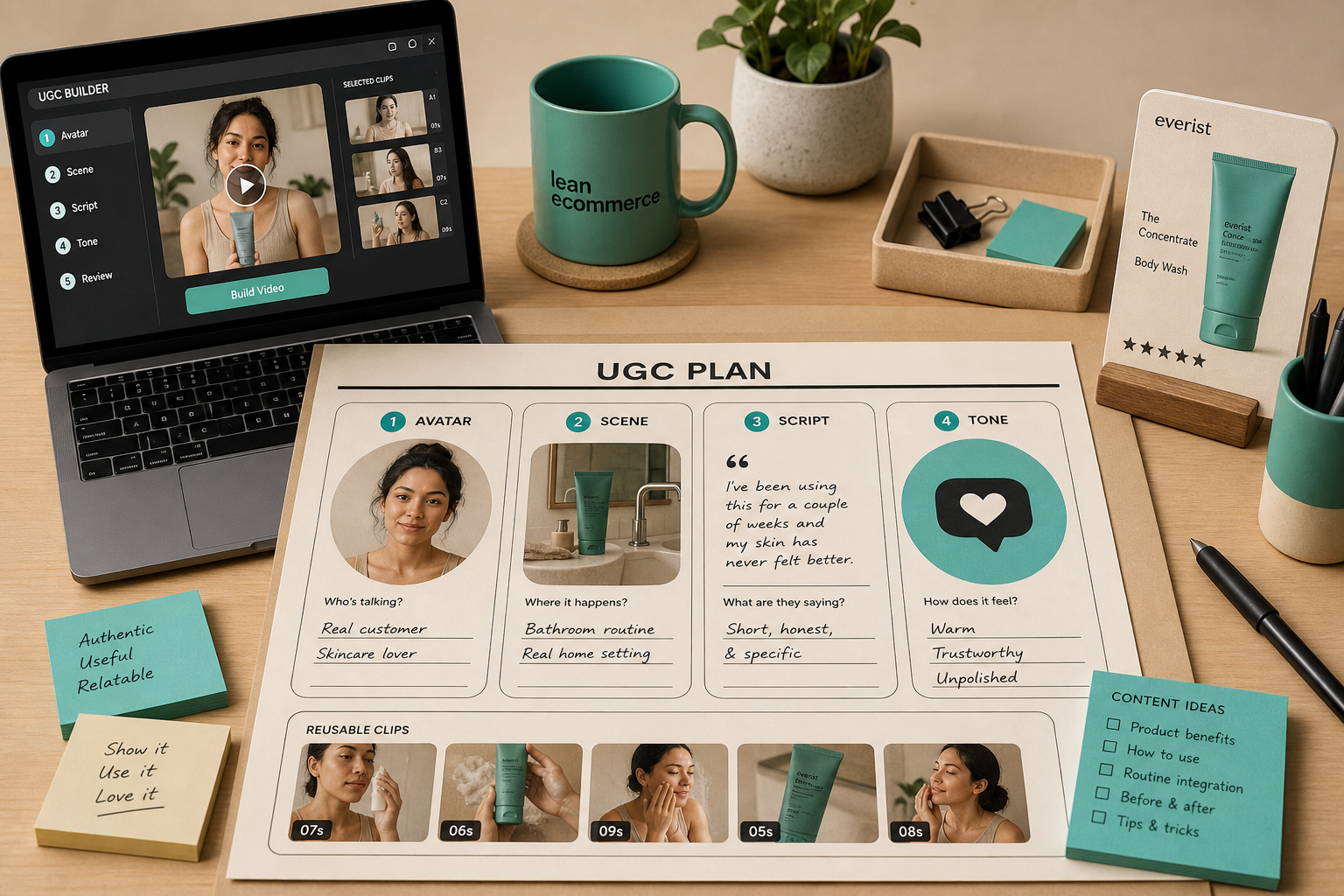
I do not start by picking an avatar because the avatar is not the decision that determines whether the clip works.
I start by deciding what the clip has to do:
- an ad needs a hook fast;
- a product page needs clarity and proof;
- an email needs a short reason to care;
- a seasonal promo needs speed more than nuance.
Once I know the job, the rest is easier. Supra UGC Maker is useful because it lets me make those jobs explicit instead of pretending every video has the same goal.
That is also why I like the angle in How I Built a Shopify UGC Ad Testing Matrix and How I Build a Shopify UGC Hook Matrix From One Product. Both posts are really about the same thing: if you do not define the job first, you end up optimizing the wrong part of the video.
Lock The Inputs Once
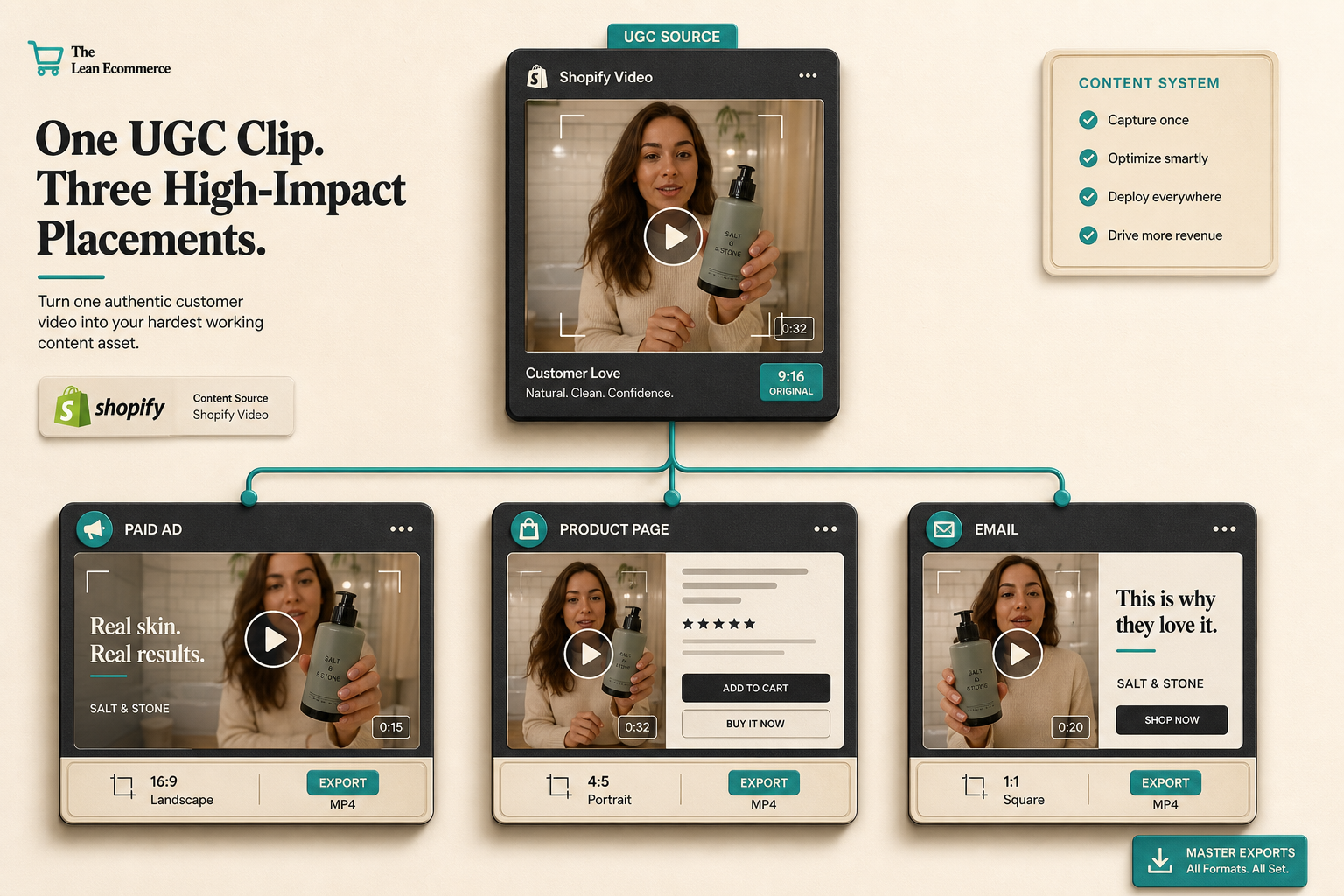
When I build a reusable library, I keep the inputs boring and repeatable. That is the whole point.
Product: one SKU
Avatar: preset or custom model
Scene: studio, boutique, outdoor, or brand-specific setting
Script: one problem, one proof, one CTA
Tone: direct, useful, and on-brand
If I have to rethink those five variables every time, the workflow becomes expensive again. If I only have to decide them once, the rest turns into variation instead of reinvention.
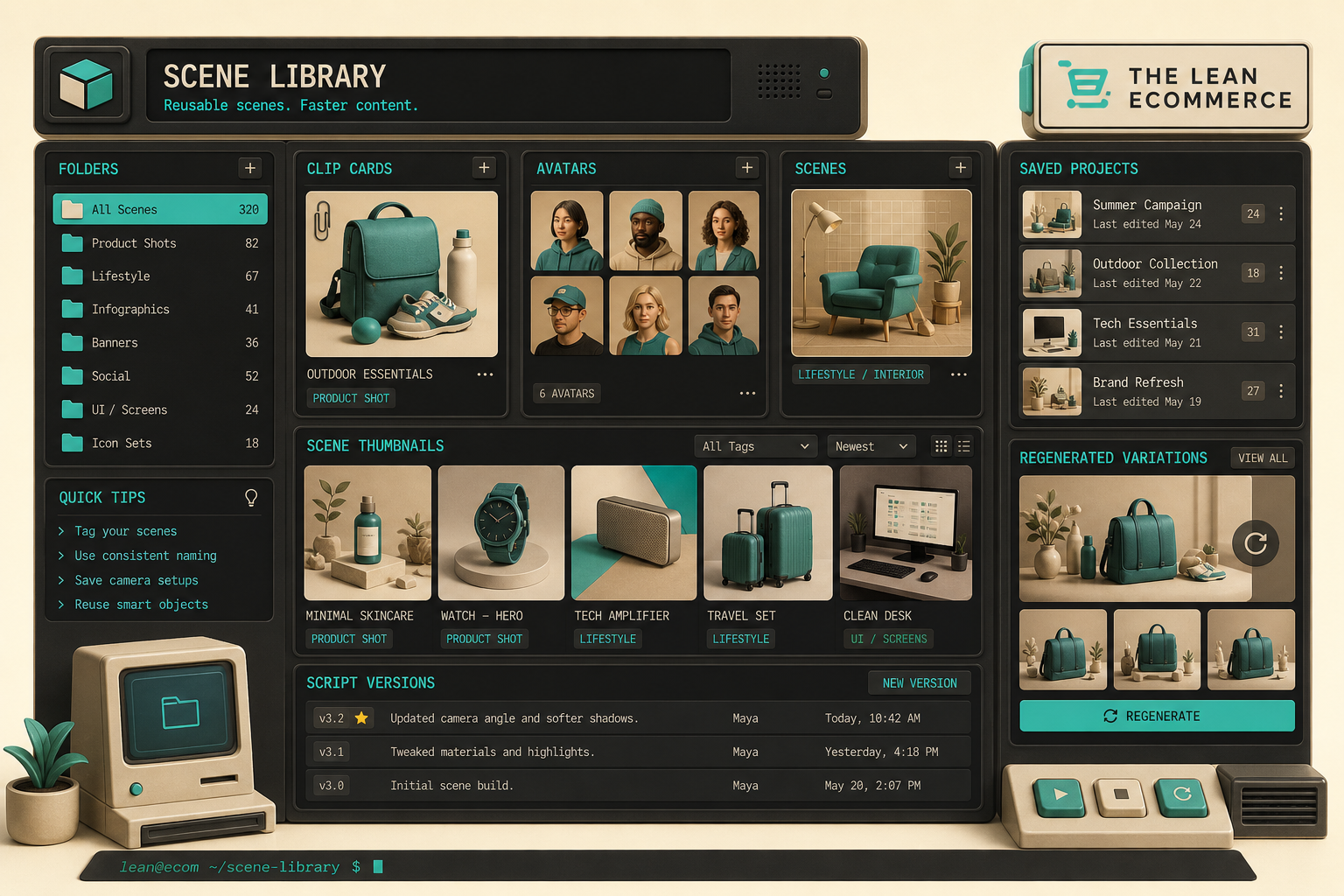
This is where reusable projects matter most. I can keep one scene family, save it, and then create new clips without rebuilding the whole creative environment. That lines up with How I Built a Reusable Shopify UGC Scene Library and How I Refresh Shopify UGC Videos Without Starting Over. The lesson is not “make more stuff.” The lesson is “make the same useful stuff easier to reuse.”
Build Three Cuts, Then Stop
I usually make three variations before I decide whether an angle is worth scaling.
- The hook cut. This opens with the problem or outcome.
- The proof cut. This shows the product or result more clearly.
- The objection cut. This answers the thing that would make someone hesitate.
That is usually enough to tell me whether the idea has legs. If the hook is flat, the proof will not rescue it. If the objection answer feels weak, the CTA is not going to save it. I would rather find that out early than after I have spent time on a larger batch.
This is the part that sits closest to How to Create Five Shopify UGC Video Ads From One Brief and How to Make Shopify UGC Videos for Ads, Product Pages, and Email. The useful pattern is the same in both cases: make the first pass deliberately small, then scale only the cuts that actually earn attention.
Reuse The Same Clip Across The Funnel
The reason I want a library instead of one-off videos is that the same clip can do different jobs in different places.
- On an ad, I want fast attention and a clear hook.
- On a product page, I want motion that explains the product faster than text alone.
- In email, I want a visual proof point that keeps the message from feeling flat.
The clip can stay the same while the placement changes. That is the part that makes the workflow worth keeping around. If the product story is strong, I do not need to re-shoot the world every time I want a new placement.
That is also why I keep How to Create UGC-Style Shopify Product Videos Without a Production Team nearby. It covers the lower-friction version of the workflow, while the library approach is the next step once the store needs more than one or two assets.
What I Actually Want From The Tool
I do not want the app to make strategy decisions for me. I want it to make the production loop smaller.
Supra UGC Maker is useful because it keeps the creative parts visible: I can choose the avatar, set the scene, write the script, pick the tone, feature the product, and then reuse the project when I need a new variation. That is the difference between a tool I use once and a system I can keep using.
If I were setting this up from scratch, I would do it in this order:
- Pick one product.
- Decide which job matters first.
- Create one hook, one proof cut, and one objection cut.
- Save the scene and project.
- Reuse the strongest variation for the next channel.
If you want the same setup, start with the landing page or the Shopify App Store listing, try the free plan, and build the first reusable library around a single SKU. If the second and third exports are easier than the first, the workflow is doing its job.