
June 7, 2026
How I Build a Shopify UGC Hook Matrix From One Product
A practical way to turn one Shopify product into reusable UGC hooks, scenes, and placements without rebuilding the video workflow every time.
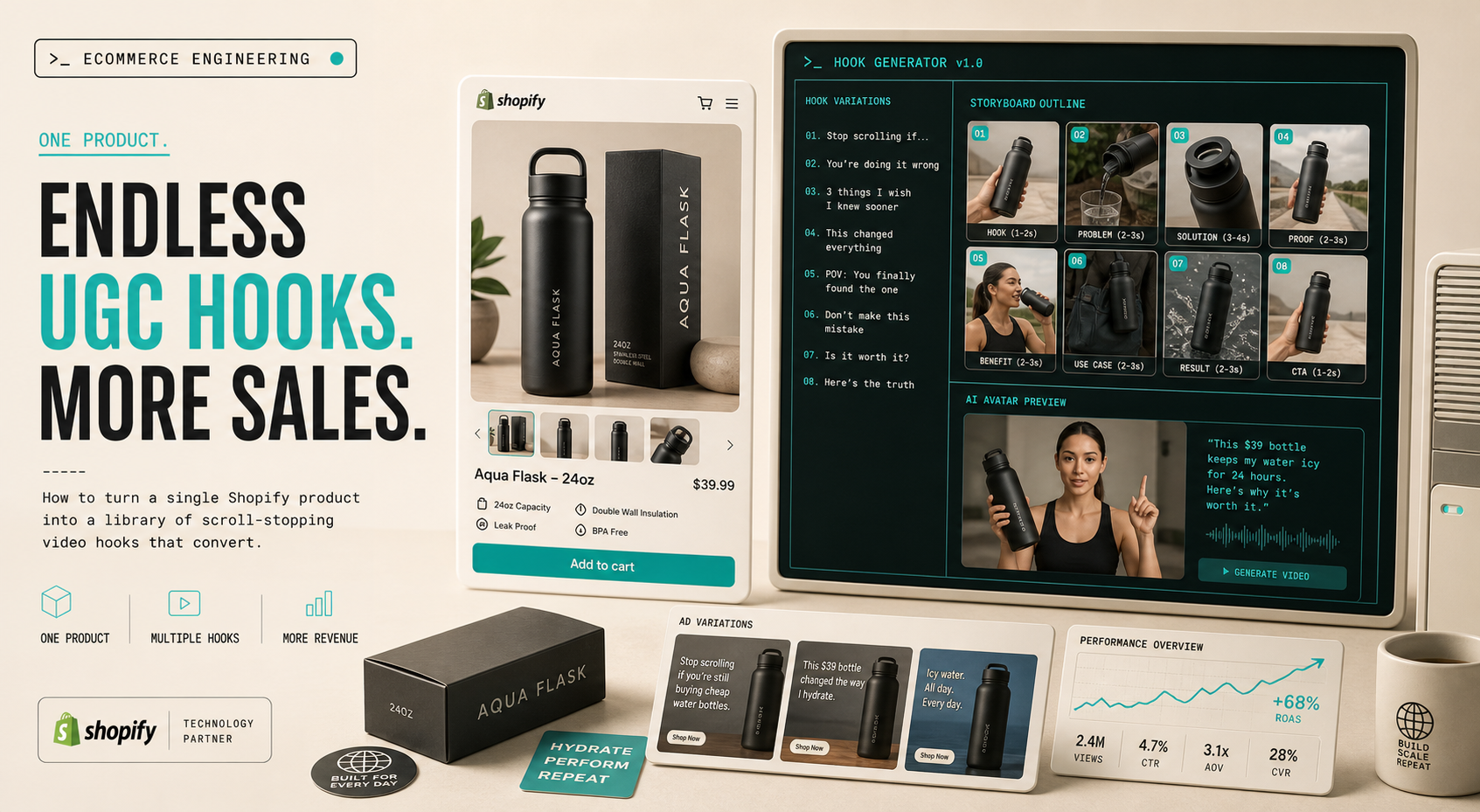
If I only get one Shopify product and one afternoon, I do not try to make one perfect video. I build a hook matrix, keep the setup tight, and use that matrix to generate the next round of UGC-style creative in Supra UGC Maker.
That is the part that makes the workflow scalable. The app is built for Shopify merchants who need AI avatar product videos with scenes, scripts, speech, and product references, so I can keep the reusable pieces together instead of rebuilding every clip from scratch.
If you have already been thinking in angles, How to Test More UGC Video Angles From One Shopify Product is the closest companion. This version is narrower: I am showing the matrix I use before I spend time generating video.
What The Matrix Needs To Do
The goal is not “make more content.” The goal is to create a repeatable decision structure:
- pick one product;
- define one shopper problem;
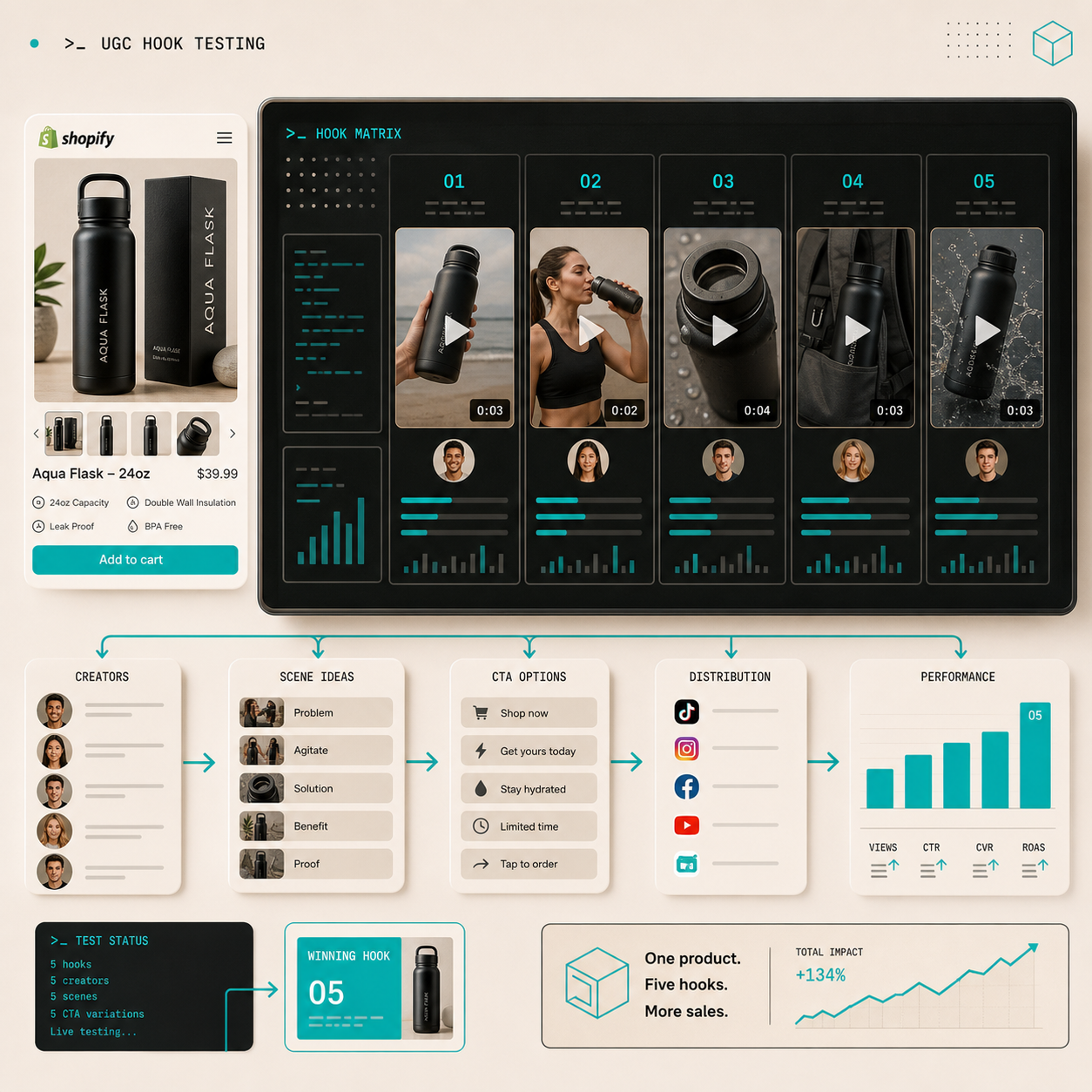
- generate a small set of hooks;
- keep the avatar and scene stable;
- change only the parts that teach me something.
That keeps the test readable. It also makes it much easier to decide whether the winning variable was the opening line, the scene, the CTA, or the product framing.
1. Start With One Product And One Job
When I start with a broad prompt like “make a product video,” the result is usually vague. When I start with one product and one job, the script gets sharper immediately.
I write down three things before I generate anything:
- The product.
- The shopper problem or desire.
- The action I want after the video.
That is enough to keep the workflow anchored. It also lines up with the product features in Supra UGC Maker, because the app lets me choose an avatar or custom AI model, set the scene, add the product, and write a script in one project.
If the best starting point is customer language instead of product language, How I Turn Buyer Questions Into Shopify UGC Video Variants is the better follow-up.
2. Build Five Hooks Instead Of A Giant Script
I do not need twenty variants to learn something useful. Five is usually enough.
My first pass is usually:
- Problem and solution: open with the frustration first.
- Quick demo: show the product in the first few seconds.
- Objection handler: answer price, fit, or trust concerns directly.
- Comparison angle: contrast the old way with the new way.
- Outcome angle: lead with the result the shopper wants.
I like this because each hook tells me something different about the audience. If the demo performs best, I know the product is visually compelling. If the objection handler wins, I know the shopper needed reassurance before they clicked.
This is also where How I Build a Shopify UGC Launch Kit From One Brief helps as a companion read. The launch-kit version is broader; this one is more focused on the testing matrix itself.
3. Keep The Avatar And Scene Stable
The biggest mistake I make when I am moving fast is changing too many variables at once.
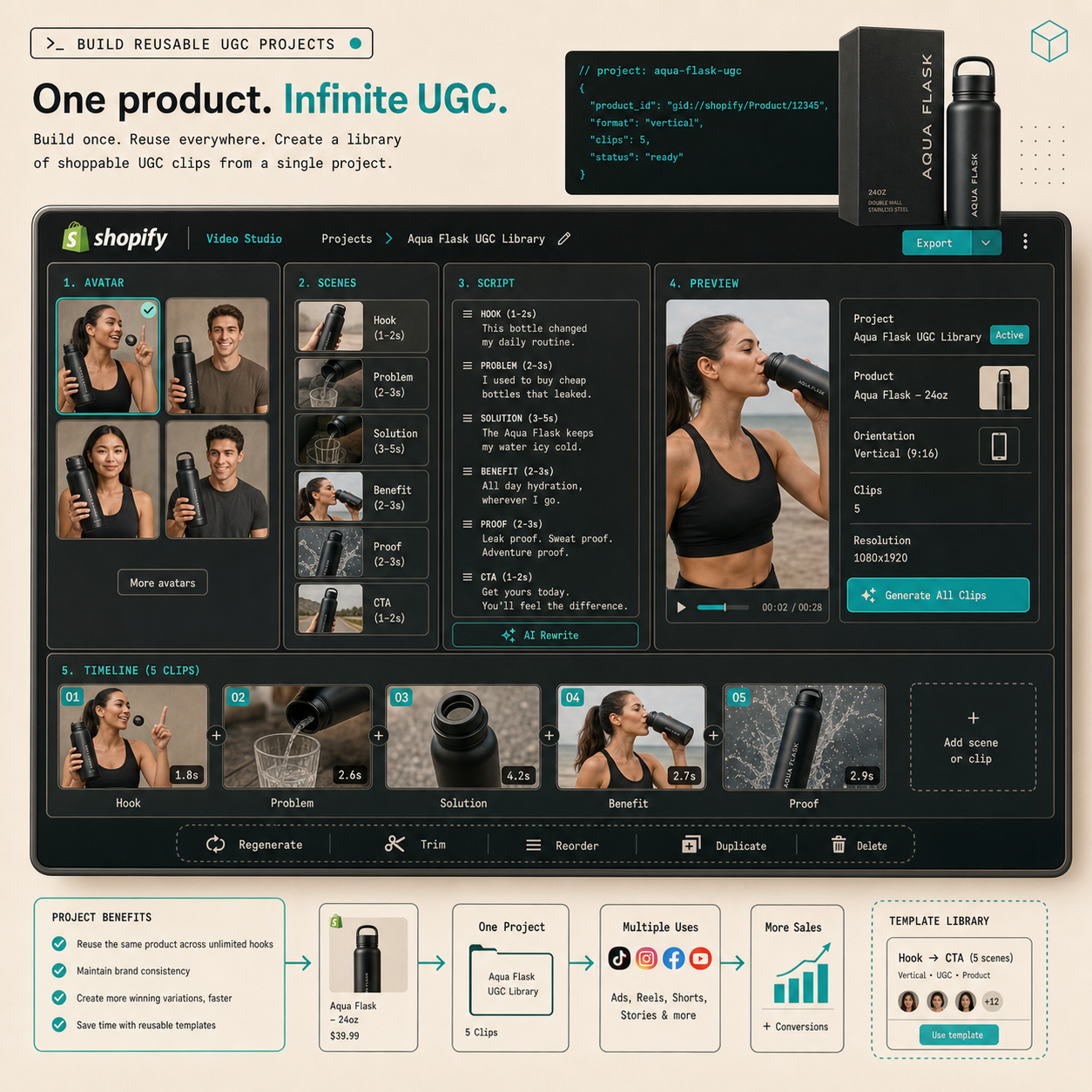
In Supra UGC Maker, I try to keep these stable for the first round:
- the avatar;
- the scene;
- the product reference;
- the voice or tone;
- the output format.
Then I only swap the hook and the CTA. That gives me a cleaner read on what actually moved the result. The app supports previewing scenes before generating, then reordering, trimming, updating, and regenerating clips inside the same project, which is exactly what I want when I am trying to separate signal from noise.
If you want the shorter version of this idea, How to Turn One Product Brief Into 5 Shopify UGC Videos is the direct “five clips from one brief” version.
4. Reuse The Same Clip Across More Than One Placement
One UGC-style video is useful. One UGC-style video that gets reused across ads, product pages, and email is better.
That is the main reason I care about the matrix. A winning clip should not stay trapped in one ad slot. It should move into the rest of the funnel:
- paid social ad creative;
- product page explainer;
- email teaser or launch insert;
- retargeting message;
- seasonal promo or campaign cut-down.
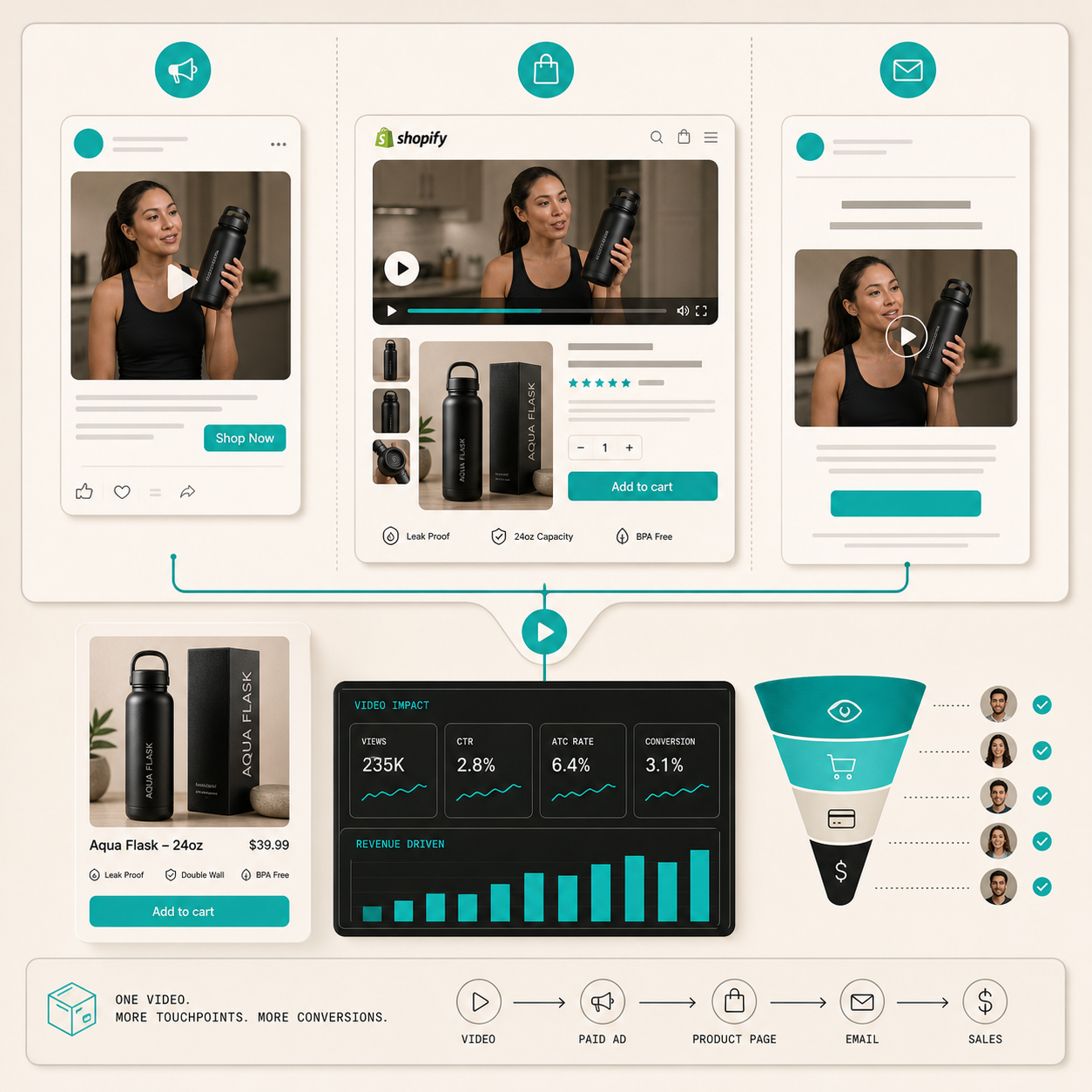
The product file for Supra UGC Maker explicitly supports reusable projects and new ad variations, so I can keep the good pieces instead of starting over every time the campaign changes.
This is where How I Build a Shopify UGC Testing Sprint Around One Product fits well. The sprint article is about the cadence; this one is about the reusable structure that makes the cadence possible.
5. Keep It Believable
I do not treat AI UGC as a shortcut around product truth.
If the product details are wrong, the scene is wrong, or the script makes claims the product cannot support, the whole thing falls apart. So before I ship anything, I check a few basics:
- the product reference matches the real offer;
- the scene makes sense for the category;
- the script sounds like a real shopper, not a pitch deck;
- the CTA fits the funnel stage;
- the final cut is short enough that the hook lands quickly.
The point of the workflow is speed with control, not speed with guesswork.
The Short Version
If I want to create Shopify UGC faster, I do not start by generating more videos. I start by building a hook matrix around one product, keeping the avatar and scene steady, and then letting the hooks tell me what to scale.
That workflow is practical because it turns one product into a reusable system. I can test the angle, save the project, and reuse the result across ads, product pages, and email without rebuilding the whole thing.
If you want to try the same process, start with Supra UGC Maker or the Shopify App Store listing. The free plan is enough to build the first matrix, test a few hooks, and decide which variation deserves the next round.