
June 11, 2026
How to Decide Which Shopify Products Deserve 3D Models First
A practical way to prioritize 3D capture for products where shape, scale, or texture changes buying confidence.
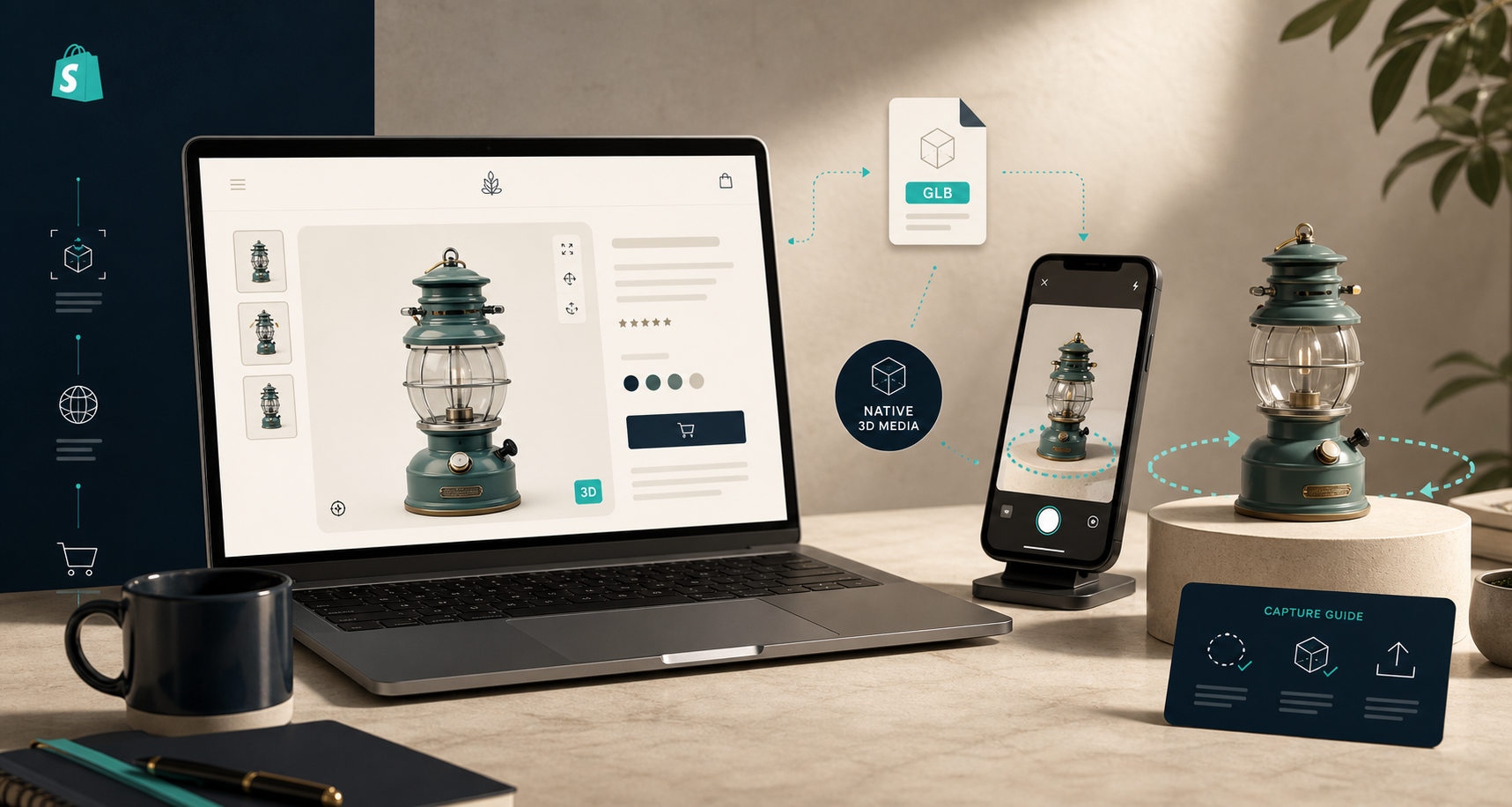
When I decide which Shopify products deserve 3D first, I do not start with the whole catalog. I start with the SKUs where shape, scale, or texture changes buyer confidence. That is the sweet spot for Supra 3D Capture, because it turns a handful of guided phone photos into a web-ready GLB you can publish as Shopify product media.
If a product is easy to understand from two flat photos, 3D is optional. If customers need to see the profile, depth, finish, or proportions before they buy, 3D starts pulling its weight quickly.
The short version
- Start with products where shape matters more than color alone.
- Prioritize items with higher traffic, higher margin, or higher return risk.
- Skip flat, low-value, or highly repetitive variants until the process is working.
- Publish the model where Shopify can actually show it: product media or a theme app block.
Shopify’s docs are straightforward here: product media can include images, 3D models, and videos, and your theme needs to support that media if you want it rendered on the storefront. If your theme is not set up for media support yet, the support-media guide is the practical place to start.
The products I would scan first
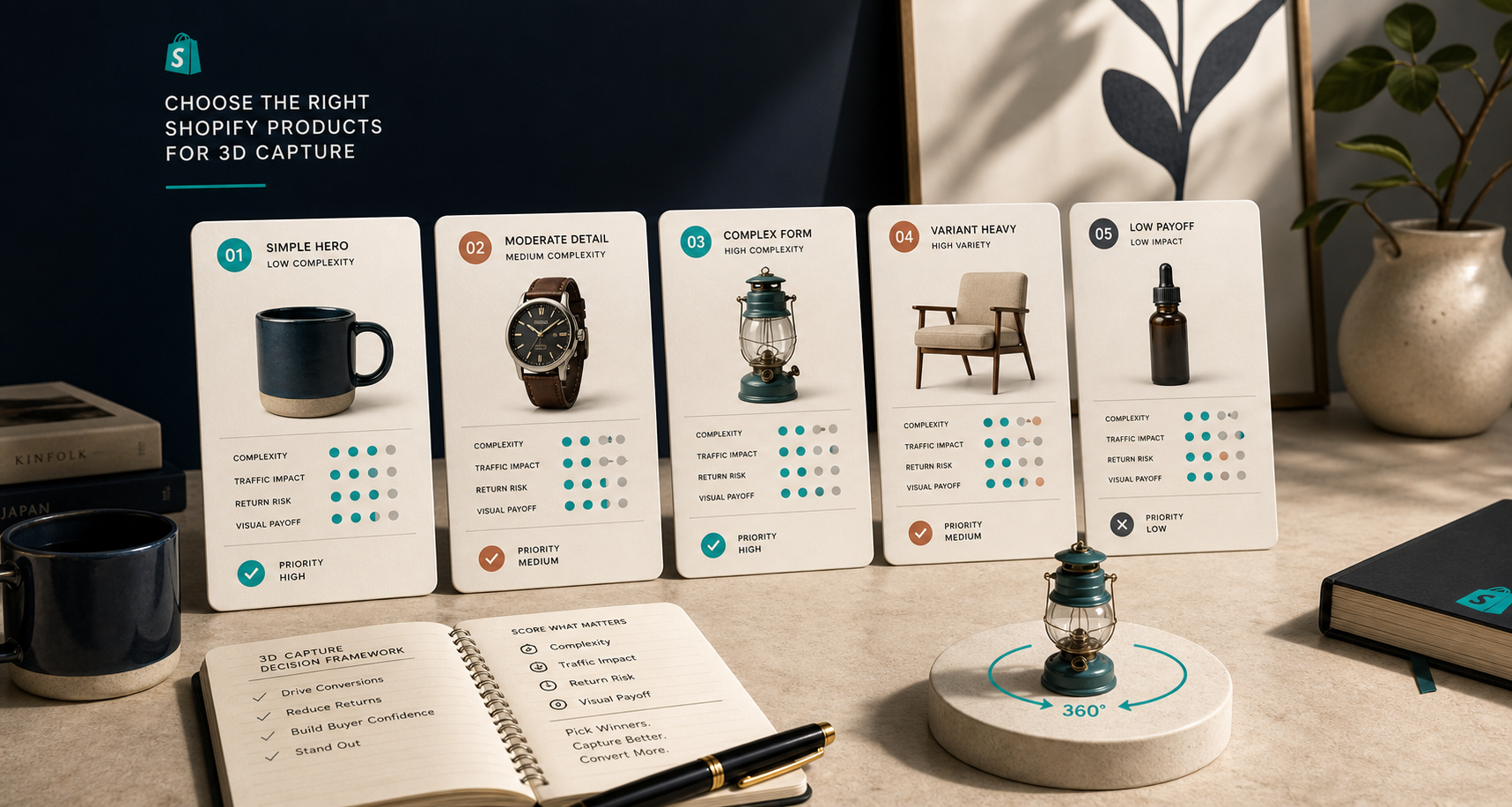
I would start with products where the shopper has to understand shape, depth, or finish before they feel safe clicking buy. That usually means one of these buckets:
- Hero products with an unusual silhouette.
- Items where size or scale is easy to misread from flat photos.
- Premium products where the finish, texture, or profile is part of the value.
- Products customers often ask to see from multiple angles.
- Products that generate returns because expectations do not match the real object.
If a SKU feels obvious in a single image, 3D is probably optional. If the object has a front, back, side, underside, or attachment that matters, it is a much better candidate.
A useful shortcut is to think in terms of buying friction. The more a shopper has to mentally reconstruct the object from photos, the more a 3D viewer can help.
A simple scoring method
I use a small filter instead of trying to model everything at once:
- Shape risk: does the silhouette or depth affect the purchase?
- Fit risk: would a customer misjudge scale without rotating it?
- Traffic value: does the product already get enough visits to justify the effort?
- Return pain: are returns or pre-sale questions tied to expectation mismatch?
If a SKU scores 3 or 4 out of 4, it usually belongs on the first 3D list.
That is the same reason I do not treat 3D as a catalog-wide art project. It is a prioritization problem. The best first candidates are the products that are already doing meaningful volume but still leave shoppers with unanswered visual questions.
What I would skip first
Not every product is worth the scan effort on day one.
- Flat products that already read clearly in standard photography.
- Low-margin or low-traffic SKUs that will not repay the time.
- Variant-heavy items where the differences are tiny and already obvious.
- Very reflective, transparent, or difficult surfaces until your capture process is disciplined.
That last point matters. Hard-to-scan products can still be worth it, but they are not the best place to learn the workflow. I would use the easiest, clearest SKU first, then move up to the awkward ones once the process is stable.
Why 3D often beats another photo gallery
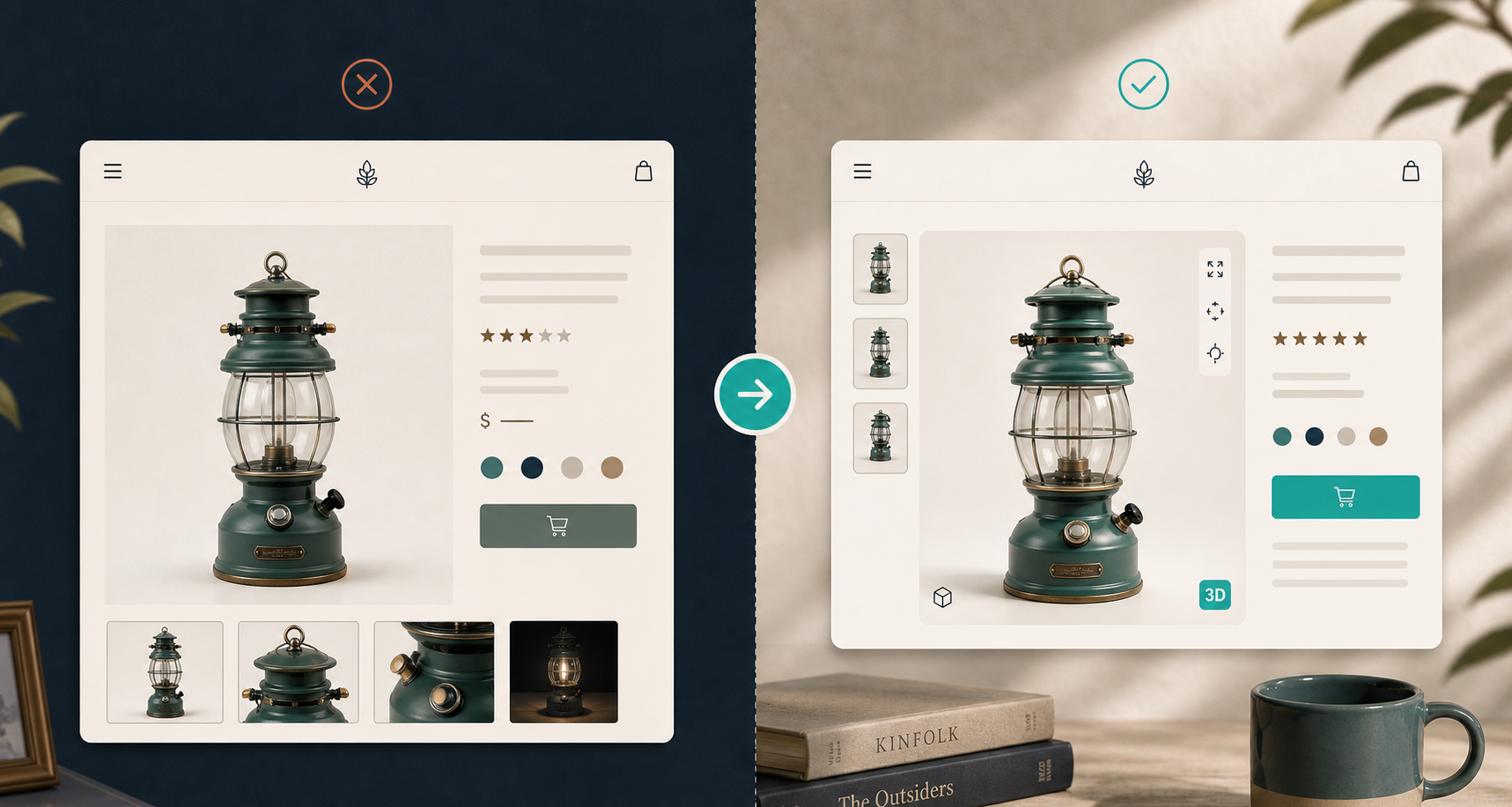
A flat gallery works when the product is obvious. It starts to fall apart when depth, underside details, or real scale matter.
That is where 3D earns its keep. A shopper can rotate the object instead of waiting for the store to predict every question with another still frame. On the right product, that can make the page feel more complete, more trustworthy, and less like it is hiding something.
Shopify’s own help docs say 3D models can help customers understand the function and size of an item. That is the point I keep coming back to: 3D is not there to look fancy. It is there to remove uncertainty.
How I would roll it out in Shopify
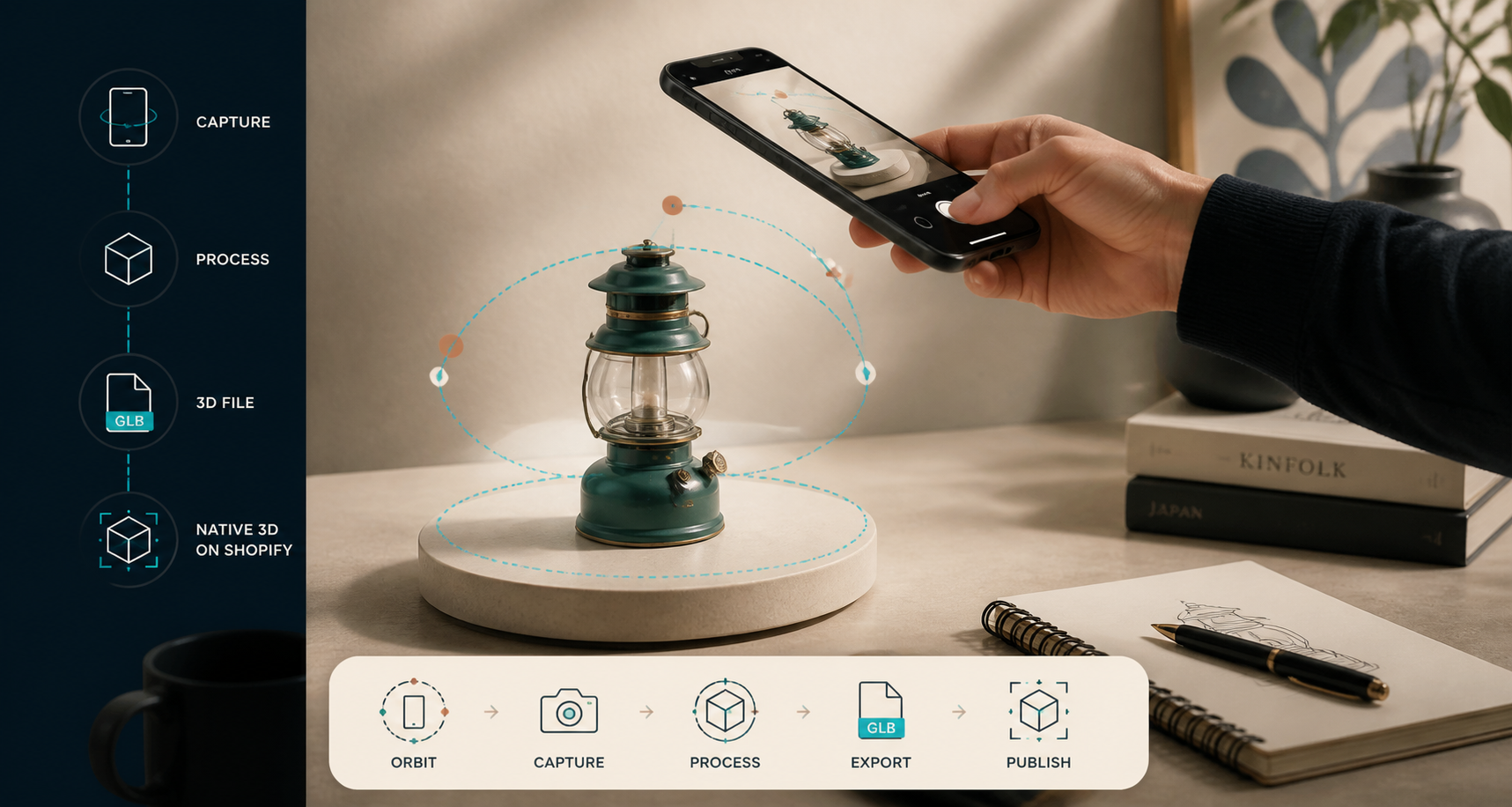
A lean rollout looks like this:
- Pick one hero SKU, one high-return SKU, and one product that is hard to explain with photos alone.
- Capture 10+ guided phone photos in good light. You do not need specialist gear to start.
- Turn the capture into a web-ready GLB and attach it as product media.
- Confirm that your theme supports 3D media, or place the 3D block where Shopify expects it.
- Test the page on mobile and desktop before you repeat the process.
If you are publishing in a store with mixed media, keep the 3D model beside the rest of the product assets instead of treating it like a separate experiment. Shopify supports mixed media galleries, and the storefront experience works best when 3D sits inside the same product story as the photos and videos.
Where this fits in the rest of your content stack
If you are already cleaning up product visuals, this part will feel familiar. The same discipline shows up in How I Turn One Product Photo Into a Shopify Asset Pipeline, How I Build a Shopify Visual System From One Product Photo, How I Keep Shopify Product Photos Consistent Across My Catalog, and How I Turn Plain Product Photos Into Studio Shots, Try-Ons, and Ads. 3D capture gets easier when the source photography already behaves like a system.
That is the part most store owners miss. The 3D model is not the first asset in the chain. It is the next asset in a workflow that already knows how to keep products visually consistent.
My practical rule of thumb
If a product is important enough that customers should understand it from every angle, it probably deserves 3D before a simpler SKU does. If it is a low-value, low-traffic item that already reads clearly, I would leave it in the standard gallery for now.
Start small, scan the products that carry the most buying friction, and let the rest of the catalog wait.
If you want to try that without building a workflow from scratch, Supra 3D Capture can turn guided phone photos into a publishable GLB, and the Shopify App Store listing is the fastest way to see the current plan options and install path. I would use the free plan to test the first few SKUs, then expand only after the page and the workflow both hold up.