
July 20, 2026
How I Build a Three-Renderer Video Workflow With VideoFlow
A practical way to keep one VideoFlow project portable across browser previews, server renders, and a React editor.
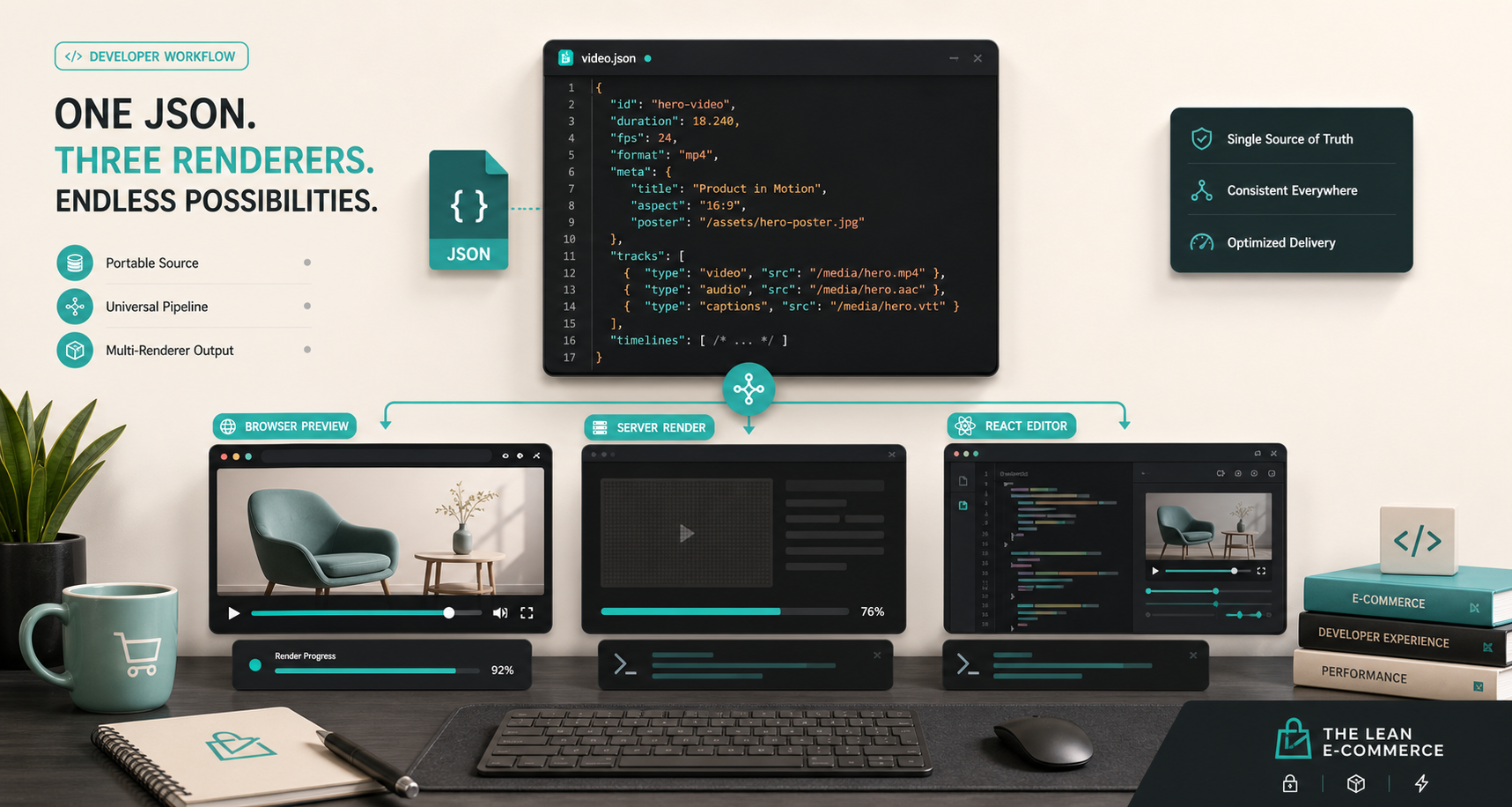
I kept rewriting the same video project in three different places. The template looked fine in the browser, then the batch job needed a different output path, then someone asked for a visual editor, and suddenly I had three versions of the same idea. VideoFlow is the first stack that made that boundary feel manageable.
The short version is simple: I write the video as portable JSON in @videoflow/core, render that same JSON in the browser or on the server, and only add the React editor when a human actually needs to touch the timeline. That gives me one source of truth instead of three half-compatible systems.
This is the workflow I wish I had when I wrote How I Turn Product Data Into Automated Video Demos With VideoFlow. That post was about using product data as the input. This one is about keeping the output path from turning into a mess.
If you are new to the stack, the docs I keep open are the main site, the core docs, the renderer docs, and the React video editor. The GitHub repo is the other useful tab because it shows how the pieces fit together in a real open-source codebase.
1. Author the Scene Once
The first thing I want from a video system is a source of truth I can reason about. VideoFlow gives me that by letting me define the scene in TypeScript and compile it into portable VideoJSON. That matters because the project becomes data, not just a timeline UI.
When I keep the video in data form, I can diff it, template it, generate variants from it, and store it without freezing the whole project inside one rendering target. That is the part that makes the rest of the workflow sane.
import VideoFlow from "@videoflow/core";

const $ = new VideoFlow({
  name: "Product demo",
  width: 1920,
  height: 1080,
  fps: 30,
});

$.addText(
  { text: "Hello, VideoFlow!", fontSize: 7, fontWeight: 800 },
  { transitionIn: { transition: "overshootPop", duration: "500ms" } }
);

const json = await $.compile();
const blob = await $.renderVideo();
That snippet is intentionally boring. The point is not clever code. The point is that the video is now a portable object I can hand to different renderers later.
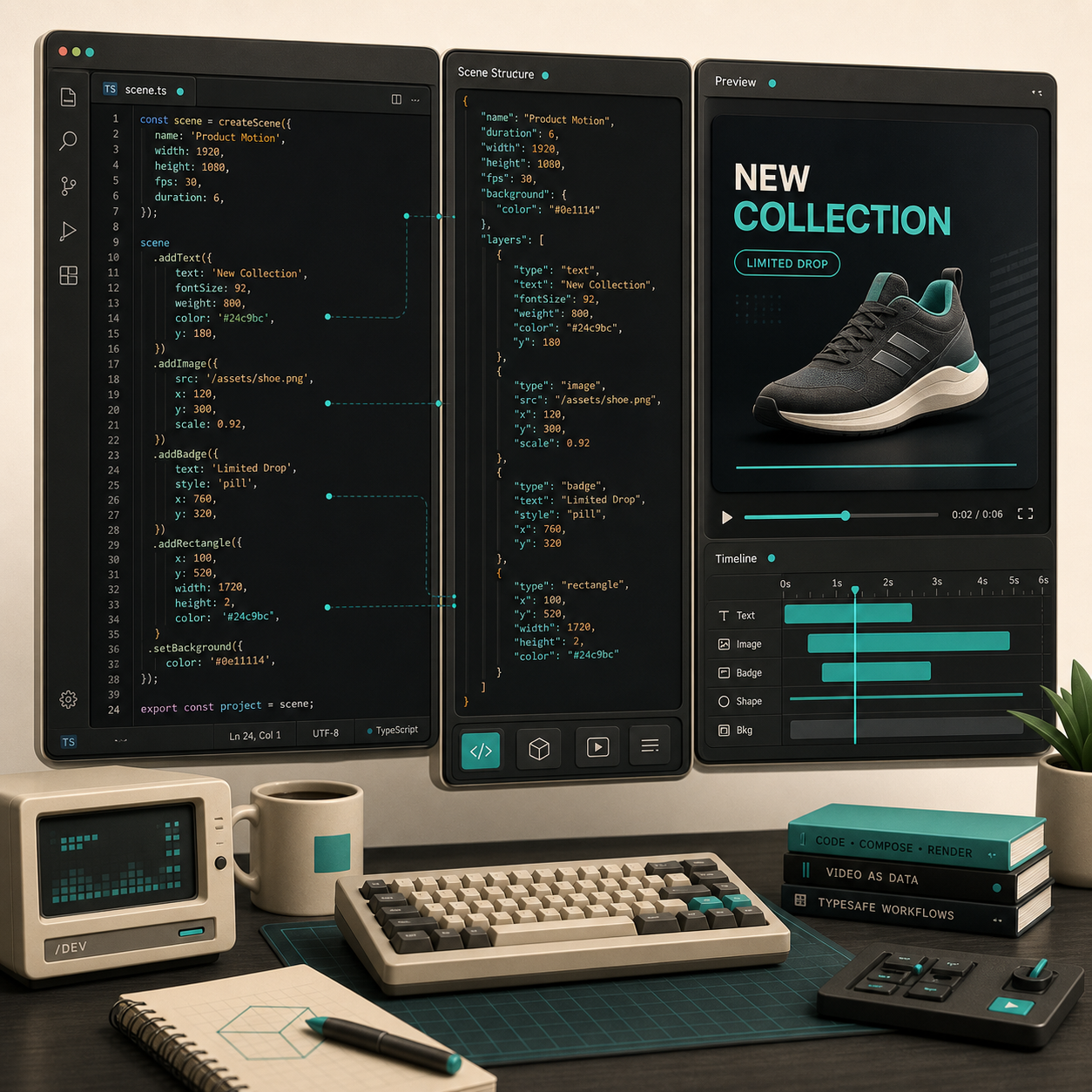
That is the same idea I used in How to Build a Portable Video Export Pipeline in VideoFlow. If the scene definition stays stable, the renderer can change without forcing a rewrite of the actual project.
2. Keep Renderer Choice Out of the Template
I try not to let the template care where the video is going to run. The browser renderer, the server renderer, and the DOM renderer are all useful, but they solve different problems.
If I want a user to export locally, the browser renderer is the obvious fit. If I am generating a batch of videos, a queue, or a scheduled render job, the server renderer is the one I reach for. If I need a live preview while editing, the DOM renderer is the right default because it keeps the composition visible without pretending to be a final export path.
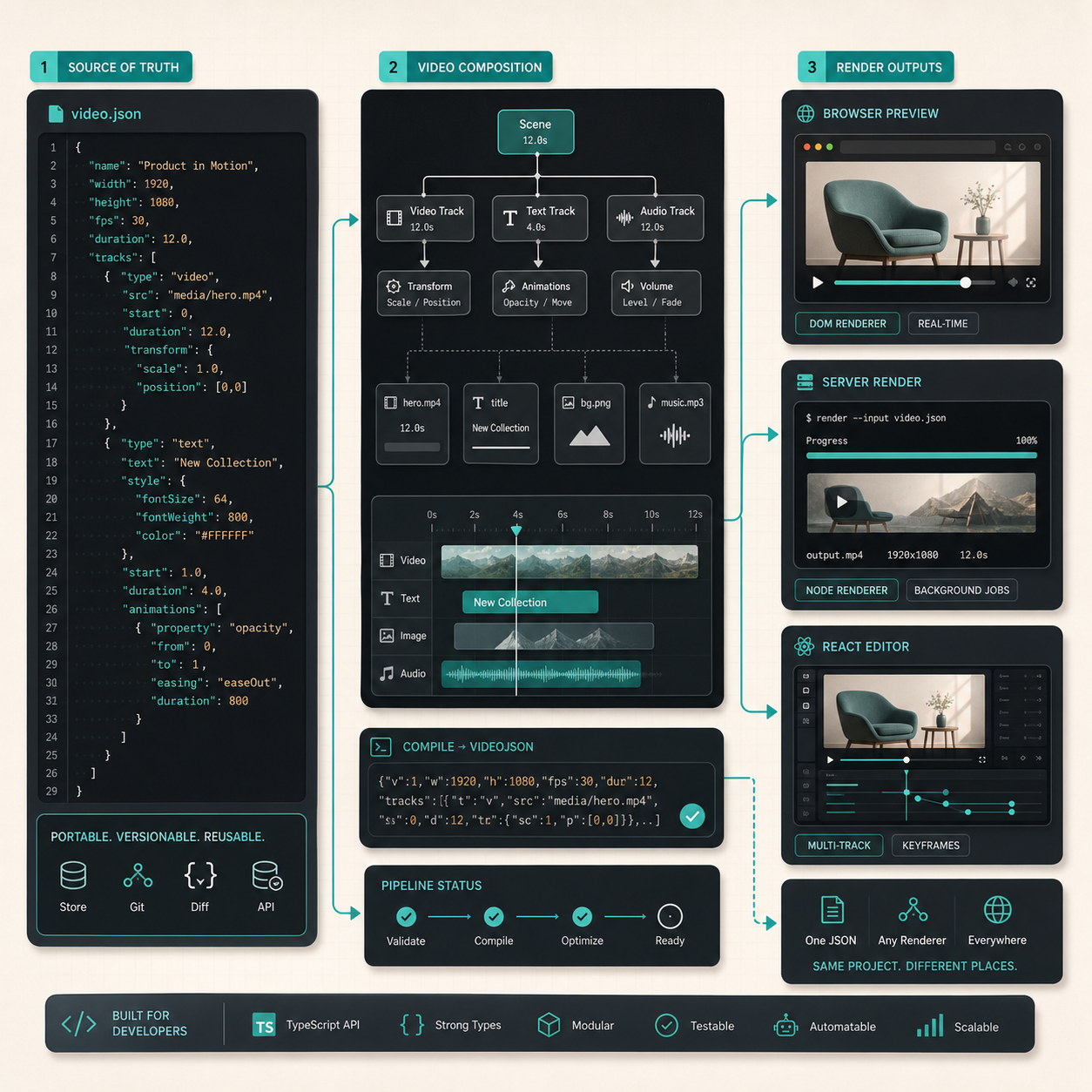
That separation is the main reason the stack feels maintainable. The same VideoJSON can drive browser export, Node rendering, and live preview without me rewriting the project each time. VideoFlow’s browser renderer is especially useful when I want local export without shipping data to a server, and the server renderer is better when I need predictable batch work or API-driven generation.
This is also the boundary I was thinking about in How to Build a Reviewable JSON-to-Video Pipeline With VideoFlow. Once the project is reviewable as data, renderer choice becomes a deployment detail instead of an architecture decision.
3. Add a React Editor Only When a Human Needs It
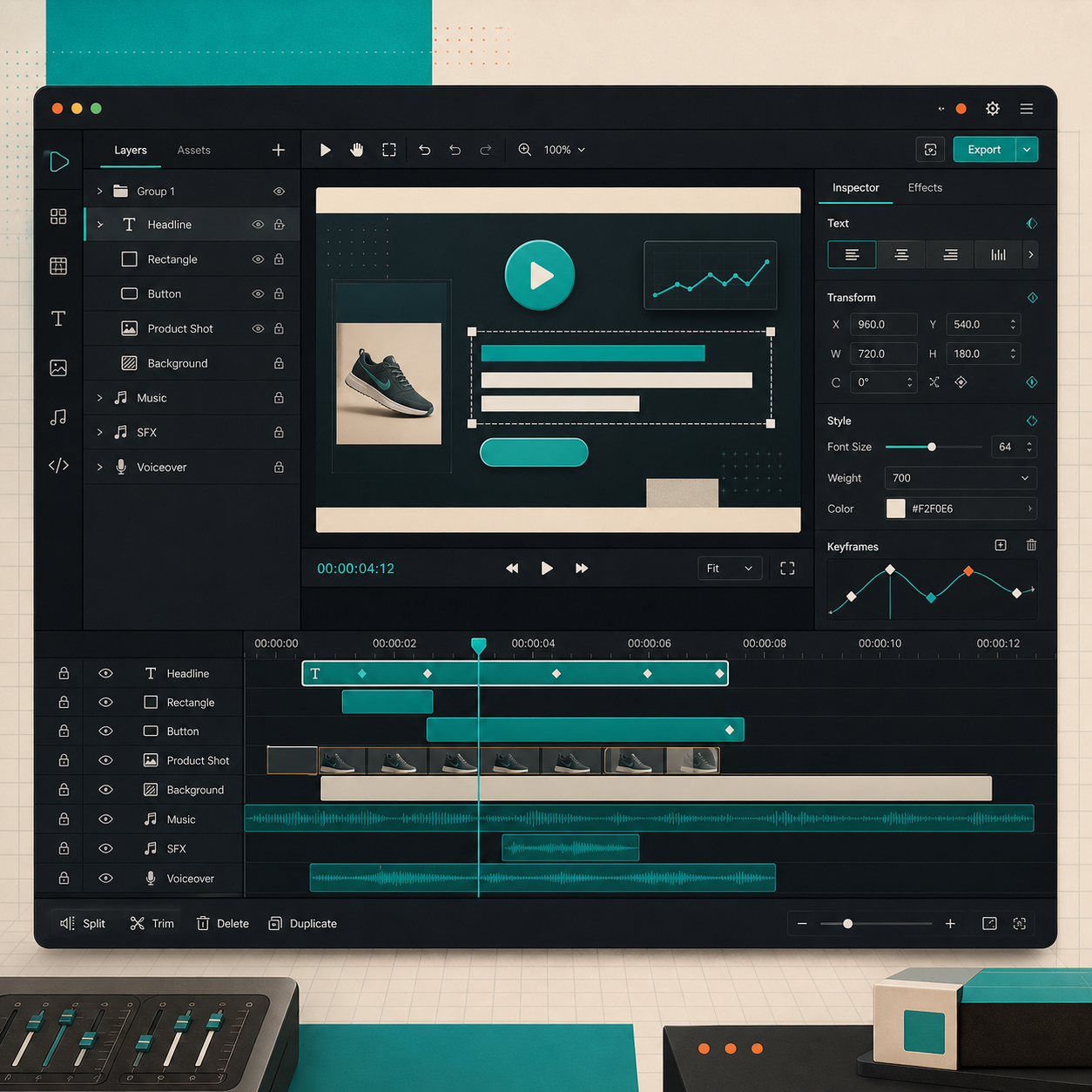
I do not add a visual editor just because it is available. I add it when a marketer, operator, or producer needs to trim a clip, reorder layers, tweak text, or upload assets without touching code. That is where the React editor earns its keep.
The important part is that the editor sits on top of the same source of truth. I am not maintaining a second timeline model just because someone wants drag handles and a preview window. I am exposing the same project through a UI that non-developers can actually use.
import { VideoEditor } from "@videoflow/react-video-editor";
import "@videoflow/react-video-editor/style.css";

export default function App() {
  return (
    <VideoEditor
      video={videoJSON}
      onChange={(next) => saveToServer(next)}
      onSave={async (next) => await persist(next)}
      onUpload={async (file) => await upload(file)}
      theme="dark"
    />
  );
}
That is the cleanest way I have found to keep engineering and production workflows aligned. The editor is a view over the project, not a second project.
If you want the review loop that goes with this, I would pair this section with How to Build a Merge-Request-Friendly Video Workflow With VideoFlow. The review step is where a lot of video tooling gets painful, so it helps when the UI and the data model are the same thing.
4. Ship With a Checklist, Not a Guess
Before I publish anything, I run the same short checklist.
- Confirm the template compiles with the expected dimensions and frame rate.
- Render the same VideoJSON in the target environment, whether that is the browser, Node, or the DOM preview.
- Check that every asset URL is public and every image is reachable.
- Keep one manual override path for emergency fixes so the system is not brittle when a campaign changes late.
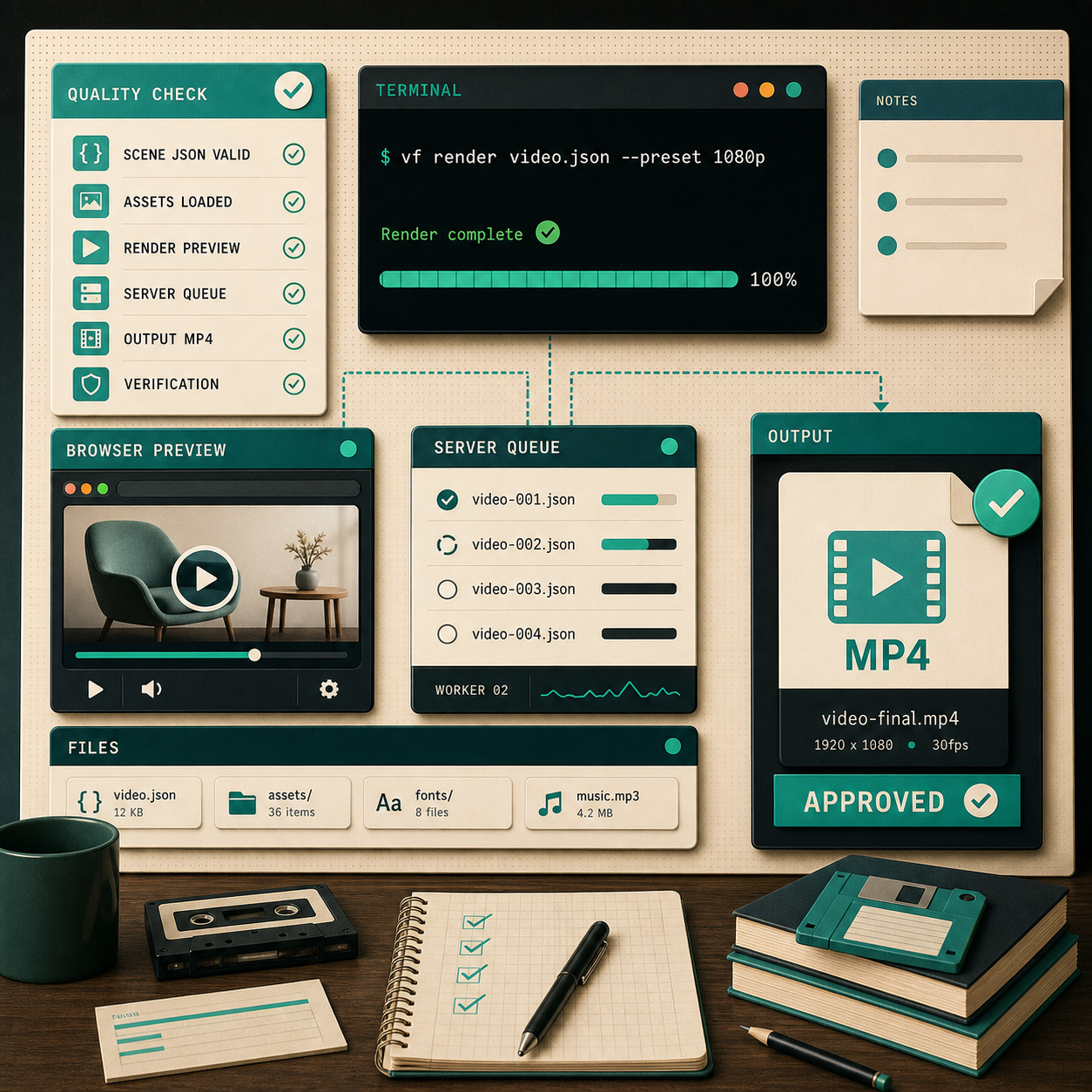
That routine sounds basic, but it is the difference between a video system that feels deterministic and one that feels like a demo every time you touch it. I also think this is where the open-source shape matters. VideoFlow’s core and renderers are Apache-2.0, so I can inspect the pieces, keep the workflow close to code, and avoid building on a black box.
The other reason I like this workflow is that it stays legible when the team grows. I can hand someone the template, the renderer choice, and the checklist, and they have a system they can reason about instead of a pile of opaque exports.
The Part I Would Reuse First
If I were starting over, I would build the three-renderer split first: one scene definition, one browser export path, one server path. Then I would add the editor only after the project proved it needed human intervention.
That is the part that keeps VideoFlow useful for me. It does not try to replace every video tool. It gives me a stable way to treat video like software: composable, portable, reviewable, and ready for more than one runtime.
If you want to try the stack yourself, start with the VideoFlow docs, open the playground, and wire one template through @videoflow/core before you decide whether you need the browser renderer, the server renderer, or the React editor first.