
July 17, 2026
How I Built a Shopify AI Agent With Scoped Permissions
A practical Clawly walkthrough for building a Shopify AI agent with scoped permissions, review steps, and useful first automations.

I wanted a Shopify AI agent that could save time without becoming a blank-check automation. Clawly is built for that middle ground: it is “OpenClaw for Shopify,” which means you can create assistants and automations for store operations, marketing, product work, monitoring, and support, but keep the access scoped. If you want the product page, the landing page is Clawly and the Shopify App Store listing is here.
The first thing I would automate is not sales copy or support. I would automate a daily store report. If an assistant can summarize revenue, top sellers, low inventory, and weird order patterns each morning, you get immediate value without giving it dangerous permissions. That narrower setup is the same pattern I walked through in How to Build a Shopify AI Agent for Daily Store Reports. I want the agent to be useful before I trust it to change anything.

That is why I like the permission story in Clawly. Each assistant should have a job and a ceiling. One assistant can read products and write a report. Another can draft support replies but not send them. Another can watch inventory and alert me when stock gets tight. The dashboard makes that boundary obvious: allow the actions you want, block the ones you do not.
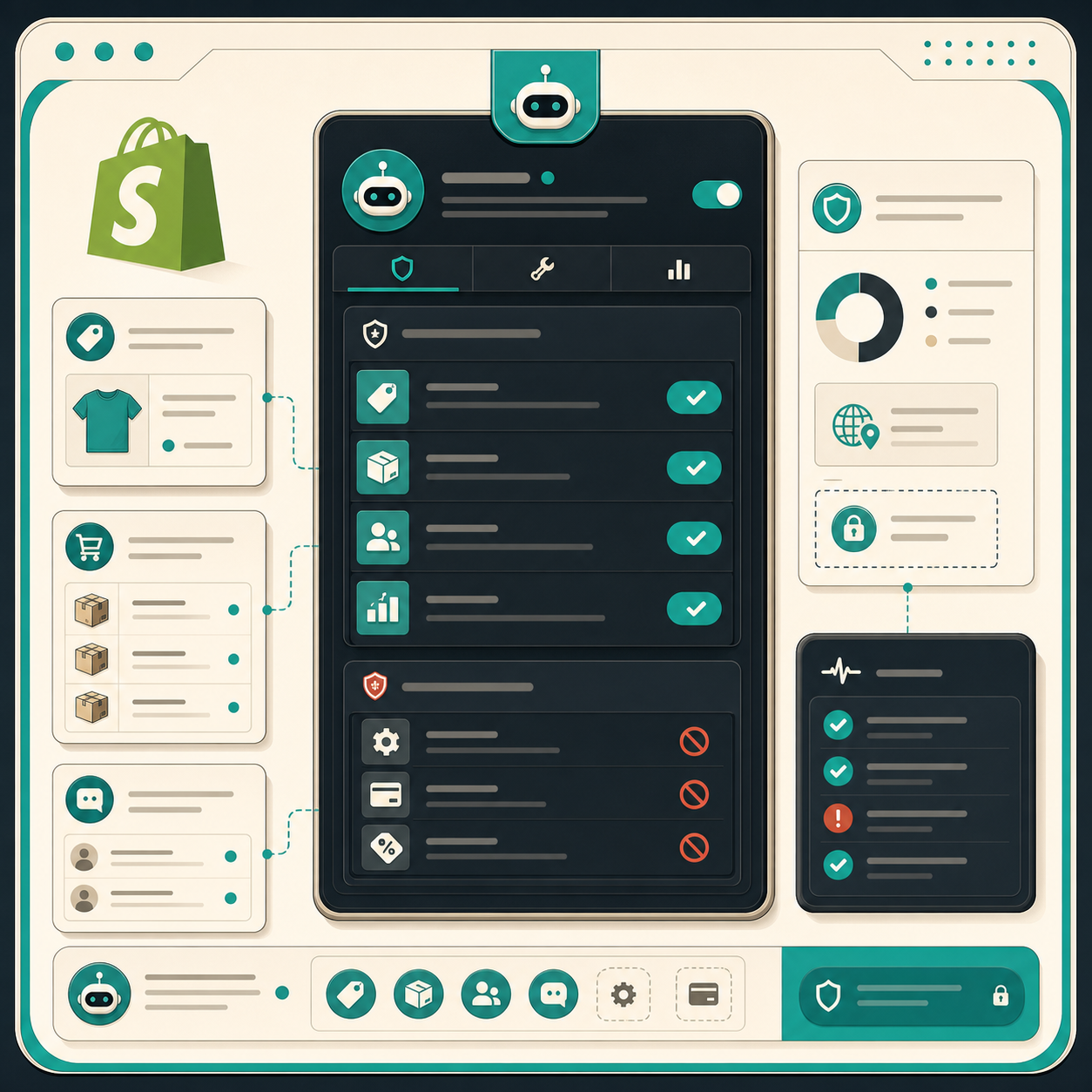
The failure mode for AI in ecommerce is usually not just hallucination. It is overreach. The assistant does something plausible in the wrong place, or it gets access to a workflow that should have stayed human-reviewed. I would rather start with read-only access and one explicit write path than let an agent roam across Shopify, ads, email, and support from day one. That is also why I prefer reviewable output over automatic publishing, the same way I think about How I Turn Product Updates Into Reviewable Shopify Blog Drafts.
Clawly says it connects to Shopify plus 50+ integrations, including tools like Google Sheets, Instagram, Meta Ads, email, Google services, Klaviyo, and Notion. I would still keep the first version small. Start with Shopify plus the next place the work needs to land. For reporting, that is usually Sheets and Slack. For content, maybe Notion. For alerts, maybe Gmail or Telegram. The right map is simple: one source of truth, one place to notify, one human gate.
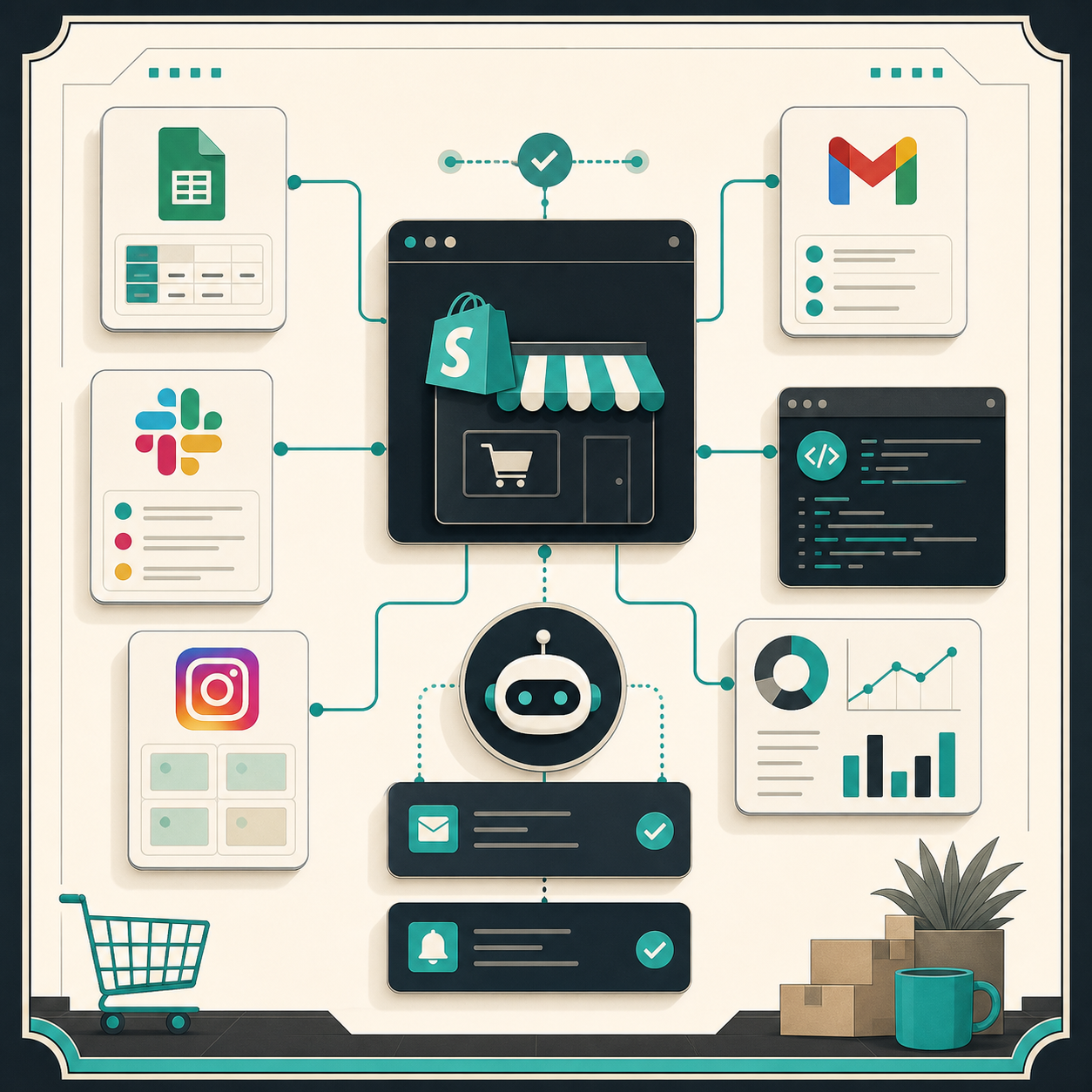
If you are using the agent for content scheduling, the same constraint applies. I already wrote about keeping a queue full in How I Keep a Shopify Content Calendar Full Without Inventing Topics and about the drafting loop in How to Automate a Shopify Blog Without Generic AI Copy. Those workflows work because they produce reviewable output, not a publish-everything bot.
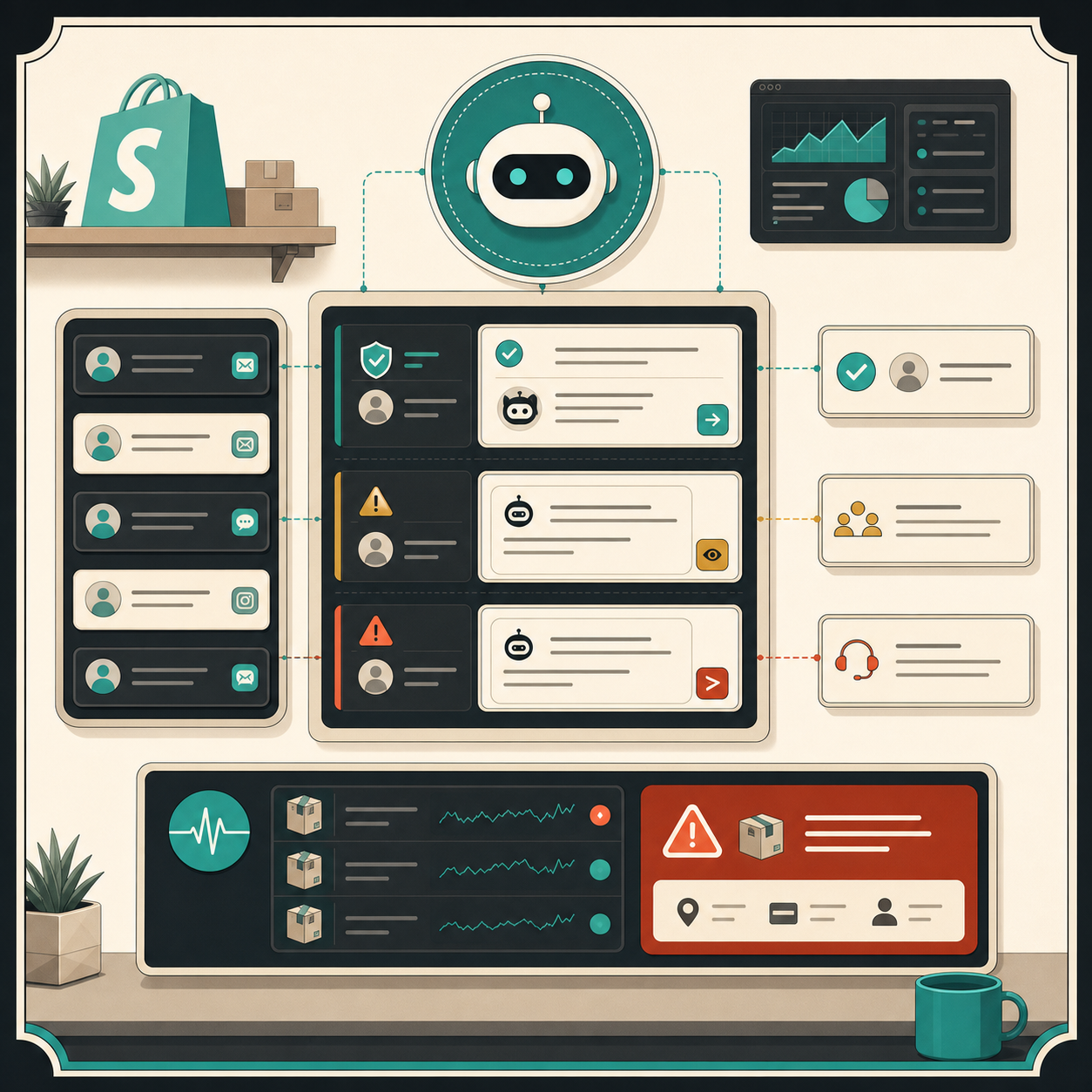
The other place Clawly makes sense is the middle of the workflow, where AI can do the boring first pass and a human can make the final call. That includes product cleanup, SEO title drafts, low inventory alerts, support reply drafts, and weekly summaries. I would not use it to silently publish customer-facing changes. The support triage visual is the shape I like here: route urgent items to a human, let safe cases get a draft, and make the risky cases stop.
If I were rolling this out in a real store, I would start with this sequence:
- Daily report assistant: read Shopify and write a Slack or email summary.
- Low inventory monitor: alert when stock falls below a threshold.
- Support draft assistant: create replies, but require a person to send them.
- Product cleanup assistant: draft SEO titles, tags, and descriptions.
- Marketing helper: generate first-pass captions or blog outlines for review.
That rollout keeps the blast radius small while still proving the product does something valuable.
What I would not do is connect every integration, give the assistant broad write access, and hope the guardrails hold. The point of a Shopify AI agent is not to remove judgment. It is to remove repetitive work without removing control. Clawly looks useful when you want automation that behaves like an operations tool instead of an autonomous black box.
If you want to try that approach, install Clawly from the Shopify App Store or start at the landing page. Begin with one narrow assistant, one review step, and one job that actually saves time. If that works, widen the scope deliberately.