
July 15, 2026
How I Turn Product Updates Into Reviewable Shopify Blog Drafts
A practical workflow for turning product updates into SEO-ready Shopify blog drafts with product context, visuals, and a human review step.
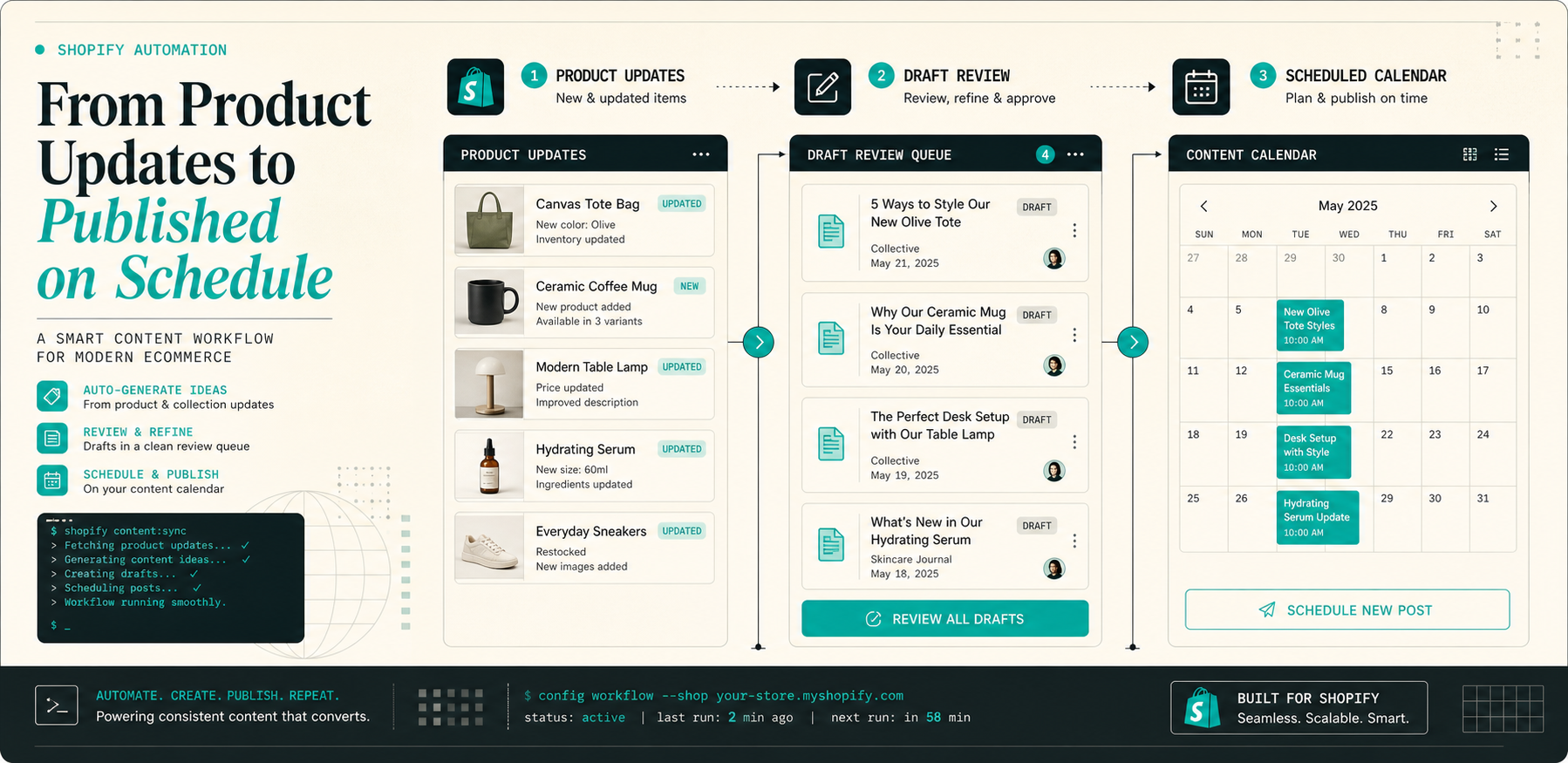
I kept running into the same problem: product updates are easy to collect, but they are still a separate job to turn into a post. A new collection launch, a pricing tweak, a feature note, or a common support question all feel like they should become content. In practice, they sit in a backlog until someone has time to write, illustrate, and publish them.
Supra Blog Automation is built for that gap. It can generate SEO-focused drafts from a topic, goal, tone, and product context, then publish immediately or save the post as a draft. The Shopify App Store listing makes the positioning even clearer: it is for ecommerce stores that want automated blog posts, internal links, visuals, and scheduling without turning the workflow into a pile of manual cleanup.
1. Start From The Update, Not The Keyword
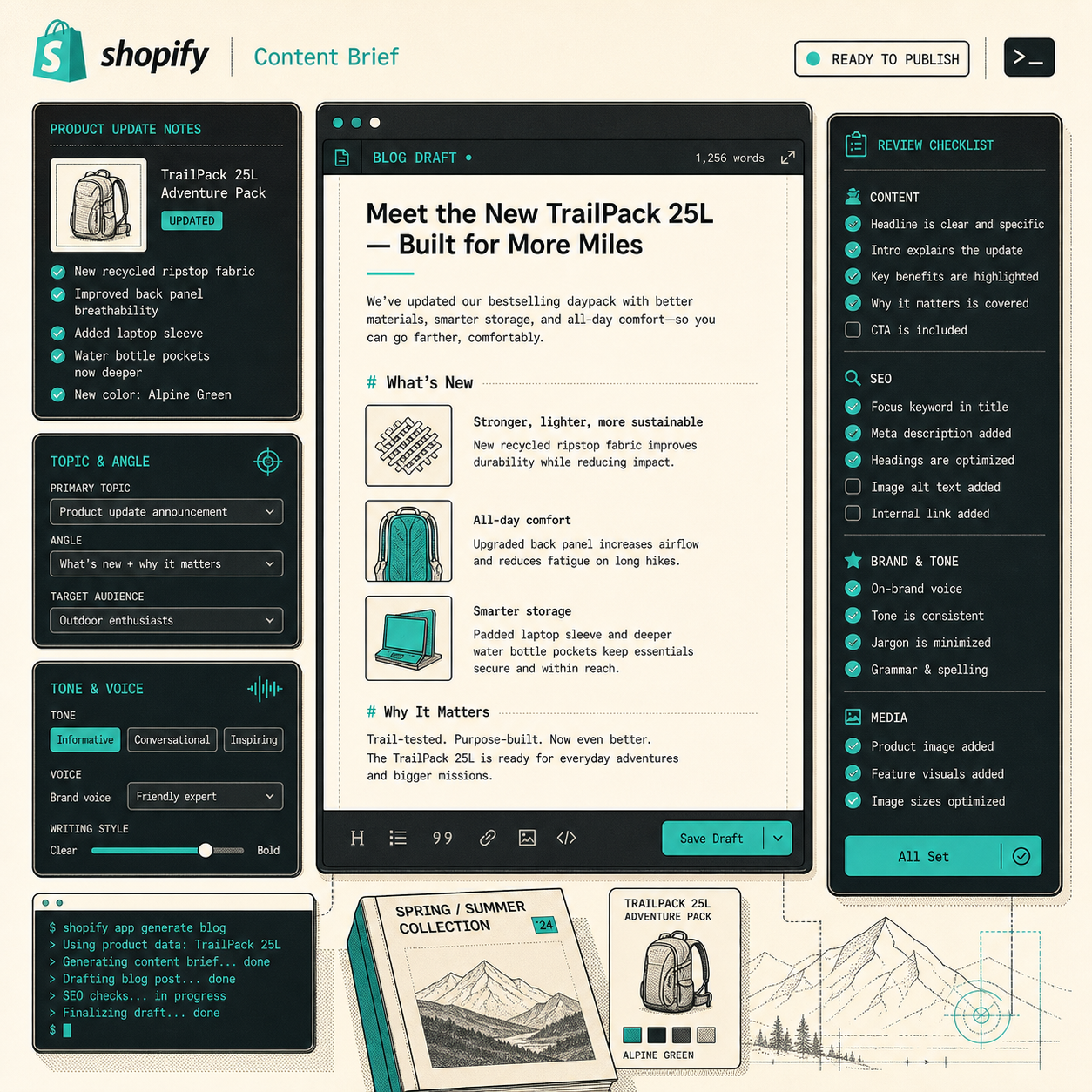
If I start from the keyword first, the draft tends to drift generic. If I start from the update, the article has something real to say.
That update can be a launch note, a restock, a feature tweak, a seasonal collection refresh, or a support question that keeps coming up. The point is to feed the generator a real store event instead of a vague topic like “write about ecommerce growth.”
A useful brief is small and specific:
- the product or collection being mentioned
- the customer problem the update solves
- the search intent
- the tone
- the image sources allowed
That is the difference between broad AI copy and product-aware blog content. I wrote a related piece on How to Automate Shopify Blog Posts Without Generic AI Content and another on How to Set Up Shopify Blog Automation With a Draft Review Loop; both point at the same issue: the brief matters more than the prompt.
2. Turn One Update Into One Article Job
A raw update still needs a job. If the input is just “new product added,” the article has to decide what that means for the reader.
For example, the post might:
- explain why the product matters
- answer an objection
- compare it to an older version
- show how it fits a collection or season
- help a shopper move from curiosity to product discovery
That is where the app’s structure helps. Supra Blog Automation supports single-post generation and recurring automations, so I can keep the workflow narrow when the update is specific and only repeat it when the store actually has enough source material to justify a cadence.
I usually treat it like this:
- single-post generation for one launch, one collection, or one important FAQ
- recurring automation when the store keeps shipping changes and the blog needs a steady rhythm
The point is not to automate every sentence. The point is to make the article feel tied to the store instead of sounding like it was assembled from general ecommerce advice.
3. Keep A Review Gate In Front Of Publishing
Automation helps with blank-page pressure and consistency. It should not remove judgment.
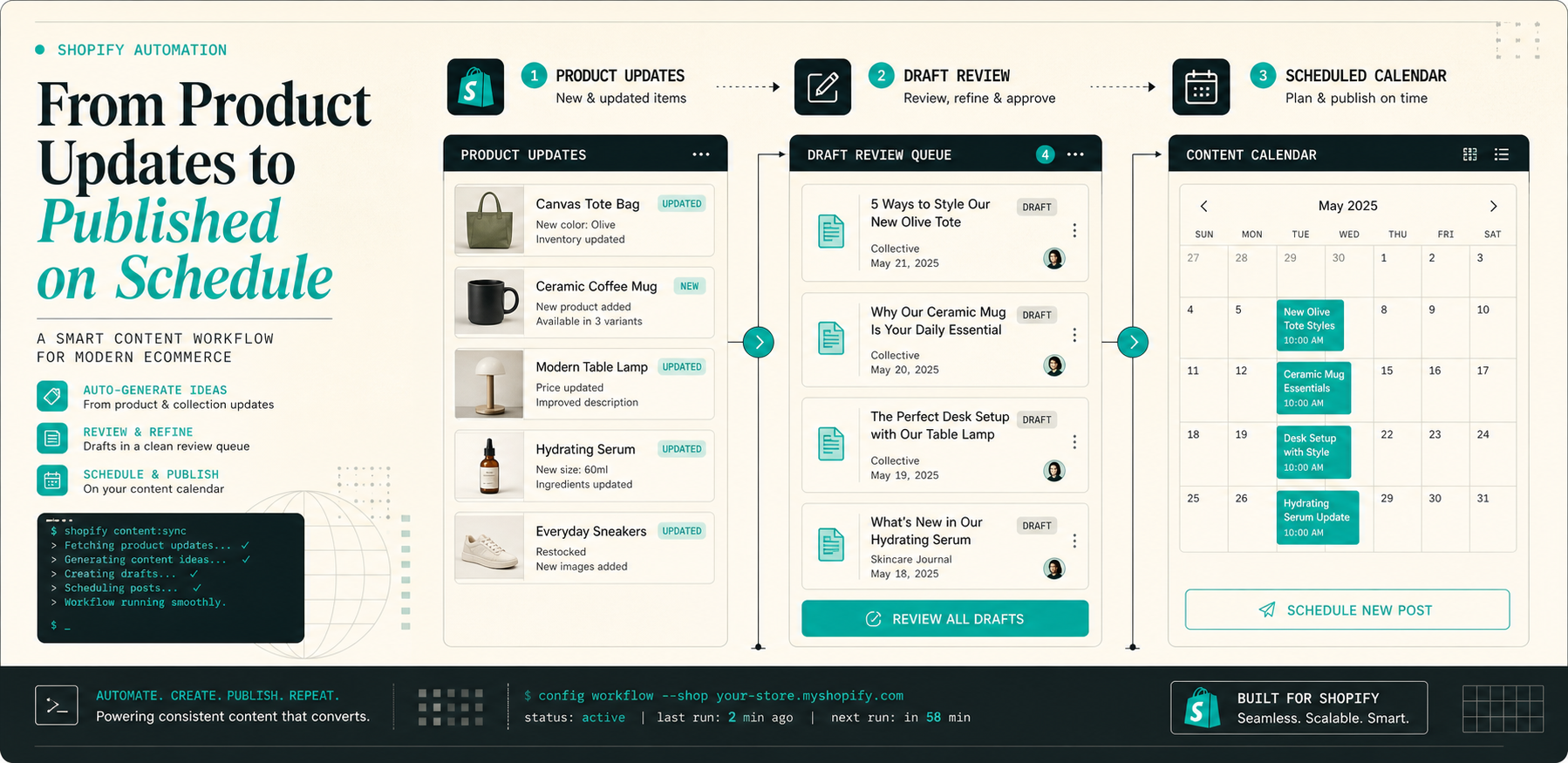
I still check product accuracy, links, tone, and visual fit before publishing. If the article makes a claim about a feature, pricing, or availability, it should be verified before it goes live. That is especially important when the post is meant to support SEO and sales at the same time.
This is where the draft review loop pays off. Instead of arguing with a blank page, I am checking a draft that already has structure. That lets me focus on the parts that actually matter:
- are the claims specific enough?
- do the links help the reader move forward?
- does the CTA match the reader’s stage?
- do the visuals support the section instead of distracting from it?
You can see the same workflow angle in How I Keep Shopify Blog Automation Product-Aware Without Extra Work and How I Keep Shopify Blog Automation Useful Without Publishing Blind. The common pattern is boring in a good way: draft first, review second, publish third.

4. Match The Visuals To The Article Job
For product-driven posts, product photos are usually the right choice. For workflow and planning posts, AI-generated visuals are often better because they can show the system instead of pretending to be a screenshot.
Supra Blog Automation supports AI-generated, stock, and product-based visuals, so I would choose the smallest visual that solves the section:
- a workflow image for the intro
- a checklist image for the review section
- a calendar image for recurring publishing
That is the part that keeps the article from feeling like decoration glued on at the end. The visuals should make the pipeline easier to understand.
If you want the opposite direction, the article How I Keep Shopify Blog Automation From Sounding Generic is a good comparison because it focuses more on tone control than on queue design.
5. Use Recurring Automations For Stable Update Streams
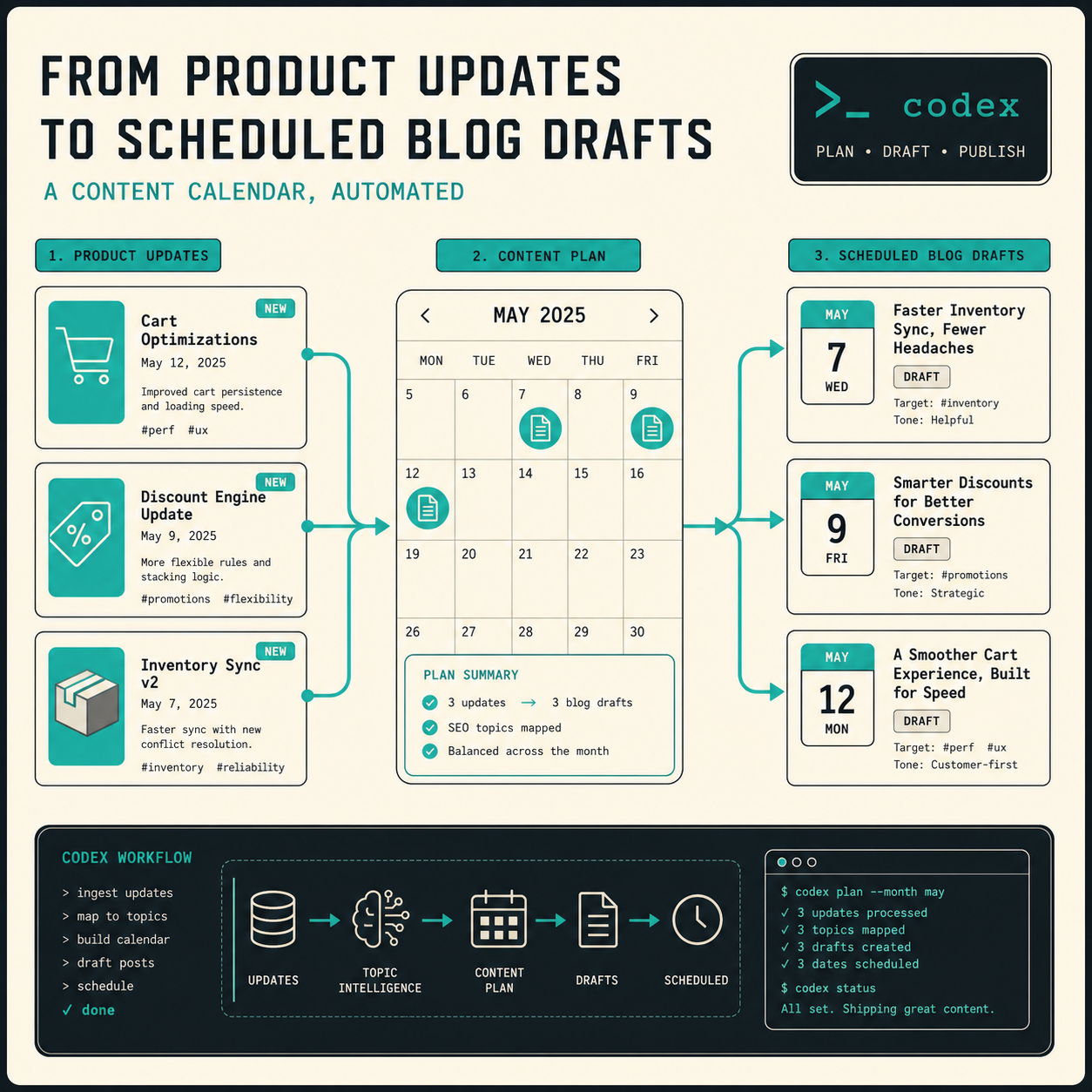
If the store publishes launches, new collection pages, or frequent FAQs, recurring automations turn those inputs into a predictable publishing rhythm. That is where the scheduling control matters. You can create a post on demand, schedule recurring articles, and decide whether each article ships automatically or stays in draft.
That is the workflow I would actually trust for a Shopify store:
- create the post from a real update
- keep the article product-aware
- review anything sensitive
- schedule the post if it is part of a content cadence
The goal is not to make every article fully automatic. The goal is to stop the blog from depending on someone finding spare hours in the week.
If the update stream is steady, recurring automations are what keep the blog alive without adding a separate editorial process every time a product changes.
Conclusion
If you already have product updates, you already have blog ideas. Supra Blog Automation turns those updates into structured drafts, adds SEO and visuals, and gives you a place to review before publishing.
If you want to try the workflow, start with one collection or one product line on Supra Blog Automation, verify the output against your store voice, and then decide whether the next step should be single-post generation or a recurring automation.