
July 6, 2026
How I Keep Shopify Blog Automation Product-Aware Without Extra Work
A practical workflow for keeping Shopify blog automation specific, scheduled, and useful instead of generic.

I kept running into the same problem with AI blog drafts: the writing was clean, but the post itself felt disconnected from the store. It had no product context, no useful internal links, and no reason to exist beyond filling a calendar slot.
That is the gap Supra Blog Automation is supposed to close. It can generate, schedule, optimize, and publish SEO-focused Shopify posts, but it works best when I give it enough product signal to stay specific. If I feed it a vague topic, I get a vague article. If I feed it the right brief, I get something I can actually ship.
What I want from the workflow is simple:
- one clear topic tied to a real store goal
- one product or collection to support
- a few customer questions to answer
- a couple of internal links that fit naturally
- a review step before anything goes live
Start With Store Context
The fastest way to make blog automation useful is to start from store context instead of a keyword dump. When I am building a post brief, I treat the app like a structured input pipeline, not a magic writer.
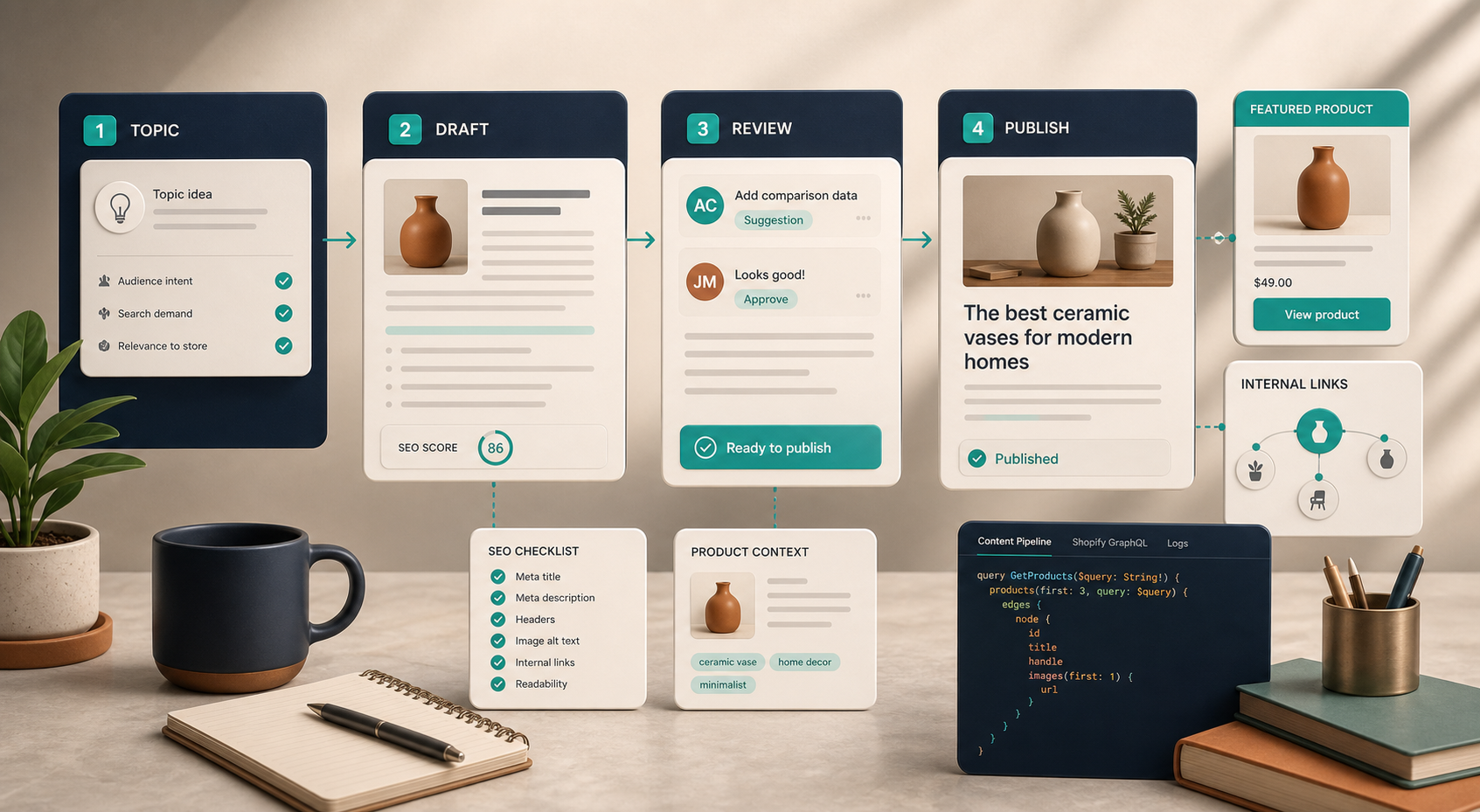
The brief usually needs five things:
- What the store is trying to do.
- Which product, collection, or category the post should support.
- What the customer is trying to decide or solve.
- Which internal pages should get linked.
- What kind of visual or CTA belongs at the end.
If you want the supporting mechanics, I broke out the surrounding pieces in How to Turn a Shopify Product Brief Into a Publishable Blog Draft, How to Set Up Shopify Blog Automation With a Draft Review Loop, How I Write Shopify Blog Briefs That Survive Automation, and How I Build a Shopify Blog Queue From Launches, FAQs, and Collections.
The short version is that the post should know what it is doing before it starts writing.
Use A Better Brief
Here is the kind of brief shape I like to hand to automation:
{
  "topic": "One product-led search query",
  "goal": "Answer a customer question and support a product or collection",
  "product_context": [
    "benefits",
    "FAQs",
    "related collection",
    "supporting internal links"
  ],
  "search_intent": "buying guide",
  "tone": "practical and specific",
  "cta": "Install the app or save as draft"
}
The exact fields matter less than the discipline behind them. I am trying to give the model enough context to write for a store, not for the internet in general.
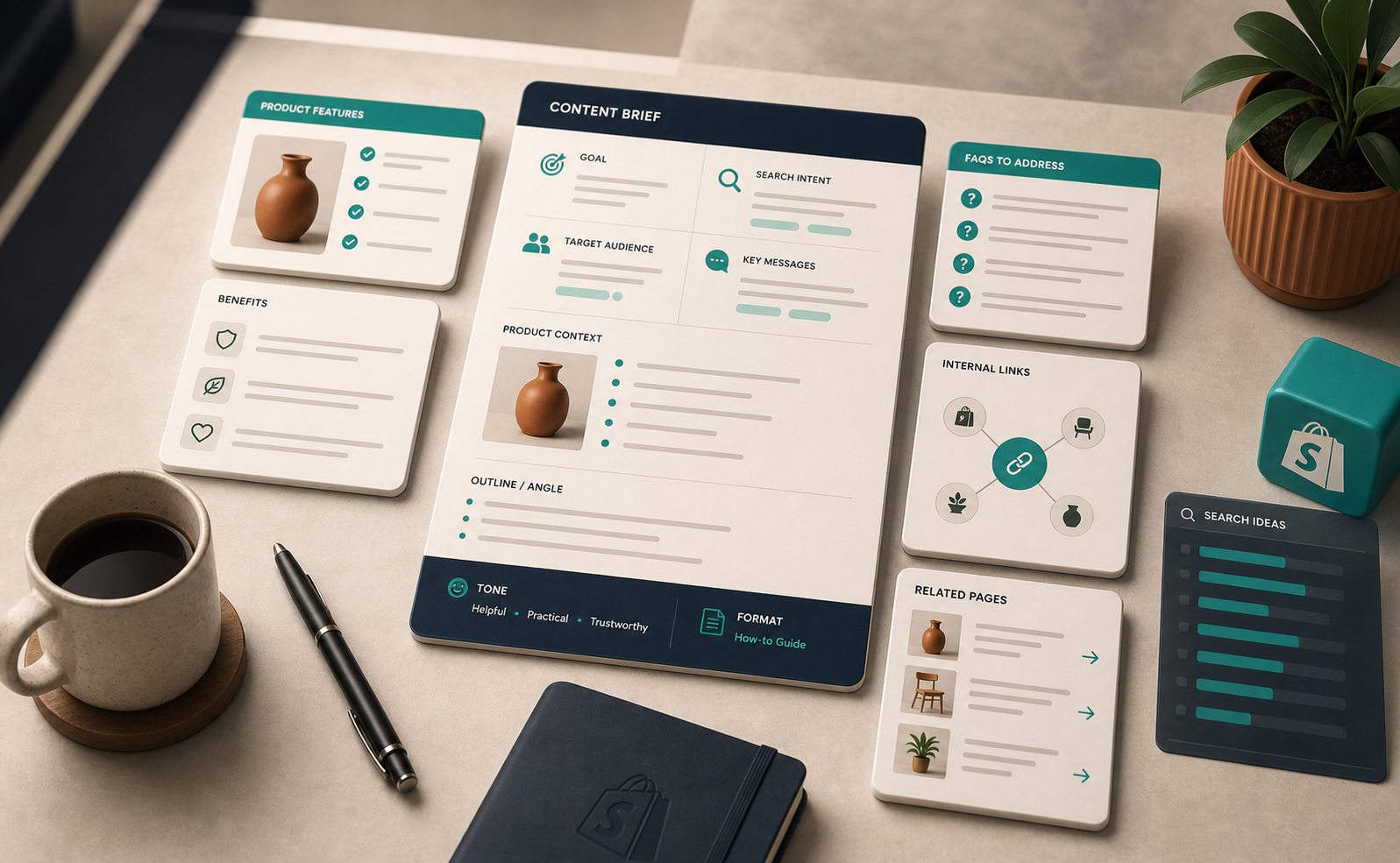
When I fill in a brief like this, I usually include:
- one product benefit the reader should remember
- one objection the article should answer
- one FAQ that comes up in support or sales
- one or two pages to link to internally
- one action I want the reader to take next
That is enough structure to keep the draft focused without turning the process into a giant content strategy project.
Avoid Generic Drafts
This is where most AI blog content falls apart. A generic draft can look polished and still be useless if it does not reference a real product, a real buying decision, or a real page on the site.
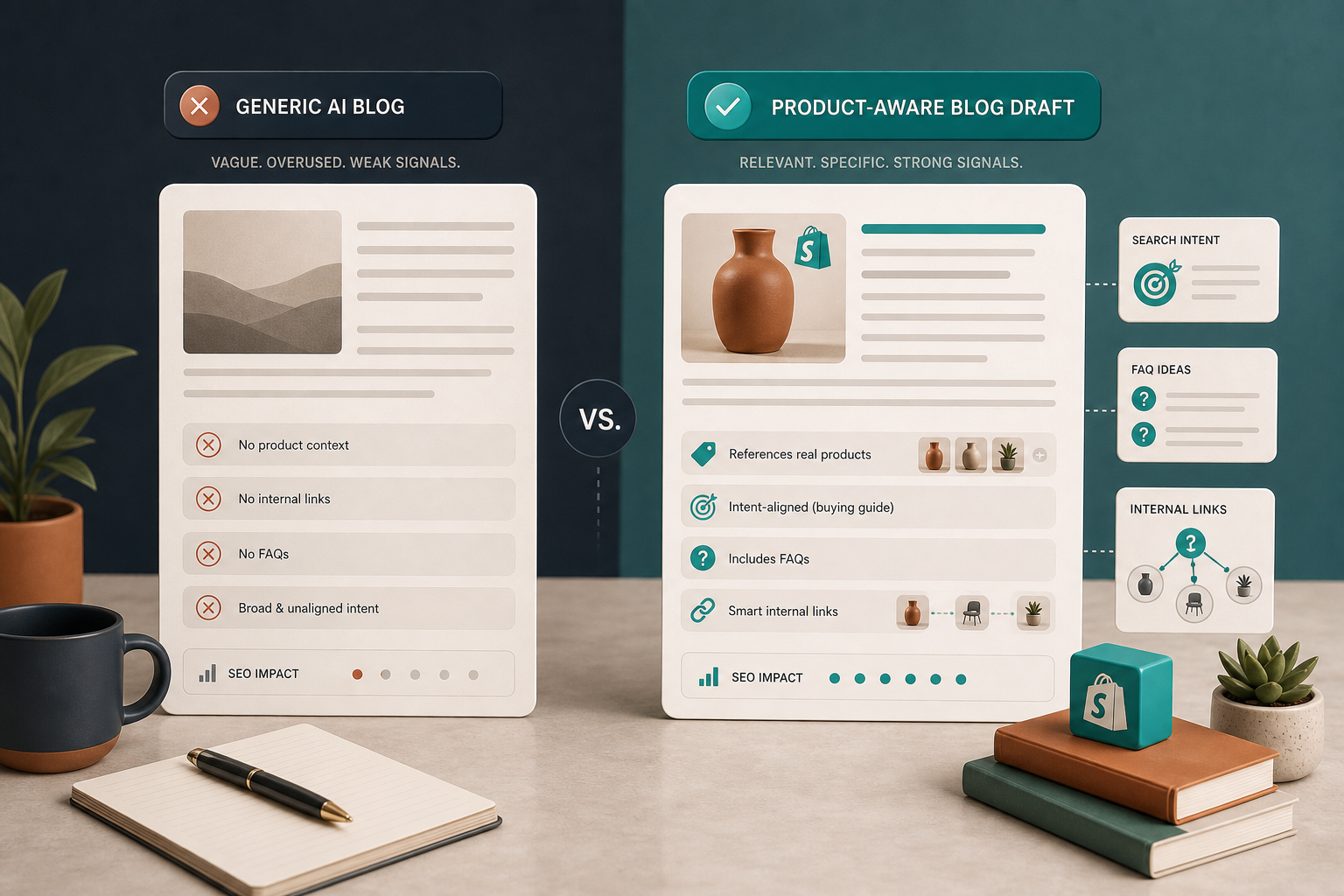
I look for a few things before I trust a draft:
- Does the title match a search problem a shopper actually has?
- Does the intro mention the store objective quickly?
- Do the headings reflect product use, not just broad advice?
- Are the links helping the reader move deeper into the store?
- Is the CTA specific enough to feel like the next step instead of a sales slogan?
If the answer to any of those is no, I do another pass before I publish. Automation is useful here because it removes the blank-page problem, but it should not remove judgment.
Put The Calendar On Rails
Once the brief is solid, recurring publishing gets much easier. I prefer to think in terms of a calendar system rather than one-off posts. That means building around launches, FAQs, seasonal topics, and collection pages instead of inventing a new idea from scratch every week.
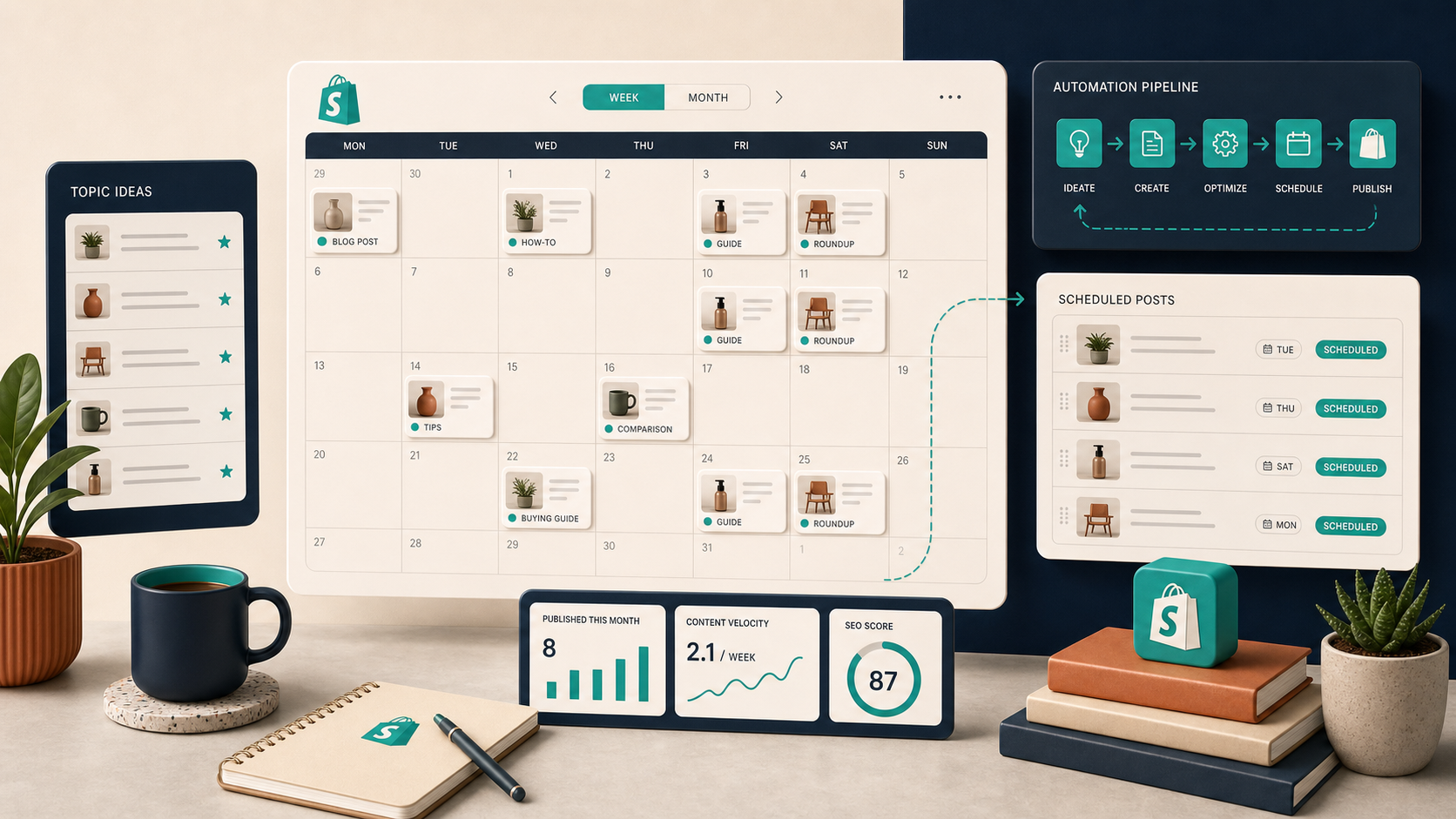
For Shopify stores, the useful rhythm is usually:
- launch-related posts when a new product or collection lands
- FAQ posts when the same objection keeps coming up
- seasonal content before the shopping rush starts
- evergreen guides that keep earning organic traffic over time
This is the part where Supra Blog Automation earns its keep for me. I can create a post on demand, or I can schedule recurring posts so the blog does not go stale the moment I get busy with the store.
Keep A Review Step
I do not want fully blind publishing. Even a good automated post should get a quick review for claims, links, image choices, and tone. That is especially true when the post is meant to support a product page or a collection page.
My review pass is short:
- Check the opening paragraph for relevance.
- Confirm the product or collection appears naturally.
- Verify every link is the right destination.
- Make sure the CTA matches the page goal.
- Scan the images for fit and clarity.
That quick pass is enough to catch the kinds of mistakes that make automated content feel off. It also keeps the workflow fast enough that I am actually willing to use it again next week.
If you want to try the same setup, start with the Supra Blog Automation landing page or install it from the Shopify App Store. The free plan is enough to test a first draft and see whether the workflow fits your store.
The practical goal is not to remove people from the process. It is to remove the repetitive work so the blog can stay product-aware, scheduled, and useful.