
July 2, 2026
How to Export a Squarespace Site for Static Hosting
A practical Squarespace export workflow with ExFlow, plus GitHub Pages and other static hosting options.
Squarespace is great when you want a site to look finished fast. The part it does not make easy is owning the files when you want to move to static hosting. If that is your goal, ExFlow.site is the practical path: you type in the Squarespace URL, export the site as static assets, and host the result on GitHub Pages or another static target without rebuilding the whole thing.
I use this approach when a site is already stable, the content does not need a live CMS, and the real problem is recurring platform cost or lack of file ownership. In that case, export first, then decide where the site should live next.
TL;DR
- Export the Squarespace site with ExFlow so you keep the HTML, CSS, JavaScript, and media.
- Move the result to static hosting like GitHub Pages, S3, FTP, or ExFlow hosting.
- Use it when you want ownership, lower overhead, or a cleaner path to version-controlled deployment.
- If the site is password protected, ExFlow can still access it when the owner provides the password.
When A Squarespace Export Makes Sense
A full export is usually worth it when the site is mostly brochure pages, portfolios, landing pages, or other content that should not depend on Squarespace’s editor forever. It is also a good fit when you want a local copy of the site for backup, migration, or future edits outside the Squarespace UI.
I would not treat it as a magic answer for every site. If you depend on platform-specific workflows, export is only the first step. But for a lot of straightforward websites, getting the files out is the cleanest move.
If you want to compare this kind of migration on another stack, the same decision logic shows up in How to Export a Webflow Site to Static HTML with ExFlow and How to Export a Framer Site and Host It Yourself with ExFlow.
What ExFlow Pulls Out Of Squarespace
ExFlow is built around the thing people actually need: a downloadable static copy of the site. According to the product notes, that includes:
- URL-based export for Squarespace sites
- Pages saved with a .html extension
- CSS files
- JavaScript files
- Images and media files
- Optional custom ‘script.js’ and ‘style.css’ files
- Sync options for Git, S3, and FTP
- Hosting on ExFlow’s servers
- Unlimited bandwidth on the hosted side
That is the useful part. You are not trying to imitate Squarespace forever. You are trying to turn the site into something you can host, version, and move around like normal files.
The Export Workflow I Would Follow

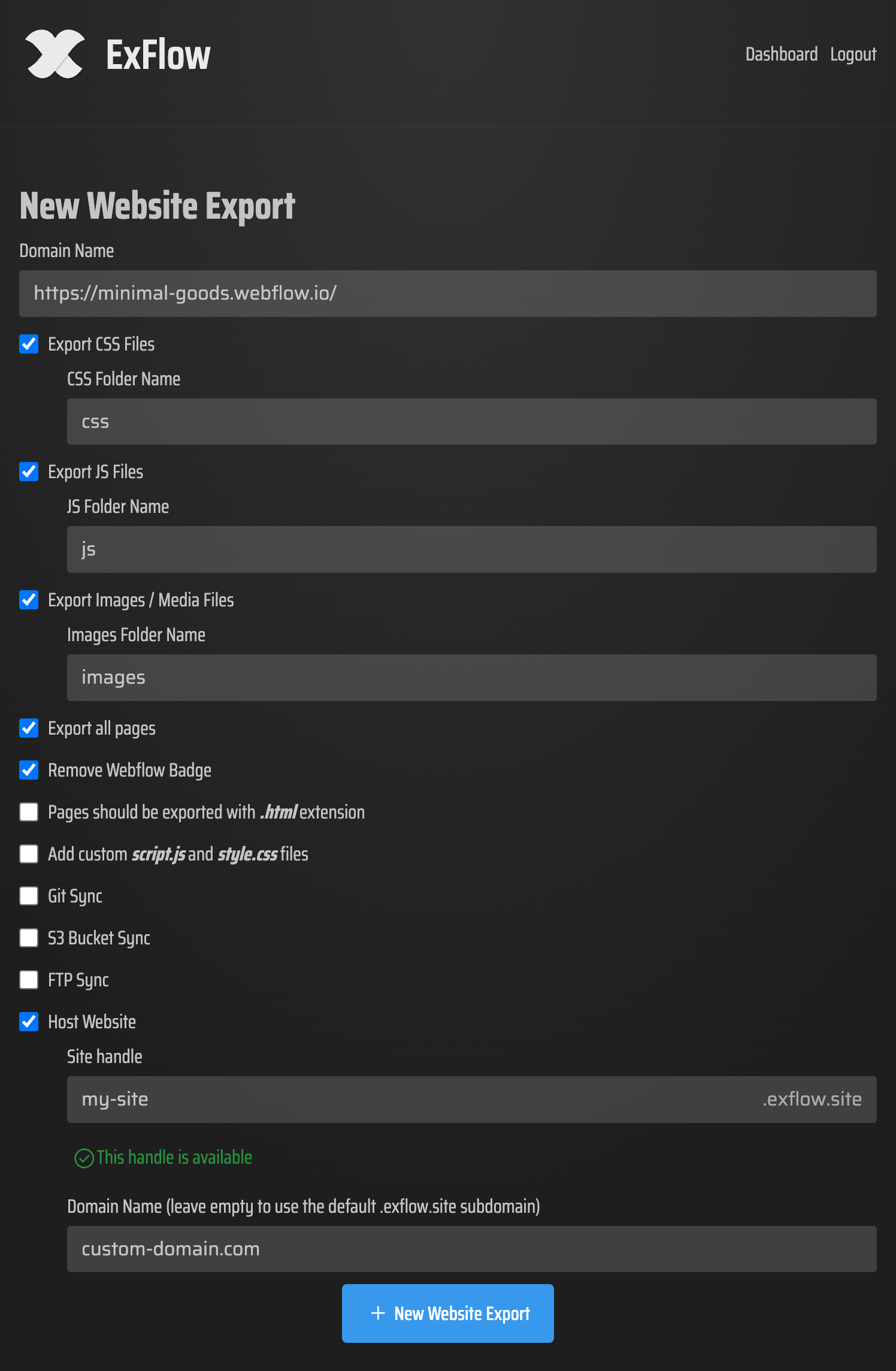
- Enter the Squarespace URL in ExFlow.
- Choose what to export: pages, CSS, JS, images, media, and any custom files you want included.
- Turn on export settings that match the site you actually have, not the site you wish you had.
- If the site is password protected, provide the password so ExFlow can access it.
- Export everything, then inspect the output before you move it anywhere.
That last step matters. A clean export is not the same thing as a finished migration. You still want to open a few representative pages and confirm that the navigation, images, and internal links all behave the way you expect.
What To Check In The Download
Once the export finishes, the file list should tell you whether the site is complete or just partially captured.
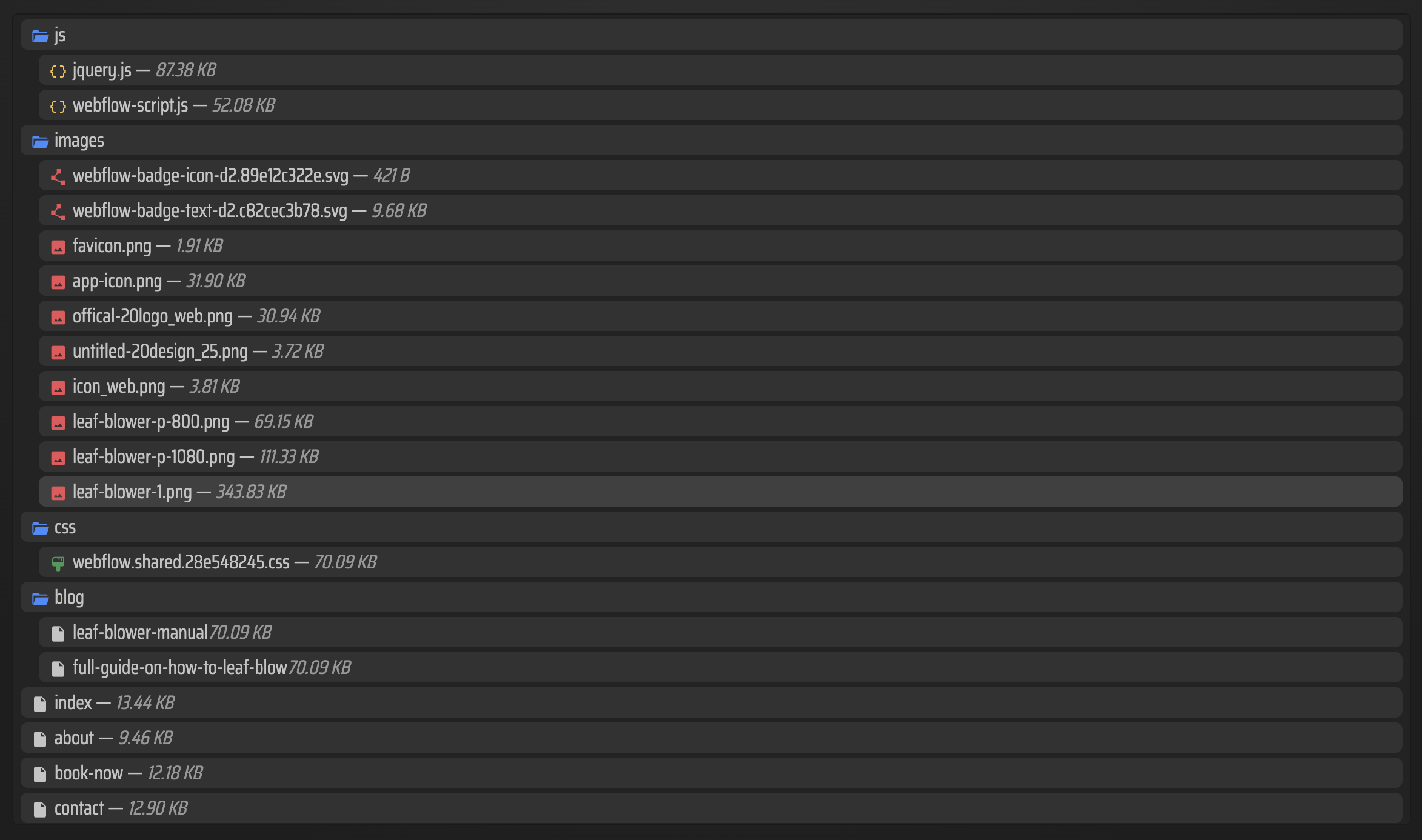
At minimum, I would check:
- Do the expected pages exist as separate HTML files?
- Are the CSS and JavaScript assets present?
- Did the image and media folders come through cleanly?
- Do the internal links still point to the right pages?
- Does the site still look right once the files are opened from the exported output?
If you are migrating because Squarespace hosting feels too expensive, this is also the point where you decide how much convenience you want versus how much control you want. A static export only helps if the destination host is set up cleanly.
For the hosting-side thinking, the closest Squarespace-specific examples are How to Self-Host a Squarespace Site on GitHub Pages Without Rebuilding It and How to Download a Squarespace Site and Move It to GitHub Pages.
Where To Host The Exported Site

You have a few solid options once the site is exported.
GitHub Pages
This is the cleanest choice if you already work in Git. You get version history, a simple deployment model, and a natural place to store the exported files. For a static Squarespace export, that is often enough.
ExFlow Hosting
If you want the simplest path, ExFlow can host the exported site for you. That is useful when the priority is getting off the Squarespace runtime without immediately rebuilding your deployment workflow.
S3 Or FTP
If you already use object storage or a traditional server, ExFlow’s sync options let you move the files there instead. That is helpful when the site needs to fit an existing infrastructure choice rather than the other way around.
If you are trying this same move on a different builder, the relevant comparison points are similar to How to Export a Squarespace Site to HTML and Self-Host It and How to Export a Squarespace Site to HTML and Host It Yourself.
Why I Like The Export-Then-Host Approach
The main benefit is control. A static export gives you files you can back up, inspect, move, and redeploy without waiting on a proprietary editor. It also makes the site easier to hand off later, because the output is plain enough that another developer can understand what is happening.
That is also why I reach for ExFlow rather than a generic site copier. The product is aimed at Squarespace export specifically, including the awkward bits like dynamic blocks and lazy-loaded media. In practice, that is the difference between a usable archive and a half-broken download.
If your site needs more than a copy, this is still a good starting point. Export first, then decide whether the next step is static hosting, a redesign, or a more deliberate rebuild.
The Short Version
If the site is already working and you just want ownership, export it with ExFlow.site, verify the output, and move the files to GitHub Pages or another static host. That gives you a smaller bill, more control, and a site you can actually keep.
Start with one page, confirm the export looks right, then scale the rest of the site once the pipeline is proven.