
June 18, 2026
How to Build a Shopify Blog Automation Workflow That Feels Human
A practical Shopify blog automation workflow for product-aware drafts, recurring publishing, and SEO-friendly posts that still need human review.

The hardest part of running a Shopify blog is not coming up with ideas. It is turning a useful idea into a post that is specific enough to help, polished enough to publish, and consistent enough to do again next week.
That is the gap Supra Blog Automation is meant to close. It can generate one-off posts or recurring automations, shape them around product context, add SEO structure, and publish immediately or save the result as a draft. For a store that wants organic traffic without hiring a full content team, that is the right level of automation.

Start With a Real Ecommerce Job
The best automation setup is not “write me a blog post about X.” That produces generic copy fast, but it does not help a store sell more.
Start with a real job the content needs to do:
- answer a product question customers ask before buying
- explain a collection in plain language
- support a seasonal campaign
- create a recurring educational post that keeps the blog active
- promote a product without sounding pushy
That is where product context matters. Supra Blog Automation is built for product-aware content, so the post can reference actual products or collections instead of floating in generic advice territory.
Decide What Should Be a Draft and What Can Ship Automatically
Not every article deserves the same publishing path. Some content is safe to auto-publish once the structure is right. Other posts should stay in draft until a human checks the details.
A good rule of thumb:
- auto-publish evergreen explainers, low-risk buying guides, and repetitive educational posts
- keep product launches, pricing-sensitive topics, and compliance-sensitive claims in draft
- use draft review any time the article needs brand nuance or careful wording
If you want a fuller breakdown of that decision, I already wrote about it in How to Decide Which Shopify Blog Posts Should Auto-Publish.
The useful part of Supra Blog Automation is that you do not have to choose between total automation and a manual bottleneck. You can publish immediately when the post is boring in the good way, or save it as a draft when the post deserves review.
Keep the Draft Specific Enough to Be Worth Reading
A post feels human when it is specific. Specificity usually comes from three things: product context, internal links, and visuals that match the section they support.
That is why I would not use a generic AI writer here. I would use something that can pull the work into the article itself:
- a product or collection to anchor the topic
- internal links that move the reader deeper into the store
- metadata and headings that make the post readable and searchable
- section images that explain the workflow instead of decorating it
If you want to make the imagery side repeatable, these walkthroughs are useful companions: How I Turn One Product Photo Into a Shopify Asset Pipeline, How to Build a Repeatable Shopify Image Workflow From One Product Shot, and How to Turn One Product Photo Into a Full Shopify Image Set.
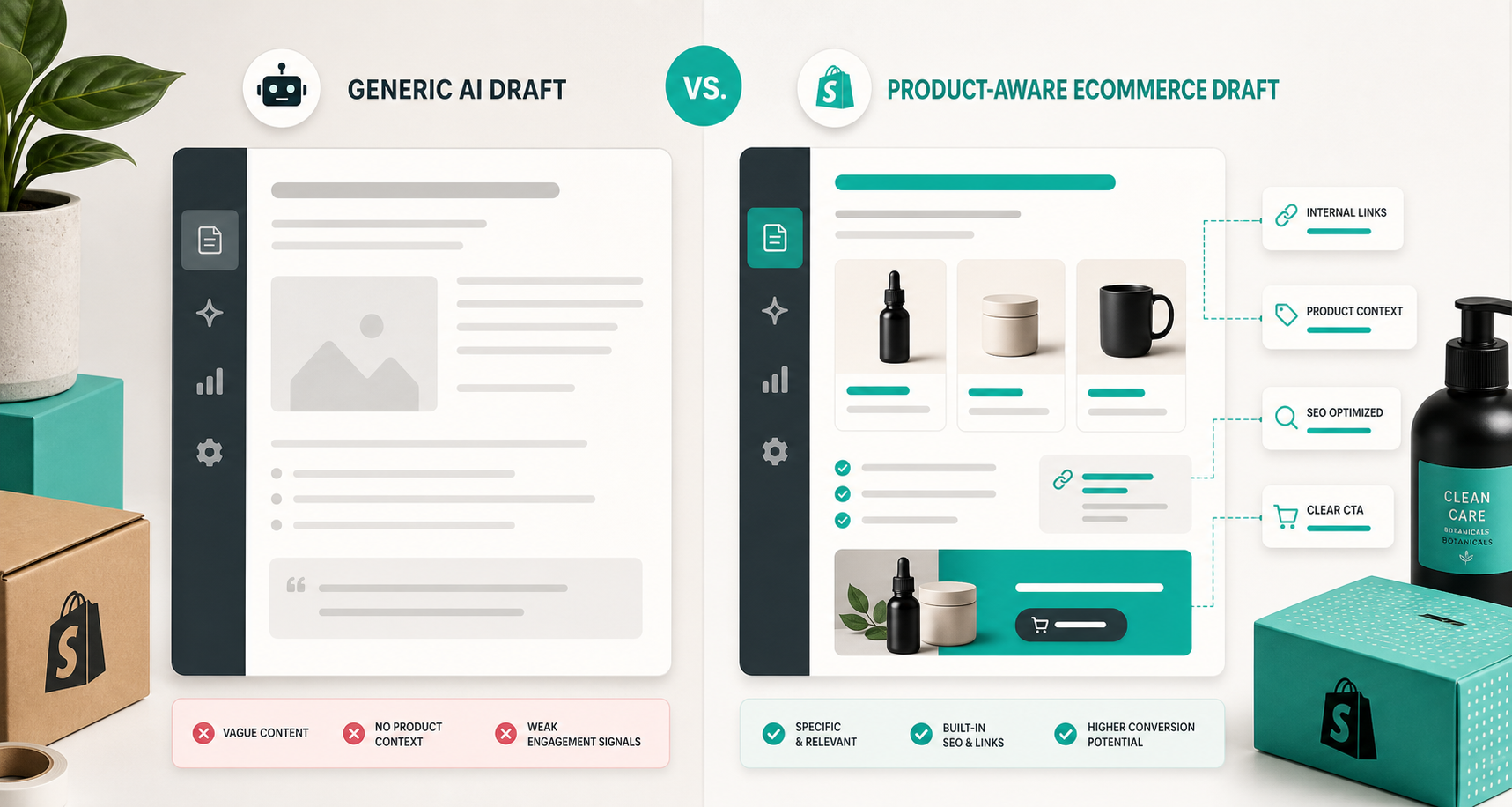
The comparison is pretty simple. Generic output gives you vague text and weak signals. Product-aware output gives you something that can point at real products, real links, and a real next step.
Build a Calendar Instead of Chasing Ideas
Recurring automations are where this starts to feel like a system instead of a one-off content sprint.
If you already know the store needs a weekly educational post, or a monthly seasonal roundup, stop rebuilding the workflow every time. Set the cadence once, decide which products or collections should be promoted, and let the automation keep the blog active.
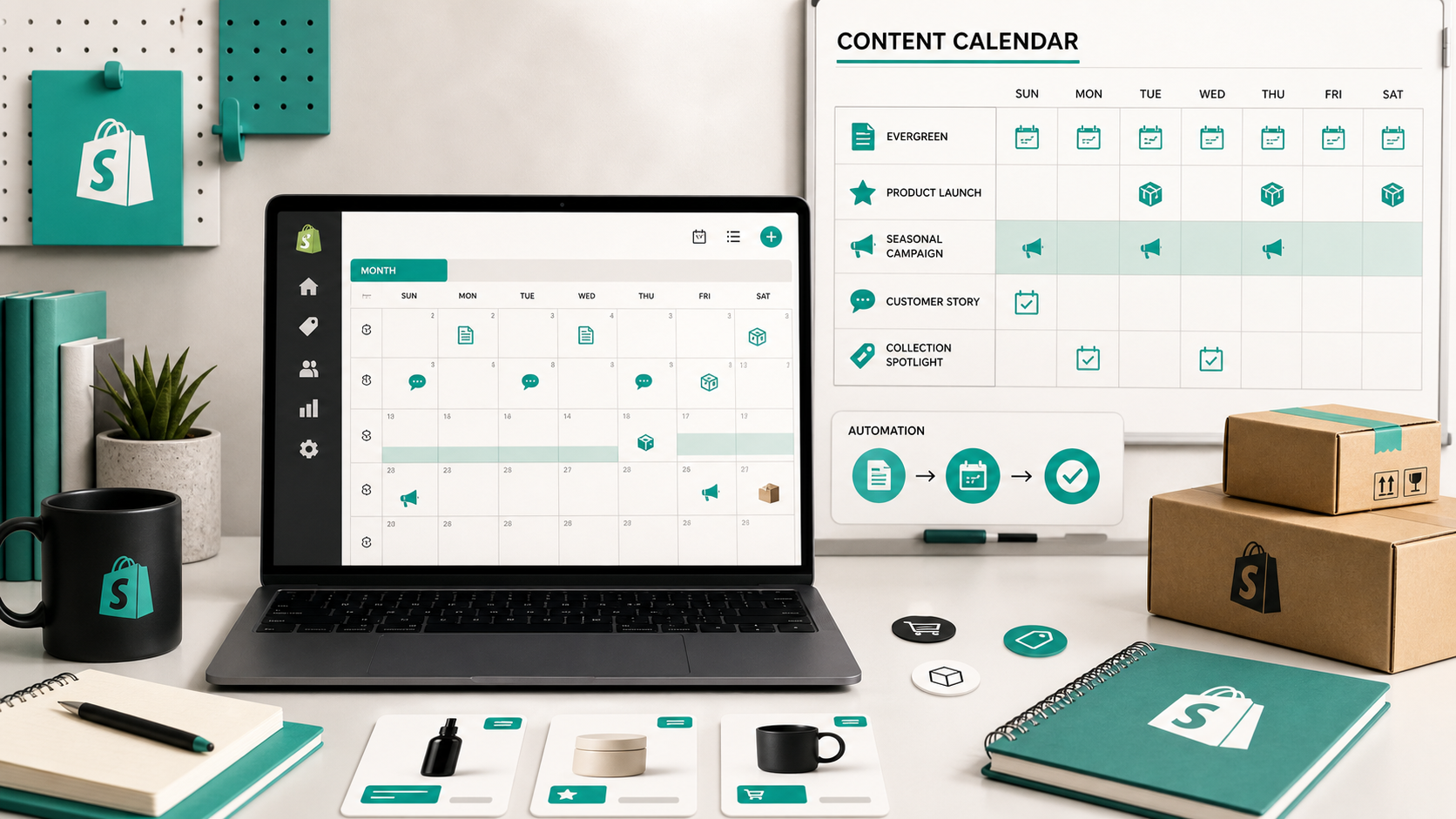
That calendar approach helps in three ways:
- it keeps the blog from going stale between campaigns
- it gives you predictable content volume for SEO
- it makes planning easier because the same format can repeat
For a Shopify team, that is usually the real win. You are not trying to eliminate judgment. You are trying to eliminate the blank-page problem that keeps content from shipping.
What I Would Keep Human
Even with good automation, some decisions should stay human:
- whether the article is accurate enough to publish
- whether the product framing matches the current campaign
- whether the tone fits the brand
- whether the CTA is too aggressive
- whether the post needs legal or operational review
That is the balance I like here. Automation handles the structure, the cadence, and the first draft. Human review handles the claims, nuance, and final call.
A Practical Way To Start
If you want to test this on a real store, I would start with one collection and one recurring content idea. Ask the automation to generate a draft, review the product references, check the internal links, and only then decide whether the post should publish automatically or stay in draft.
Supra Blog Automation has a free plan and runs inside Shopify Admin, so the easiest first step is just to generate one post that targets a real product problem.
If that draft feels useful, you can turn it into a recurring workflow. If it feels too broad, narrow the topic and give it better product context before you publish.
Bottom Line
A Shopify blog does not need more content noise. It needs a workflow that keeps the posts specific, the visuals coherent, and the publishing cadence steady.
That is what Supra Blog Automation is for. Start with one topic, one product angle, and one review rule, then let the automation do the repetitive parts.
The next action is simple: pick one collection, generate one draft, and decide whether it should ship now or stay in review.