
May 30, 2026
How to Build a Reusable Shopify UGC Video System
Turn one product brief into a repeatable Shopify UGC workflow for ads, product pages, and email.
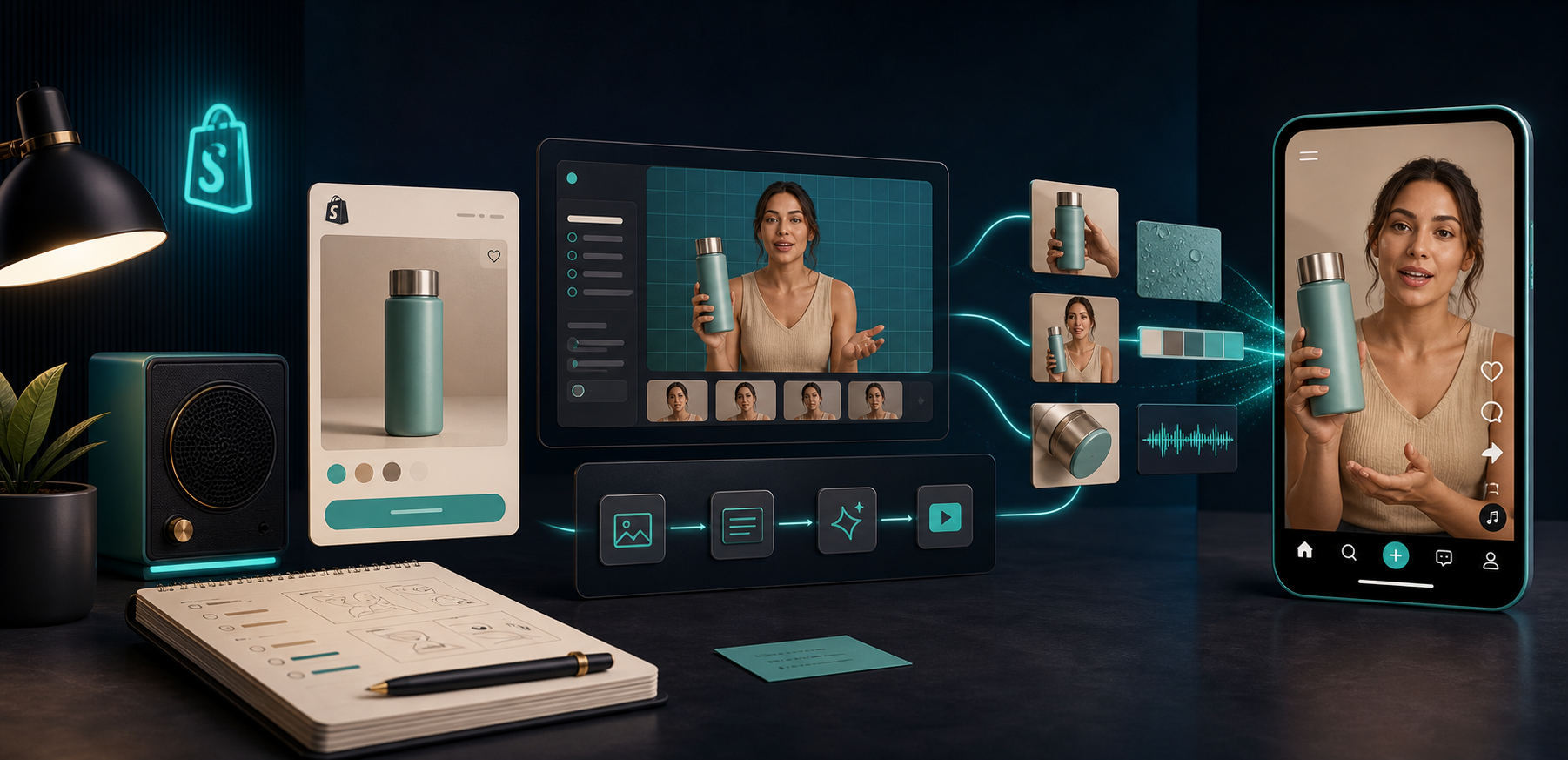
If you keep making Shopify UGC videos as one-offs, you end up rebuilding the same decisions every time: the angle, the avatar, the scene, the script, and the CTA. The fix is to treat the video as a reusable system, not a finished asset.
That is the workflow I would use with Supra UGC Maker and its Shopify App Store listing. The app is built for product-aware video creation: pick an avatar or custom AI model, set a scene, add a Shopify product, write a script, generate the clip, and save reusable projects and scenes so the next variation starts from something real instead of a blank page.
If you want a broader setup guide first, I would pair this post with How to Create UGC-Style Product Videos for Shopify Without Hiring Influencers. This one is about the system behind the output.
What You’ll Learn
- how to define reusable inputs before you generate anything
- how to build one master clip and reuse it
- how to vary one element at a time without losing consistency
- where to use the variations across the Shopify funnel
- what to review before you publish or hand the clip to ads
Start With Inputs You Can Reuse
The fastest way to make UGC video creation messy is to let every new clip start with a fresh brainstorm. I’ve seen that happen with product launches: the first video feels sharp because everyone is focused, then the second and third versions get vaguer because the original decisions were never written down.
Start by locking the inputs that should stay stable across the whole batch:
- Product: which item or collection the video is really about
- Audience: who the clip is for and what they are worried about
- Promise: the one outcome the video should communicate
- Proof: the detail, feature, or use case that makes the promise believable
- Scene: where the avatar or product should appear
- Voice: the tone of the delivery
- CTA: the next action you want the viewer to take
If you keep these in a reusable brief, the rest of the workflow gets easier. You are no longer asking, “What should I make?” You are asking, “Which part of the system do I change this time?”
For the script layer, How to Turn Buyer Questions Into Shopify UGC Video Scripts is a useful companion piece.
Build One Master Clip First
The first clip should not be your final creative for everything. It should be the cleanest version of the product story that you can reuse later.
In Supra UGC Maker, that usually means:
- Pick the avatar or build a custom model.
- Choose the scene that matches the product context.
- Add the Shopify product reference.
- Write a short script with a single promise.
- Generate the clip and review the preview before exporting.

The point of the master clip is to give you a reliable base. Once that base exists, you can make a launch version, a product page version, and an ad variation without rethinking the whole structure. You are only swapping the variable that matters.
A practical rule: if you cannot describe the difference between version A and version B in one sentence, the variation is probably too messy.
Vary One Thing at a Time
This is where most video workflows get sloppy. Teams change the hook, the scene, the voice, the CTA, and the runtime all at once. When performance changes, nobody knows why.
Instead, change one thing per variation:
- Hook: “problem-first,” “benefit-first,” or “social proof-first”
- Scene: studio, lifestyle, or product-in-hand
- Voice: calm, energetic, or expert-led
- CTA: shop now, learn more, or see the demo
- Length: short ad cut, medium explainer, or product-page support clip
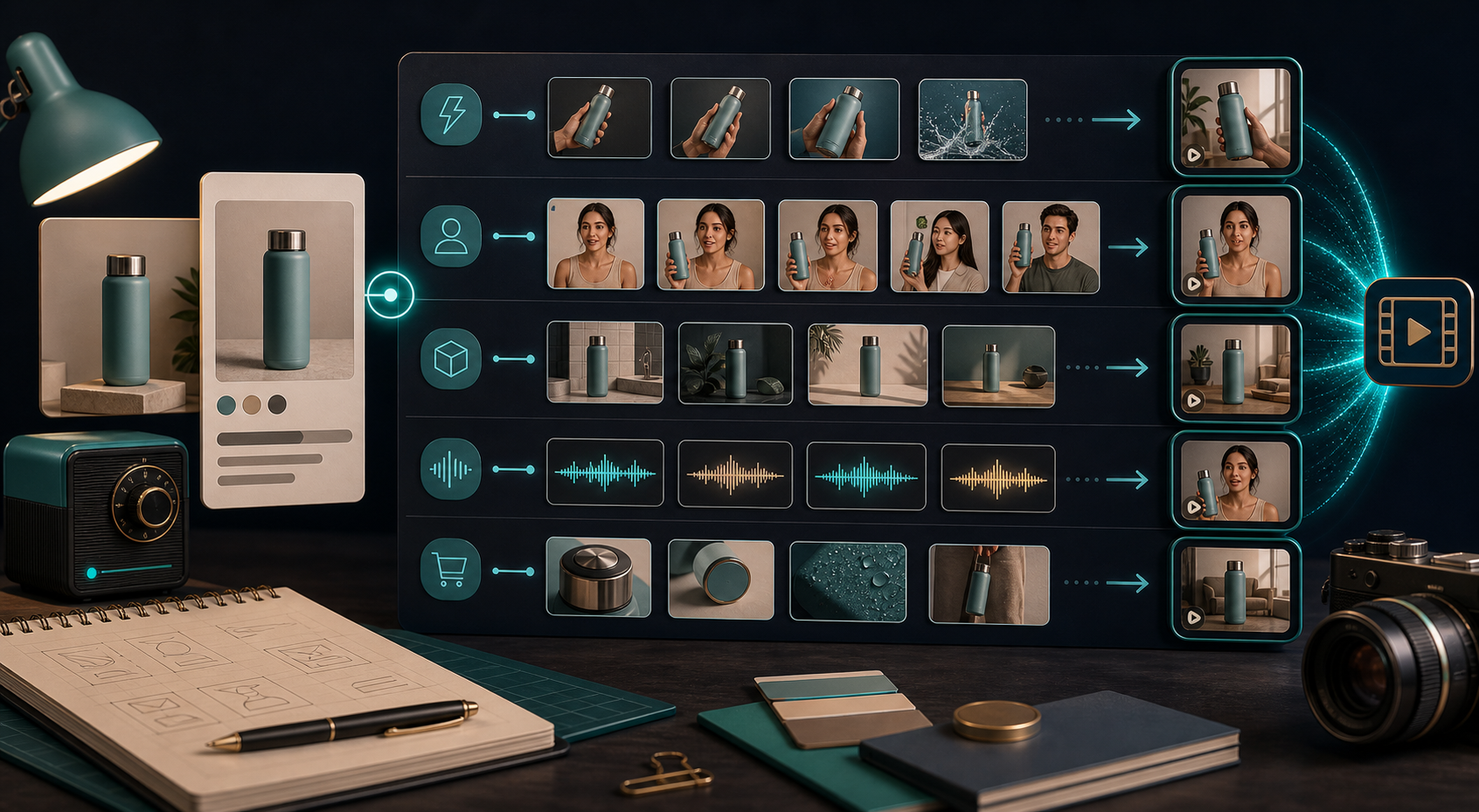
If you want a tighter ad-testing workflow, read How I Built a Shopify UGC Ad Testing Matrix and How to Create Shopify UGC Video Ad Variations From One Brief. Those posts are a good fit if you are trying to turn one product idea into several testable angles.
The advantage of a reusable system is that you can compare outputs without guessing at the source of the difference. If one version wins, you know whether the hook, scene, or CTA did the work.
Reuse The Same System Across The Funnel
A good Shopify UGC workflow is not just for ads. The same core video can support several jobs if you plan for that up front.
Here is how I would think about it:
- Ads: fast hooks and clear product payoff
- Product pages: more explanation, more context, less hype
- Email: shorter teaser clips that drive the click
- Launches: a sharper announcement version with urgency
- Post-purchase: simple reassurance or usage guidance
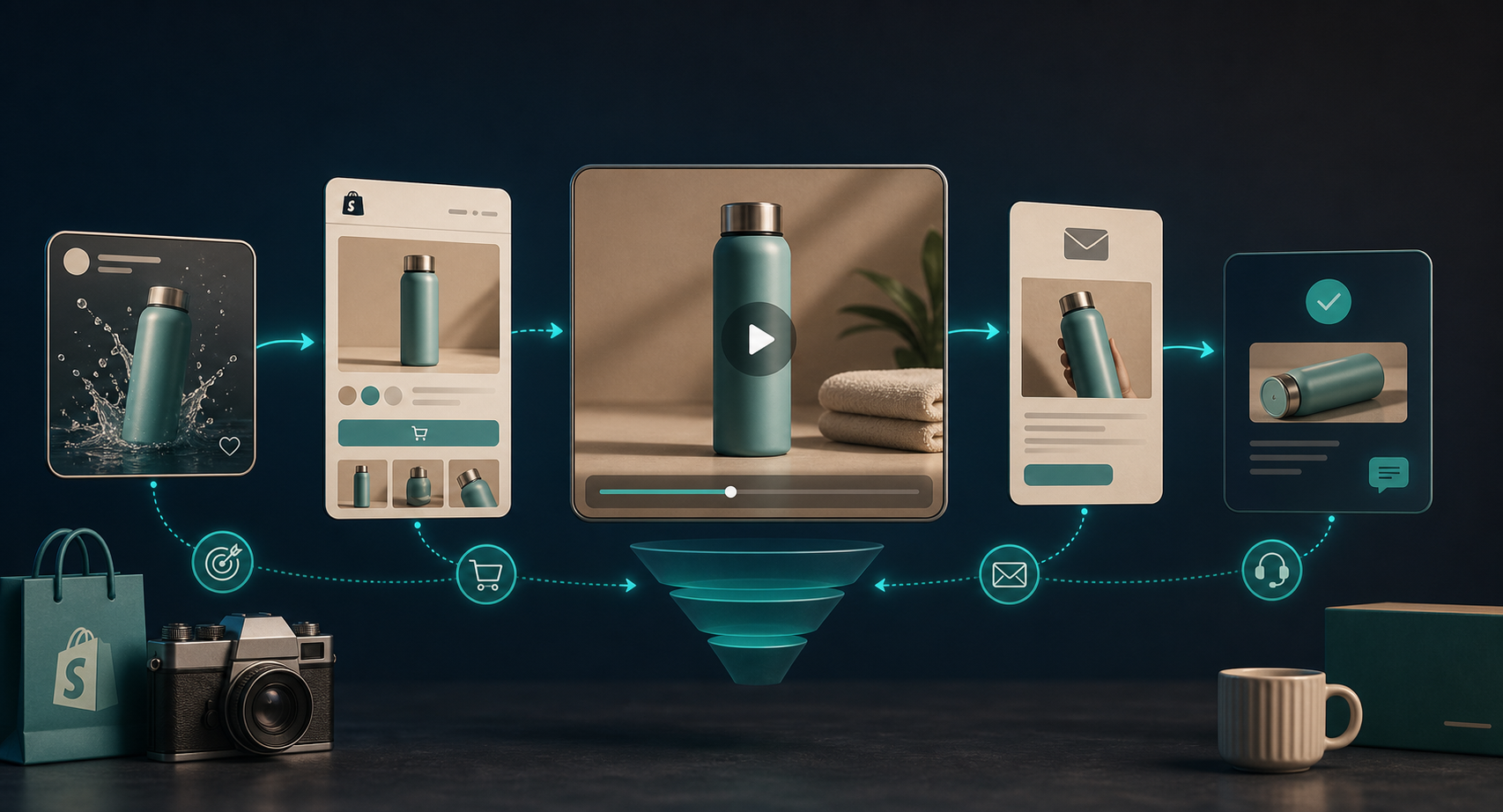
If you want the channel planning side of this, How to Plan Shopify UGC Video Variations for Ads, Product Pages, and Email fits naturally after this post.
The reason this matters is simple: the same product story should not sound identical everywhere. The ad needs attention. The product page needs clarity. The email needs a reason to click. A reusable system lets you keep the message consistent while changing the job.
Review Before You Ship
Automation should remove repetition, not judgment.
Before you publish or hand the clip to a channel owner, check four things:
- Product accuracy: names, variants, and features are correct
- Claim safety: no vague or exaggerated promises slipped into the script
- Brand fit: the tone still sounds like the store
- Placement fit: the cut is actually right for the channel it will live in
Supra UGC Maker supports previewing scenes, reordering clips, and regenerating pieces inside the same project, which is exactly what you want here. The goal is not to publish blindly. The goal is to make review fast enough that you actually do it.
If you need a first-step version of this workflow, start with one product, one avatar, one scene, and three hooks. That gives you enough variation to learn something without turning the project into a production cycle.
The Short Version
A reusable Shopify UGC video system works because it separates the stable parts of the brief from the parts you want to test. Once you have that split, one product can produce ads, product-page clips, email teasers, and launch variations without starting over every time.
If you want to try it, install Supra UGC Maker, build one master project for a single product, and export three versions with only one variable changed in each. That is the cleanest way to get more video output without rebuilding the whole creative process from scratch.