
May 26, 2026
How to Sync Notion Articles Into Webflow CMS Without Manual Rebuilds
A practical Notion-to-Webflow workflow for mapping fields, preserving structure, and deciding when to auto-publish.
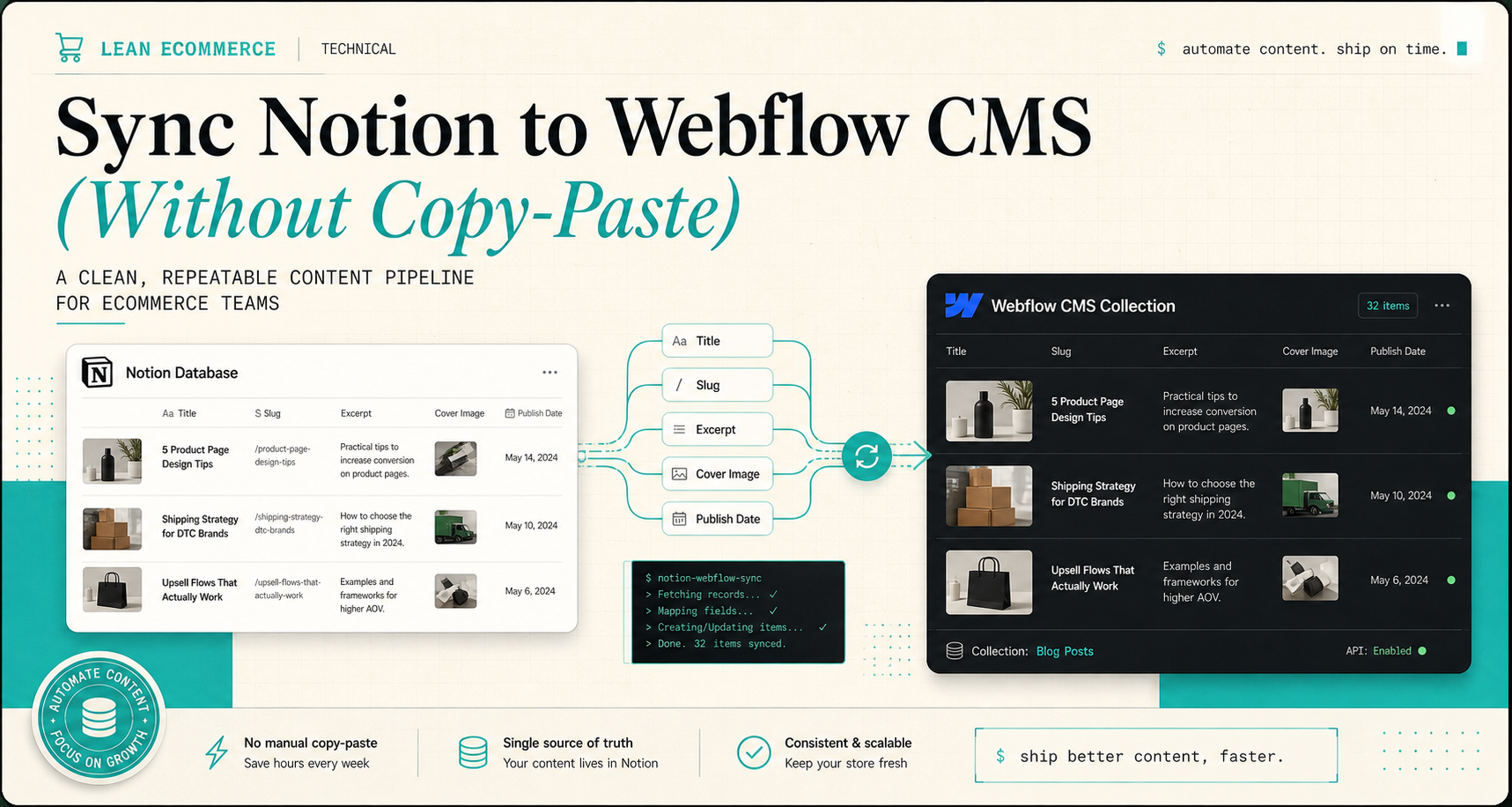
How to Sync Notion Articles Into Webflow CMS Without Manual Rebuilds
I kept doing the same annoying thing: write in Notion, open Webflow, rebuild the CMS entry, copy the same fields again, then fix the slug because I missed one character. That is tolerable once. It is not a publishing system.
Syncflow is the Webflow app I would use to get out of that loop. It syncs Notion articles directly into a Webflow CMS database, so the writing can stay in Notion while Webflow stays the presentation layer. The product page is Syncflow, and the standard plan is $8/month if you want to test the workflow on one site before you scale it.
I would start with How to Sync Notion Articles to Webflow CMS Automatically and then compare it with How to Sync Notion Pages to Webflow CMS Step by Step if you want the slower walkthrough. If you are already thinking about the deployment side, How to Host a Webflow CMS Site on GitHub Pages with ExFlow and How to Export a Webflow CMS Site Without Losing Dynamic Content are the two follow-ups that keep the stack honest.
What I want the sync to do
I do not need a clever content bot. I need a translation layer that does a few boring things well:
- keep Notion as the writing surface;
- keep Webflow as the publishing surface;
- move the right fields across without flattening the article;
- let me choose between manual sync, auto-sync, and auto-publish.
That is the whole value of the product to me. Syncflow supports auto-sync, manual sync, field mapping between Notion and Webflow, and a publish-now-or-save-as-draft workflow. It also handles a wider field mix than plain text, which matters as soon as a post uses images, dates, URLs, checkboxes, code blocks, or page links.
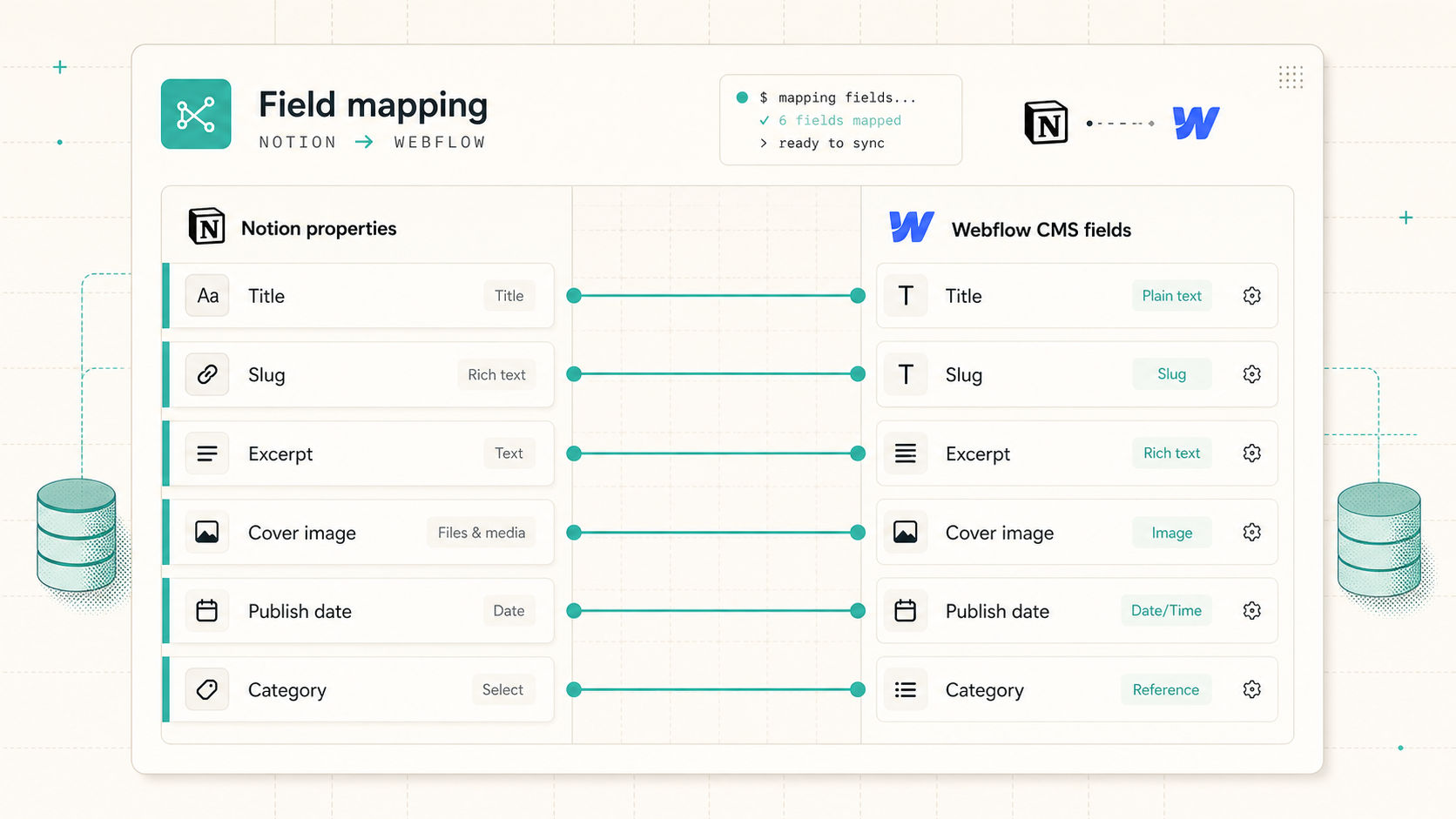
For a normal blog setup, the map usually looks like this:
Notion title        -> Webflow title
Notion slug         -> Webflow slug
Notion excerpt      -> Webflow excerpt
Notion cover image  -> Webflow cover image
Notion publish date -> Webflow publish date
Notion category     -> Webflow category
That is not fancy. That is the point. If the mapping is explicit, I can see where the article is going before it goes live.
Map the fields once, then stop touching them
The part I like most is the field mapping itself. I am not guessing which Notion property ends up in which CMS field. I can verify it up front and leave the mapping alone after that.
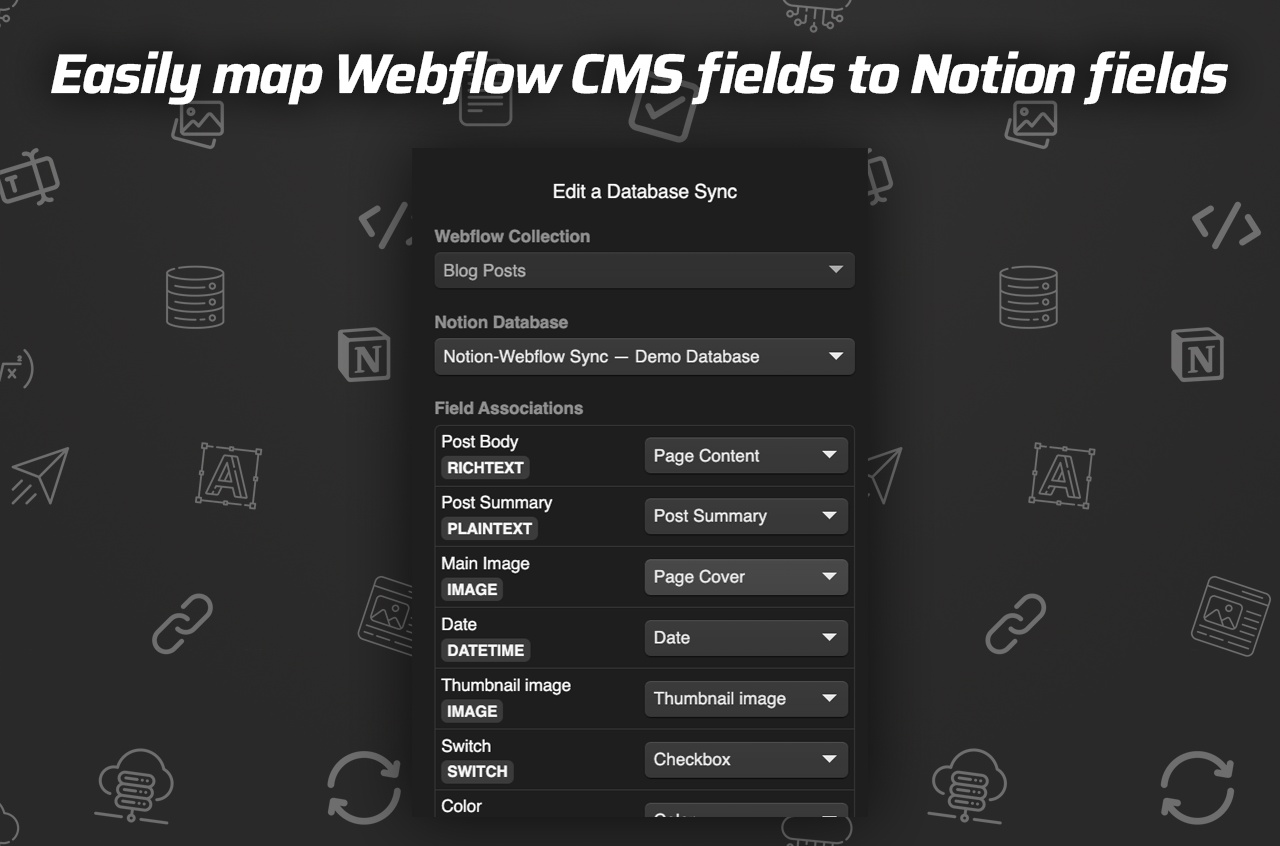
The screenshot makes the setup obvious: title on one side, slug on the other, plus the image and date fields that actually matter for a blog post. That is the thing I want from a sync tool. I want the relationship between the database and the collection to be visible before I push anything live.
When I wire this up, I decide five things before the first sync:
- Which Notion database is the source of truth.
- Which Webflow collection receives the content.
- Which fields are required on every post.
- Which fields can stay blank until I need them.
- Whether the first sync should publish immediately or land as a draft.
If I am still validating the shape of the content, I start with drafts. If I am just moving routine updates, I am comfortable letting auto-sync do the boring part.
Keep the article structure intact
The biggest mistake I see with content sync tools is that they treat the article body like a blob of text. That is where the useful structure gets lost.
Syncflow is useful because it can keep more than plain paragraphs intact:
- images;
- checkboxes;
- dates;
- URLs;
- inline styling or classes;
- page links between Notion pages;
- code blocks with highlighting;
- TeX when the post needs math.
That matters if the article is technical, tutorial-heavy, or built from a real working draft instead of a marketing outline. I want the Webflow post to look like the post I wrote, not a rough export with the formatting sanded off.
If I am building a small editorial workflow, I treat the sync like a contract: Notion owns the content, Webflow owns the layout, and the field map defines the handoff.
Decide what should auto-publish
This is the decision that keeps the workflow from becoming reckless.
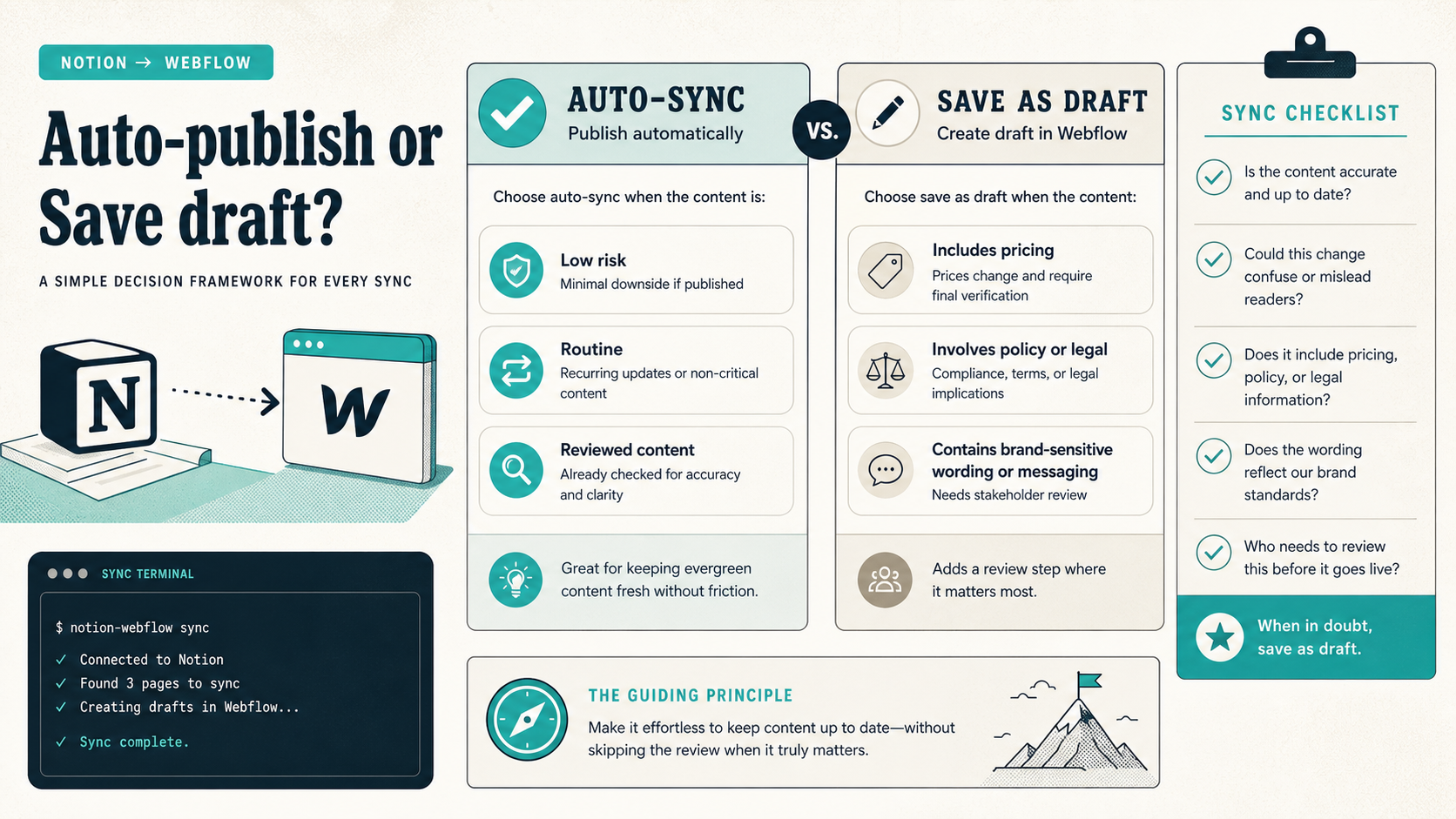
I would use auto-sync when the post is:
- low risk;
- repetitive;
- structurally predictable;
- already reviewed for accuracy.
I would save as draft when the post includes:
- pricing;
- policy details;
- product claims;
- brand-sensitive wording;
- anything that might change after the draft is generated.
That is the real value here: speed when the article is routine, friction when the article needs judgment. I want the machine to handle the blank page and the human to handle the risky parts.
The sync settings screenshot is the other reason I trust this workflow more than a black-box importer.
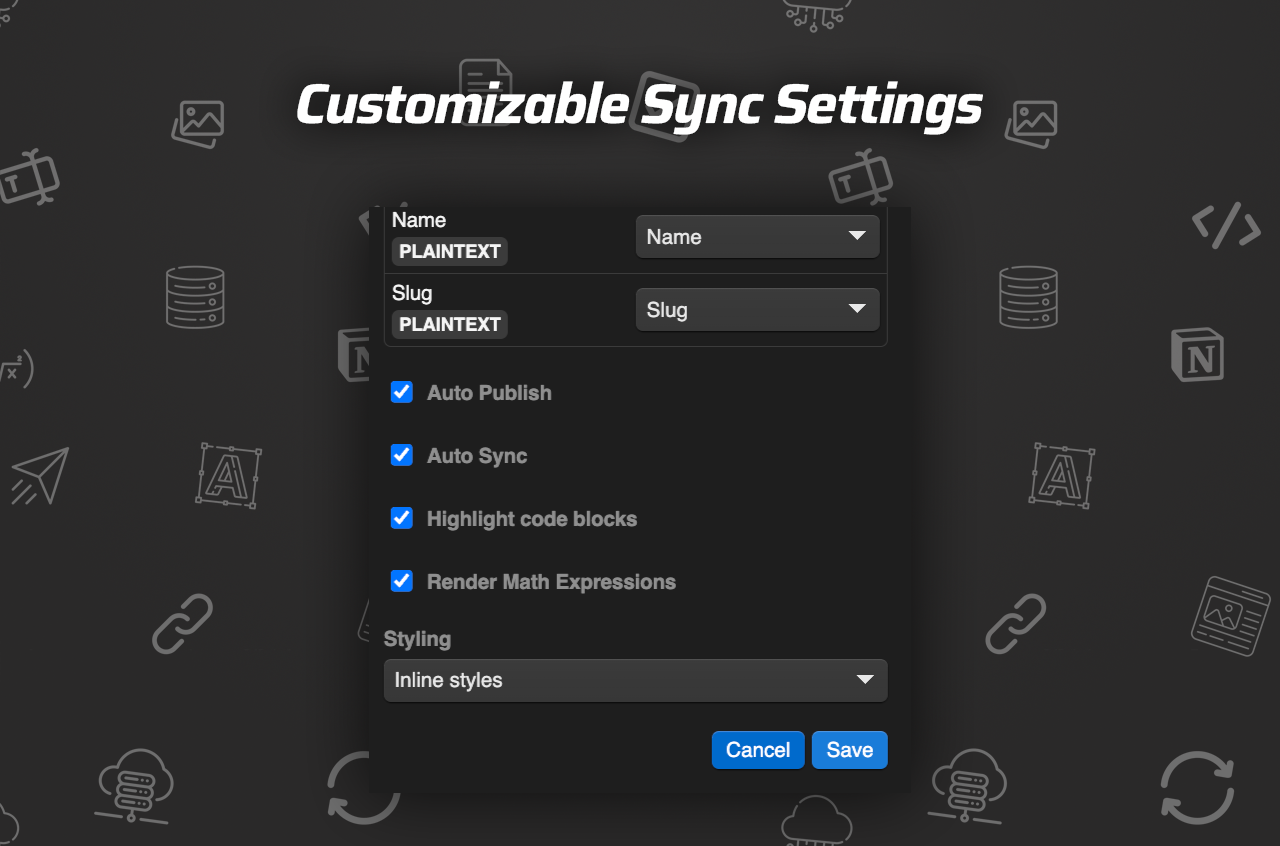
The important part is not the UI chrome. It is the control. I can decide whether the sync is immediate, whether the post should publish, and how much review I want to keep on the Webflow side. That is the difference between a nice demo and something I would actually run on a live site.
A rollout I would actually use
If I were setting this up for a real site, I would keep the first rollout small.
- Pick one Notion database.
- Pick one Webflow collection.
- Map only the fields every post needs.
- Sync one draft.
- Check the title, slug, excerpt, image, and body formatting.
- Only then decide whether auto-sync should publish on its own.
That sequence catches the annoying stuff early. If the sync misreads a field, I find out on one post instead of fifty.
If the post uses linked pages or richer formatting, I would also test those cases before I rely on the workflow for regular publishing. The product supports page linking and code highlighting, so those are worth verifying on a real draft instead of assuming they will be fine.
Bottom line
I do not want to babysit a CMS when the writing already happened somewhere else. I want one place to write, one field map from content to CMS, and one controlled way to publish.
That is what makes Syncflow useful to me. It keeps Notion as the writing layer and Webflow as the output layer, while still giving me enough control to review the important posts before they go live.
If you want the least fragile version of this setup, start with one database, one collection, and one draft sync. Verify the rendered result, confirm the field map, and only turn on auto-publish when the output is boring in the right way.