
May 26, 2026
How I Built a React Video Editor Around Portable JSON with VideoFlow
A practical guide to wiring VideoFlow's React editor, JSON source of truth, and browser/server renderers into a reusable video workflow.
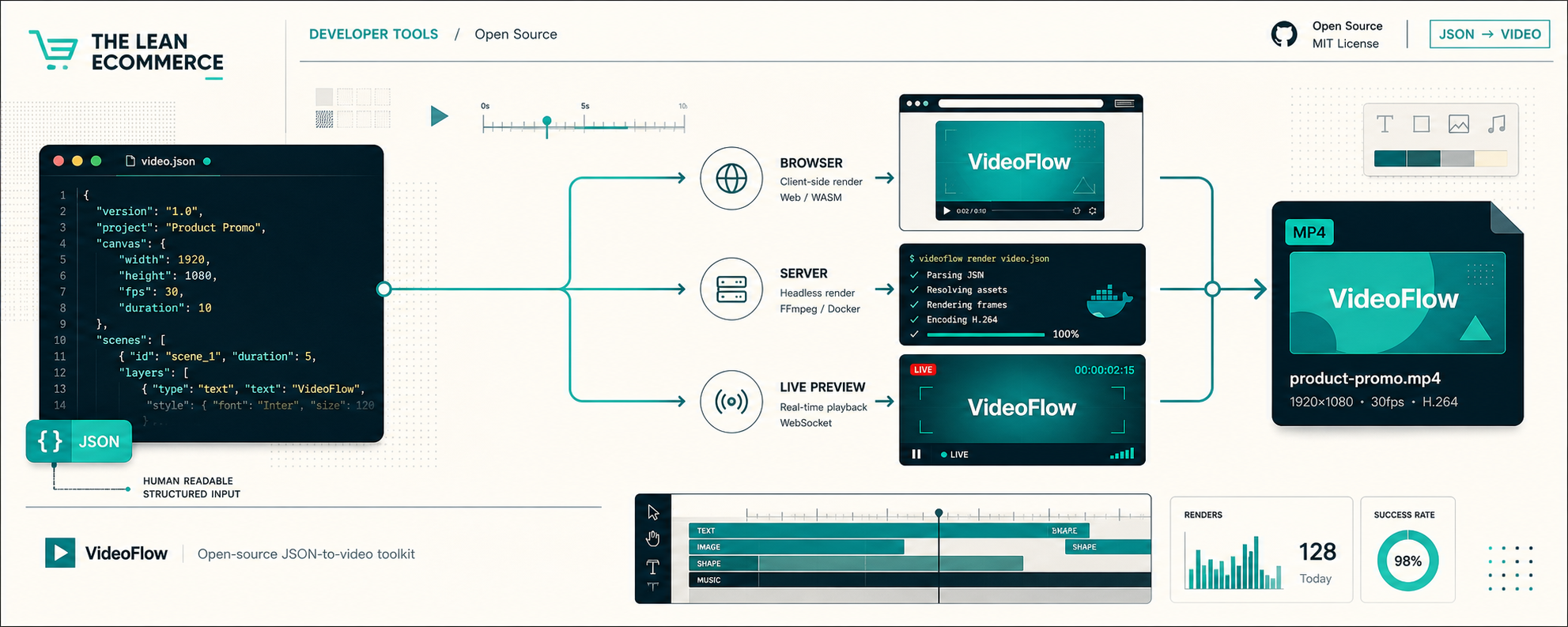
How I Built a React Video Editor Around Portable JSON with VideoFlow
I kept running into the same problem when video needed to live inside an app: the UI wanted to behave like a normal React component, but the content wanted to behave like data. If I treated the timeline as the source of truth, every edit became fragile. If I treated JSON as the source of truth, the workflow became portable.
VideoFlow is the toolkit that made that trade-off workable for me. Its core is an open-source TypeScript builder, it compiles to portable VideoJSON, and the same structure can render in the browser, on a server, or in a live DOM preview. If you want the product links, start with VideoFlow, then branch into docs, core, renderers, React video editor, and examples.
If you want the infrastructure-heavy angle, I already wrote How to Build a Portable JSON-to-Video Pipeline with VideoFlow and How to Generate MP4 Videos from JSON with TypeScript. This post is the UI side of the same idea.
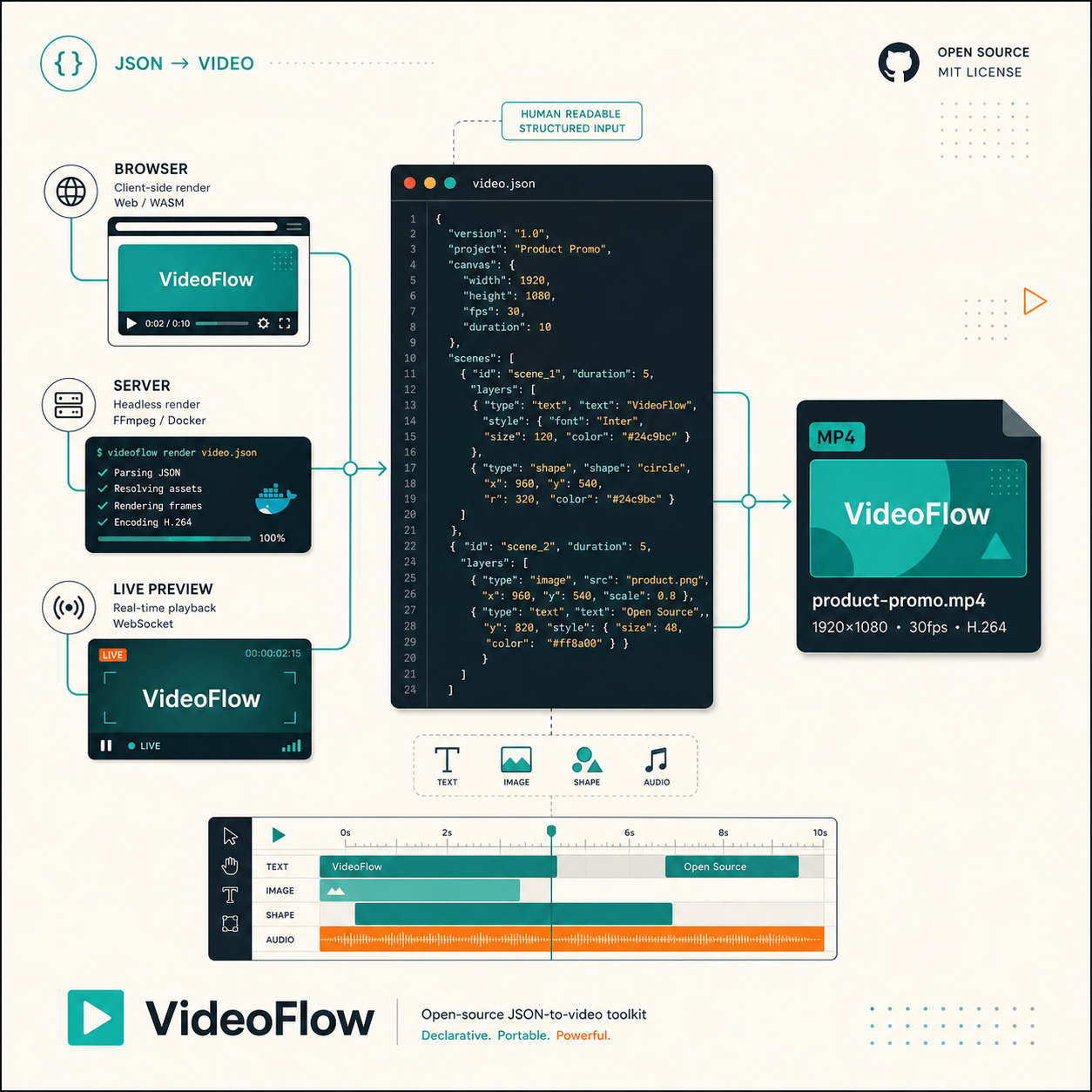
What I wanted from the editor
I did not want a magical prompt box. I wanted a predictable editor that could sit in a SaaS app and still leave me with something I could inspect, diff, store, and rerender later.
The requirements were simple:
- keep a single video representation in JSON;
- let React edit that structure without owning it;
- preview the same video immediately;
- export without rewriting the template;
- keep the core open source and portable under Apache-2.0.
That is where the React editor matters. It gives you a multi-track timeline, drag, trim, and reorder interactions, an inspector, keyframes, undo and redo, uploads through callbacks, and MP4 export. The built-in themes are useful too, but the real win is that the editor sits on top of the same VideoJSON the rest of the stack uses.
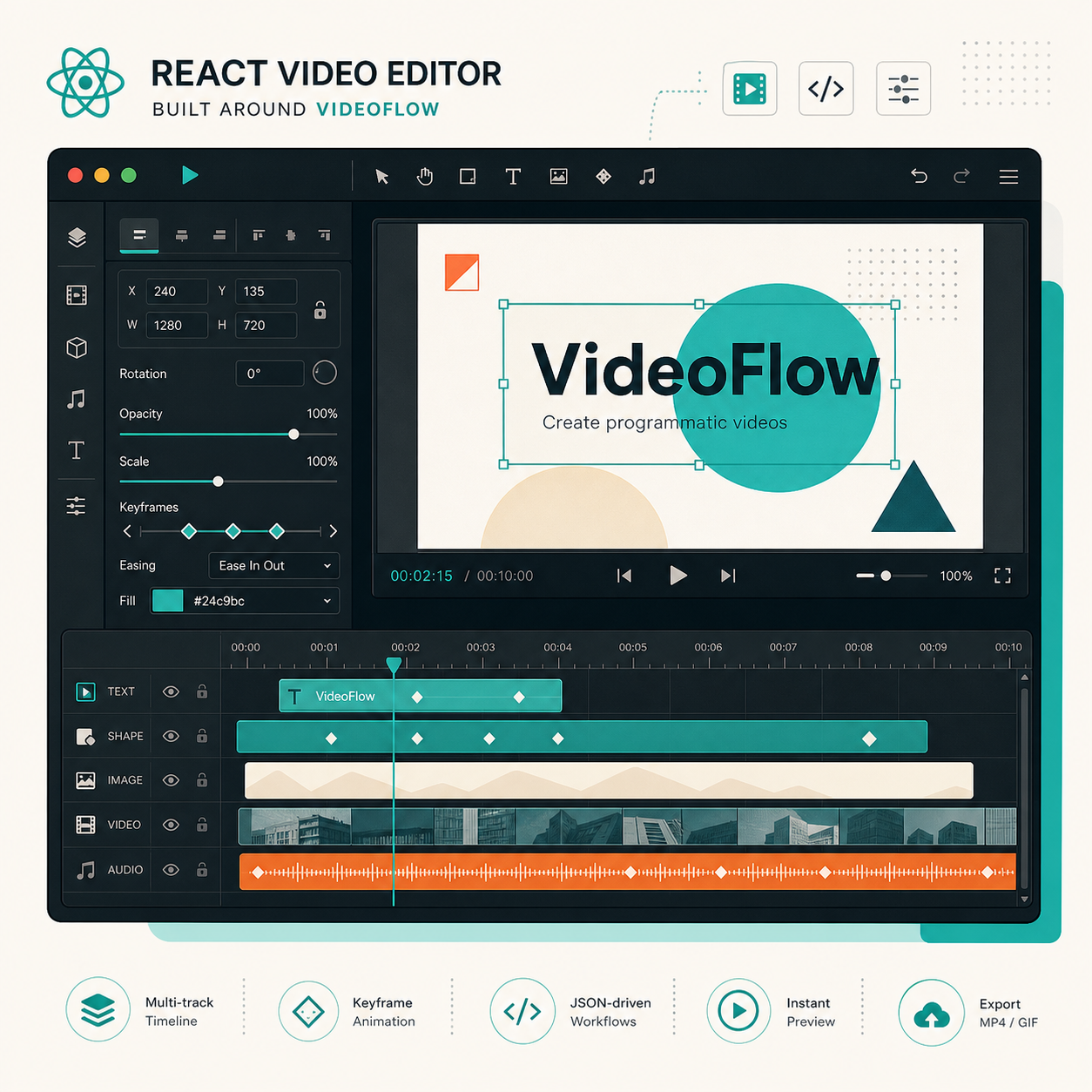
The editor is the UI, not the source of truth
This is the part that kept the system from turning into a black box. I wanted engineers to keep a stable template in code, while non-engineers could still adjust the visual result in a UI.
The integration is small enough to read in one screen:
import { VideoEditor } from "@videoflow/react-video-editor";
import "@videoflow/react-video-editor/style.css";

export default function App() {
  return (
    <VideoEditor
      video={videoJSON}
      onChange={(next) => saveToServer(next)}
      onSave={async (next) => await persist(next)}
      onUpload={async (file) => await upload(file)}
      theme="dark"
    />
  );
}
That is the pattern I trust. The editor updates the JSON, and the JSON remains the thing I can version in Git or hand to a renderer later. If you want the underlying template perspective, How I Kept Video Templates Versionable in Git With VideoFlow is the companion piece.
One JSON source, three render paths
The other reason I like this stack is that I am not locked into one place to render video. The same structure can support browser export, server-side jobs, and live preview.
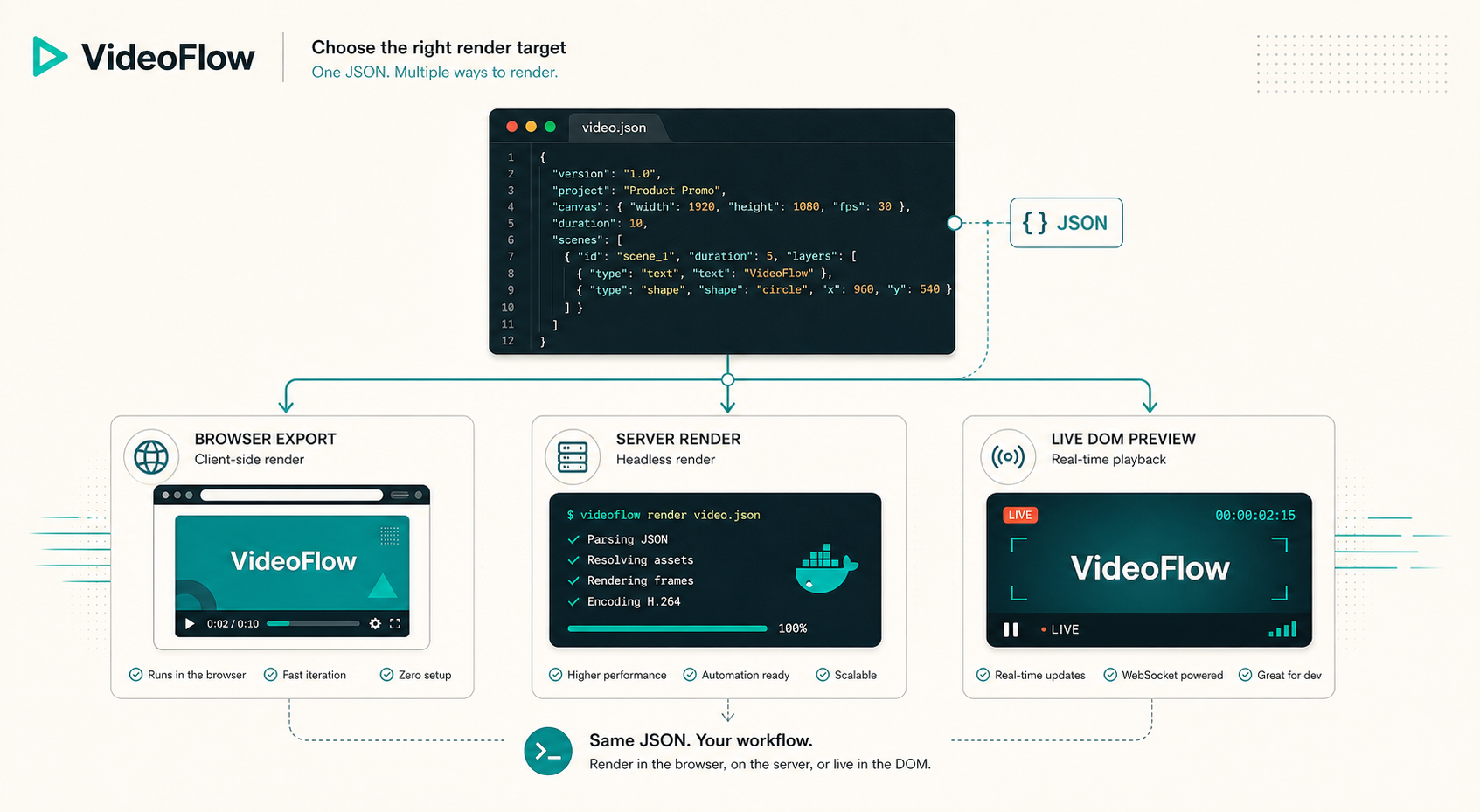
That matters because each render target solves a different operational problem:
- browser rendering is good when the user should stay in the app and export locally;
- server rendering is good when jobs need to batch, queue, or run headlessly;
- DOM preview is good when the editor needs frame-accurate playback and scrubbing.
I would not build every workflow the same way. If the use case is a user clicking export in a SaaS interface, I would start with browser rendering. If the use case is generating many variations from product data or agent output, I would push rendering to the server. If you want that browser-first implementation angle, How to Build a Browser-Based MP4 Exporter Without a Rendering Server is the right follow-up.
What I would ship first
If I were putting this into a real product, I would not start with fifty templates. I would start with one scene and one export path.
- Build one template in @videoflow/core.
- Wire that template into the React editor.
- Decide where the first export happens.
- Add one save callback and one upload callback.
- Verify that changing the JSON still produces the same video in preview and export.
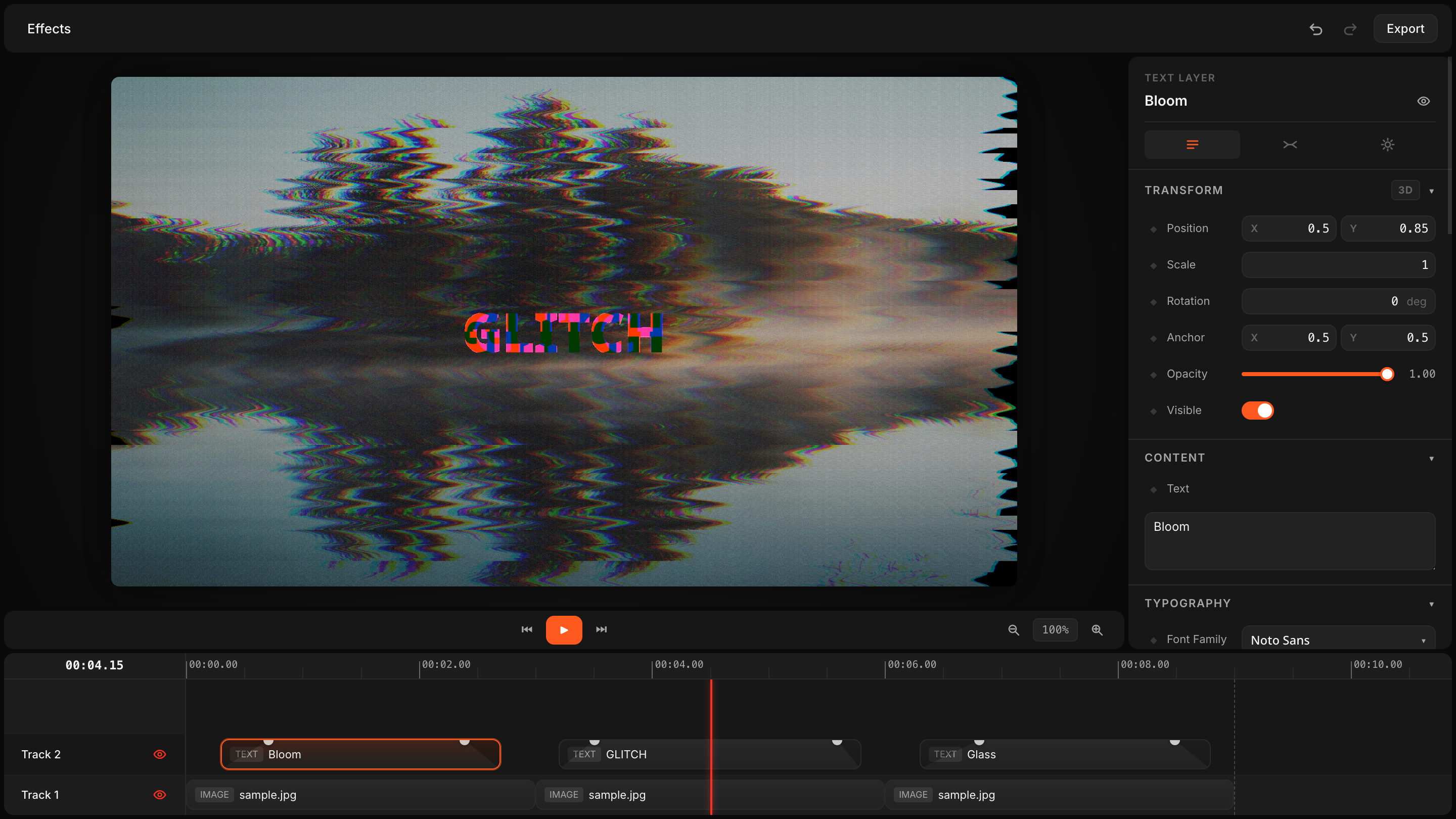
That rollout keeps the surface area small enough to debug. It also makes it obvious whether the problem is in the editor, the template, or the renderer. Once that first template is stable, you can expand into more scenes, more variations, and eventually more data-driven workflows like the ones I described in How to Turn Product Data Into MP4 Videos with VideoFlow and How to Build a Portable JSON-to-Video Pipeline with VideoFlow.
Bottom line
I like VideoFlow because it treats video like software. The React editor is useful, but it is not the whole product. The real value is that the template stays portable, the renderer stays swappable, and the UI does not become the only place the project exists.
If you are building a SaaS editor, an internal video tool, or a template-driven marketing workflow, start with one JSON schema, one editor, and one render target. Once that works, the rest of the stack gets much easier to reason about.