
August 12, 2026
How I Turn Catalog Data Into Reviewable Product Video Variants
A practical VideoFlow workflow for turning catalog records into reusable, reviewable product-video variants without rebuilding every timeline.
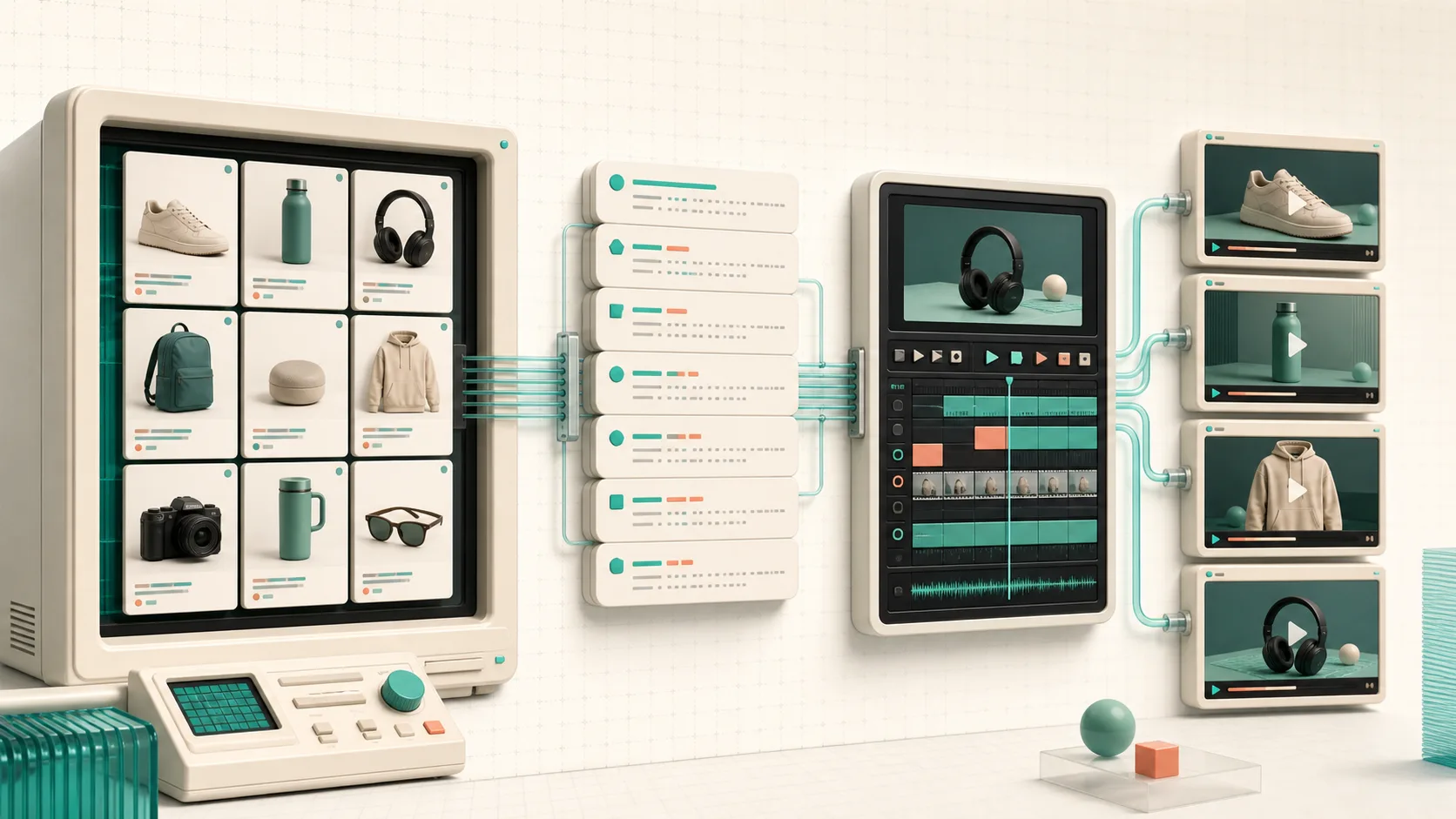
I can make one product video by opening an editor, arranging a few shots, and exporting it. The problem starts when I need the same useful video treatment for 40 products—or when price, imagery, a feature bullet, or a seasonal CTA changes next Tuesday. The timeline becomes the bottleneck.
For that kind of work, I now start with the catalog record and a deliberately boring template. The useful middle layer is portable video JSON: product data goes in, a reviewable video project comes out, and I can render the same project where it makes sense. That is the workflow I would use with VideoFlow, an Apache-2.0 toolkit for programmatic video with TypeScript, portable VideoJSON, and browser, server, and DOM renderers.
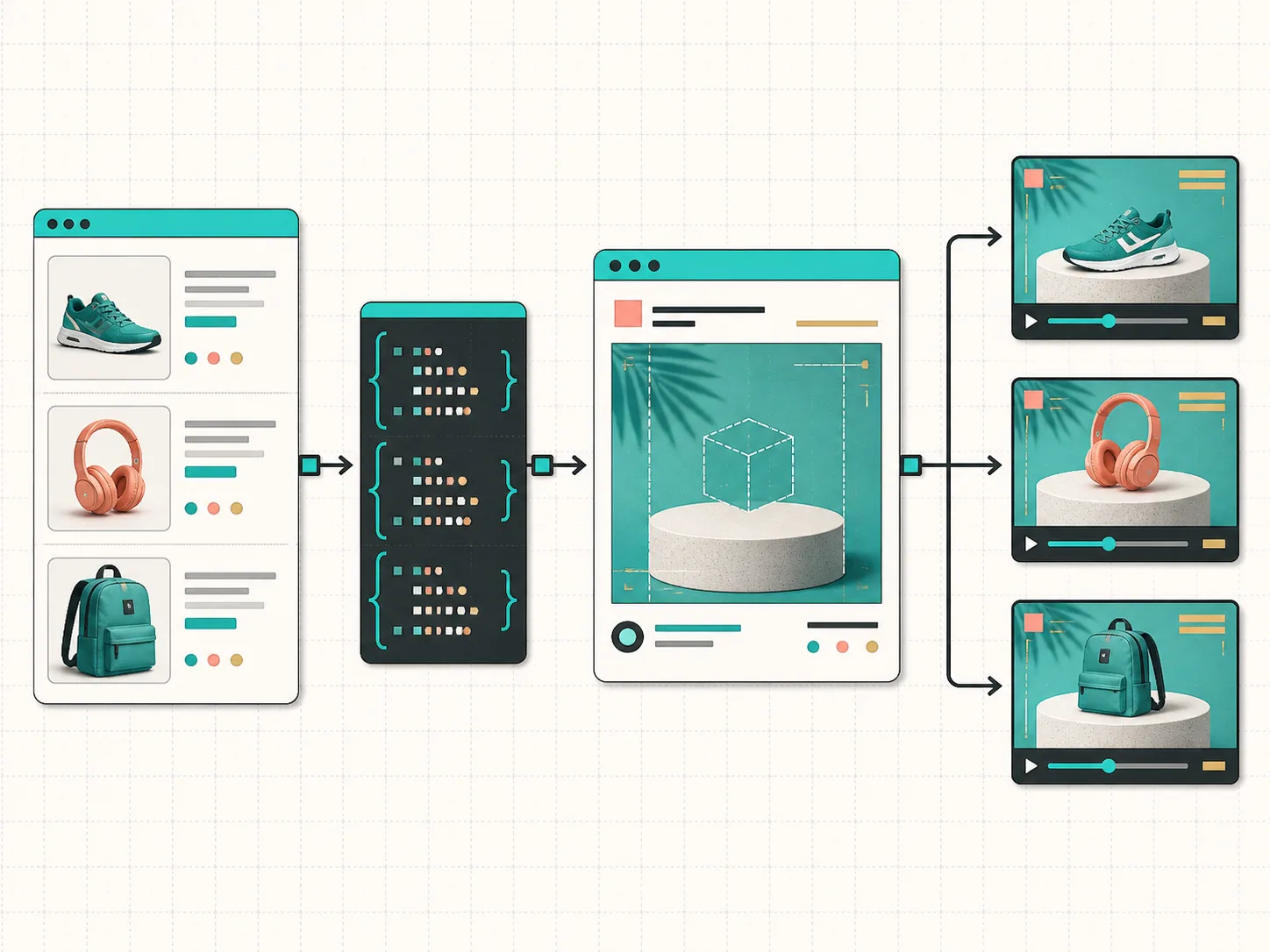
The shift: template the decisions, not just the frames
A catalog-driven video should not pretend every SKU needs a wholly original edit. I define the choices that can safely repeat: an opening product image, a short benefit sequence, a price or offer scene where appropriate, and a closing CTA. Then I leave space for the things that genuinely vary: the product media, copy length, available variants, locale, and whether the item deserves a human check.
That gives me a compact input contract. A record might contain a handle, title, image URLs, a handful of approved benefits, a price, and a destination URL. The template turns that record into layers rather than asking an editor to interpret it from scratch. VideoFlow’s core builder is a sensible place to build those layers in TypeScript, then compile the project into VideoJSON.
const video = await buildProductTemplate({
  title: product.title,
  images: product.images,
  benefits: product.approvedBenefits,
  url: product.url,
});

const videoJSON = await video.compile();
The important part is not the exact helper name. It is that videoJSON becomes a stable handoff. I can store it beside the product data, inspect it in a pull request, regenerate it after a catalog change, or send it to an editor without translating the project into another format. If you are designing a larger queue, my earlier notes on turning a Shopify product feed into a reviewable video queue cover the operational side of that handoff.
Put a review gate where it protects the brand
I would not auto-render every catalog record the minute it changes. A valid data record can still produce a bad customer-facing video: a cropped hero image, an awkwardly long product name, stale promo copy, or a missing legal qualifier. The fix is to make review a first-class state, not a manual rescue operation after export.

My small workflow is: generate VideoJSON, open a live preview, approve or revise, then render. The DOM renderer is useful for that preview step; the optional React video editor is useful when a teammate needs to trim, reorder, or adjust the generated draft without abandoning the structured source.
This is why I prefer a review-first system over an all-or-nothing automation. Low-risk products can pass with basic validation. High-visibility launches, sale messaging, and products with thin media get a human checkpoint. I used the same principle in my approval-gated Shopify catalog video queue: automation earns its keep by making the exception list small and obvious.
Choose the renderer for the job, not for the project
A portable project also means I do not have to commit to one export path too early. In VideoFlow, the same VideoJSON can support a live DOM preview, a browser-side export, or a server-side render. That matters because the economics and UX are different.

- Use a DOM preview while someone is checking a generated product clip in your admin or dashboard.
- Use the browser renderer for smaller, user-triggered exports where keeping source media on the client is helpful.
- Use the server renderer for scheduled batches, API jobs, and a catalog-wide campaign where a queue needs to own retries and outputs.
The renderer documentation is worth reading before you pick a default. I would start with the smallest path that matches the job, then keep the JSON contract unchanged when the volume grows. That is much less painful than rebuilding templates because a one-off browser export became a nightly render job.
A practical first version
If I were building this from zero, I would keep version one narrow: choose one collection, one vertical aspect ratio, one short template, and three approved product fields. Preview every generated draft. Render only the approved set. Log the product handle, template version, VideoJSON location, approval status, and final asset URL.
Once that works, add controlled variation: different hooks for different collections, localized captions, image fallbacks, and event-triggered re-renders. If feedback starts arriving after the preview stage, keep the edits tied to the structured project; this guide to safe VideoJSON revisions explains why that is safer than treating the MP4 as your source of truth.
VideoFlow is not a replacement for a fully manual nonlinear editor when a campaign needs open-ended creative direction. It is better suited to the recurring work: structured, template-driven clips that must be generated, checked, and rerun without re-editing every timeline.
Start by building one reviewable product-video template in the VideoFlow playground. If the JSON, preview, and render paths feel clean for one collection, you have the foundation for variants that scale without turning your catalog into an editing backlog.