
August 1, 2026
How I Turn Product Pages Into Reviewable Shopify Blog Drafts
A practical workflow for turning product pages into SEO-friendly Shopify blog drafts, then reviewing links, images, and claims before publishing.
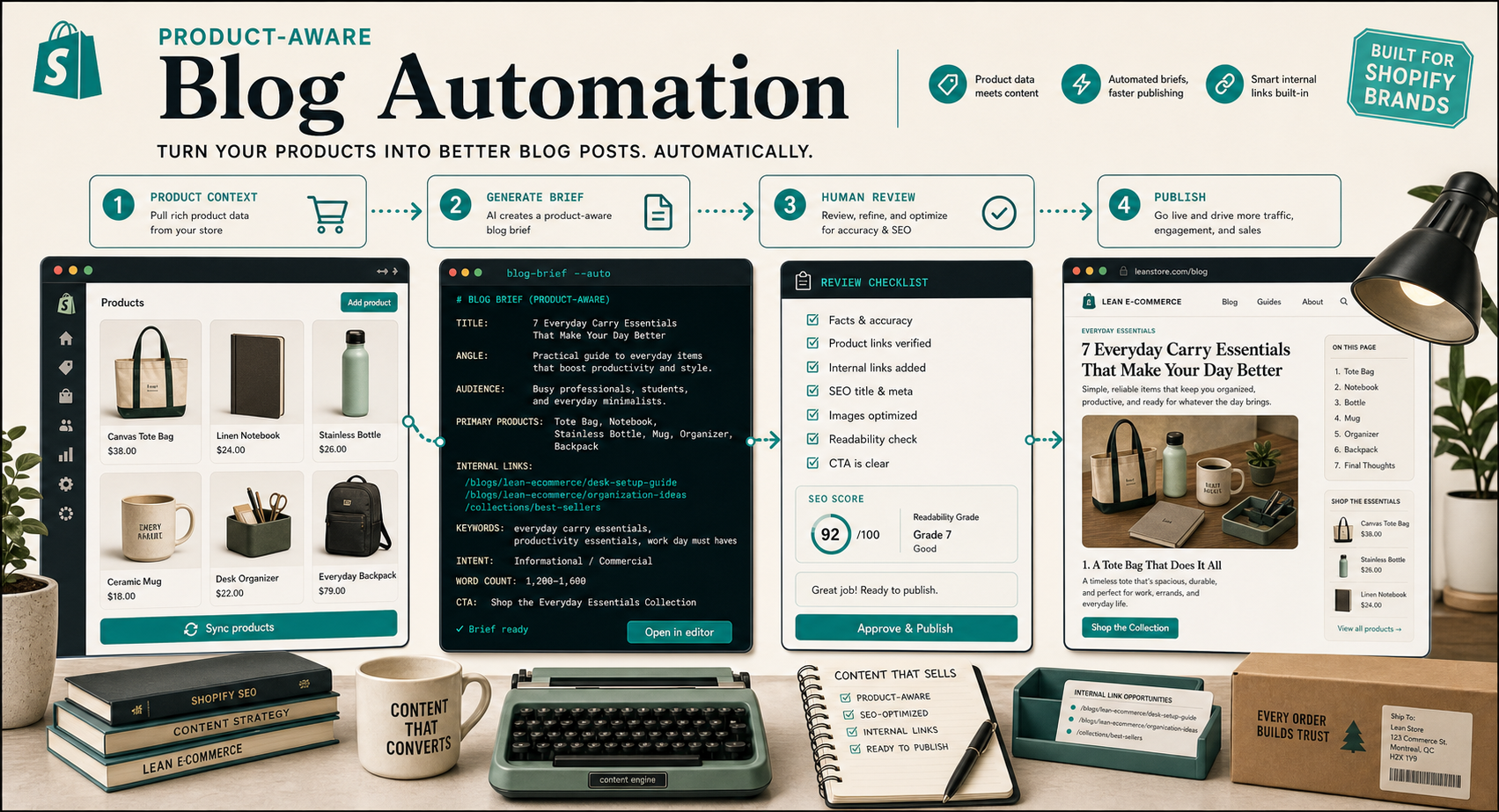
I kept seeing the same failure mode on Shopify stores: someone turns on AI writing, gets a pile of generic posts, and then spends more time cleaning them up than they would have spent writing from scratch.
The fix for me was not “better prompts”. It was a better input shape and a hard review gate.
That’s the workflow I use with Supra Blog Automation. It turns product context into SEO-focused drafts, supports recurring automations, and lets you publish immediately or save a post as a draft for review. If you want the listing first, it is on the Shopify App Store.
Start With Product Context
I do not start from a blank topic list anymore. I start from the product page, collection, or product set that actually matters to the store.
That sounds obvious, but it changes the output a lot. Product pages already contain the useful raw material:
- Features the customer can verify.
- Benefits the customer actually cares about.
- FAQs, objections, and comparison points.
- Related products and collections.
- Visual material that can support the article.
When I start there, the article is anchored to real inventory instead of drifting into generic advice. That is the difference between “AI content” and something a merchant would actually want to keep.
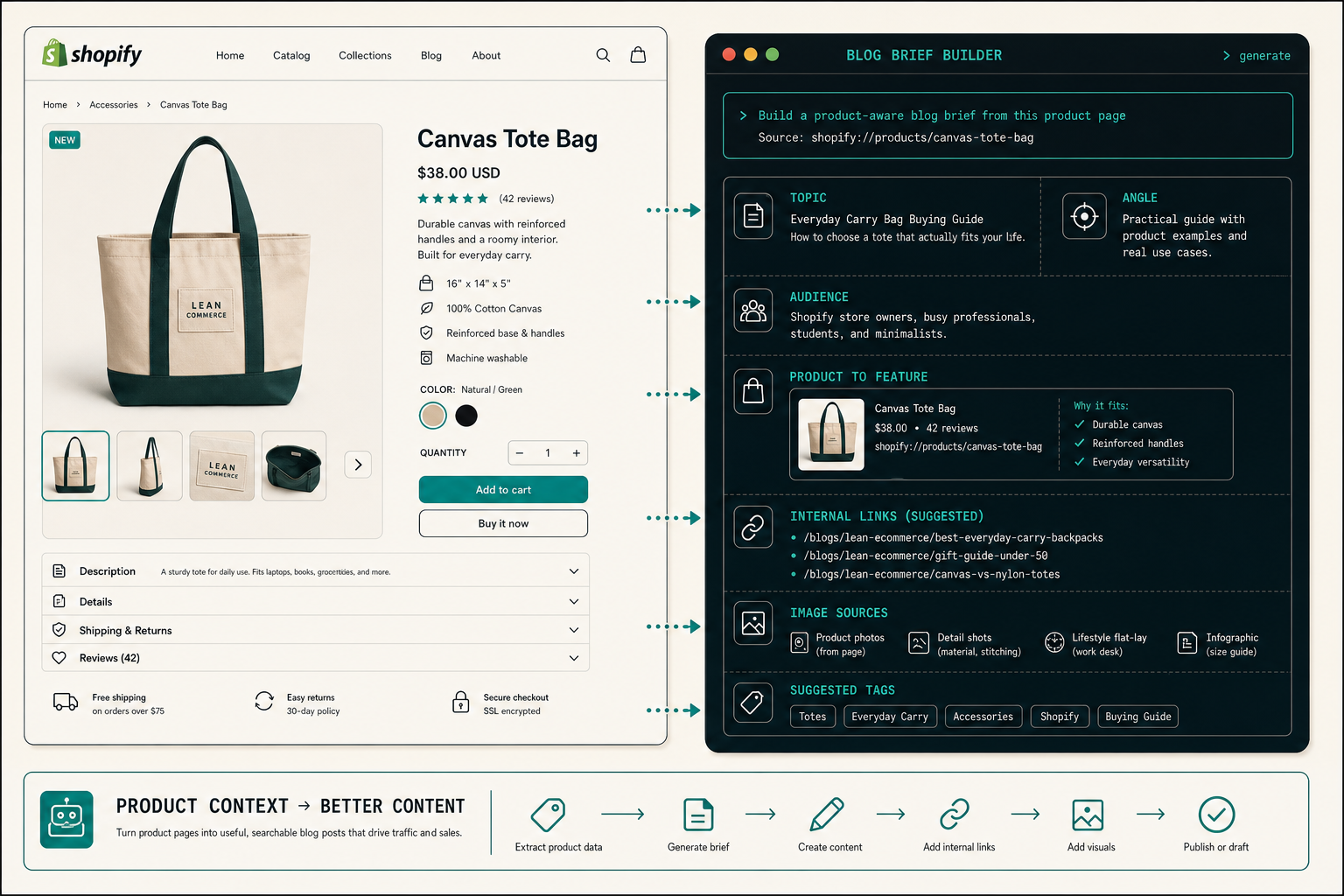
A brief I usually feed the generator looks like this:
{
  "topic": "How to Choose the Right Everyday Carry Bag",
  "goal": "informational with soft product promotion",
  "products": ["canvas-tote-bag", "everyday-backpack"],
  "audience": "Shopify store owners and busy shoppers",
  "tone": "pragmatic, slightly nerdy",
  "imageStrategy": "product photos or matching generated visuals",
  "publishMode": "draft"
}
That shape keeps the generator focused on the reader’s problem, the product set, and the desired level of promotion. If I am writing for a collection instead of a single SKU, I swap in the collection context and let the post build around that.
If you want the upstream version of this thinking, I wrote about it in How to Build a Shopify Blog Brief That Produces Better Drafts.
Generate A Draft That Is Easy To Review
I do not ask the generator to “write something great”. That is too vague. I ask it to produce a draft that is easy to verify.
In practice, that means I want:
- One clear search intent.
- One primary product or collection.
- One or two supporting links that fit naturally.
- A CTA that feels like the next step, not a hard sell.
- Images that match the section they are attached to.
Supra Blog Automation already supports SEO-focused structure, product-aware content, built-in image generation, and flexible publishing control. That is the useful part. I can let it do the mechanical work of arranging a first draft, then I decide whether the post is actually worth publishing.
This is also where recurring automations help. If I know the store needs a weekly post, I do not want to reassemble the whole workflow from scratch every time. I want the same structure to keep showing up so the review step stays short.
Make Human Review The Gate
I treat review as the real quality filter. If a draft cannot survive a fast review, it does not go live.
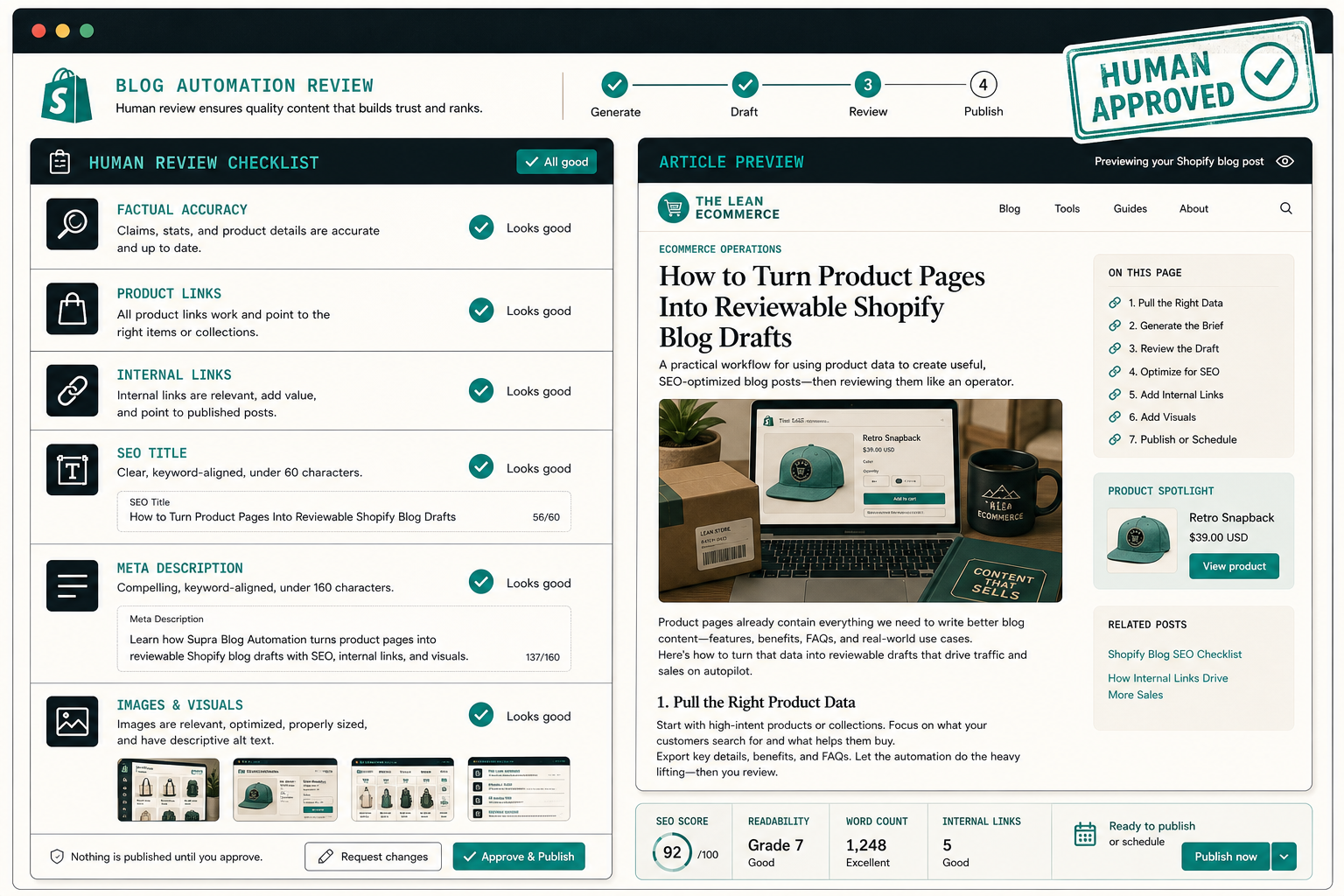
The checklist I use is simple:
- Are the product claims accurate and current?
- Do the product links point to the right thing?
- Do the internal links actually help the reader continue?
- Is the SEO title specific and not bloated?
- Does the meta description explain the value fast?
- Do the images match the section and the tone?
- Does the CTA feel like a real next action?
That is the part I would not automate away. It is also the part that keeps the article from becoming a generic AI blob.
I am aligned with the review-first approach I described in How to Build a Shopify Blog Automation Workflow That Stays Reviewable and How I Built a Review-First Shopify Blog Automation Pipeline.
If the draft is close but not clean, I keep it in draft, fix it, and only publish when the facts, links, and visuals line up. That is a small extra step, but it is the difference between a useful library post and a pile of public rework.
Use Internal Links As Part Of The Article
I try to wire internal links into the article body instead of tacking them on at the end. That is where they feel useful to the reader.
For this workflow, I like links that cover the upstream brief, the review gate, and the anti-generic-content problem. A few good matches from recent posts are How to Build a Shopify Blog Brief That Produces Better Drafts, How to Build a Shopify Blog Automation Workflow That Stays Reviewable, How I Built a Review-First Shopify Blog Automation Pipeline, and How to Automate Shopify Blog Posts Without Generic AI Content.
That gives the reader a path through the content instead of a dead end.
The recurring calendar matters here too. If the store can keep publishing on a schedule, the links start to form a content graph instead of a random pile of posts.
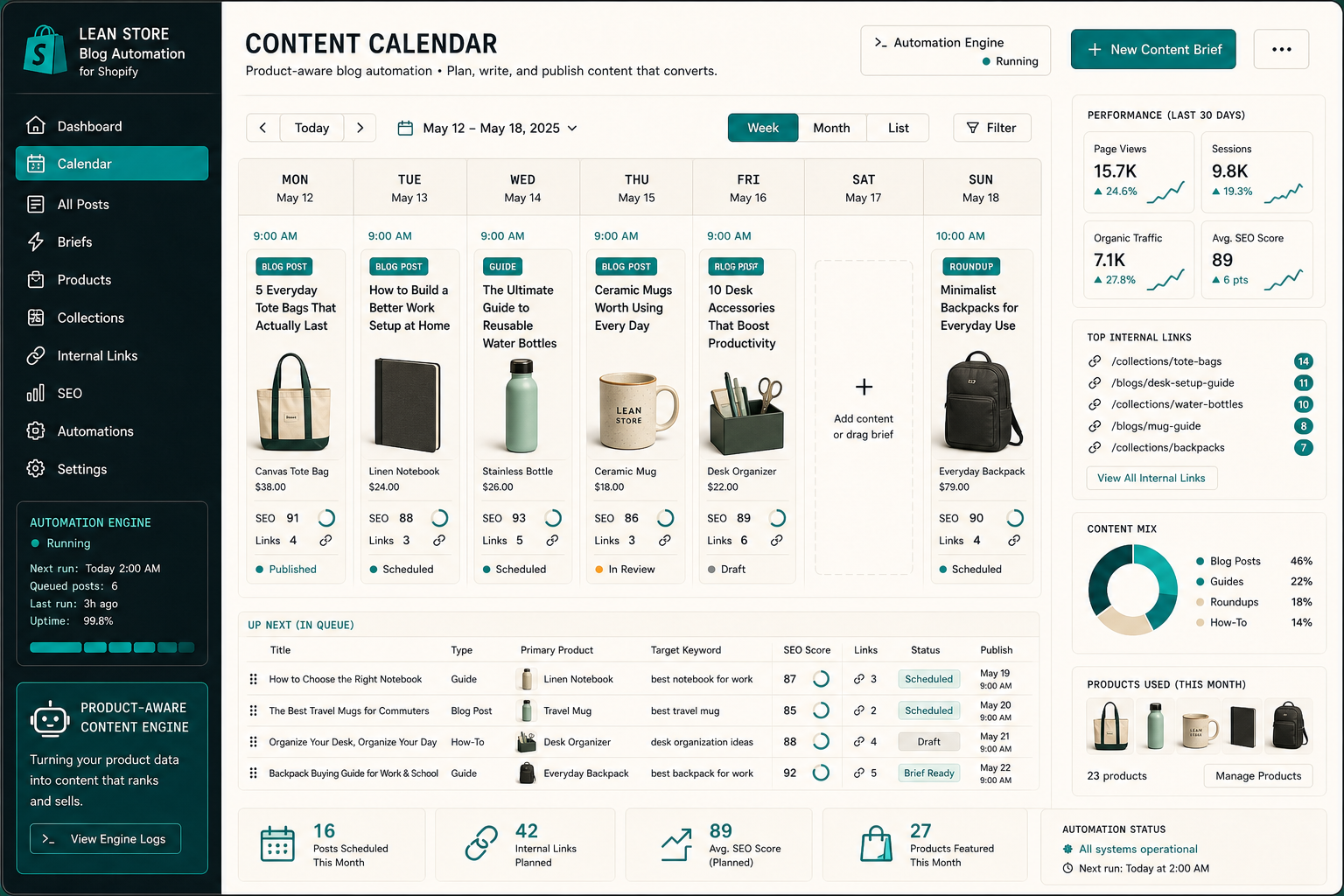
The calendar view is where consistency stops being aspirational. Once the workflow is repeatable, the blog stops depending on me remembering to write a post from scratch every week.
Keep The Visuals On The Same Job
The visuals should do the same job as the copy: show the workflow.
For this post, I wanted the images to cover three moments:
- Product page into brief.
- Human review before publish.
- Recurring content calendar.
That lines up with the way I think about blog automation. The first image explains the input, the second explains the quality gate, and the third explains consistency.
Supra Blog Automation supports AI-generated images, stock images, product photos, and generated visuals based on product references. I only use the source that fits the post’s job. If the store already has strong product photography, I will use that. If the post is more abstract or operational, I lean on generated visuals that match the blog’s visual identity.
For The Lean Ecommerce, that means clean retro editorial art, restrained ecommerce cues, and a palette that stays close to the site’s accent color rather than drifting into generic SaaS gradients.
What I Would Do Next
If I were setting this up for a store today, I would start small:
- Pick one product or one collection.
- Write one structured brief from real product context.
- Generate one draft and keep it in draft mode.
- Review claims, links, images, title, and CTA.
- Publish only when the post can stand on its own.
That is enough to prove whether the workflow is useful before you scale it into a recurring calendar.
If you want to test the setup, start with Supra Blog Automation and use the free plan to validate the process on a single post. The free plan includes 3 AI blog posts per month, built-in SEO and internal linking, and advanced image generation. Once that works, move to recurring automations and let the calendar do the compounding.