
July 24, 2026
How I Turn One Shopify Product Brief Into UGC Video Variations
A practical workflow for turning one Shopify product brief into reusable UGC video variations for ads, product pages, and email.
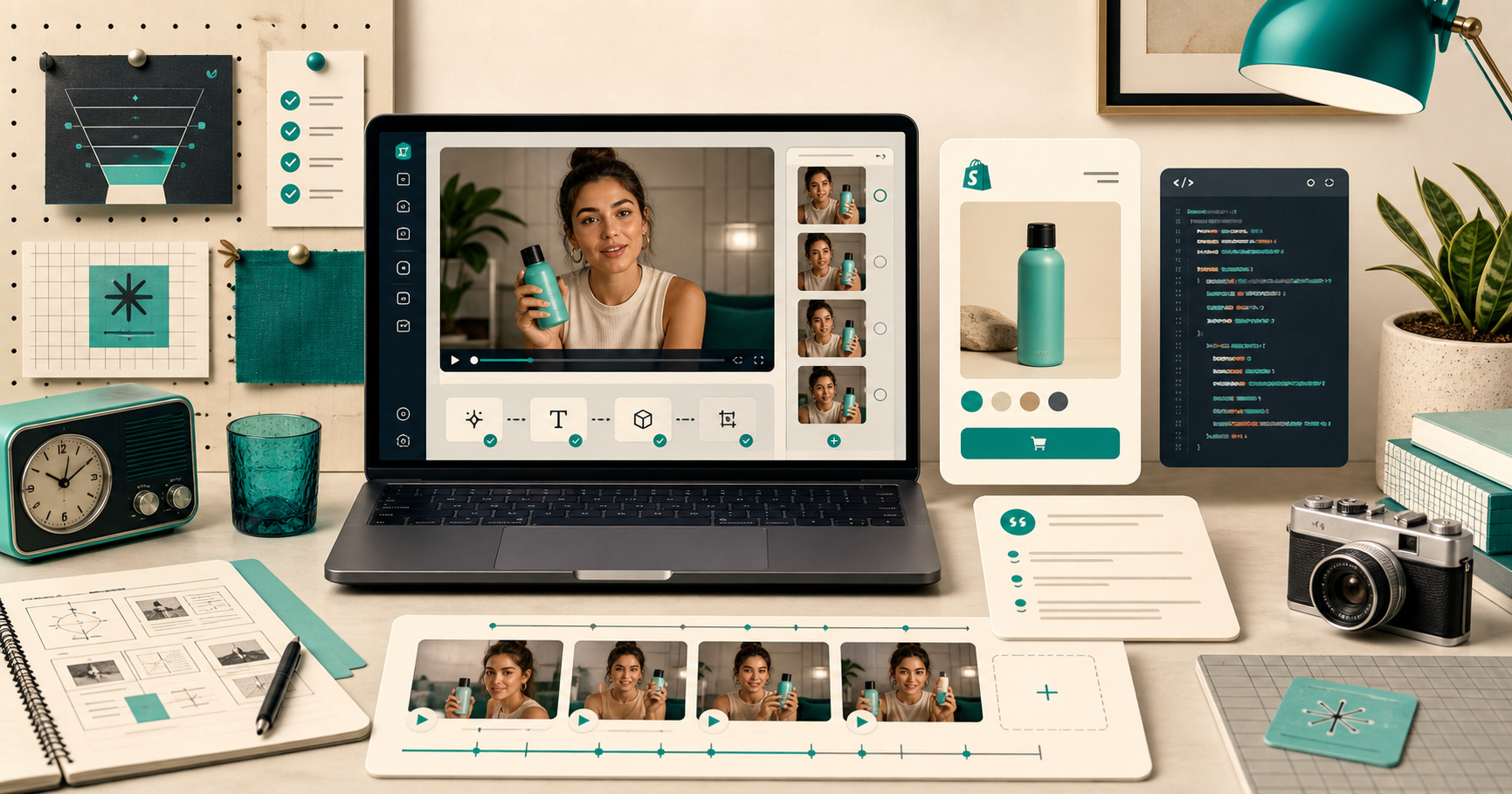
When I need more short-form creative, I do not start by asking for more footage. I start with one product brief and decide which variables are worth changing.
That is the workflow I reach for with Supra UGC Maker when I need Shopify UGC videos for ads, product pages, email, and launches. The point is not to fake a big production. It is to turn one clear brief into a small library of usable variations that I can review, reuse, and ship.
If you want the product listing first, the Shopify App Store page has the current plan details.
What I am trying to build
I want a short production loop that stays useful after the first export:
- one product brief
- a few hook angles
- a few scene choices
- one reusable project
- multiple placements
That is enough to get past the “we need more content” stage without creating a pile of one-off edits I cannot maintain.
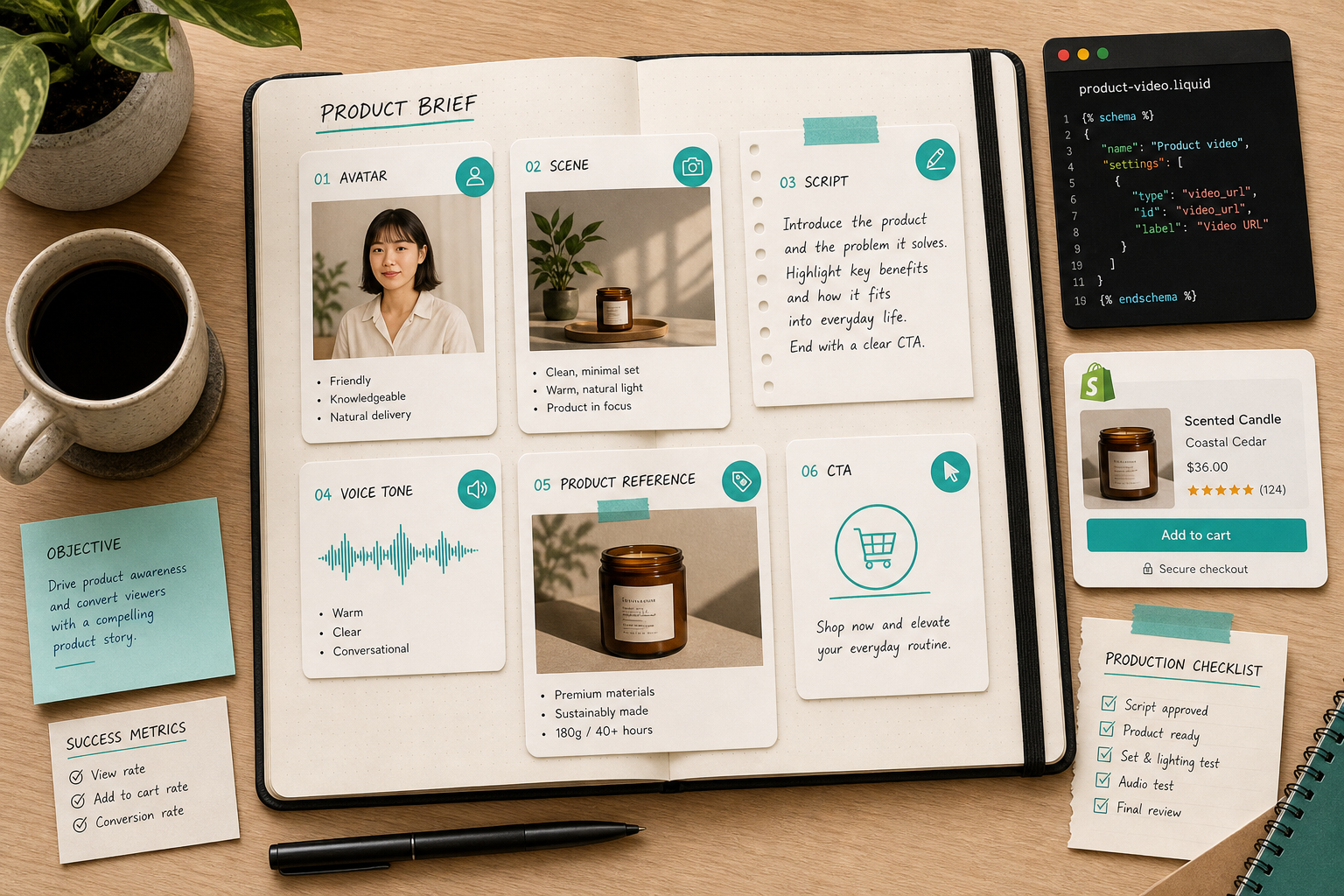
The useful part is that the brief does not need to be elaborate. I usually keep it to five things:
- Product: what is it, and what is the strongest thing it does?
- Audience: who is this for, in plain language?
- Claim: what promise can I defend without overexplaining?
- Proof: what can the video show instead of just saying?
- CTA: what should happen next?
If those five pieces are clear, the rest of the workflow gets simpler. If they are fuzzy, the generated video usually feels fuzzy too.
The variables I change first
With a tool like Supra UGC Maker, I treat the first render as a controlled experiment. I pick one avatar, one scene, one script, and one tone, then I see whether the result is even worth saving.
The settings that matter most to me are:
- Avatar: use a preset when I want speed, or a custom AI model when the brand needs a more specific face.
- Scene: keep the background aligned with the product and audience. Studio, outdoor, boutique, and brand-specific settings all create different expectations.
- Script: make the hook do the real work. The middle should explain, not wander.
- Voice and tone: do not overproduce the read. UGC-style creative works better when it sounds direct.
That is also why I like the “no camera, crew, or manual editing workflow required” positioning. It keeps the first pass honest. I am not trying to build a cinema-grade cut. I am trying to produce something I can test quickly.
If you want the broader “no shoot needed” angle, How to Create UGC-Style Shopify Product Videos Without a Shoot is the nearest companion piece in the archive.
The part I test, not guess
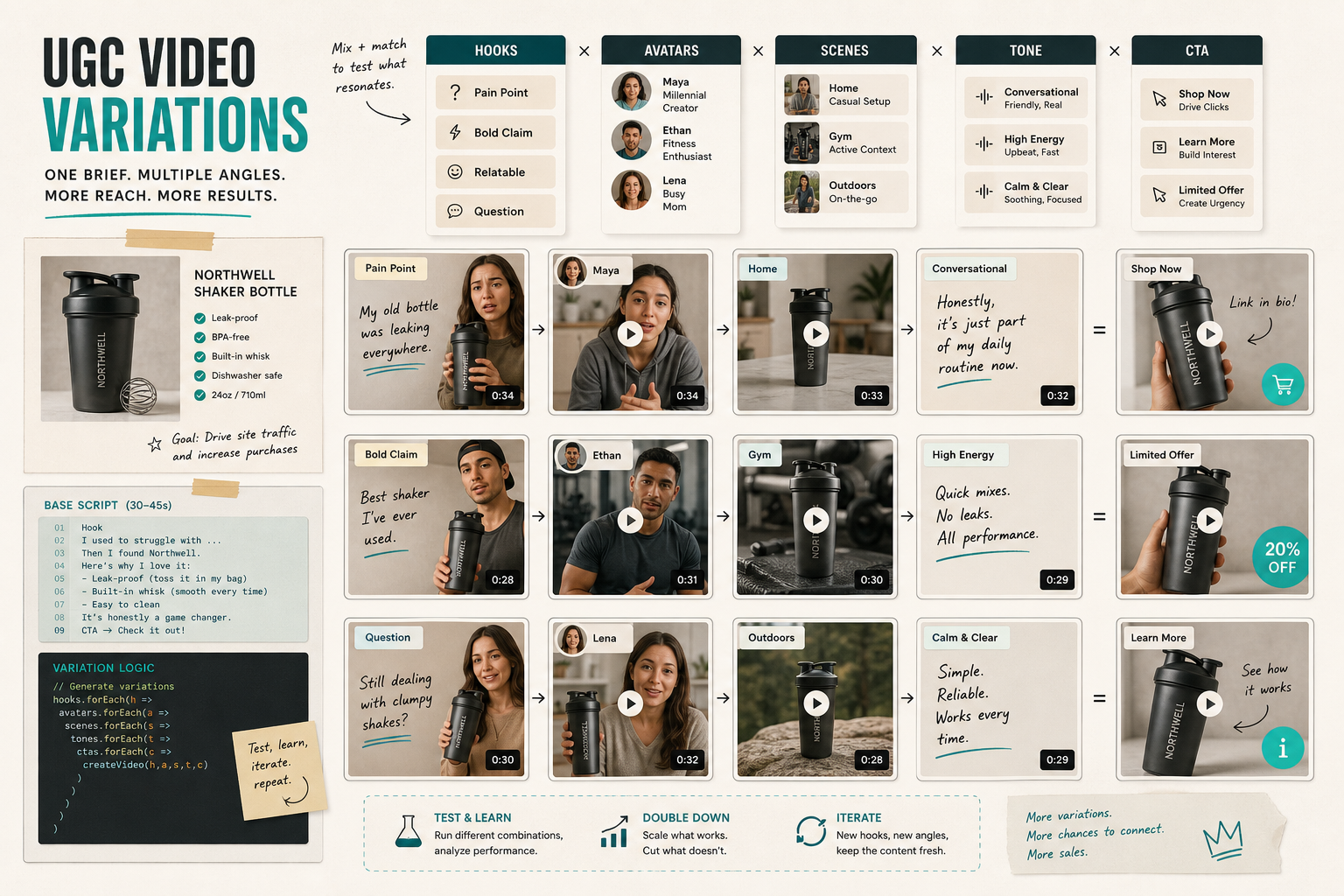
Once the first cut exists, I usually change one variable at a time instead of rebuilding everything.
That might mean:
- keeping the same scene and changing only the hook
- keeping the same hook and changing only the avatar
- keeping the same product reference and changing the tone
- keeping the same script structure and swapping the CTA
This is where a lot of teams overcomplicate things. They change the hook, the background, the voice, the length, and the CTA at once, then they do not know what actually helped.
I prefer a small matrix. It is easier to review, easier to compare, and easier to reuse later. If that sounds familiar, How I Build a Shopify UGC Video Test Matrix is the same idea from the testing side, and How to Turn One Product Brief Into 5 Shopify UGC Videos shows the same principle applied more directly to output volume.
The value here is not just more creative. It is clearer creative. You can tell which version deserves another pass and which one was only useful as a draft.
Keep the workflow reviewable
I care less about whether a video is technically finished and more about whether I can still make a decision without opening a new project from scratch.
That means I want to:
- preview the scene before generating the full video
- reorder or trim clips when the structure is close but not quite right
- regenerate only the weak pieces
- save the project so the next variation starts from the same place
That reviewability is the difference between a workflow and a pile of exports. It is also why I like treating creative like a structured asset pipeline, which is the same reason How to Build a Reviewable JSON-to-Video Pipeline With VideoFlow felt so practical to me.
The upstream work matters too. If your product photo set is weak, video creative inherits that weakness fast. I have had better results when the product visuals were already organized, which is what I wrote about in How I Turn One Product Photo Into a Full Shopify Visual Set.
Where I use the finished videos
The same asset should earn its keep in more than one place.
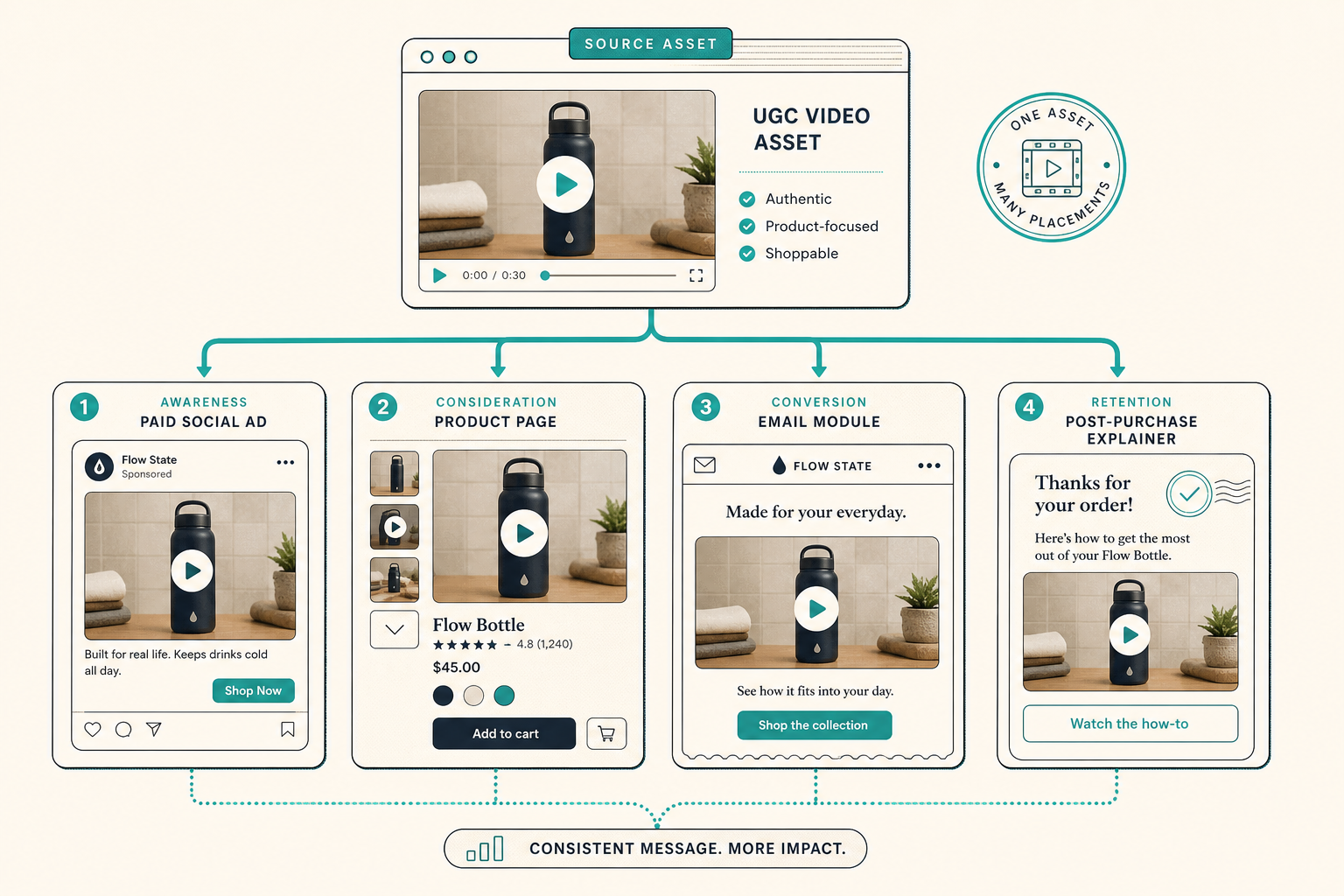
I usually think about four placements first:
- Paid social: test hooks and angles quickly.
- Product pages: explain the product before the shopper scrolls away.
- Email: turn a static campaign into something with motion and context.
- Post-purchase: reduce confusion and support repeat use.
That placement-first mindset matters because the video is not the deliverable. The deliverable is a creative asset that can move through the funnel without being remade every time. If you like that way of thinking, How to Build a Shopify Product Photo Pipeline That Covers Every Channel is the closest photo-side analogy.
My default order of operations
If I were setting this up from scratch today, I would do it in this order:
- Write a short brief with product, audience, claim, proof, and CTA.
- Pick one avatar and one scene.
- Draft two hooks and one fallback hook.
- Generate the first variation and review it before expanding.
- Save the scene and project that worked.
- Create the next variation by changing only one variable.
That is enough to get to a real testing loop without making the workflow fragile.
If you want to try it with a low-risk first pass, Supra UGC Maker has a free plan with 3 video segments and 6 image generations per month. Start with one product, one hook, and one scene, then see whether the result is strong enough to reuse.
The practical next step is simple: pick one Shopify product, build one brief, and turn it into three UGC video variations you can compare side by side.