
June 18, 2026
How I Built a Guardrailed Shopify AI Agent for Daily Ops
A practical Clawly setup for Shopify reports, alerts, product cleanup, and support drafts with scoped permissions.

I wanted a Shopify AI assistant that could remove work from my day without turning into an unrestricted admin bot. Clawly is the closest thing I’ve found to an OpenClaw for Shopify: you describe the assistant, connect the tools it needs, and keep the rest behind scoped permissions.
That matters because the useful Shopify jobs are almost never “do everything.” They’re closer to “read the store, spot the problem, draft the next step, and tell me before anything risky happens.” That is the model I used here.
If you want the product page first, the landing page is Clawly and the Shopify listing is here.
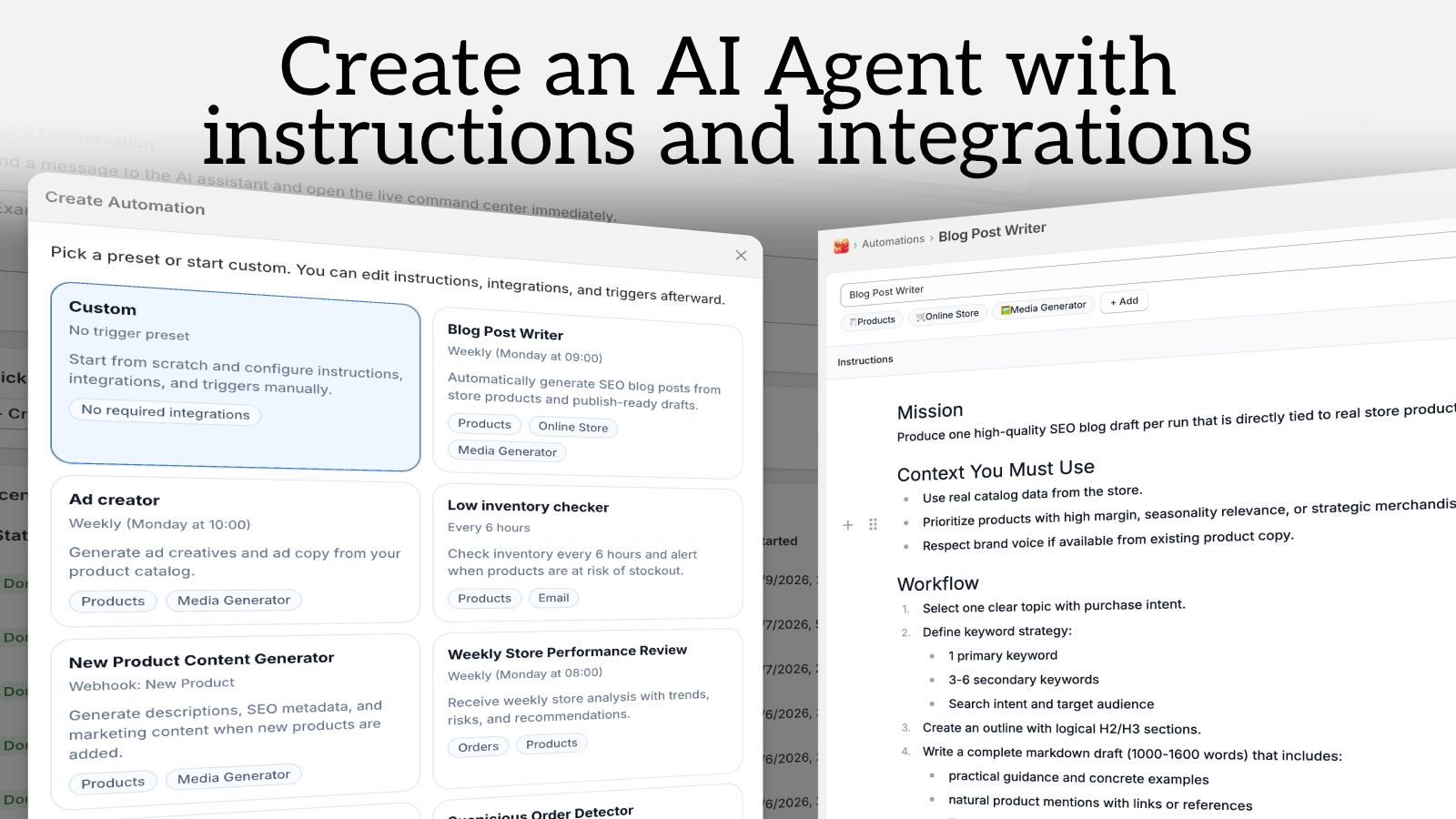
Start With One Assistant, Not a Whole Autonomy Plan
Clawly’s core pitch is simple: create an AI Agent for Shopify, connect the integrations you need, and decide exactly what it can access. The app store listing says it works with Shopify Admin and 50+ integrations, including tools like Google Sheets, Gmail, Slack, Notion, Klaviyo, Instagram, and ad platforms.
I would start with a narrow assistant that can:
- read product and order data,
- generate a daily report,
- draft text for me to review,
- send notifications when something needs attention.
I would not start with write access to discounts, refunds, or theme changes. Those are the first places you lose control.
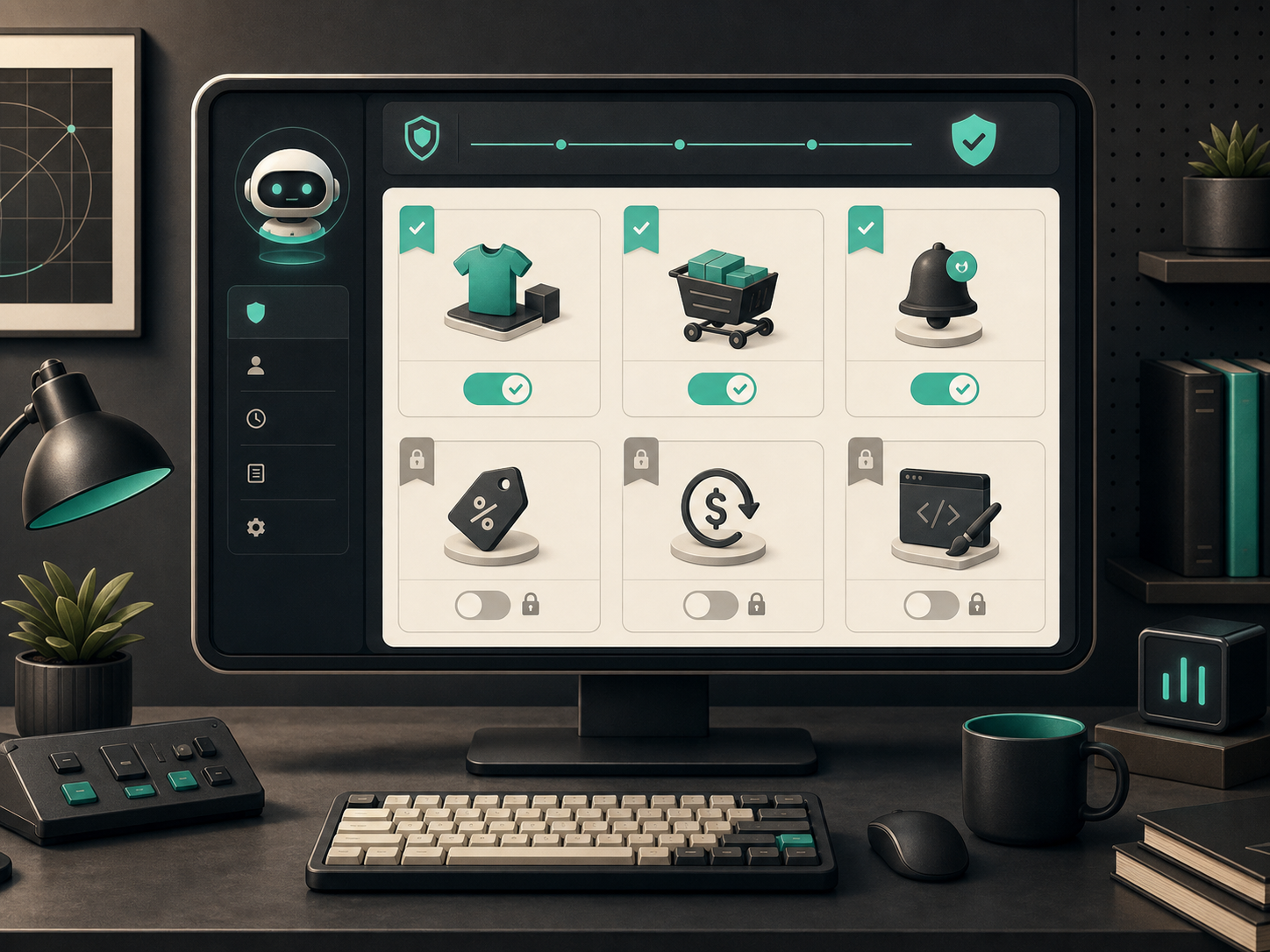
That is the part I care about most. An AI agent is useful when it can operate inside a defined lane. If you make the lane wide before you know the failure modes, you just built a faster way to create cleanup work.
The product screenshot for Secure by Design - control which actions and tools each assistant can use makes that idea explicit: choose which actions each assistant can use, then grow access only after the workflow is reliable.

The First Three Automations I’d Ship
1. Daily Store Report
The first automation I’d ship is a morning summary. Every day, the assistant should check revenue, top sellers, inventory warnings, and anything that looks unusual, then send me a short report.

That is the highest-leverage use case because it changes how you start the day. You stop opening five tabs just to answer: Did anything break? Did anything spike? Are we about to stock out?
Clawly’s recurring automation flow fits that pattern well. The product screenshot for Setup recurring automations for store tasks and alerts is basically the checklist I’d use: define the trigger, define the output, define the notification path, and keep the action surface small.

2. Low Inventory Alerts
The second automation is a low-inventory alert. This is boring in the right way. You want a threshold, a notification, and maybe a suggested next action, not a fully autonomous reorder chain on day one.
This is where a Shopify AI agent is better than a generic chatbot. It can watch the store continuously, correlate inventory with recent demand, and notify the right channel when stock crosses a line.
3. Product Cleanup and Drafting
The third automation is catalog cleanup. That means SEO titles, description drafts, tags, and collection suggestions for new products.
I would still keep a human review step before publish. The agent can remove repetitive formatting work, but it should not become the source of truth for your storefront copy on the first pass.
That same “draft first, publish later” habit is what I used in How to Automate Shopify Blog Posts Without Generic AI Content: useful automation is a drafting engine, not a trust fall.
What I Would Keep Human-Reviewed
There are a few tasks I would deliberately keep out of the agent’s direct write path until it has earned trust:
- discounts,
- refunds,
- theme edits,
- customer-facing replies that need judgment,
- anything that changes pricing or inventory without a second check.
That is also why I like the visual guardrail shown in How I Choose Between AI Enhancement, Try-Ons, and Lifestyle Scenes for Shopify Photos. Different workflow, same lesson: let the system decide the easy cases, but keep a person in the loop where taste, risk, or money is involved.
The same mindset shows up in How to Build a Repeatable Shopify Image Workflow From One Product Shot. Start with one reliable input, define the output you want, then lock the pipeline down before you scale it.
The Setup I’d Use in Practice
If I were rolling this out on a real store, I’d do it in this order:
- Connect the minimum integrations needed for read access.
- Turn on a single daily report.
- Add low-inventory alerts.
- Let the assistant draft product updates and support notes.
- Review the first few runs manually.
- Expand permissions only after the assistant has shown it behaves inside the lane.
That is the part people skip. They want the “AI employee” story before they’ve defined the escalation path. The result is usually too much freedom and not enough confidence.
For broader operational cleanup, I’d rather apply the same discipline I use in The Shopify Bulk Edit Workflow I Use for Sale Prep: small changes first, scoped batches, then confirm the result before moving on.
Why Clawly Makes Sense Here
Clawly is not trying to be a generic AI chat surface. It’s positioning itself as an AI Agent for Shopify with scoped permissions, store-specific tasks, and integrations that fit ecommerce operations.
That matters if you are trying to replace manual admin work, not just chat with another model. The product is more useful when it is opinionated about Shopify workflows:
- product updates,
- order monitoring,
- catalog cleanup,
- weekly reporting,
- support drafts,
- marketing content,
- alerts and notifications.
If you need the convenience of AI but still want to control what can be read, written, or sent, that is the right shape.
My Practical Recommendation
Start with one assistant and one boring job. If you are going to automate anything first, automate the thing you already do every day, not the thing that feels the most impressive in a demo.
For most Shopify stores, that means a daily report or a low-inventory alert. Once that is stable, add product cleanup, draft generation, and support triage. Then, if the agent keeps behaving, expand the scope.
If you want the full setup, install Clawly and build the first assistant around a report or alert instead of a broad autonomy goal. That gives you something useful immediately, while keeping the store inside your control.
The point is not to let an agent run the shop. The point is to make Shopify operations less manual without making them less safe.